Batching Ledger Entries (Business Central)
Processing Payments
Start processing payments by following these simple steps.
Select Invoices
Navigate to the Pay Invoices page and select the invoices you would like to pay.
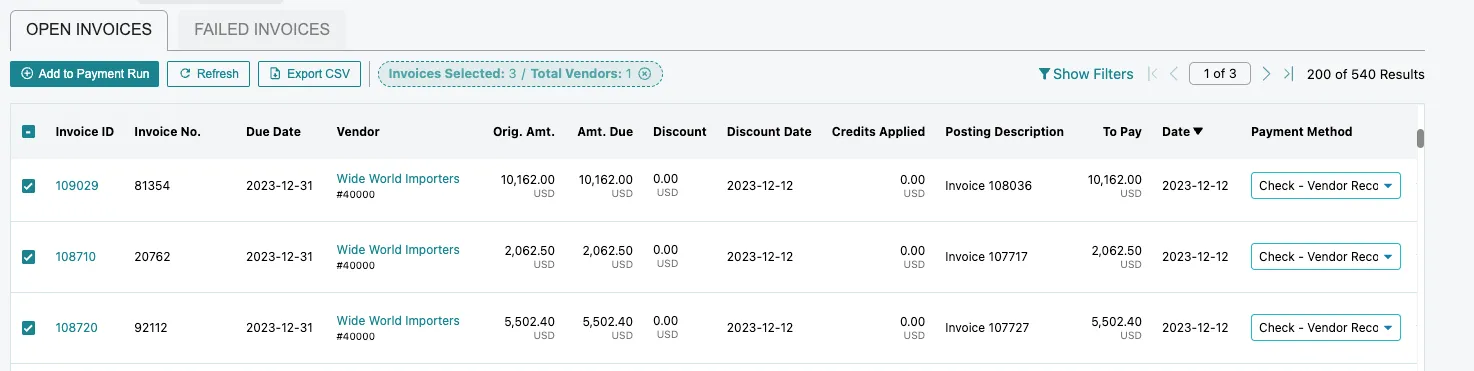
Select Invoices
NOTE: Payment batching is not supported when using the Pay-to, Buy-from, or Ship-to address for check payments.
Confirm Payment
Submit your payment by selecting Confirm Payment.
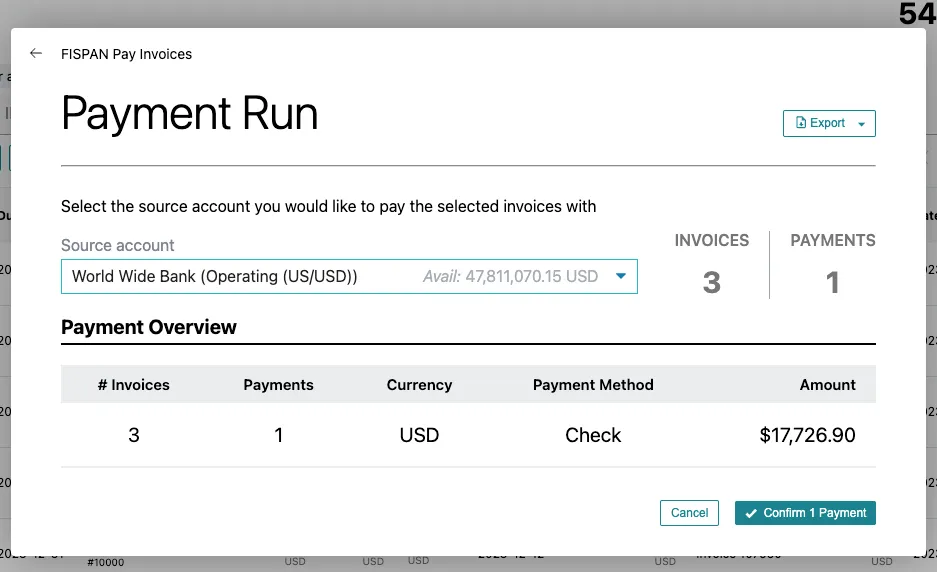
Select Confirm Payment
Now the payment will begin processing.
View Batched Ledger Entries
Below are some examples of how these batched entries will appear on the various ledgers available in Business Central.
Vendor Ledger Entries:

Vendor Ledger Entries
Bank Account Ledger Entries:

Bank Account Ledger Entries
Check Ledger Entries:

Check Ledger Entries