Applying Discounts (Business Central)
Setting up early payment discounts in Business Central involves configuring several key settings to ensure the discount is calculated correctly and posted to the appropriate accounts.
The effect of the early payment discount is determined by a combination of settings:
- Payment Terms
- Vendor/Customer Posting Groups
- Setting the Transaction Type linked to the bank account
Payment Terms
Payment Terms define the conditions for transactions with vendors and customers. They determine if an early payment discount is available, define the discount percentage, and the required expiry date or duration for receiving the discount.
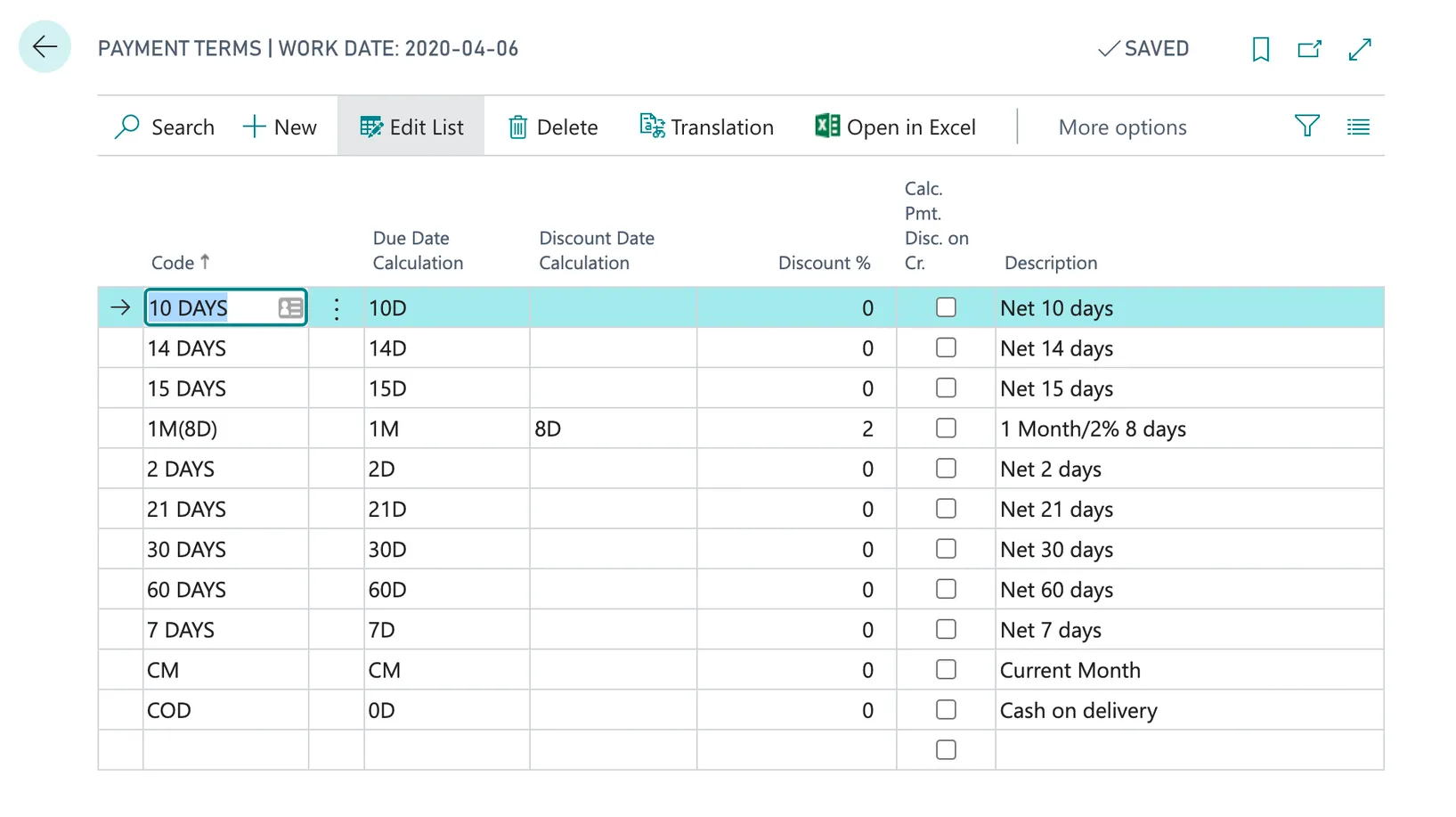
Vendor/Customer Posting Groups
The Vendor and Customer Posting Groups determine which ledger accounts the actual discount amount will be posted to.
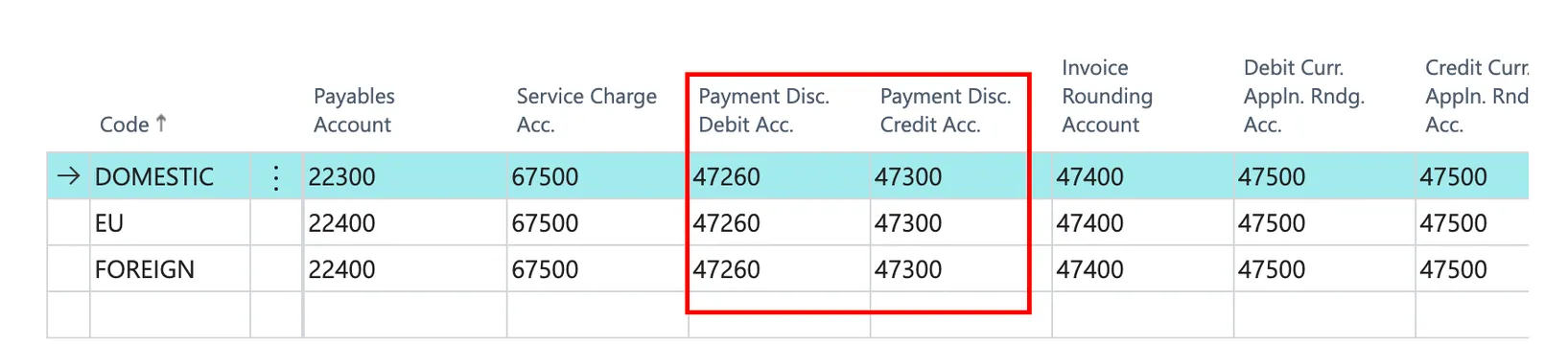
Utilizing Discounts
When creating a Purchase Invoice, fill in the agreed-upon payment discount terms in the Invoice Details section. Post the invoice to make it ready for payment.
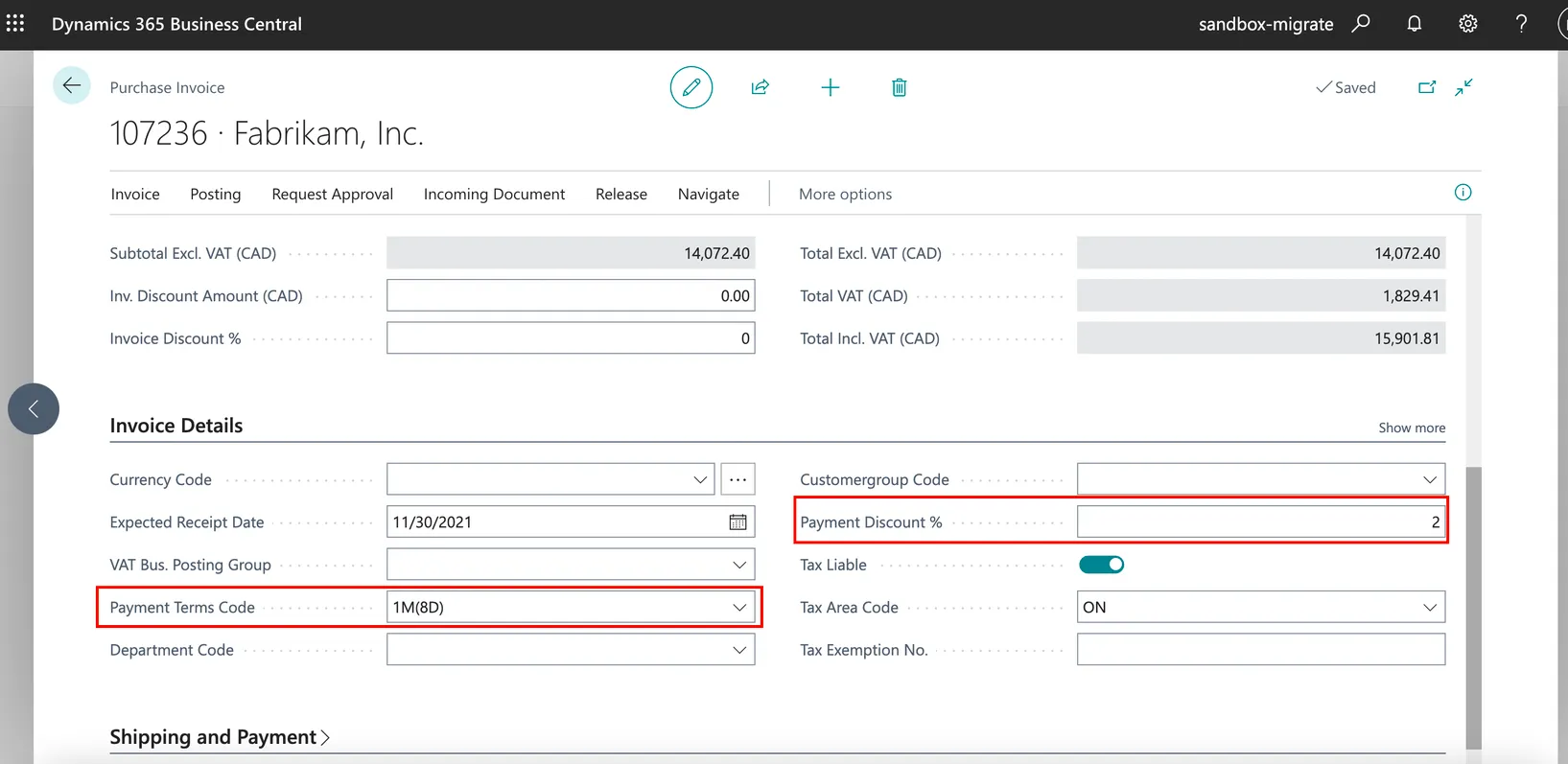
Navigate to the Pay Invoices page and create the payment. The discount will be applied if paid on time.