Scheduled Payments (NetSuite)
Welcome to the Scheduled Payments feature. This feature allows you to schedule payments from within your ERP to be executed and sent to the bank on a chosen future date.
This guide will walk you through how to schedule your payments, giving you greater control over your cash flow and automating your payables process.
Scheduling a Payment
The process begins on the Payments page, where you will select the bills you wish to pay.
Select Your Bills & Initiate Scheduling
Start by selecting the bills you want to pay from the list, just as you normally would. Once selected, the Schedule Payments button will become active. Click it to begin.
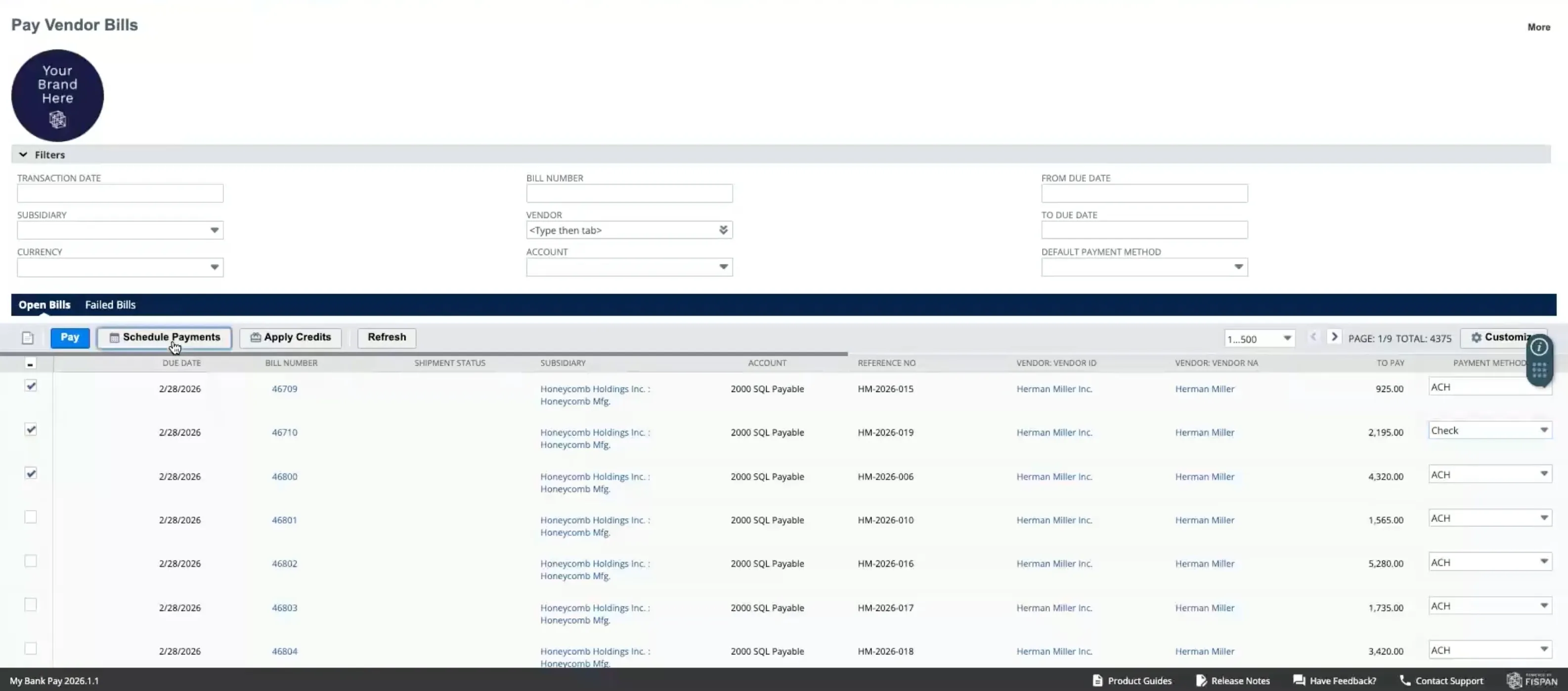
Select the Source Account
Proceed with the regular payment run step of selecting a source account for the intended payment.
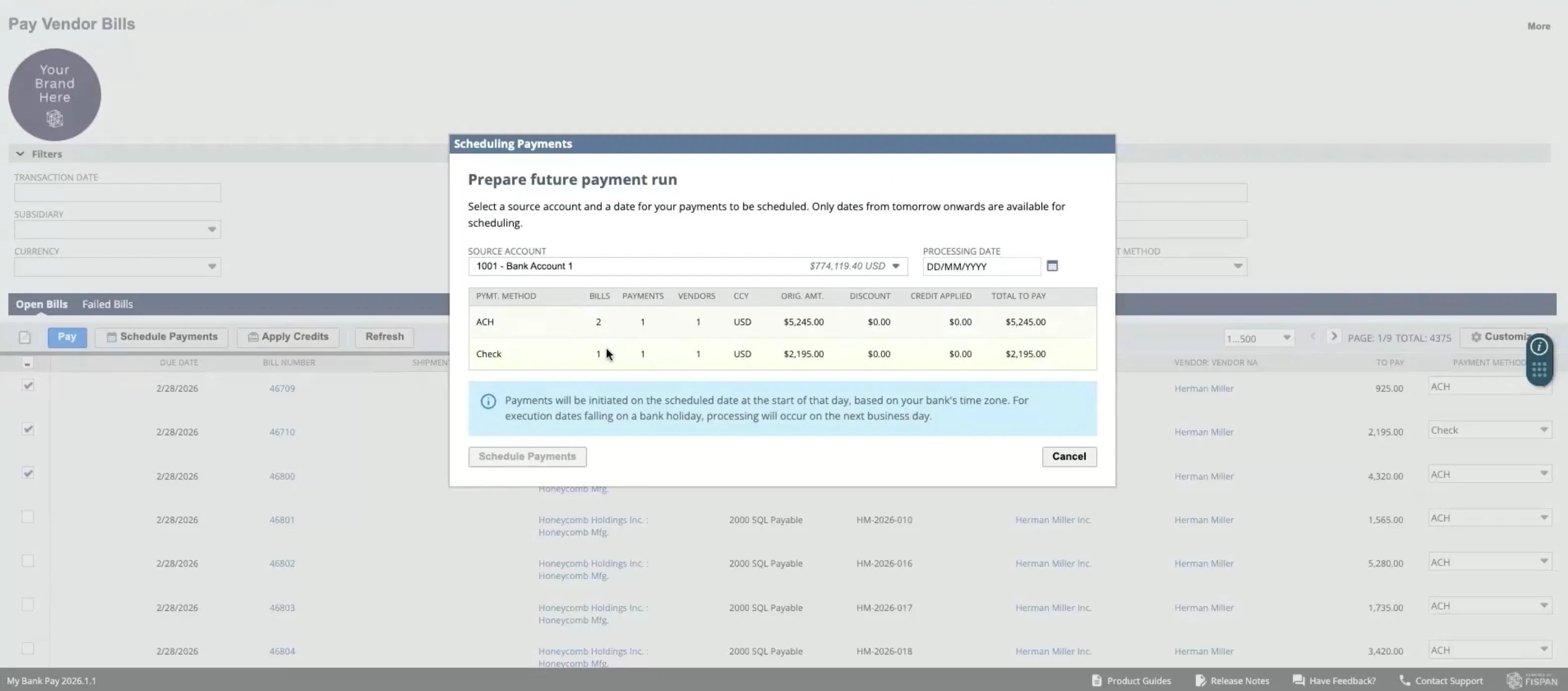
Select a Submission Date
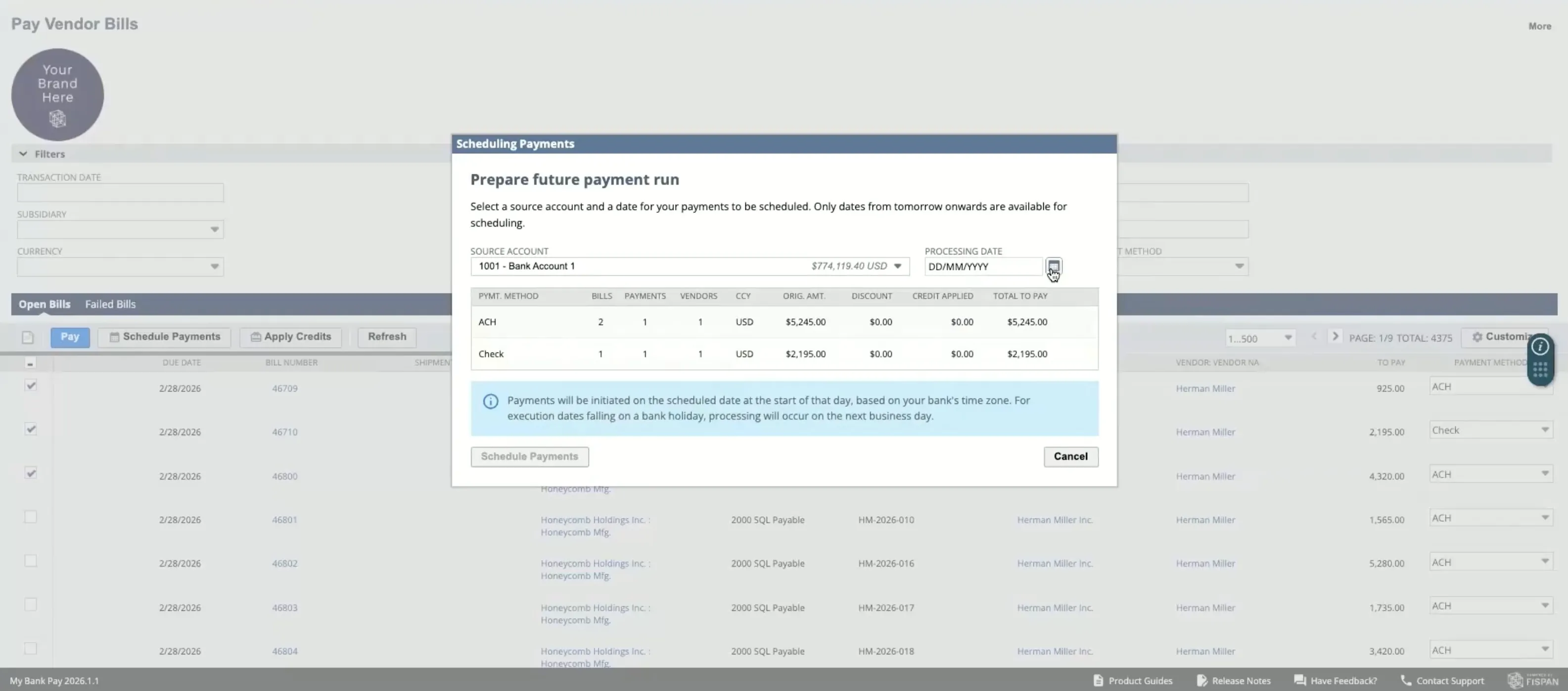
Here is where you can select your desired submission date. Specific processing times may vary depending on the chosen payment rail.
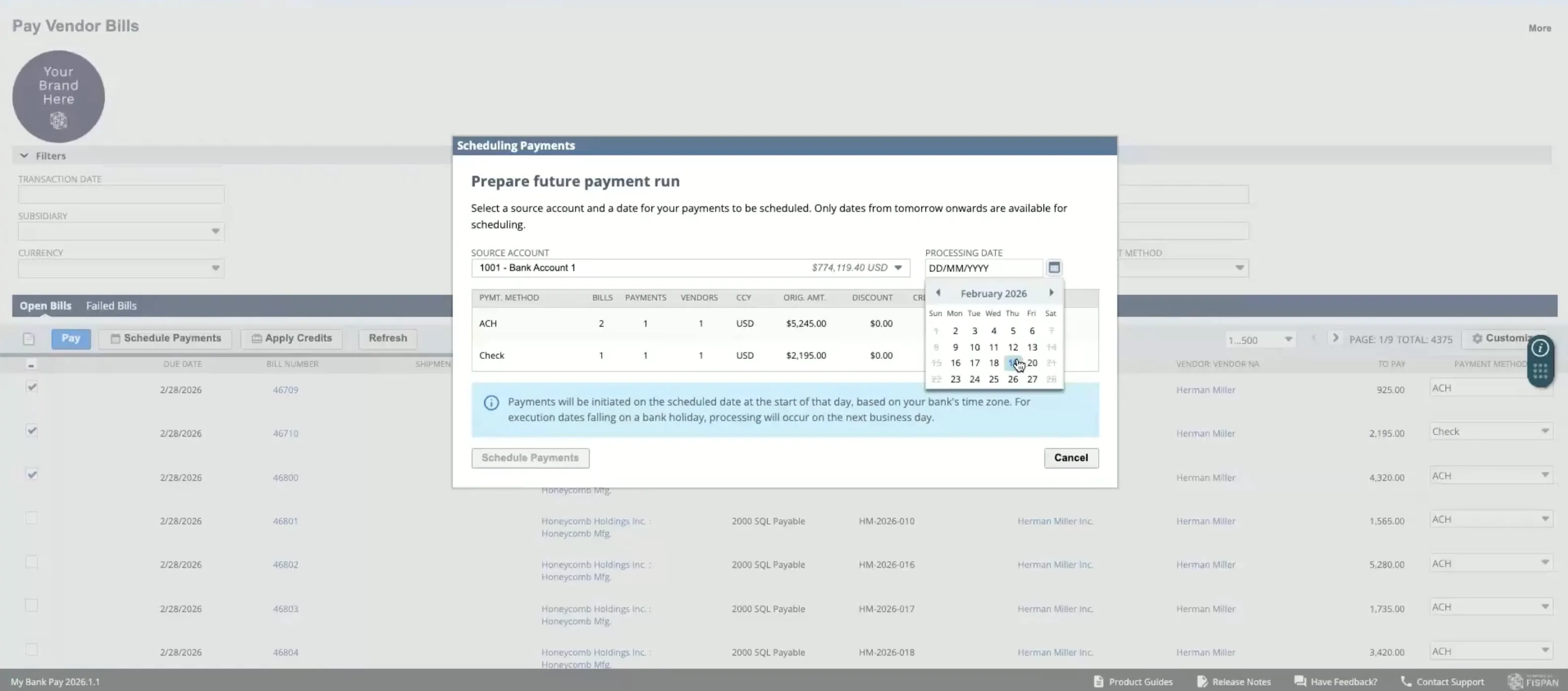
The calendar automatically disables and makes unselectable any dates that are weekends or already in the past from your bank's local timezone perspective.
Click on the Calendar Icon to the right of the submission date section to begin.
Select your desired submission date.
Click Schedule Payment to complete the process.
Managing Your Scheduled Payments
You can easily view and manage all your upcoming payments after they have been scheduled.
Viewing Scheduled Payments
You can find all your upcoming payments on the main page by navigating to your bank in the toolbar, then Payments -> Scheduled Payments
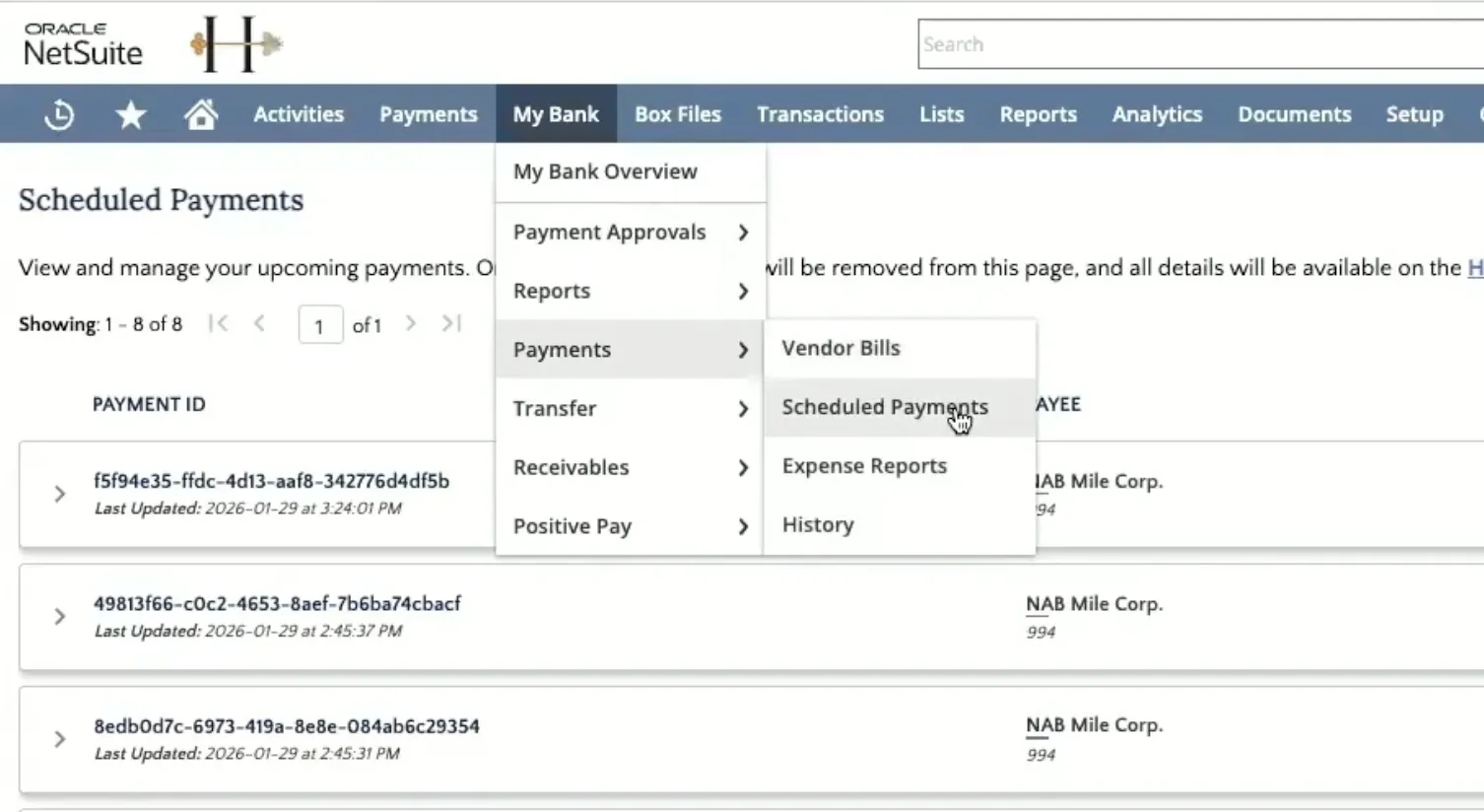
This will navigate to a page that displays all Scheduled Payments. You can see more information about a specific payment by clicking on the accordion icon next to the payment's ID.
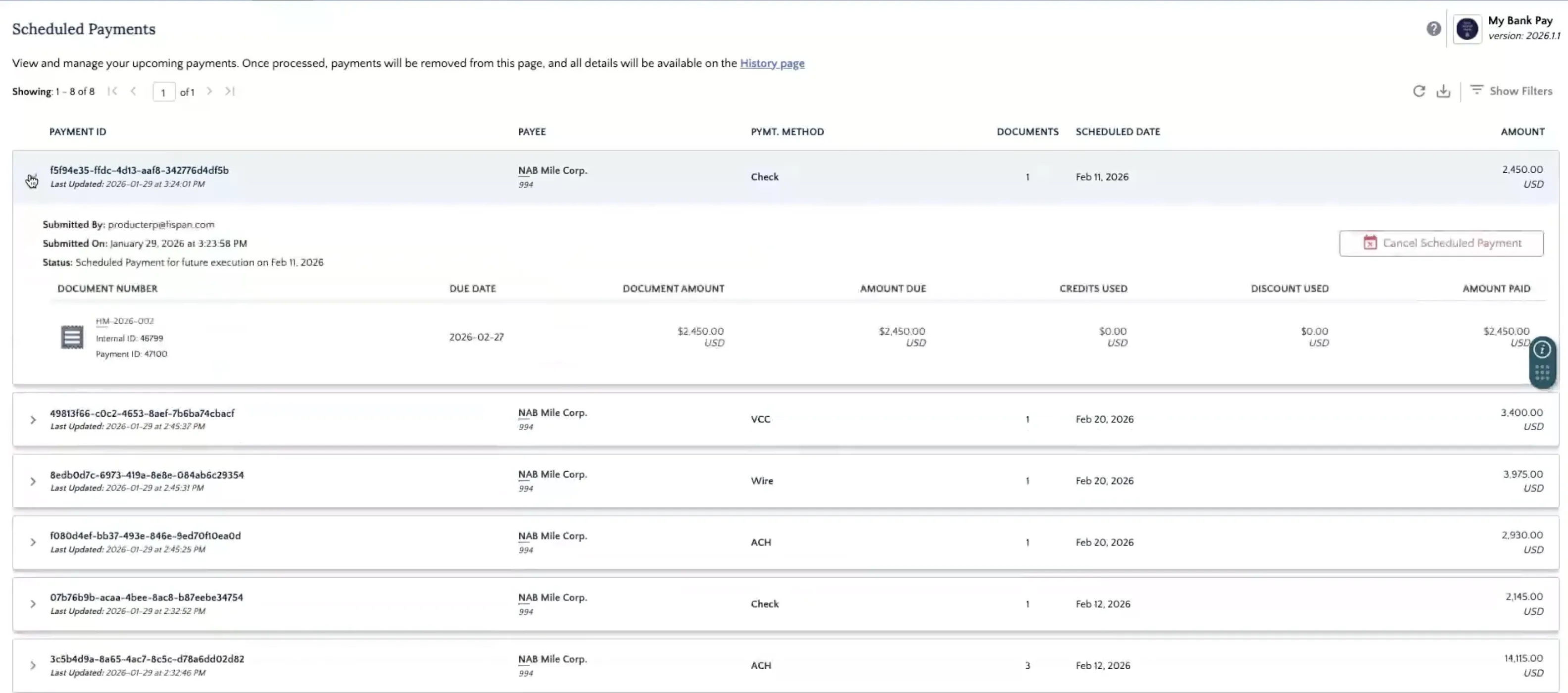
Canceling A Scheduled Payment
If you need to cancel a payment before its processing date, you can do so directly from the Payment History page.
Find the payment you wish to cancel and expand the payment content.
Click the Cancel Scheduled Payment button.
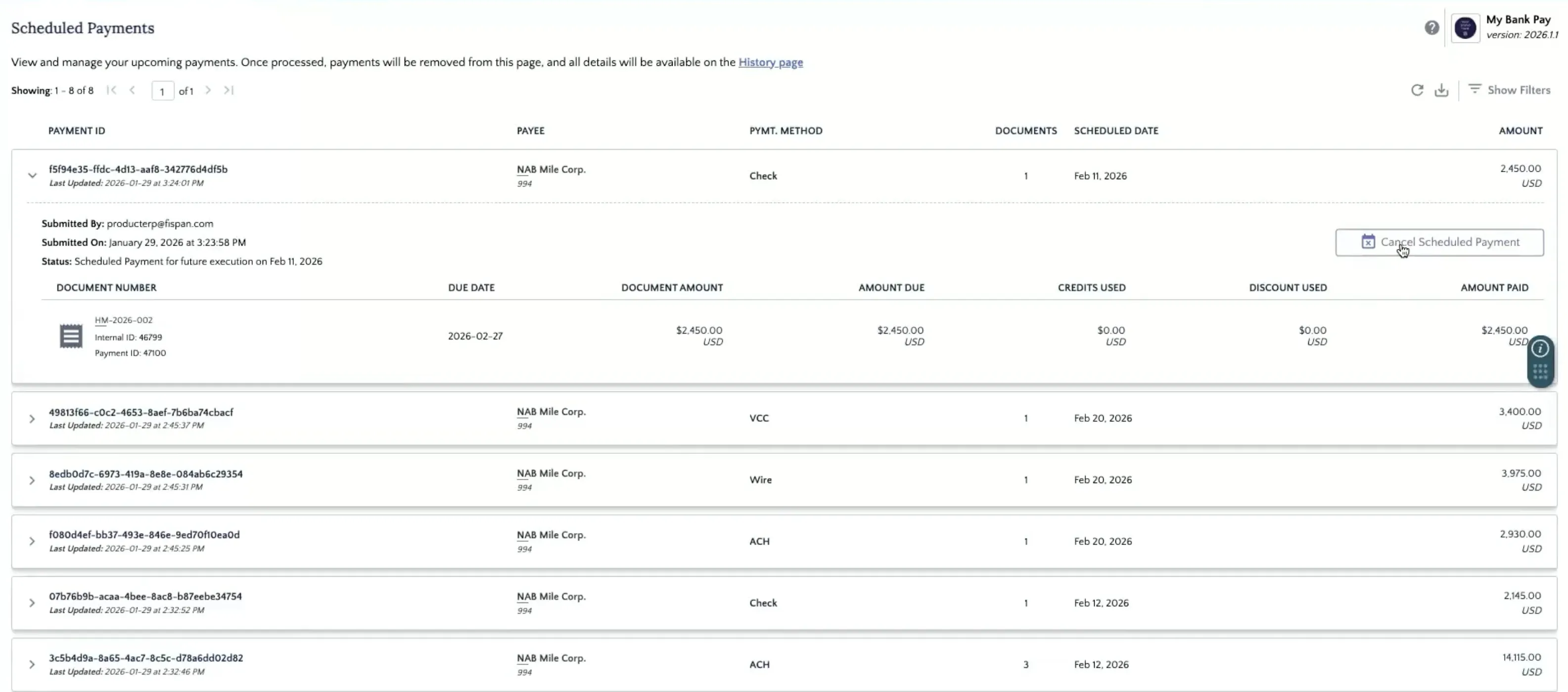
A dial-up modal will be opened, prompting you to confirm. Click Yes, Cancel Payment button to complete the process
Required Permissions
To get access to the Scheduled Payments page, please have your ERP Administrator navigate to the role to Customization → Scripting → Script Deployment. Use the following filters:
- On the Type dropdown select Suitelet
- On the API Version dropdown select 2.1.
Edit the My Bank Scheduled Payments Suitelet script and, under the Audience tab, add roles that require access to Scheduled Payments.
