Payables 2.0 - Setting Permissions (Intacct)
Verify role subscriptions and module permissions to enable Payables 2.0 features for your users.
NOTE: These permissions should enable automatically when you install the plugin. However, if you still do not see the new pages after installation, verifying the specific permissions for the user's assigned role will resolve the access issue.
To set permissions for a role, follow these steps.
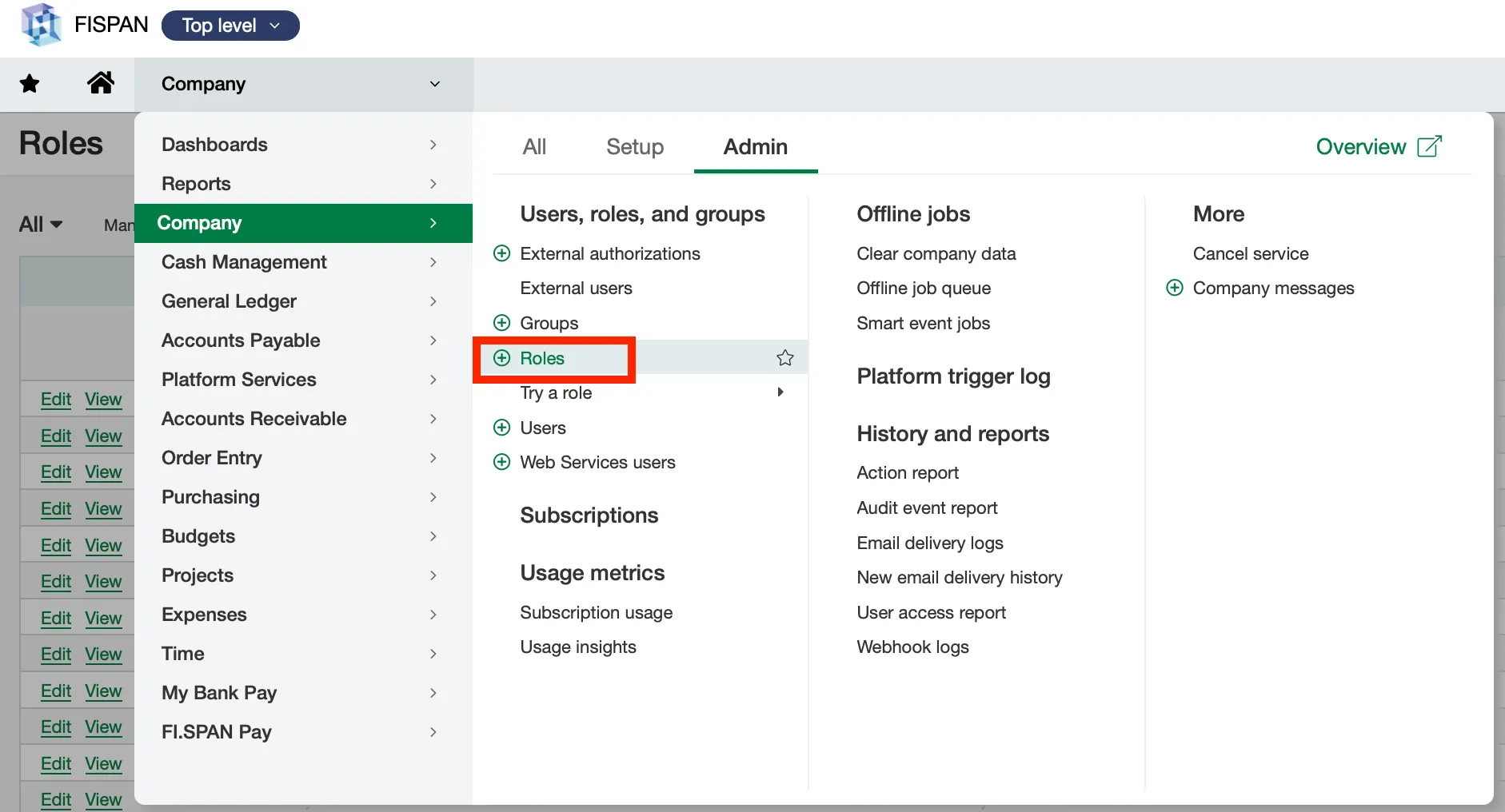
Go to Roles
In Intacct, go to Company → Admin → Roles.
Open Role Subscriptions
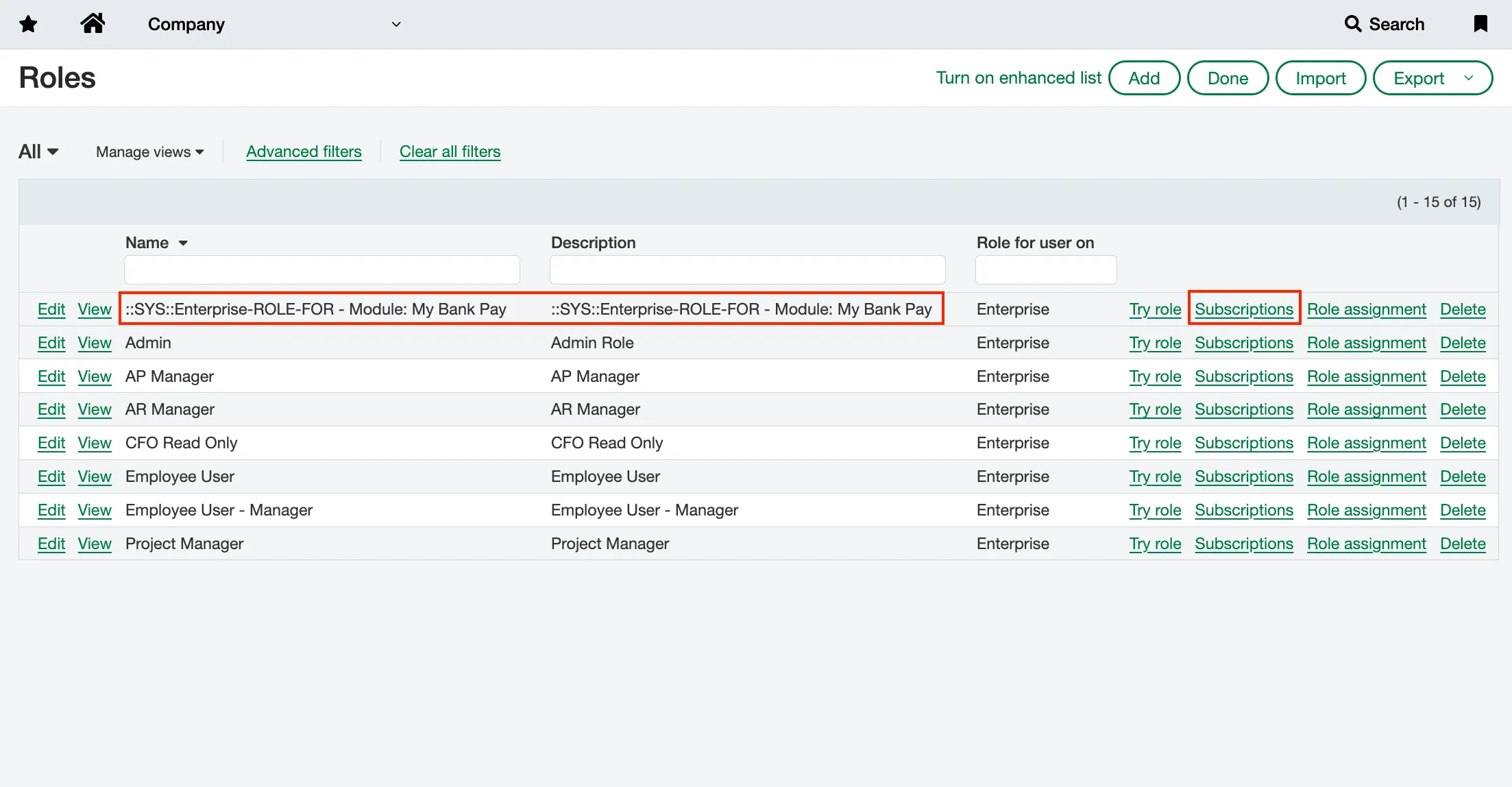
Locate the role you wish to modify from the main list. Click the Subscriptions link next to the role name to access its permissions (e.g., ::SYS:Enterprise-ROLE-FOR - Module: My Bank Pay).
Enable Payments and Payment Methods (New)
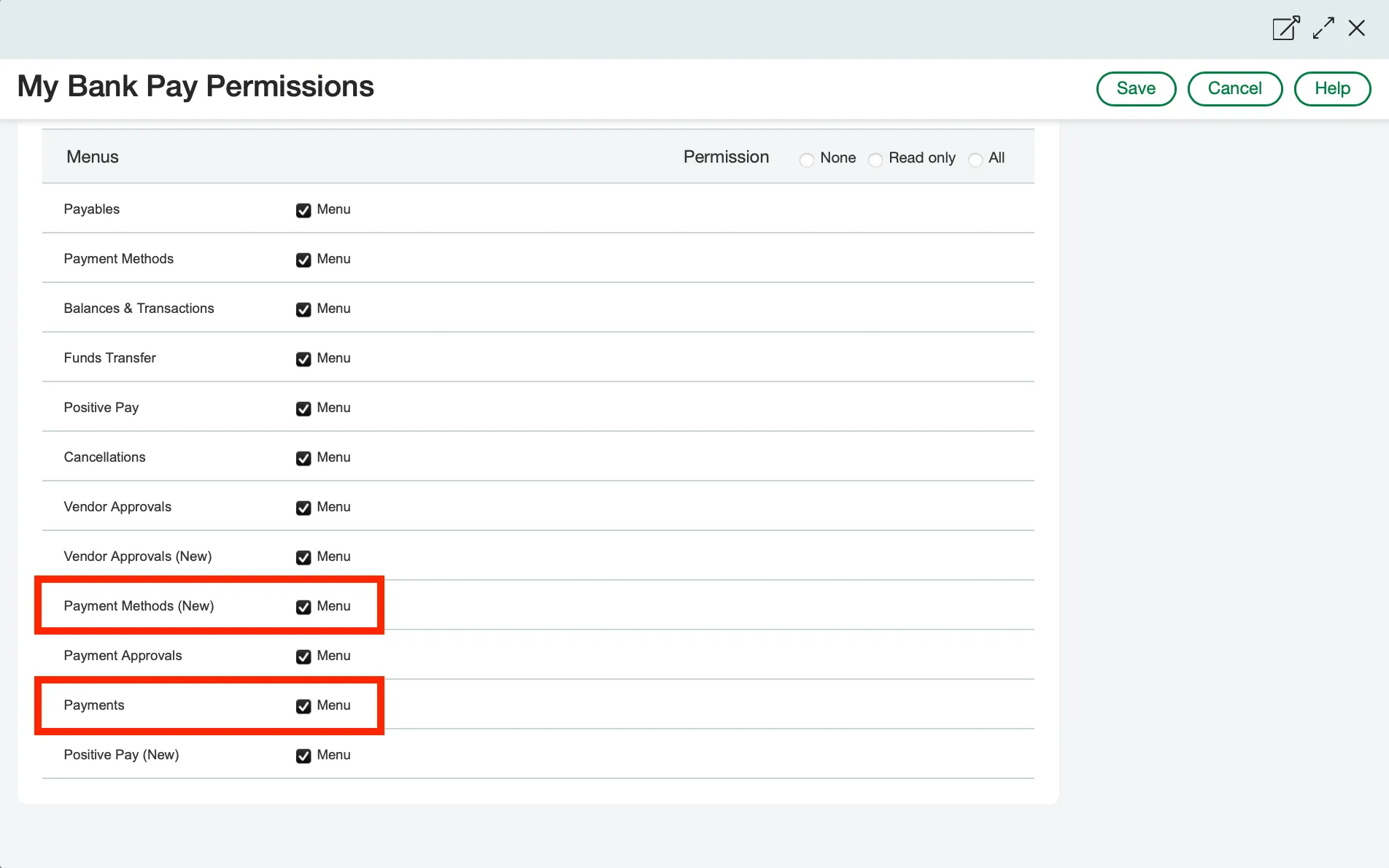
To enable the Vendor Payments 2.0 pages (Payments and Payment Methods (New)), verify that the role is subscribed to either the CNB Pay or your specific plugin module.
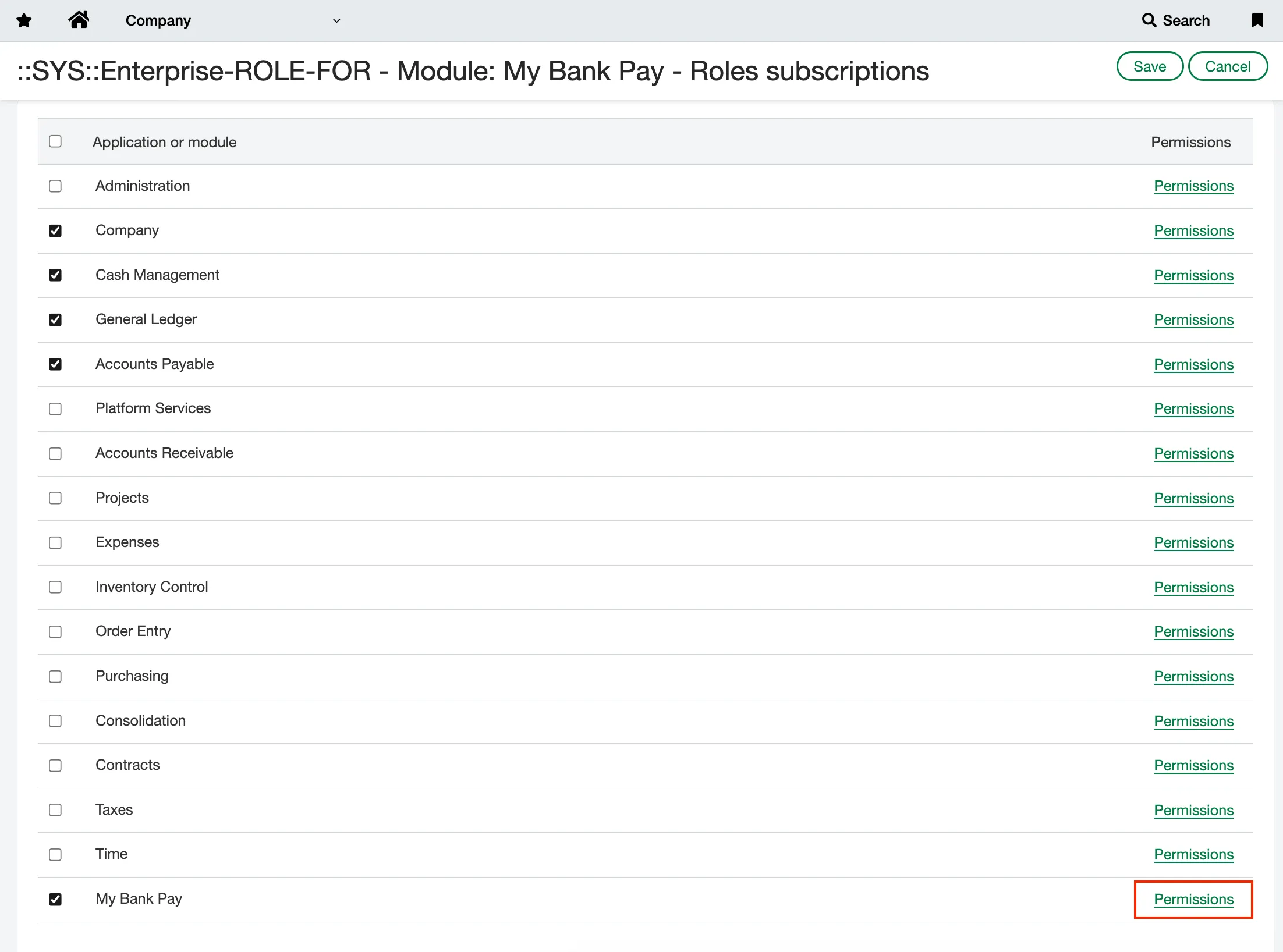
Access the CNB Pay permissions by clicking Permissions.
Ensure the checkboxes for both the Payments and Payment Methods (New) menu items are selected.