Intacct
...
Payables 2.0 - Vendor Payments...
Payables 2.0 - Payment Methods (Intacct)
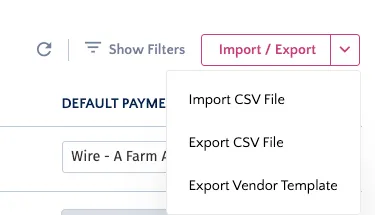
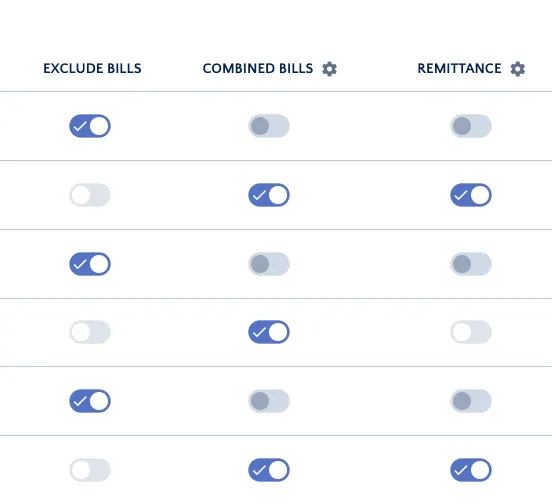
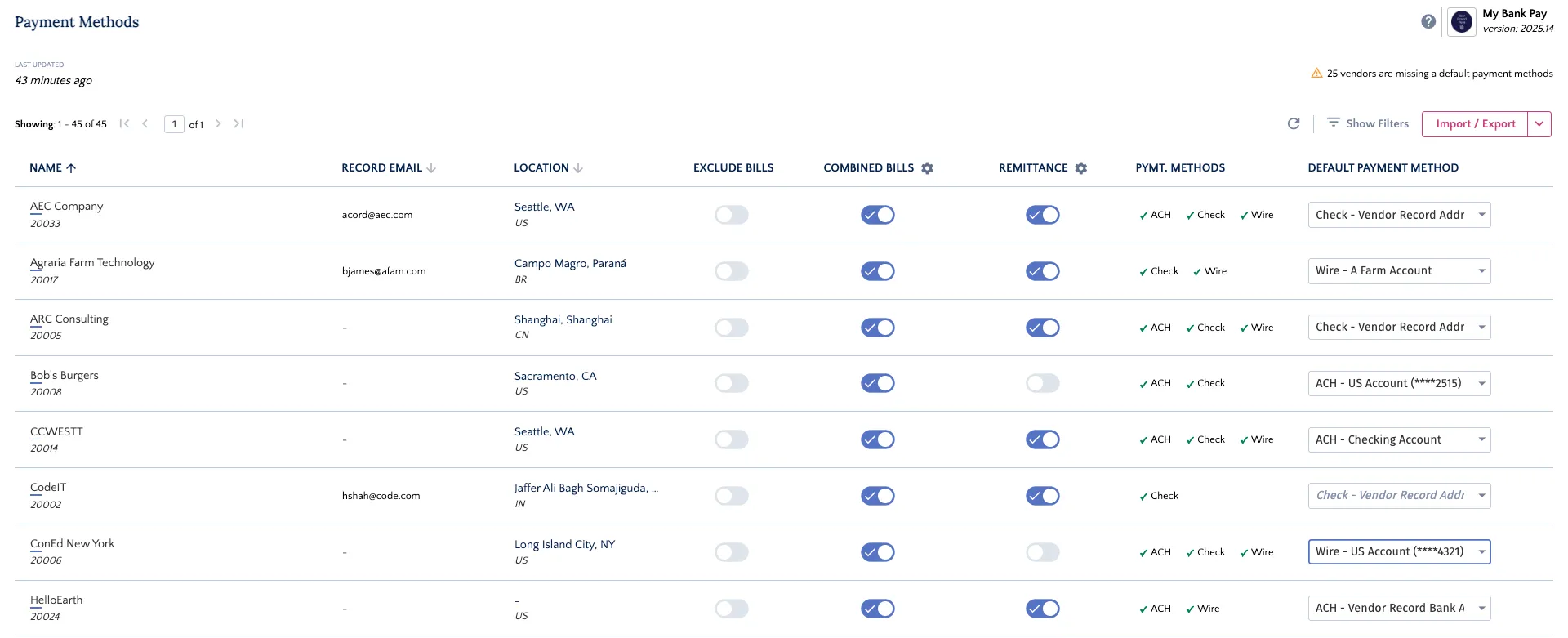
welcome to the payment methods (beta) page, redesigned to provide a faster and more intuitive experience for managing your vendor payment details this enhanced page was created to help you gain immediate insights into missing vendor data and work more efficiently while the classic version may be available temporarily, this redesigned page is the future of vendor management in the {{productname}} to access the new payment methods (beta), please update your permissions by following our guide payables 2 0 setting permissions simplify your vendor management with these key features vendor health alert if any vendors are missing a default payment method, you will see an alert at the top of the page "\[x] vendors are missing a default payment method " addressing this ensures smoother payment runs vendor template you can now easily add new vendor payment methods in bulk at the top right of the page, click the import/export dropdown and select export vendor template this downloads a blank, pre formatted template fill out this template with the bank accounts, addresses, or email information for your vendors return to the import/export menu and select import to upload your completed file quick actions you can manage the following settings for any vendor directly from the main list exclude bills enable this toggle to prevent a vendor's bills from appearing on the payments page in the {{productname}} combined bills enable this to consolidate all approved bills for a vendor into a single payment remittance enable this to automatically send an email remittance advice to the vendor upon payment accessing payment methods (beta) page from anywhere in your erp, navigate to the {{productname}} menu and select payment methods (beta) to open the page the main view provides a comprehensive overview of your vendors' payment information