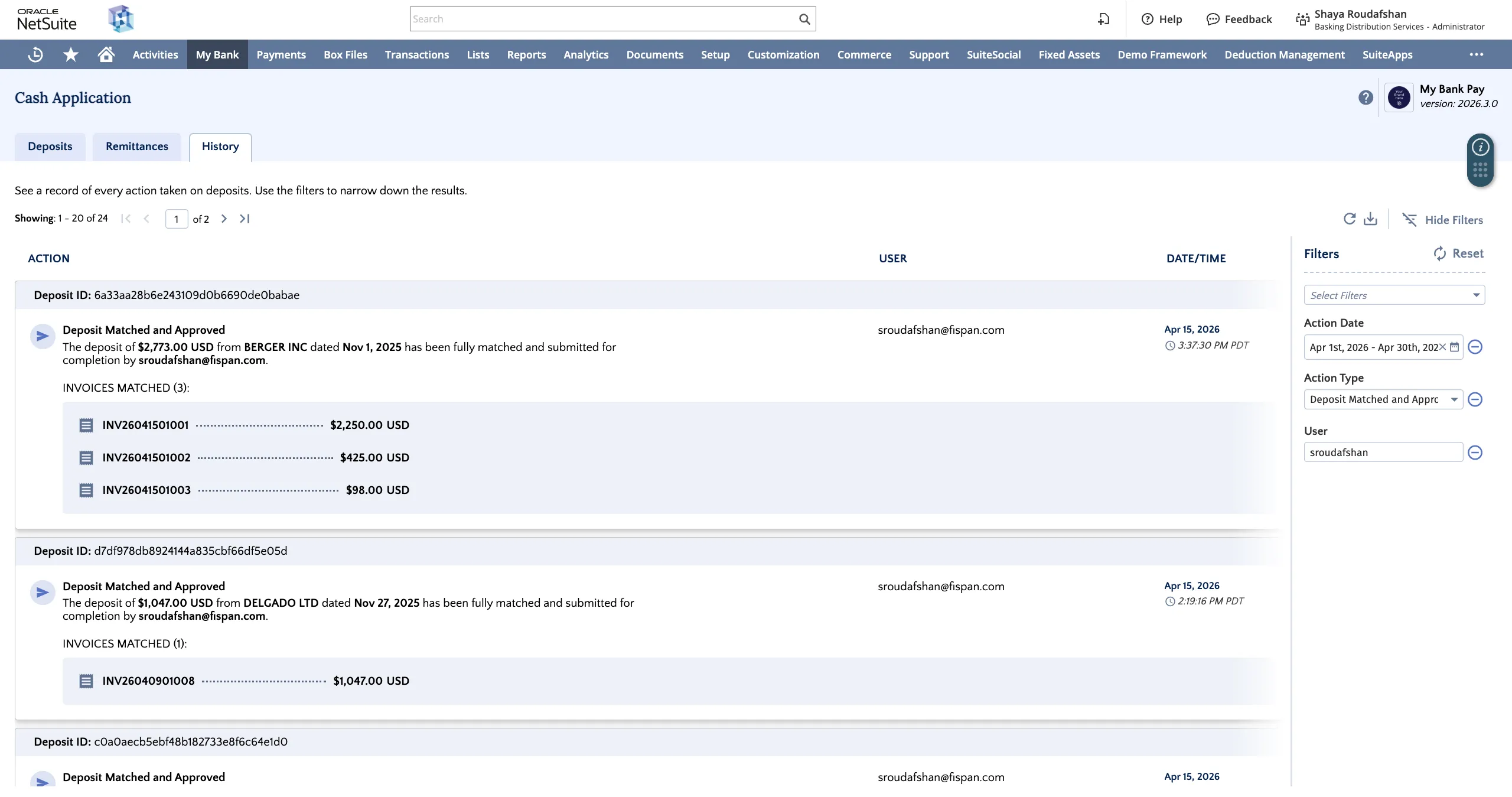
Completed and History Tabs (NetSuite)
This guide provides an overview of the Completed Deposits view and History tab, helping you track the progression of your deposits.
Completed Deposits
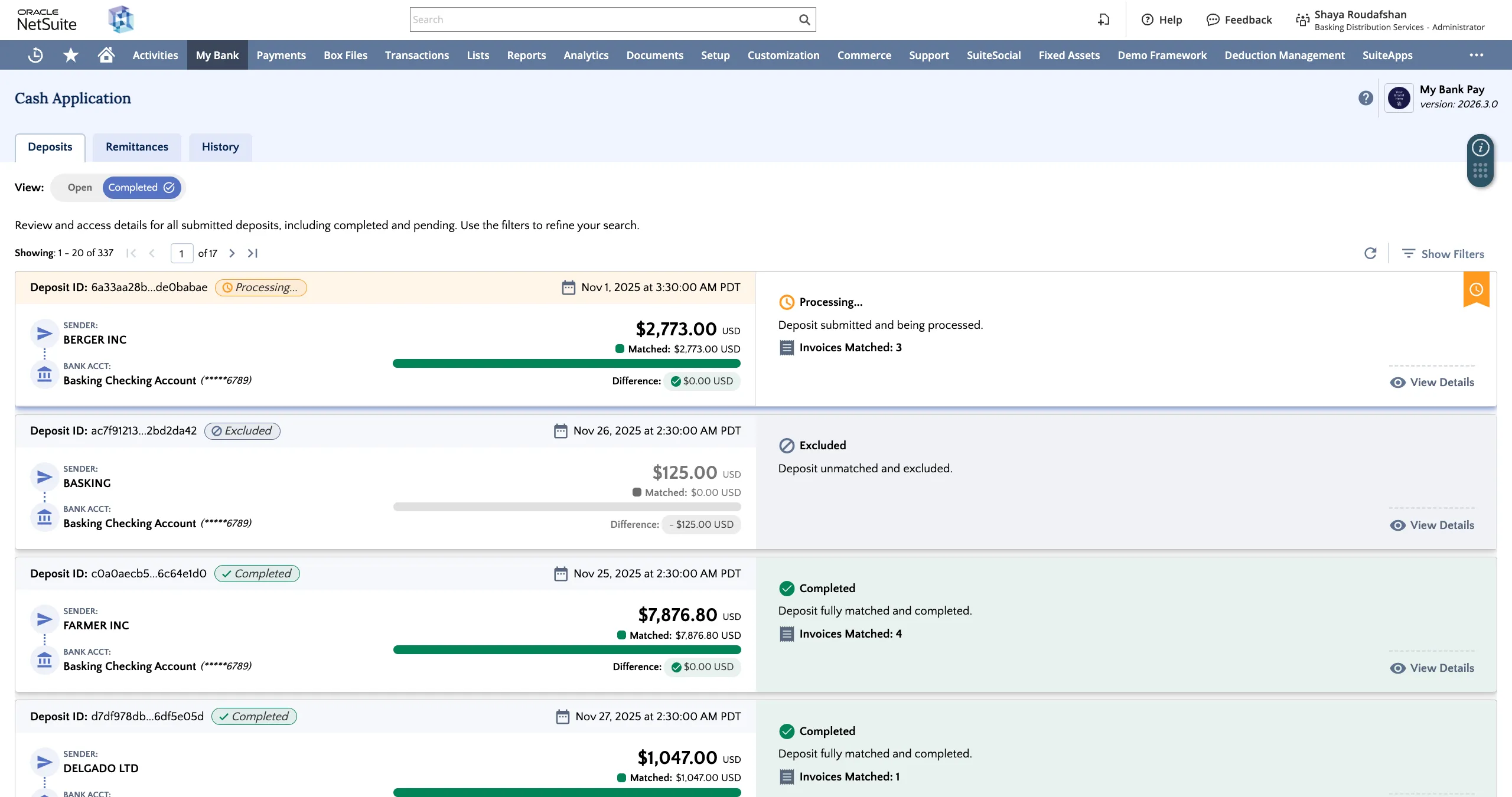
Clicking on the Open/Completed toggle under the Deposits tab reveals all deposits that have been actioned.
Each deposit can be Processing, Completed, or Excluded. Navigate through your completed deposits list using the pagination tools at the top or the scroll bar on the left.
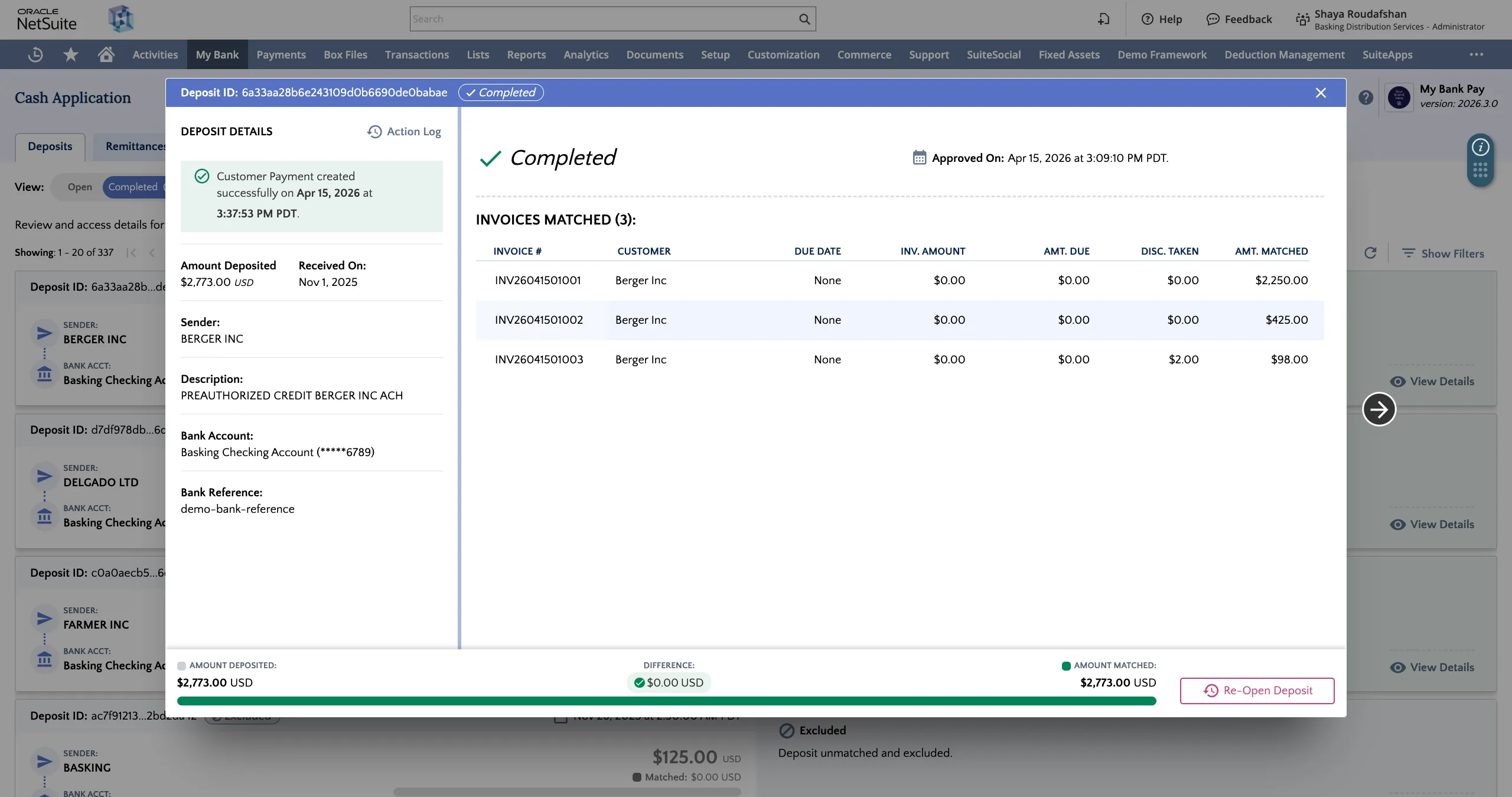
Clicking on any deposit card will reveal the Deposit Details and any approved matched invoices.
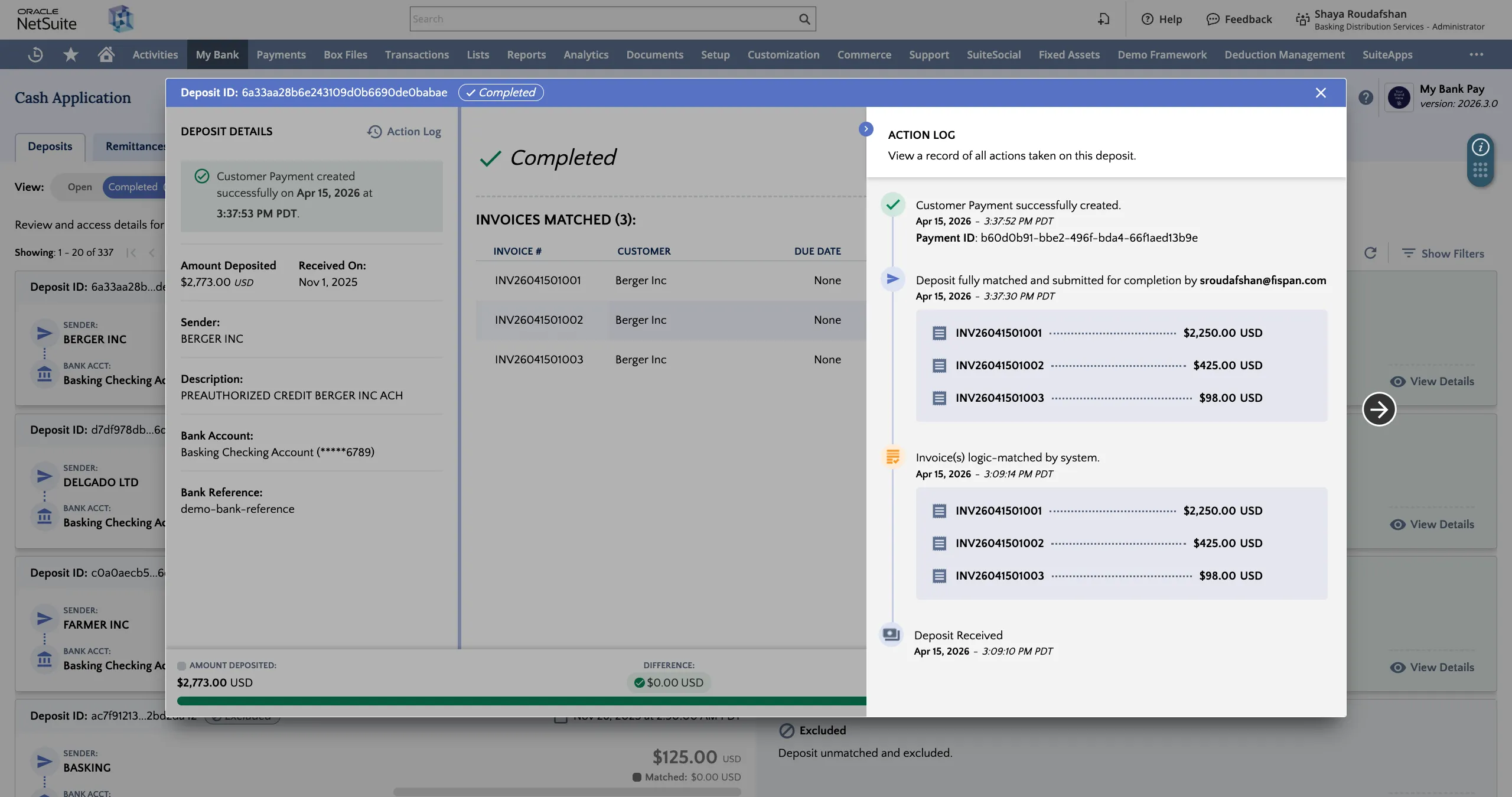
Clicking on the Action Log from the completed deposit details view will reveal the full history of the deposit from the time it was received to the successful posting of the customer payment to the ERP.
History Tab
Clicking on the History tab reveals all deposit and matching actions done by the system and any users with access to the Receivables feature.
Events can be filtered by Action Date, User, and Action Type.