Configuring Grouped Payments (Workday)
With FISPAN Sync, you can configure grouped payments and remittance for your suppliers to enhance your payment processes. Use this guide to learn more about setting up these features for Workday.
Enable Grouped Payments
Grouped payments help you streamline payments by consolidating multiple bills into one transaction. Follow these steps to enable the Combined Bills feature and configure settings for your grouped payments.
Navigate to Suppliers
From anywhere in FISPAN Sync, you can navigate to the Suppliers page.
Click on Suppliers in the navigation bar.

Enable Combined Bills
Once the page loads, click the gear icon next to Combined Bills.
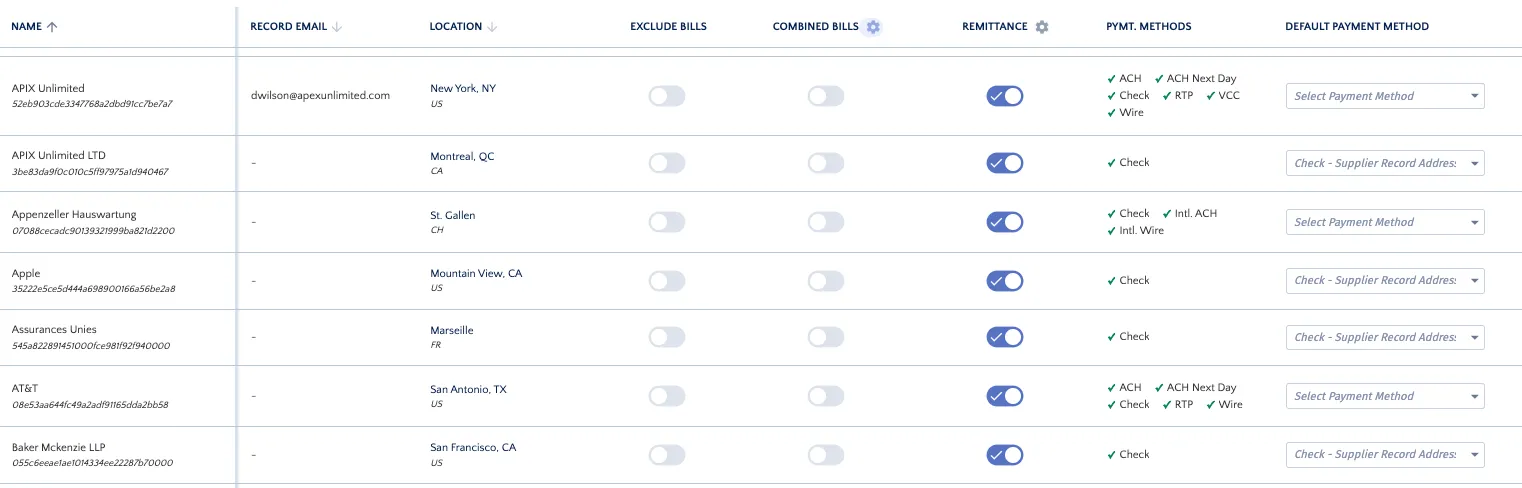
You will now be prompted to select the Combine Bills settings you would prefer.
Once the option has been selected, click Update Changes.
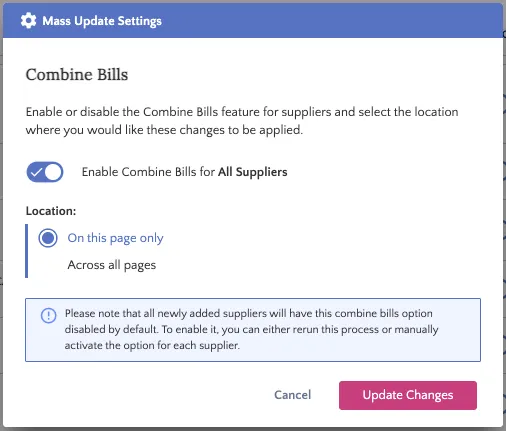
NOTE: If you apply this to all existing suppliers, remember that you'll need to apply the update to future suppliers, too.
Complete Setup
The screen will reload, confirming the Combined Bills toggle is now on and displaying the settings you selected.
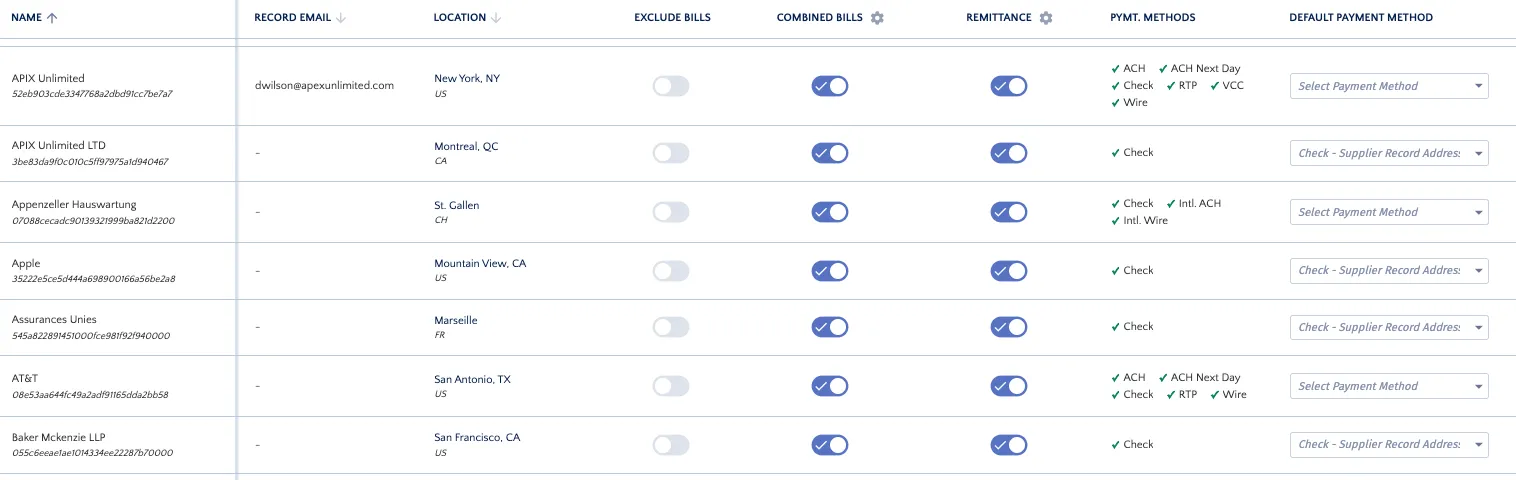
If you need to, you can disable the feature for specific suppliers using the individual supplier toggles.