Uninstalling the Plugin (Intacct)
Step 1: Disconnect Intacct from FISPAN
To disconnect from the FISPAN platform, log in to https://sys.fispan.live/login using your FISPAN credentials.
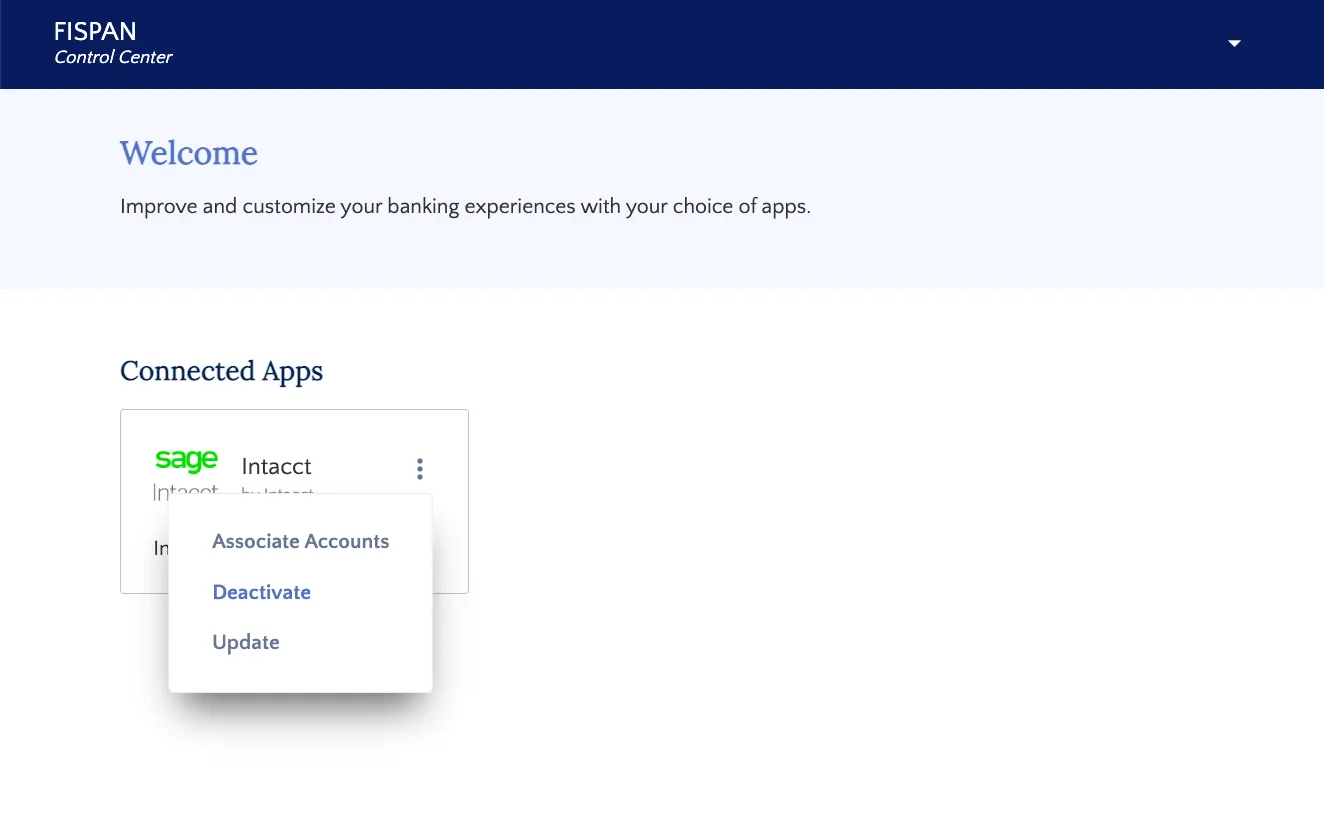
Click on the three dots on the top left of the box titled 'Intacct'. In the drop-down menu, click Deactivate.
Step 2: Remove the application from Intacct
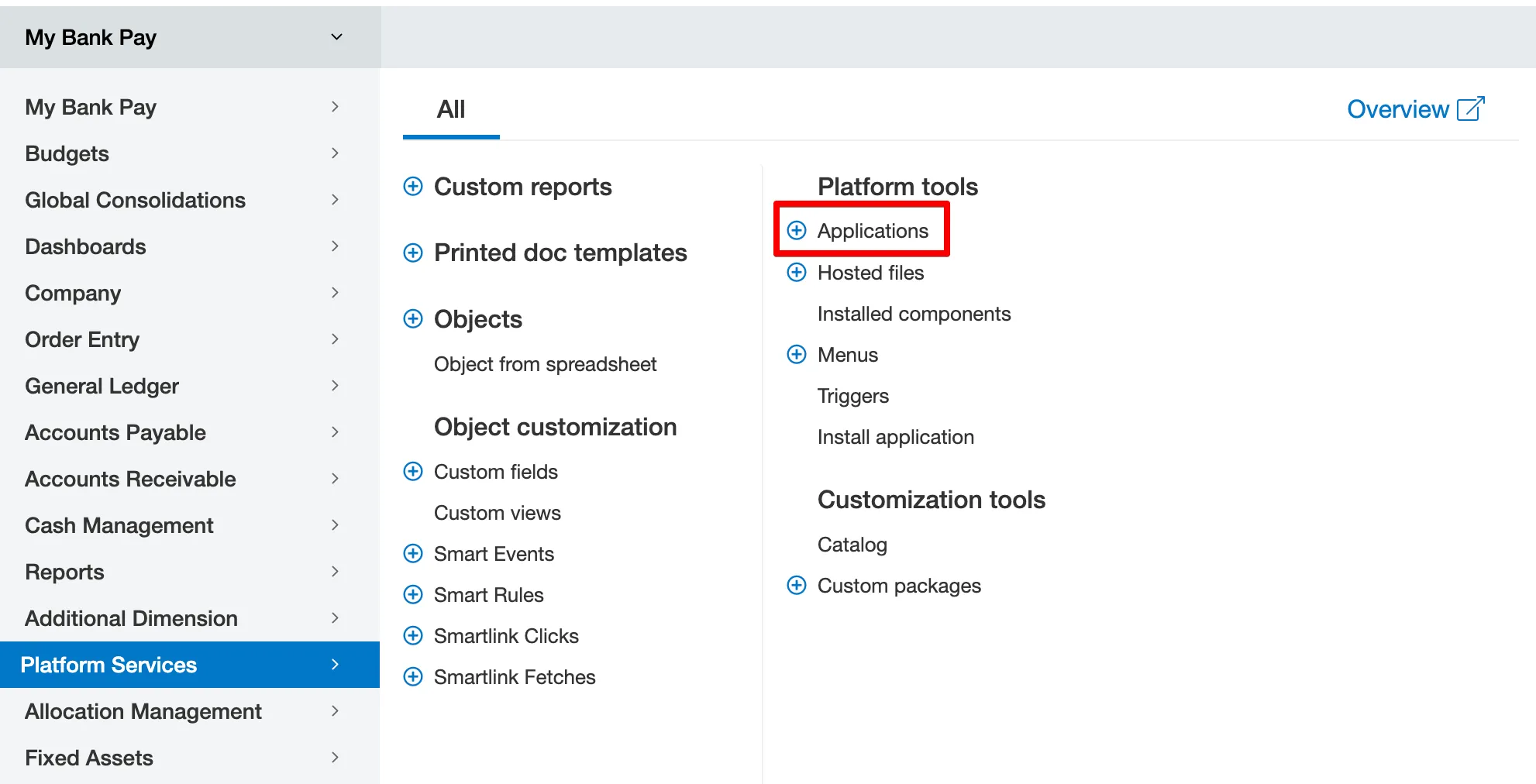
Log into Intacct and navigate to Platform Services → Applications.
Find your bank plugin in the Custom Applications list. Click Edit beside your bank plugin.

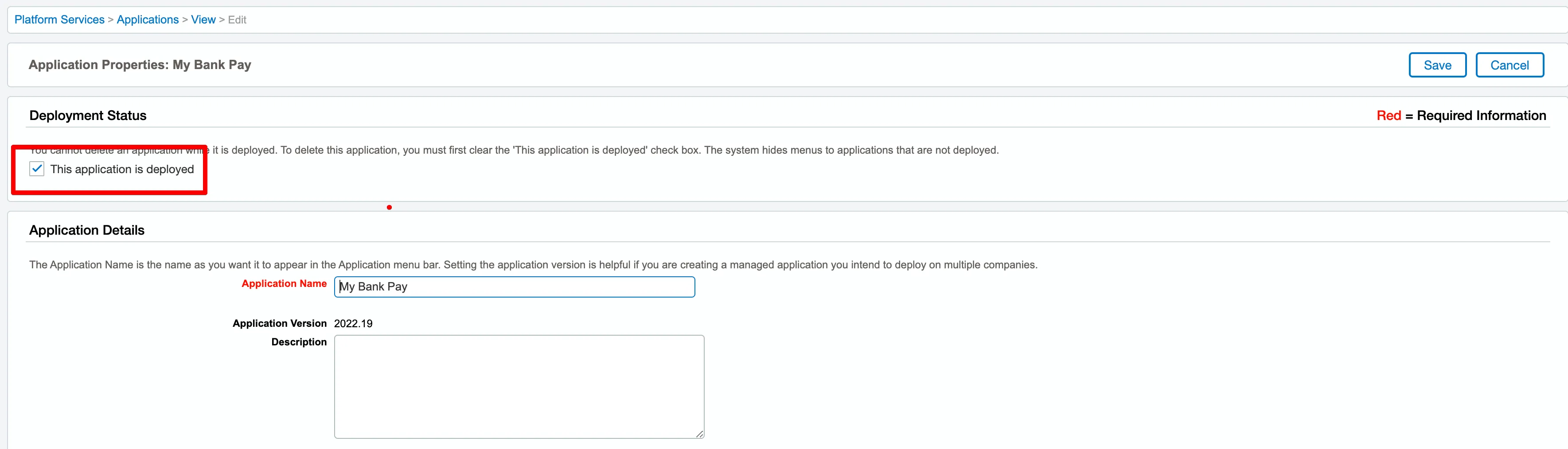
Under Deployment Status, unselect the This application is deployed checkbox.
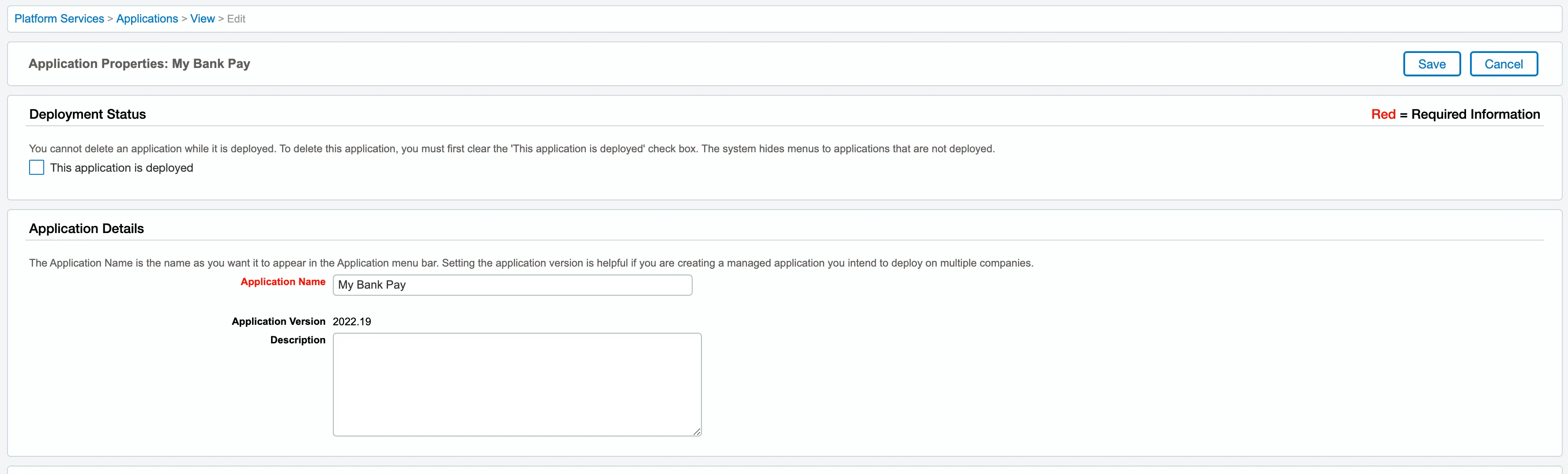
Select Save at the top right.
Select Del beside the bank plugin and confirm the deletion.

The plugin will disappear from the Intacct environment.
Step 3: Remove smart rules
Navigate to Platform Services -> Smart Rules
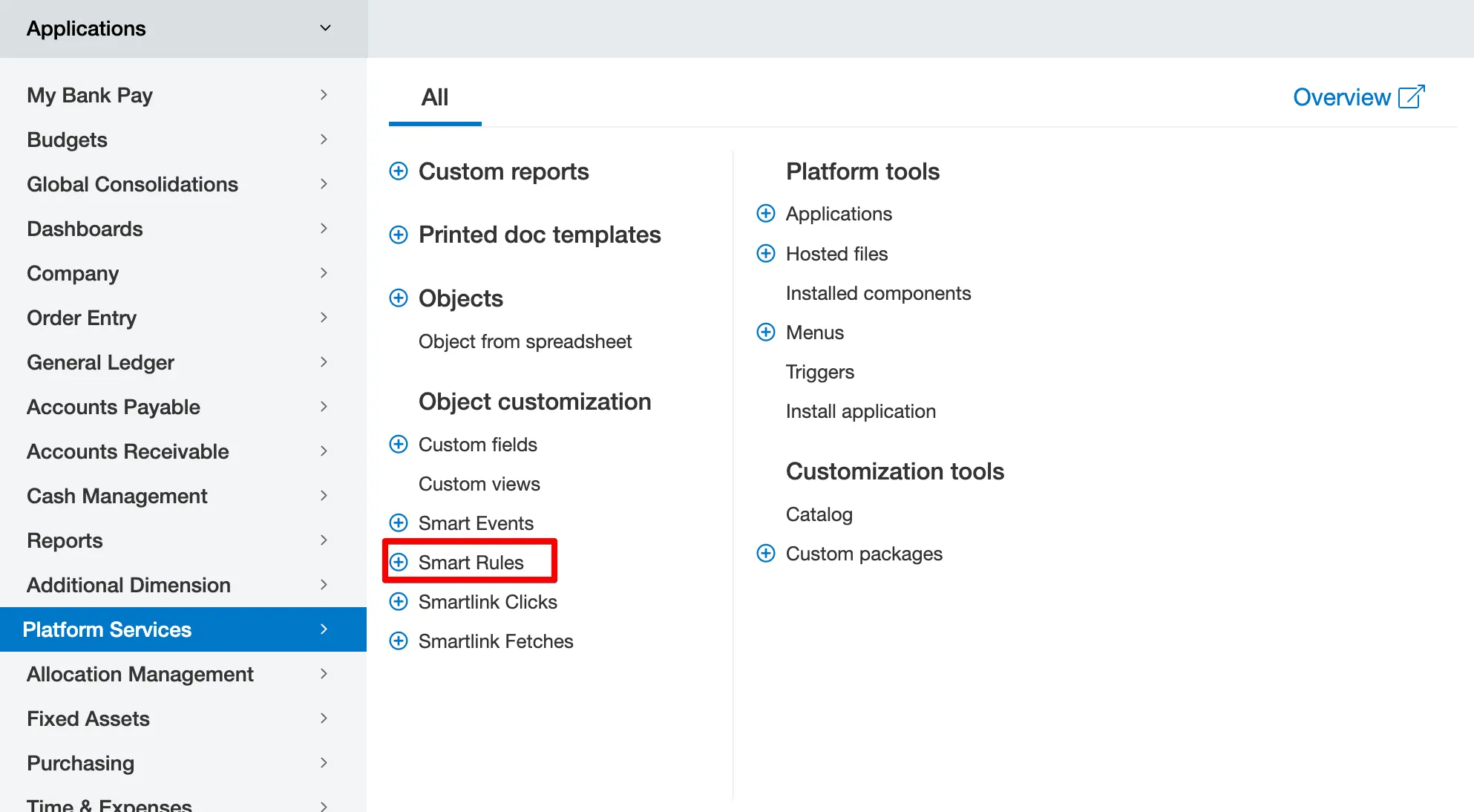
Remove any smart rules containing your bank plugin name by selecting Delete.

Step 4: Remove smart events
Navigate to Platform Services → Smart events
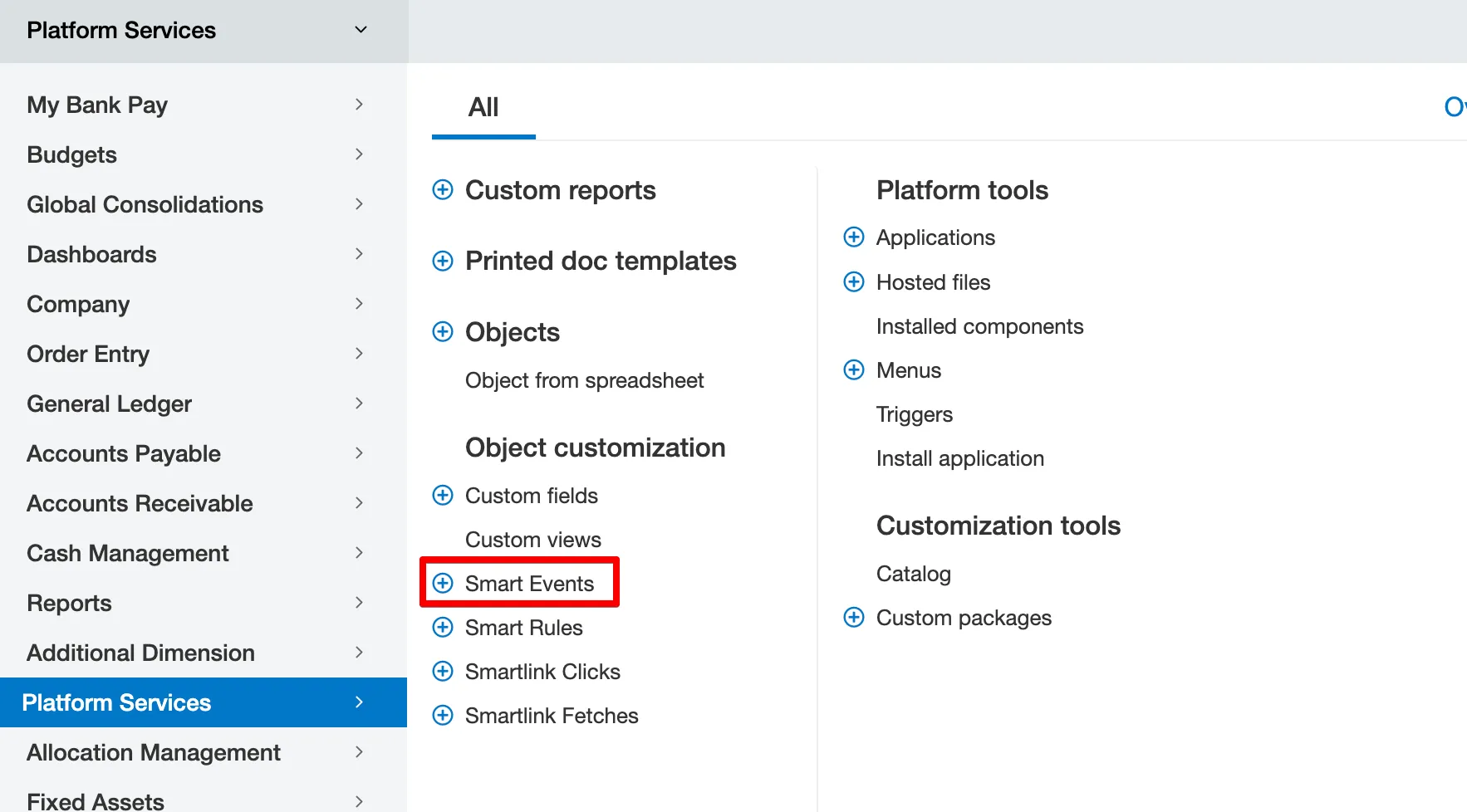
Look up any events containing your bank plugin name and select Delete.
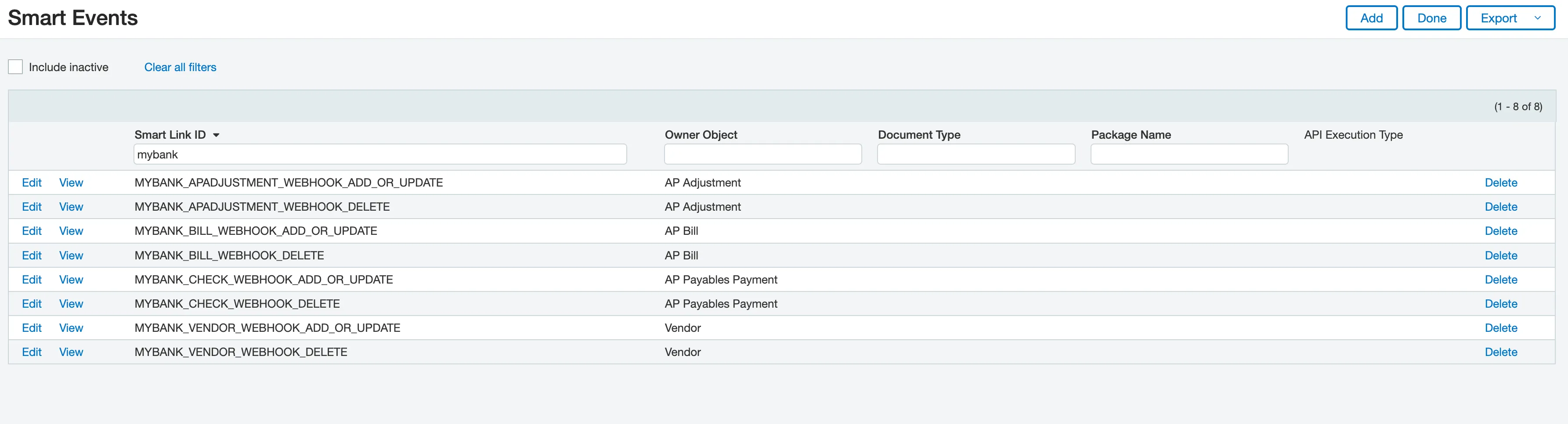
You've successfully disconnected your Intacct environment from FISPAN and completely removed the plugin!