Bank Feed Requirements (Intacct)
In order to enable Sage Bank Feeds, the subscription to Sage Cloud Services must be enabled, and users need to have selected permissions. Follow the steps below if there is no “Banking Cloud” tab available to enable bank feeds.
Step 1: Confirm ISO Country Codes are Enabled
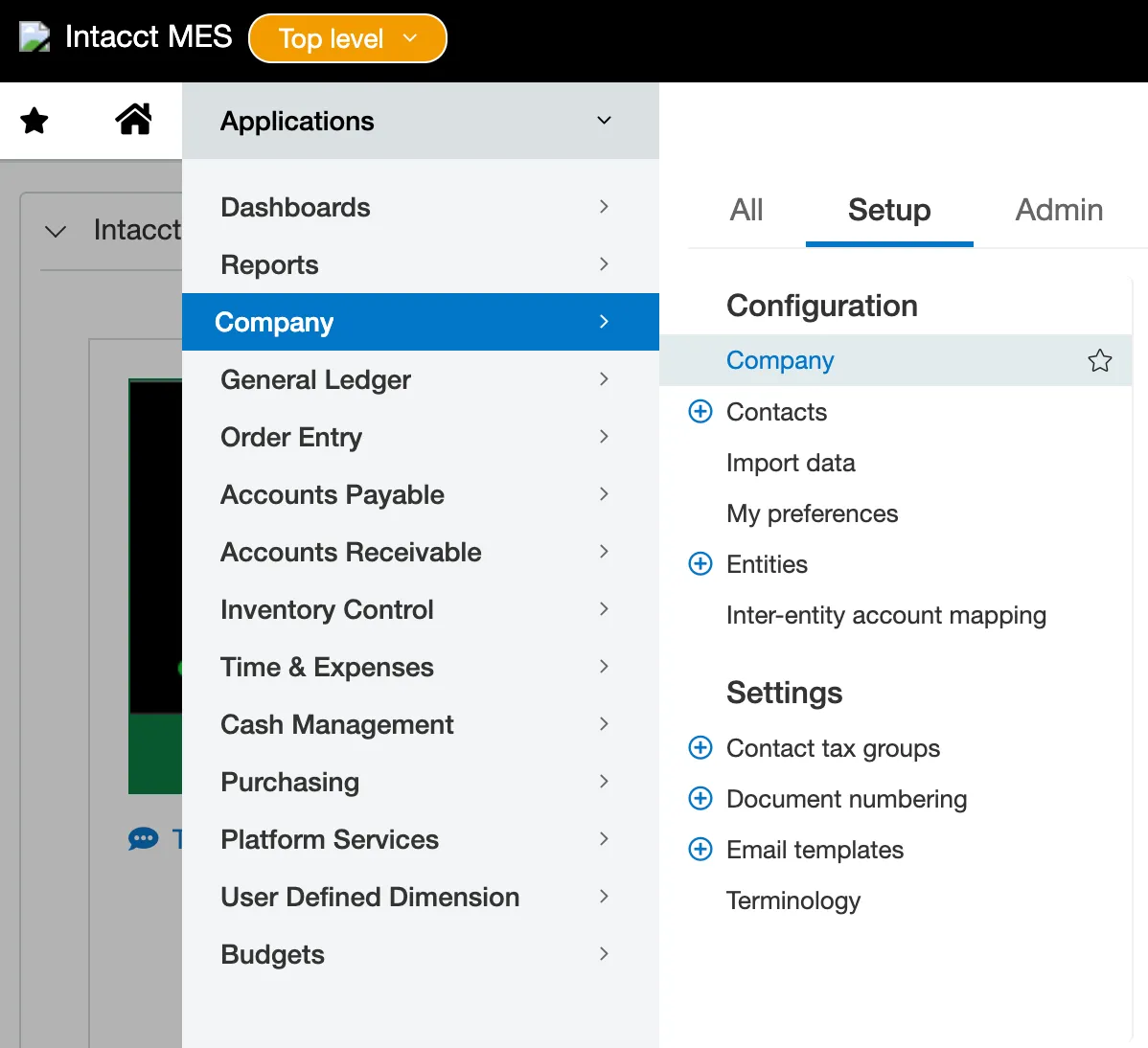
Go to Company.
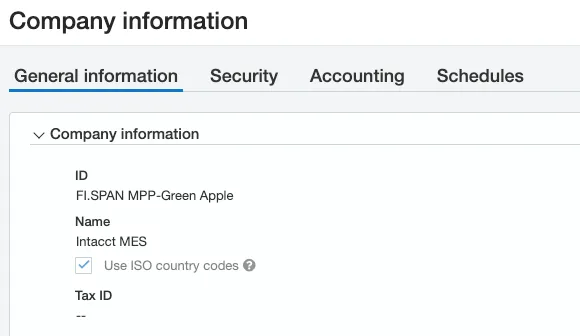
Under the General Information section, confirm that ISO Country Codes is checked, and then select Save.
Step 2: Enable Sage Cloud Services
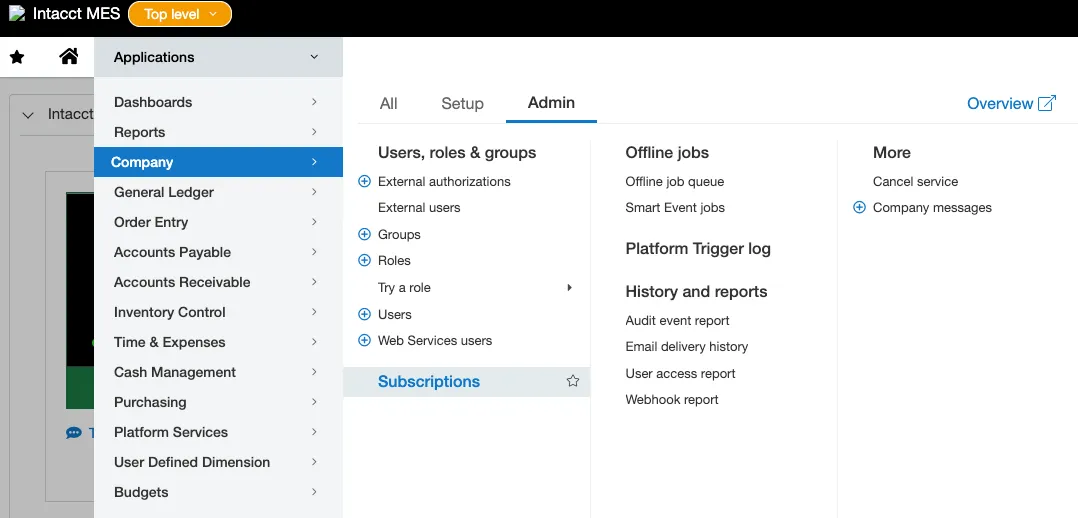
Go to Company → Admin → Subscriptions.
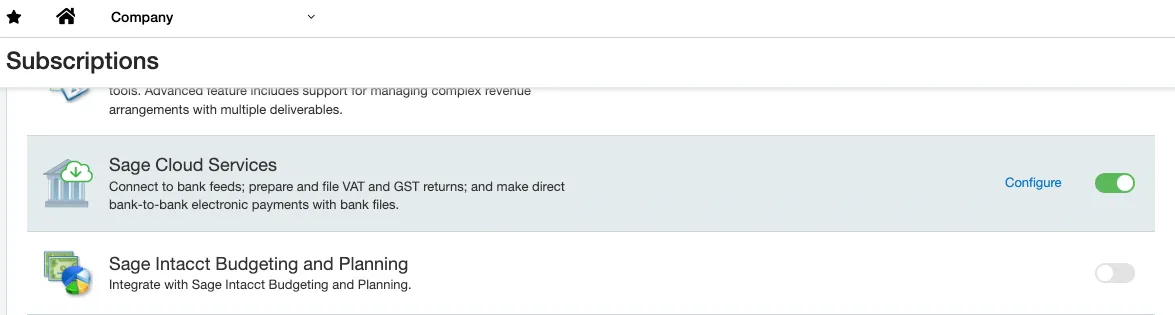
Confirm that “Sage Cloud Services” are enabled.
If they are not, select the toggle to enable Sage Cloud Services.
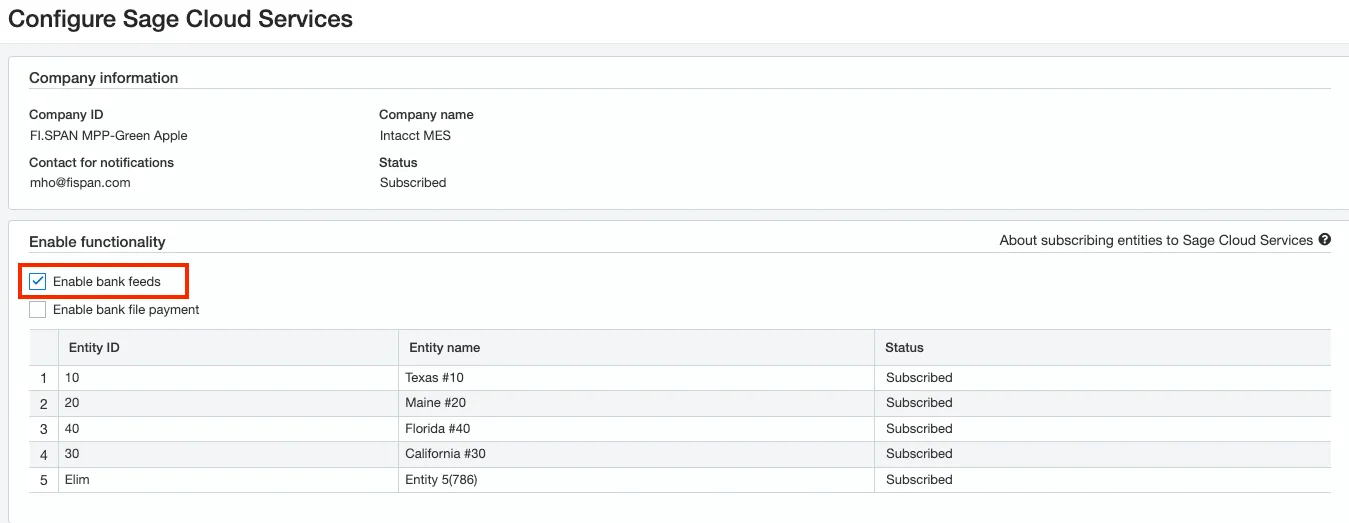
After enabling Sage Cloud Services, confirm that in the configurations, the Enable Bank Feeds functionality is checked.
Then select Save.
Step 3: Confirm Users Have Correct Permissions
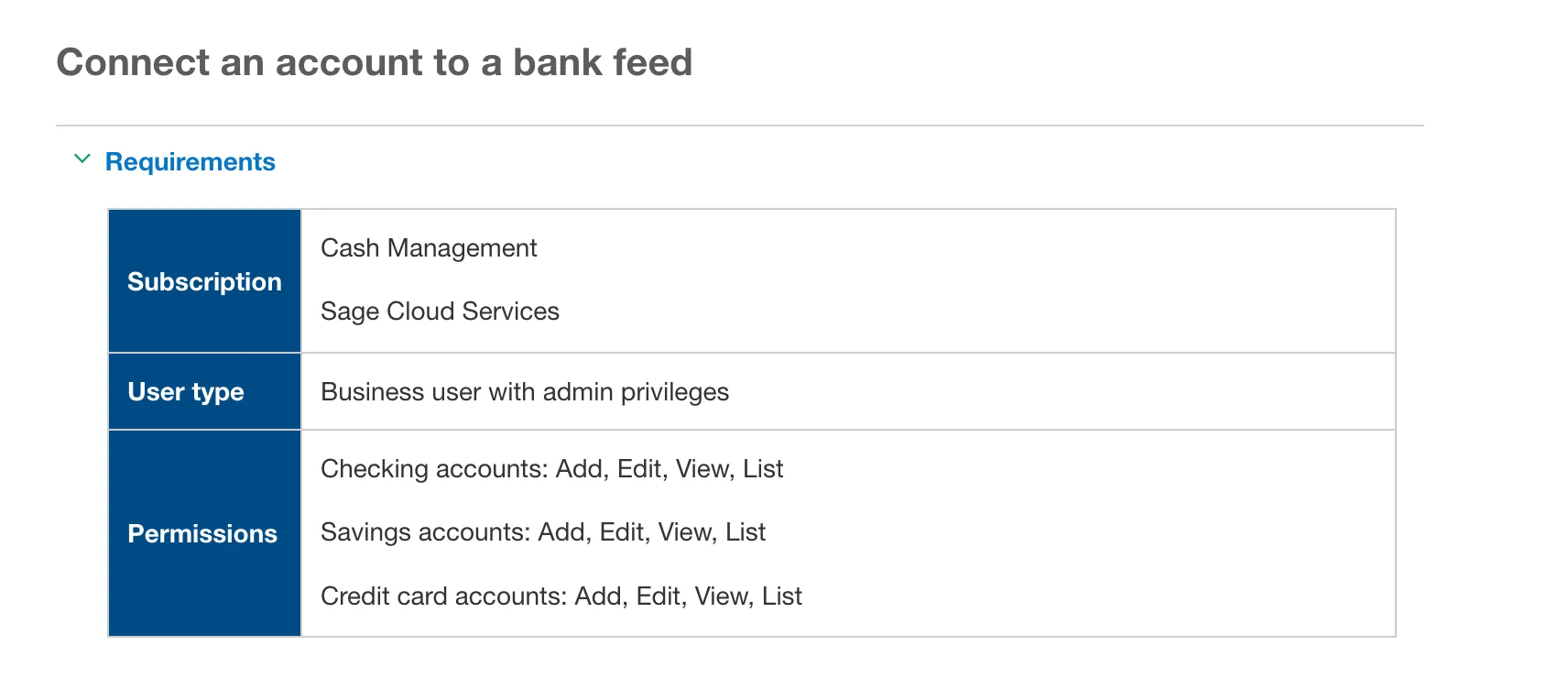
To connect a bank account to bank feeds, you need the following permissions:
If you want to find more information about this process, visit the Sage Website:
Once the account has been connected, the user who has the permissions to perform the reconciliation will be able to see the transactions coming in. There is no special permission needed to see the FISPAN transactions.