Voiding & Repaying Bills (Business Central)
Invoices paid with the plugin that are voided in Business Central can be repaid through the plugin. Follow this guide on how to void and reopen your invoices.
Void an Invoice
Follow these steps in Business Central to properly void a payment:
Unapply Payment
From the Global Search bar, navigate to Vendor Ledger Entries.
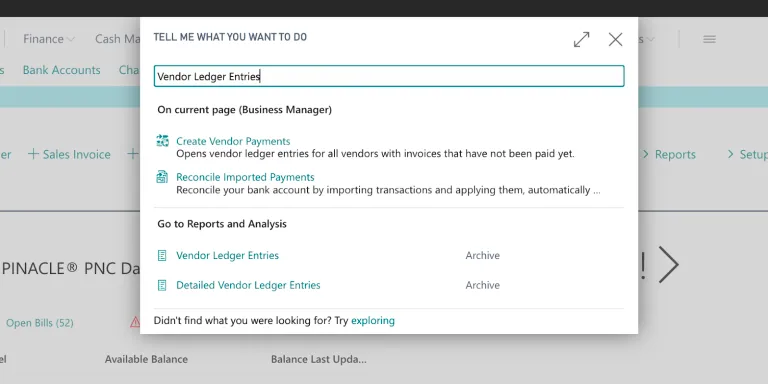
Go to Vendor Ledger Entries
Select a Payment, then select Process → Unapply Entries.
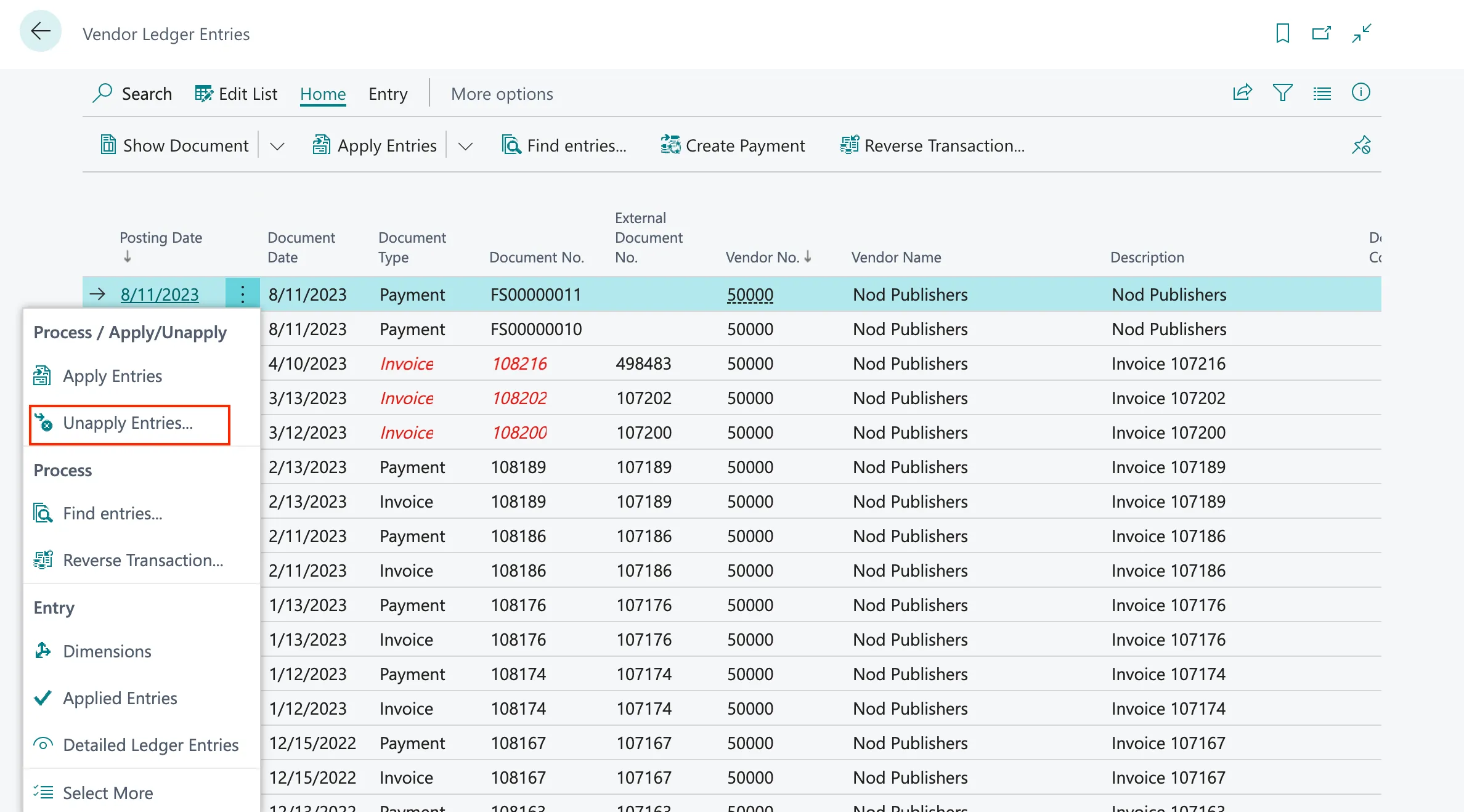
Click Unapply Entries
Next, click Unapply on the payment object.
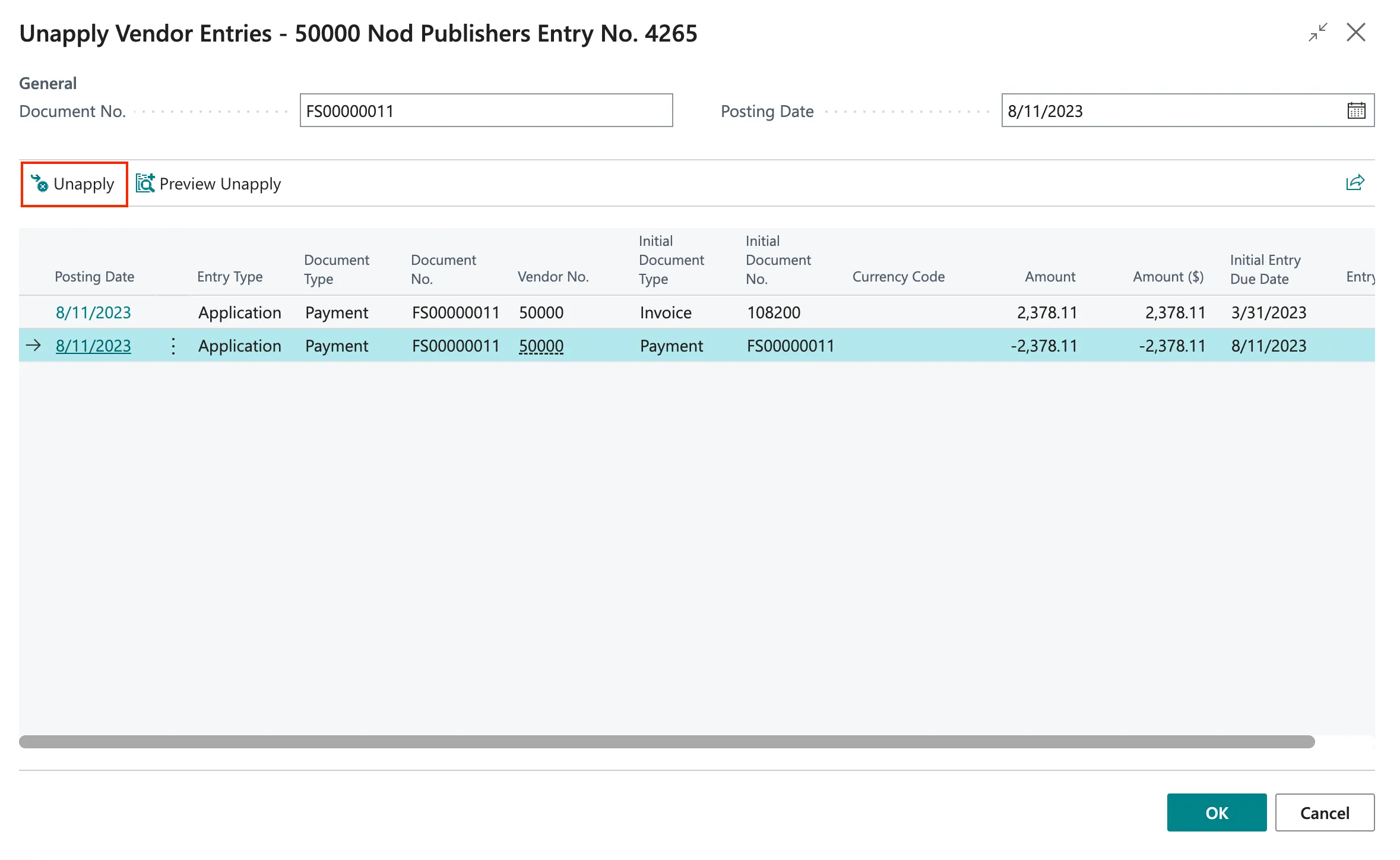
Click Unapply
Confirm Successfully Unapplied
Once the entry has been successfully unapplied, the Posted Purchase Invoice should reopen, and you should receive a confirmation screen.
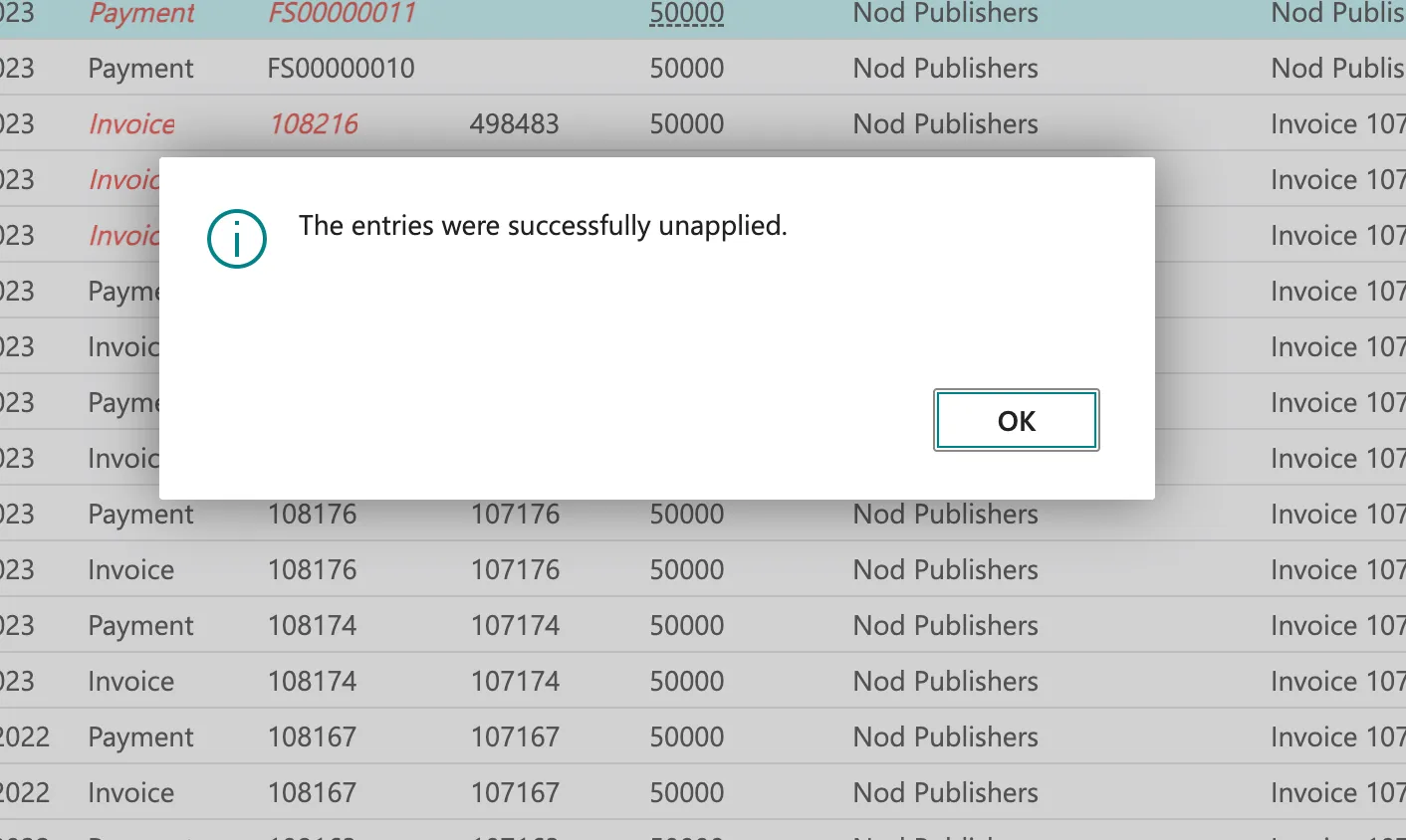
Confirm Entries Were Unapplied
Reverse Transaction
Next, you can reverse the payment object. You can click Reverse Transaction... on the unapplied payment object.
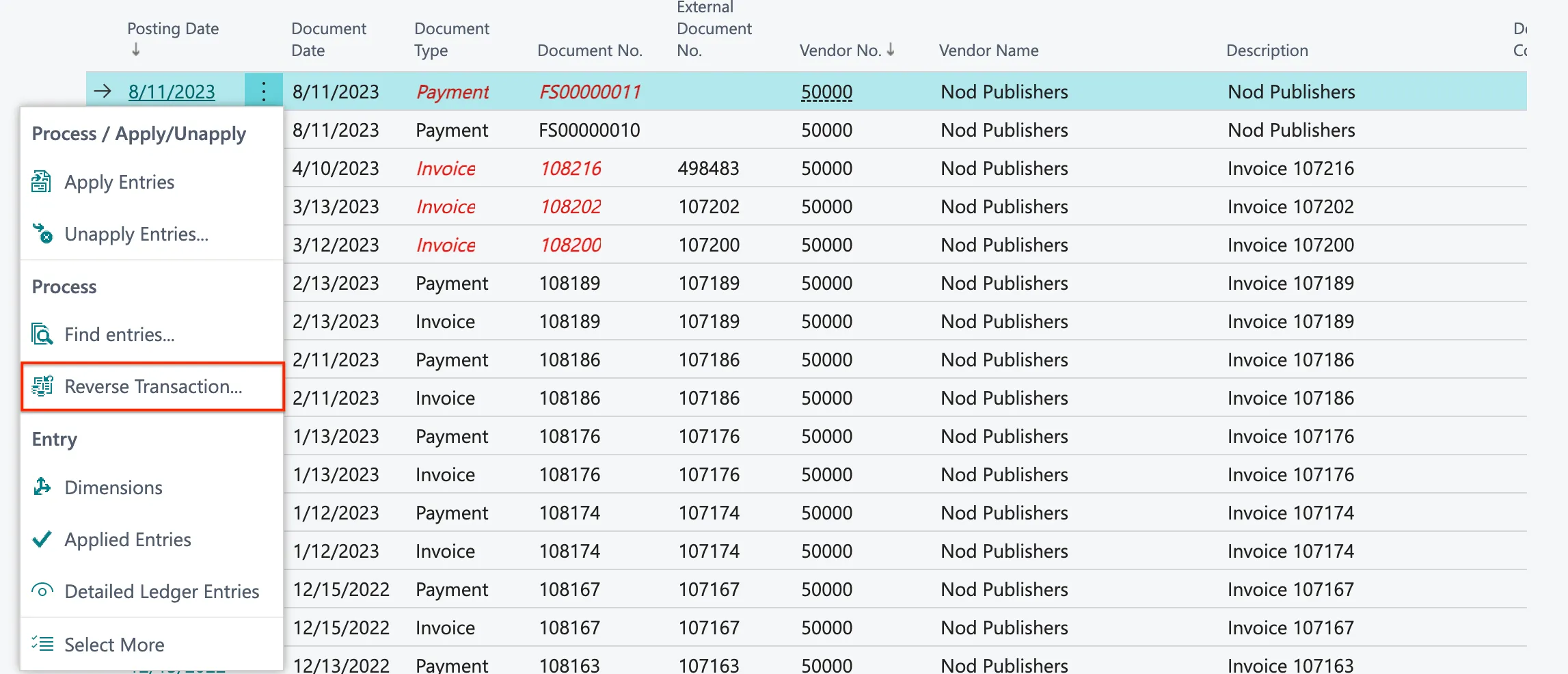
Click Reverse Transaction
Next, you can click Reverse to reverse the payment.
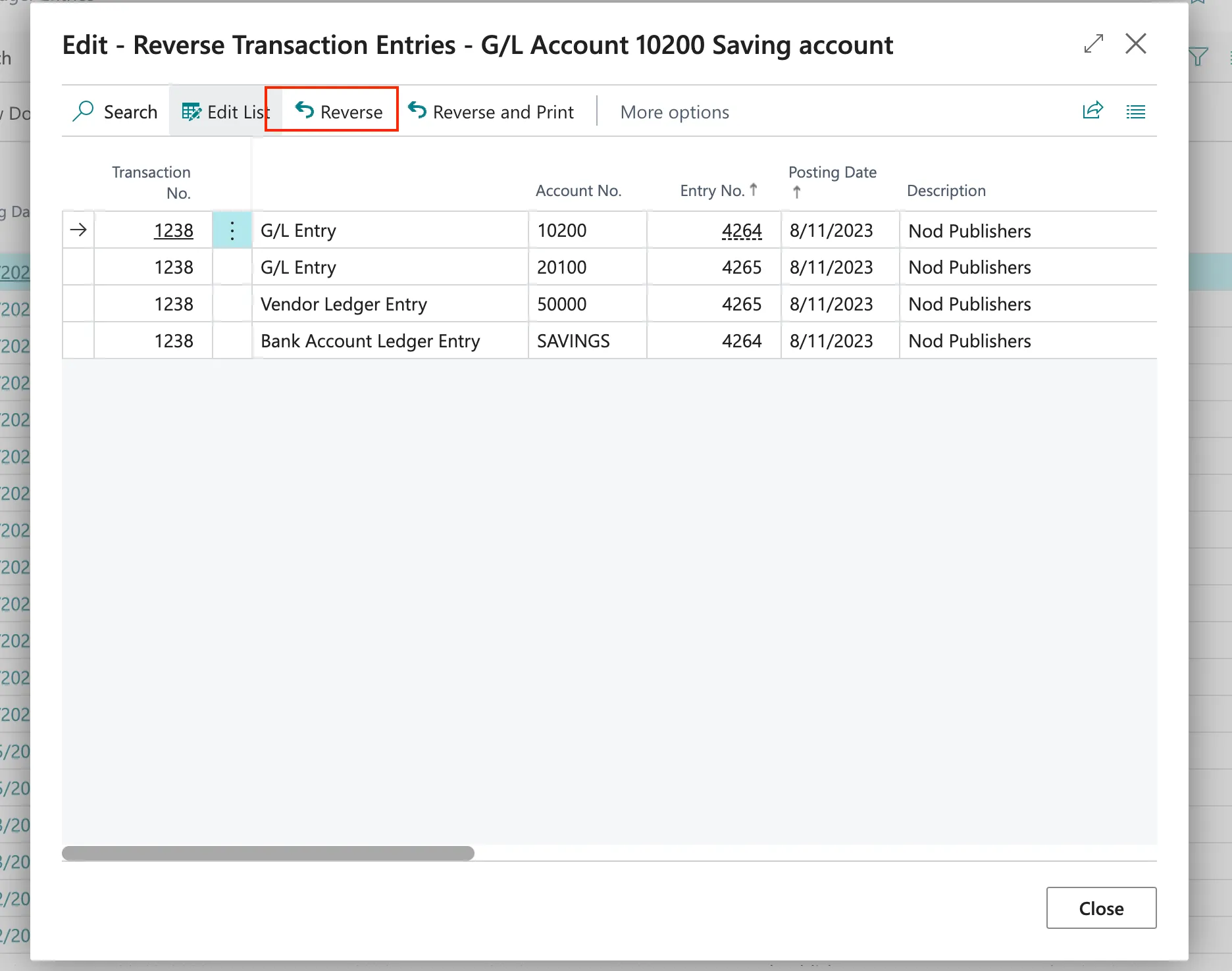
Click Reverse
Once the payment is reversed, you will be notified.
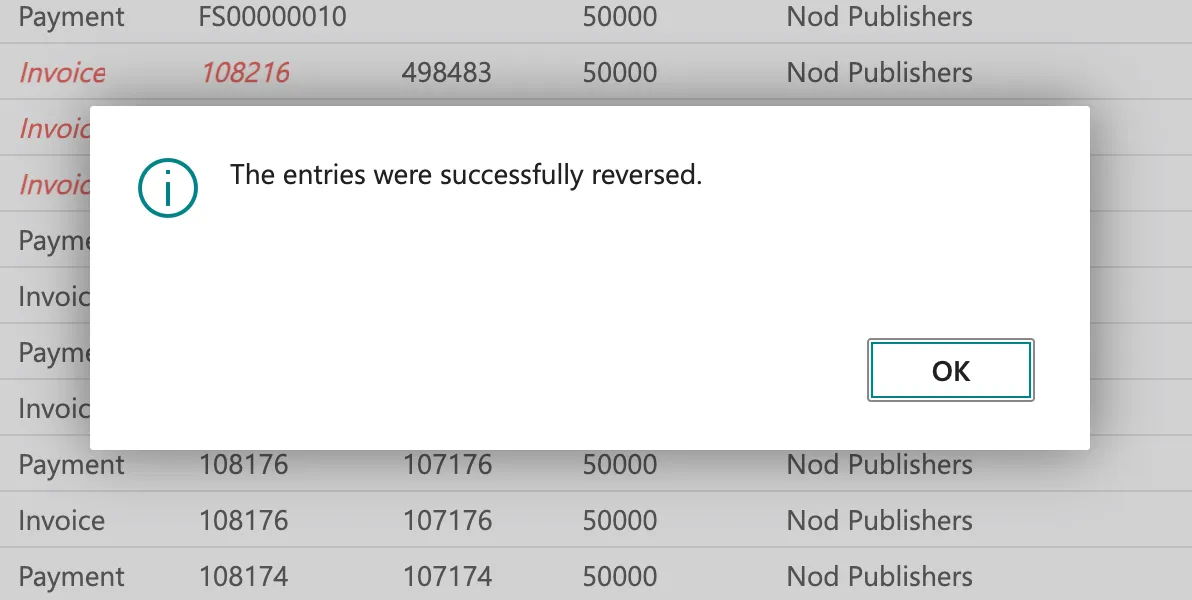
Confirm Payments were Reversed