Enabling French Canadian Support (NetSuite)
To use the plugin in French Canadian, you must first enable the French language within your NetSuite's features. Follow the guide below for instructions on how to complete the setup process.
NOTE: This feature is in open beta, and we are open to any feedback or suggestions about this new language option. Please send any feedback to [email protected]
Enabling French Canadian
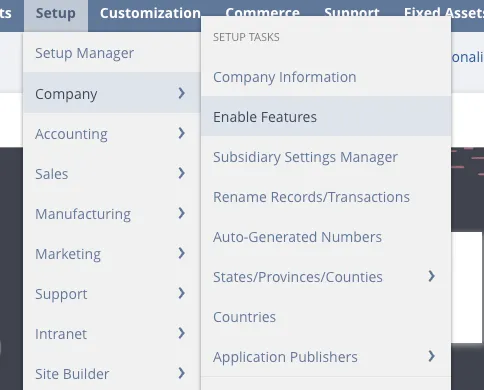
Navigate to Enable Features
A NetSuite Administrator must navigate to Setup --> Company --> Enable Features.
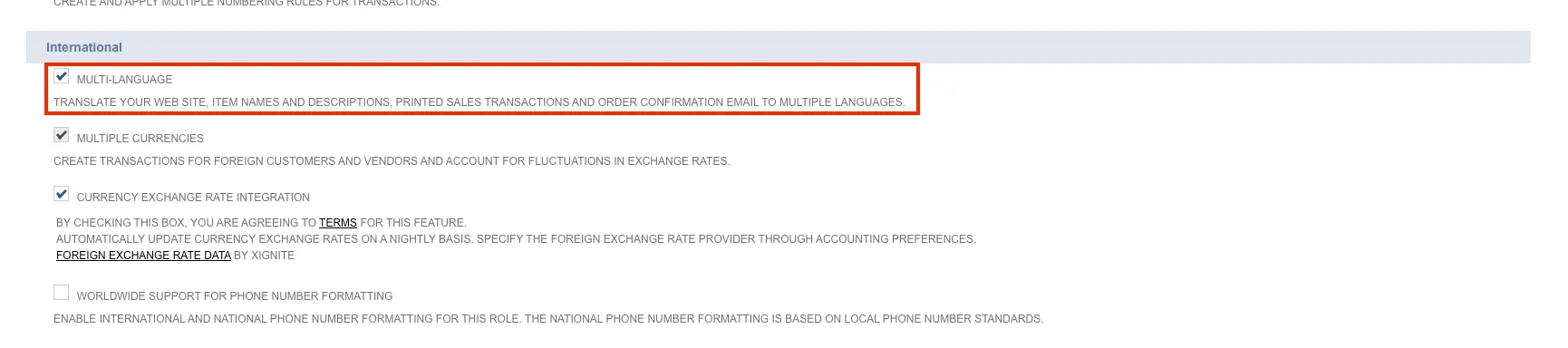
Enable Multilanguage
Scroll down to the International tab and ensure the Multilanguage checkbox is checked off.
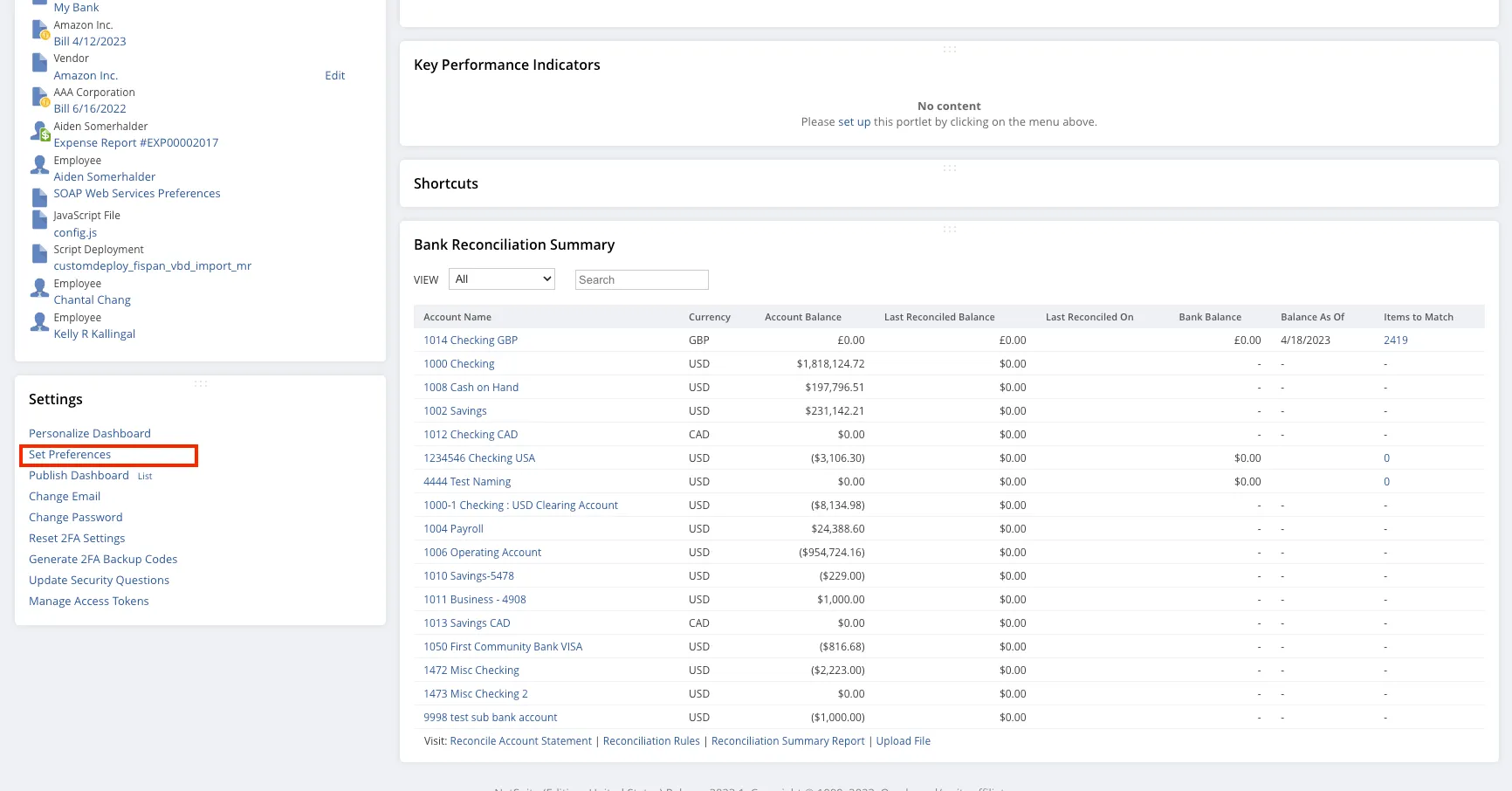
Navigate to Set Preferences
Navigate back to the dashboard by clicking the Home button.
Scroll down to the Settings sub-section and select Set Preferences.
Select French (CA) Language
Under the localization sub-section, select your language as French (CA).
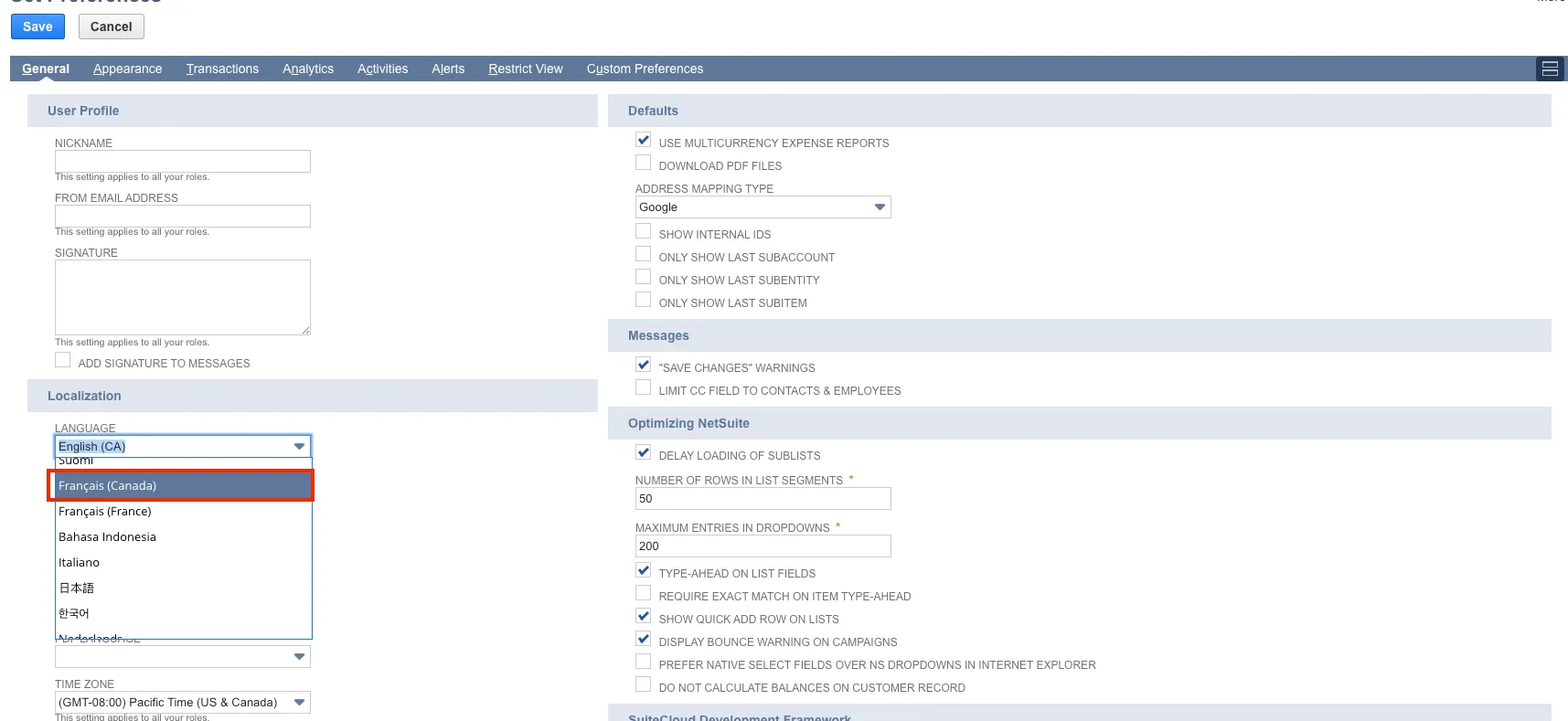
After clicking Save, your environment and plugin will be displayed in French Canadian.
Unsupported Elements
Due to some limitations, a few elements of the plugin will remain in English:
- Bank Feeds & Transactions
- Banking, ERP, and Platform Error Messages (e.g., payment statuses, connection errors)
- Vendors, Bills, and Bank Accounts (these will display in the language they were originally created in)