Uninstalling the Plugin (NetSuite)
To uninstall the plugin from your NetSuite ERP, follow these steps.
Step 1: Deactivate the Plugin
Select the three dots and then select Deactivate to disconnect your plugin from NetSuite through the Portal.
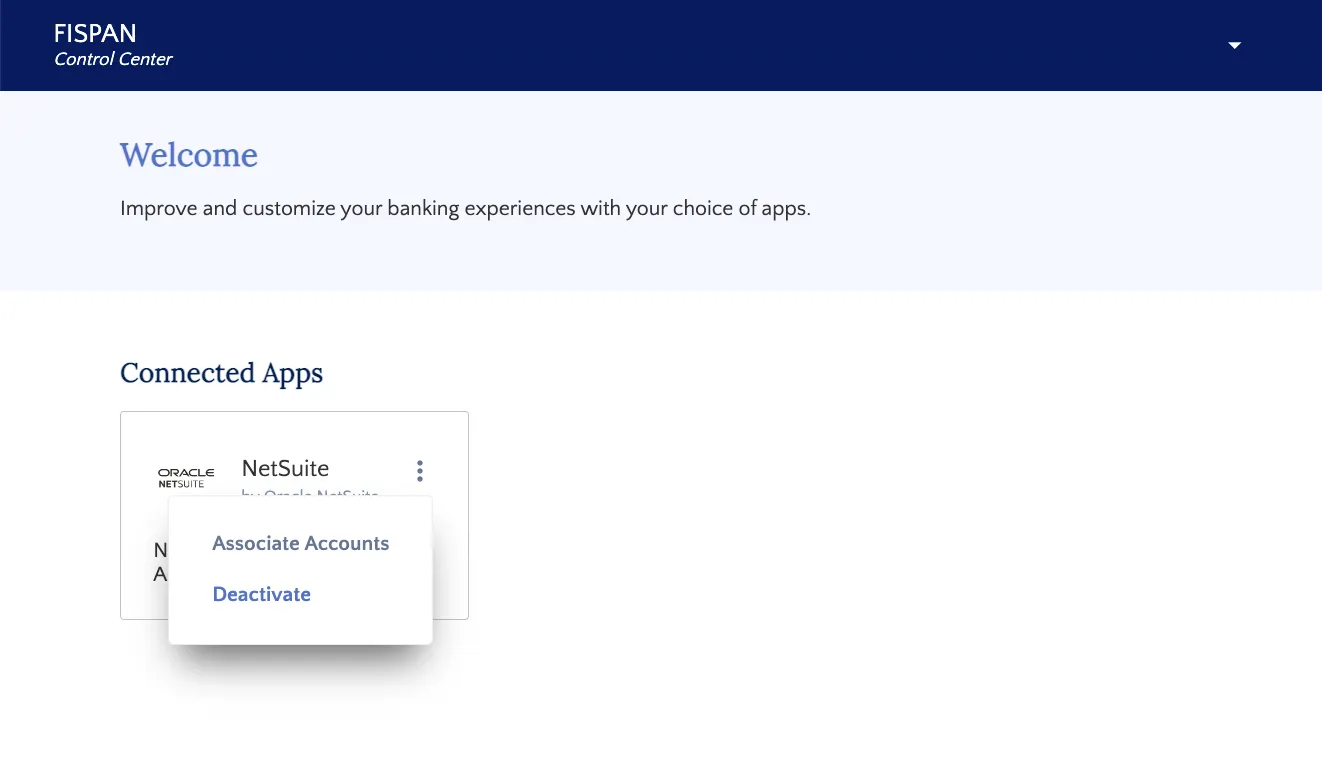
Select "Deactivate"
Step 2: Search Installed Bundles
In NetSuite, go to Customization → SuiteBundler → Search & Install Bundles → List
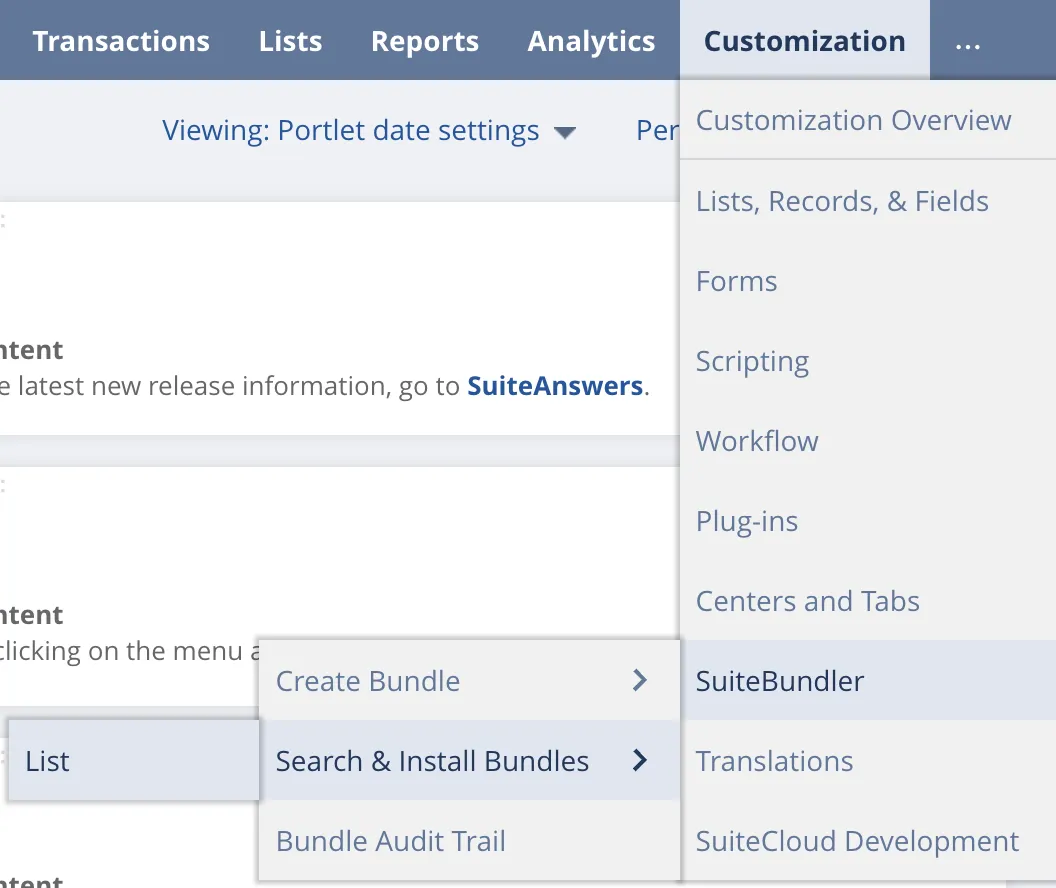
Go to Search & Install Bundles List
Step 3: Uninstall J.P. Morgan Pay Bundle
Select the green drop-down button and select Uninstall to uninstall the J.P. Morgan Pay bundle. Then, select OK on the pop-up to confirm.
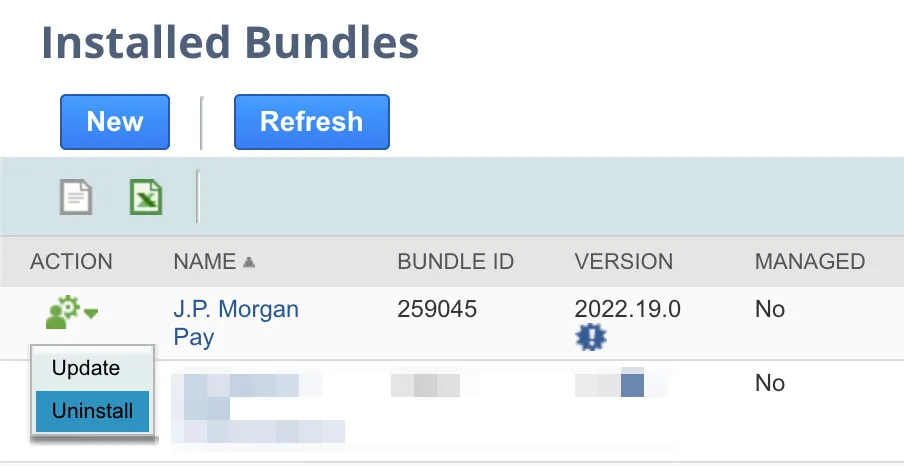
Select "Uninstall"
Step 4: Finalize Uninstalling the Bundle
The Status column will show the progress of uninstalling the bundle. Once it has been uninstalled, the bundle will no longer appear on the list of installed bundles.
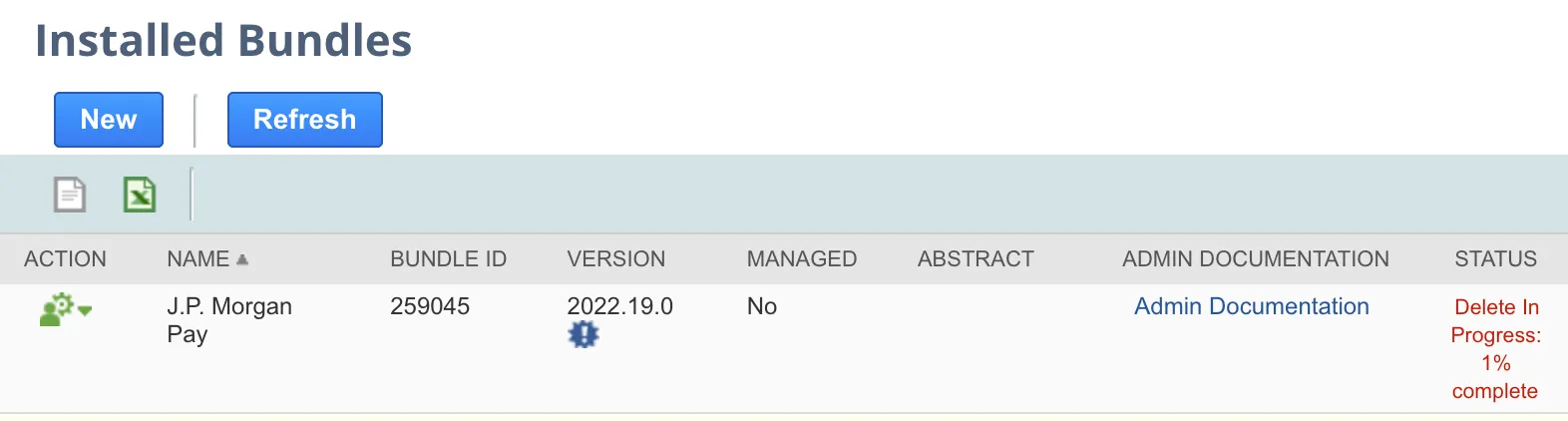
Deletion in Progress