Updating the Bundle (NetSuite)
Keeping your NetSuite Bundle up to date with the latest version is crucial for ensuring you have access to all the newest features, important bug fixes, and updates. To update your bundle, please follow these steps.
TIP: To read more about the latest release, navigate to: Release Notes (NetSuite)release
Step 1: Locate Bundle
Go to Customization → SuiteBundler → Search & Install Bundles → List.
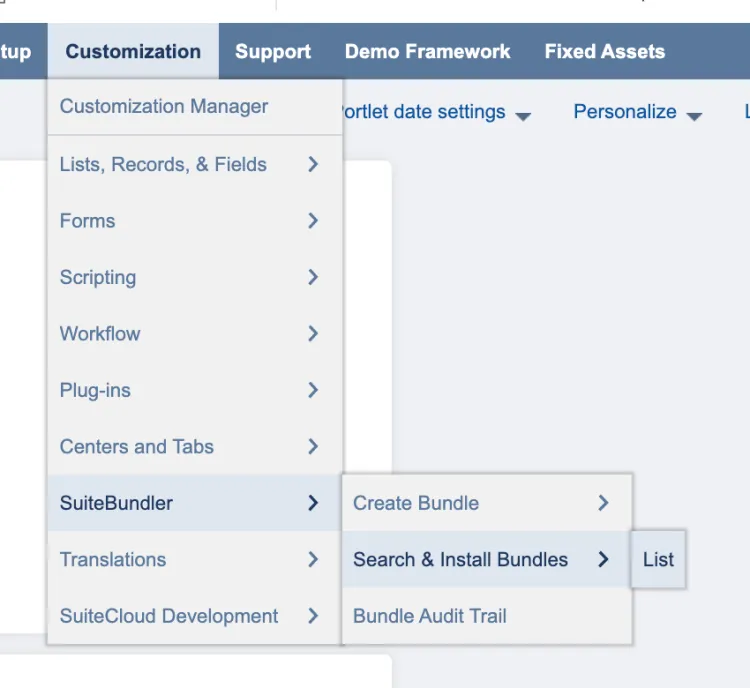
Go to Search & Install Bundles List
Step 2: Update Bundle
Find the J.P. Morgan Pay bundle from the list. Then, hover over the green icon and select Update.
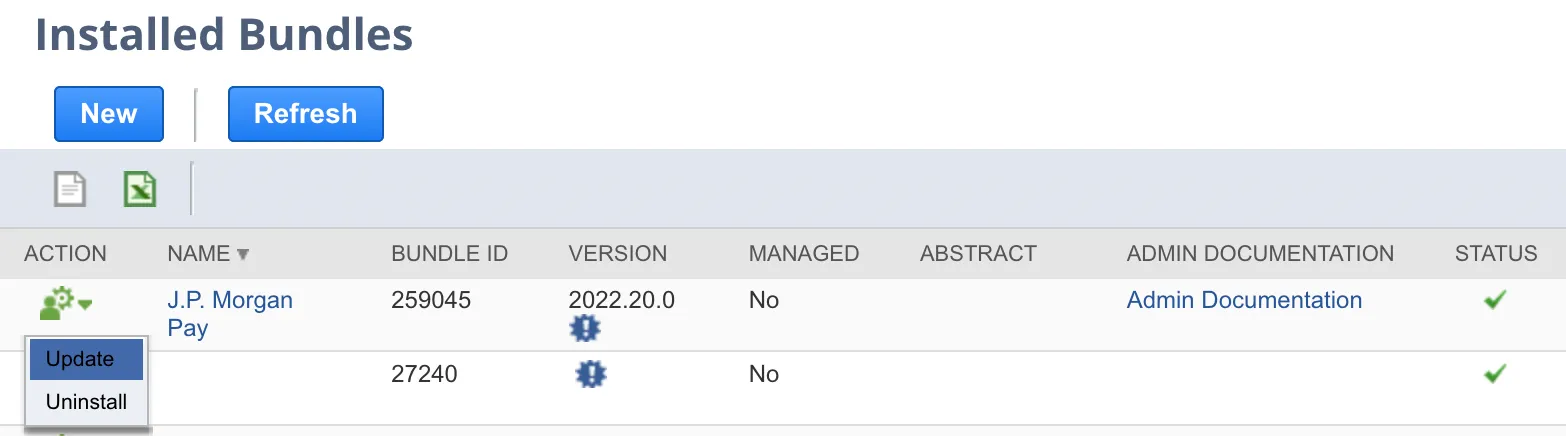
Select Update
Select Update Bundle, and select OK on the confirmation pop-up.
The bundle will take a few moments to update – it will appear as pending and then show the progress of the update. Once complete, the status column on the Installed Bundles page will show a check mark.
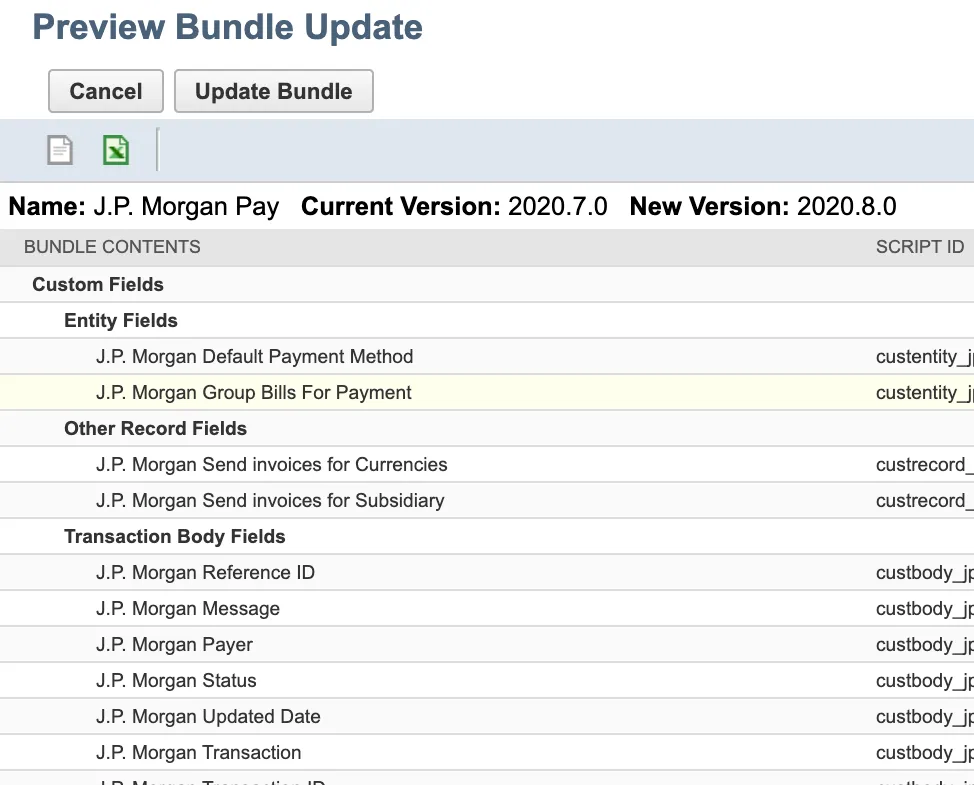
Update Bundle