Partial Payments - New (NetSuite)
You can now make Partial Payments of your bills directly within the Commerce Connections plugin. This feature gives you the flexibility to pay only a portion of a bill, supporting various business needs and helping you better manage your cash flow.
Making Partial Payments
Follow these steps to make your first partial payment.
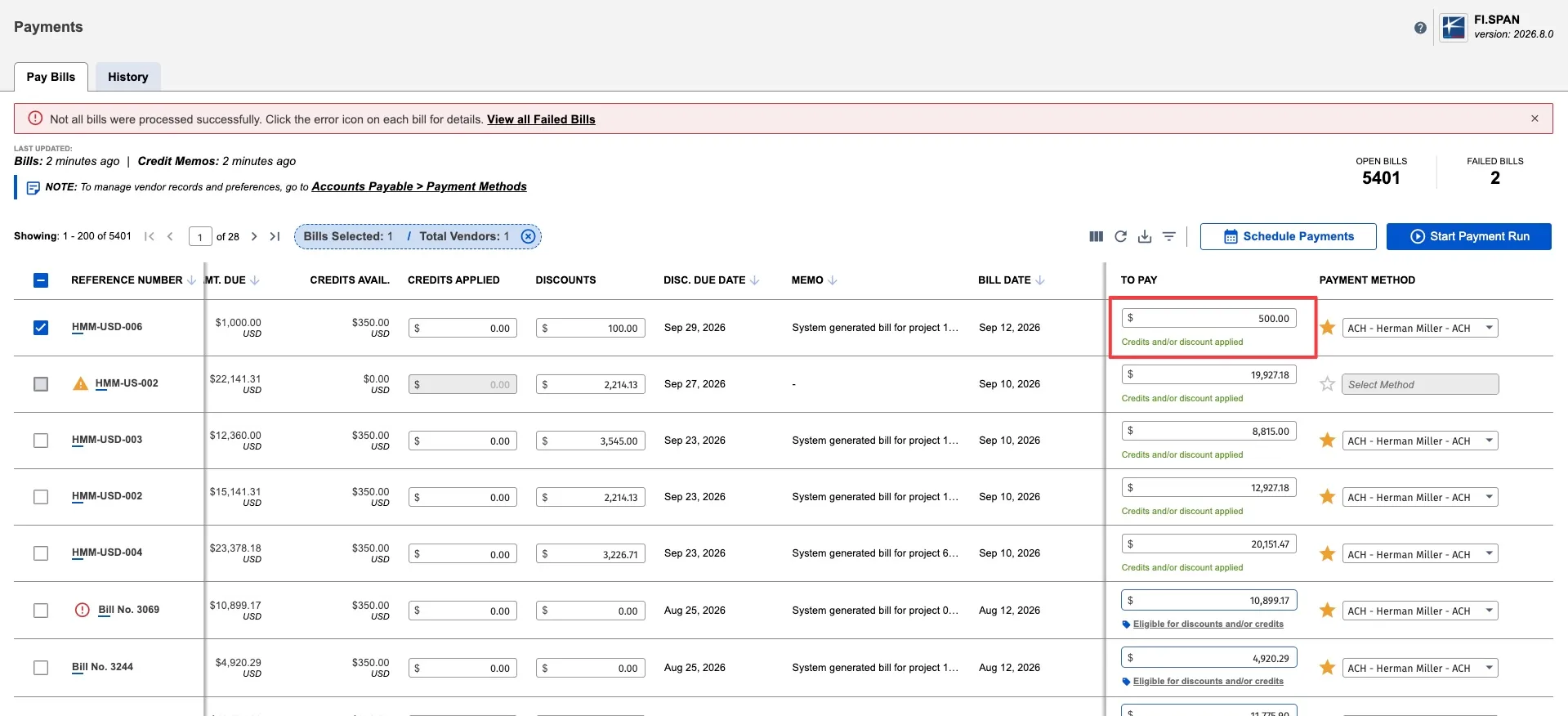
Modify the To Pay Amount
The To Pay column is now modifiable. You can enter any amount as long as:
- The To Pay amount is greater than 0.
- The To Pay amount is not more than the amount due - the discount applied - credits applied.
Add Any Applicable Credits/Discounts
Partial Payments can be used in combination with credits and discounts. Refer to the Applying Bills Credits During Payments guide for more information.
Select the Bills to Pay
Select the bills you would like to pay. You can add multiple bills (even with partial payments) to one payment run.
Confirm Payments
Confirm the payments to complete your first partial payment. The bill(s) you've partially paid will remain on the Pay page. They will show the updated outstanding amount due, allowing you to make future payments until the balance is fully settled.
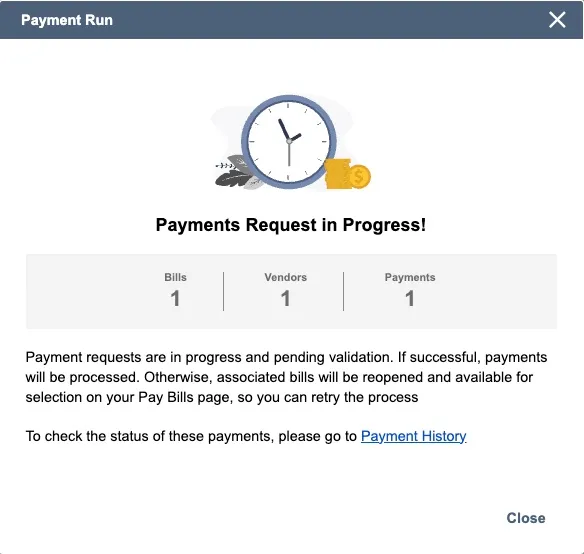
Tracking Partial Payments
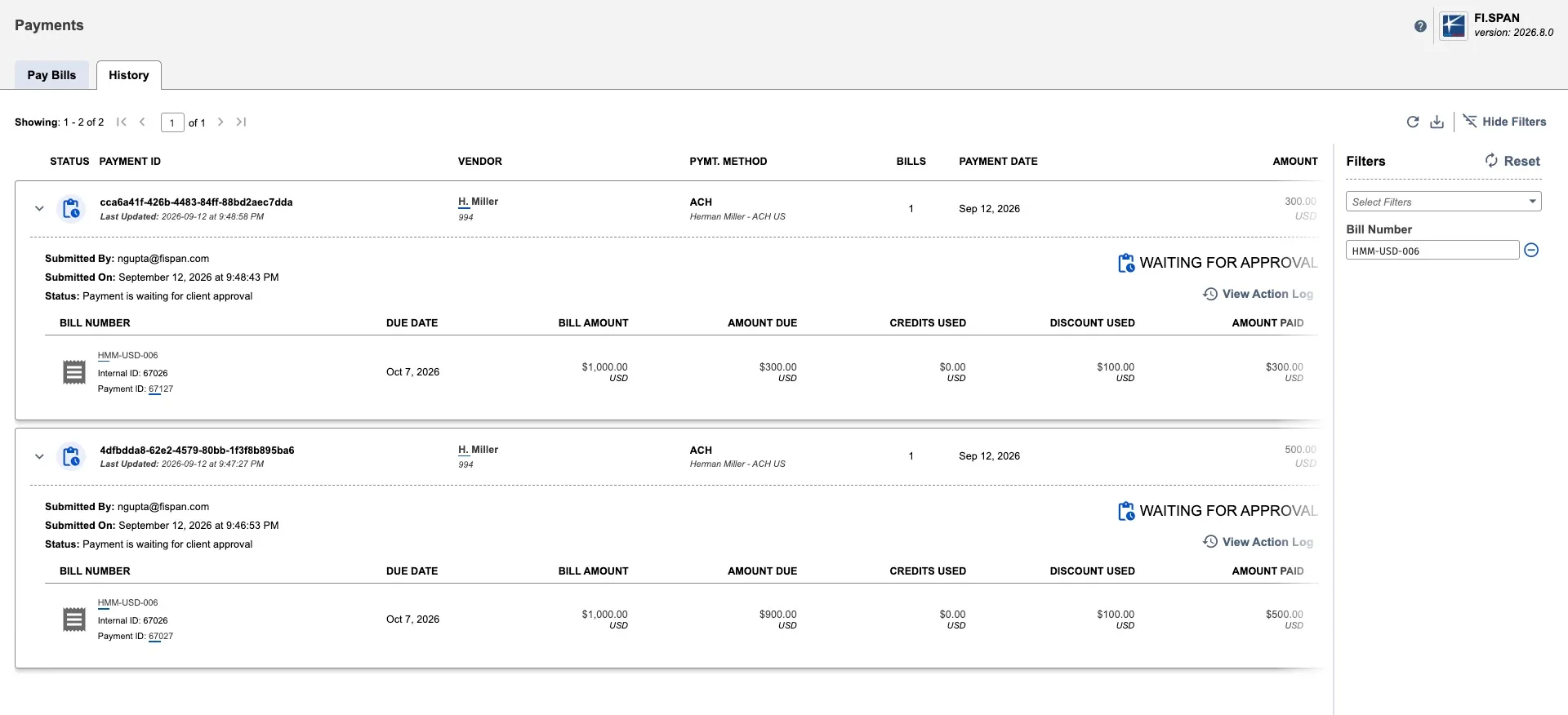
Check payment status in Payment History:
- Using the main navigation bar, go to Accounts Payable (New) → Payments → History
- View the payment status and bills included
- Each bill shows:
- The partial amount paid
- Discount applied
- Payment status
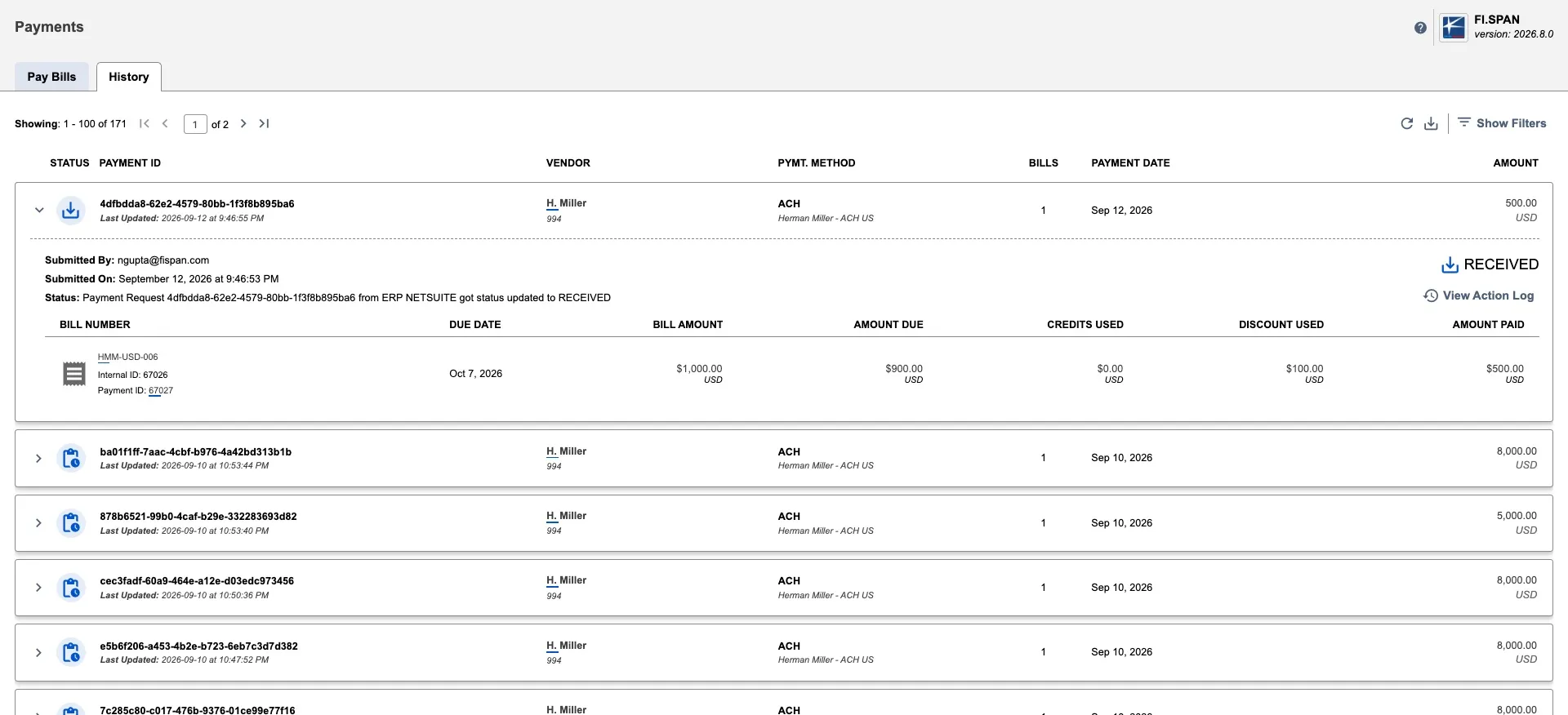
Once the payment is complete, the status will display as Completed. Payments take four business days to appear as Completed in the plugin since there is no positive acknowledgment from the receiving bank.
Track all payments for a specific bill:
To see all previous payments made for a bill (including multiple partial payments):
- Go to Accounts Payable (New) → Payments → History
- Use the Bill Number filter to search for the specific bill
- All payments applied to that bill will appear in the results
This is useful when you've made multiple partial payments and want to see the full payment history for one bill.
Additional payment details in NetSuite:
For reference, the bank plugin also records payment information directly on the bill in NetSuite:
- Custom field on bill form: Shows details from the latest payment attempt only
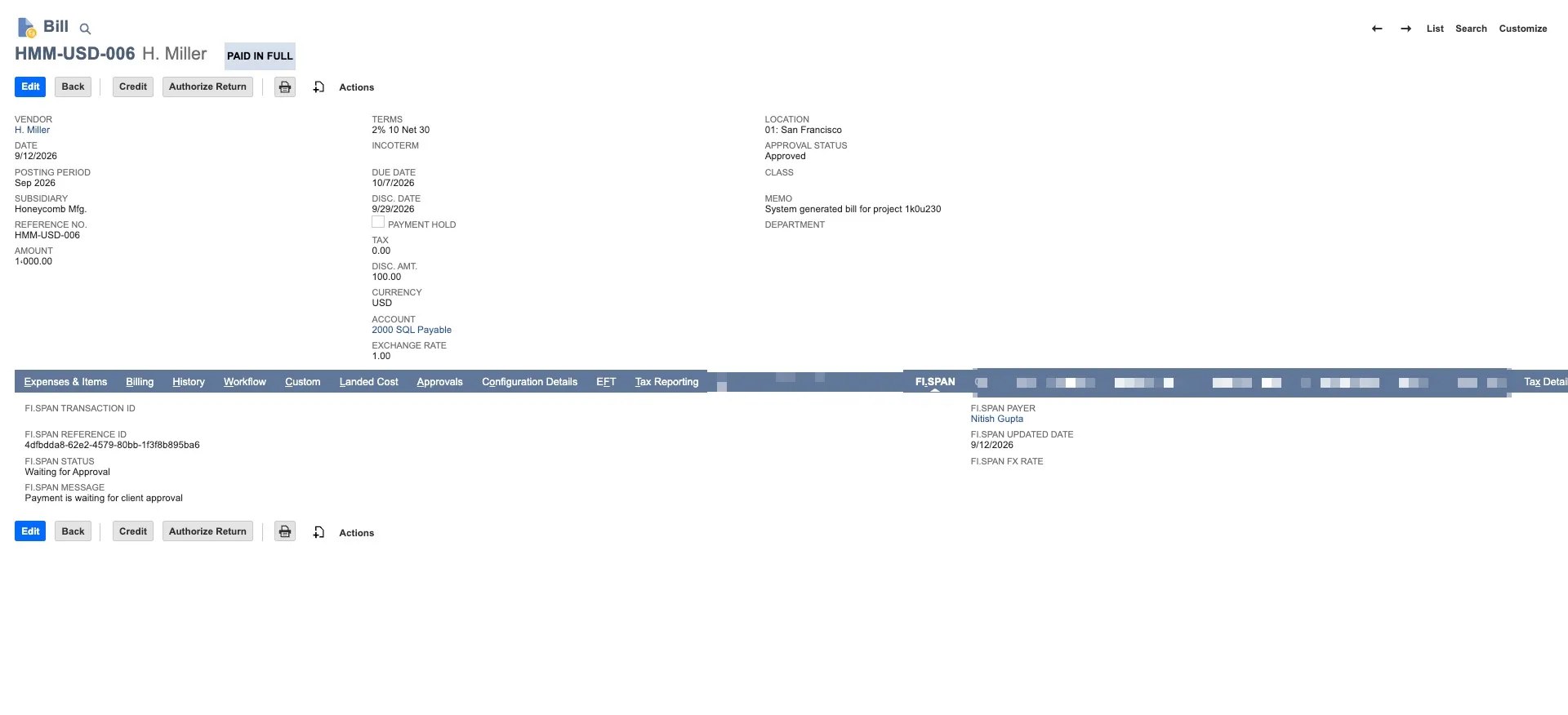
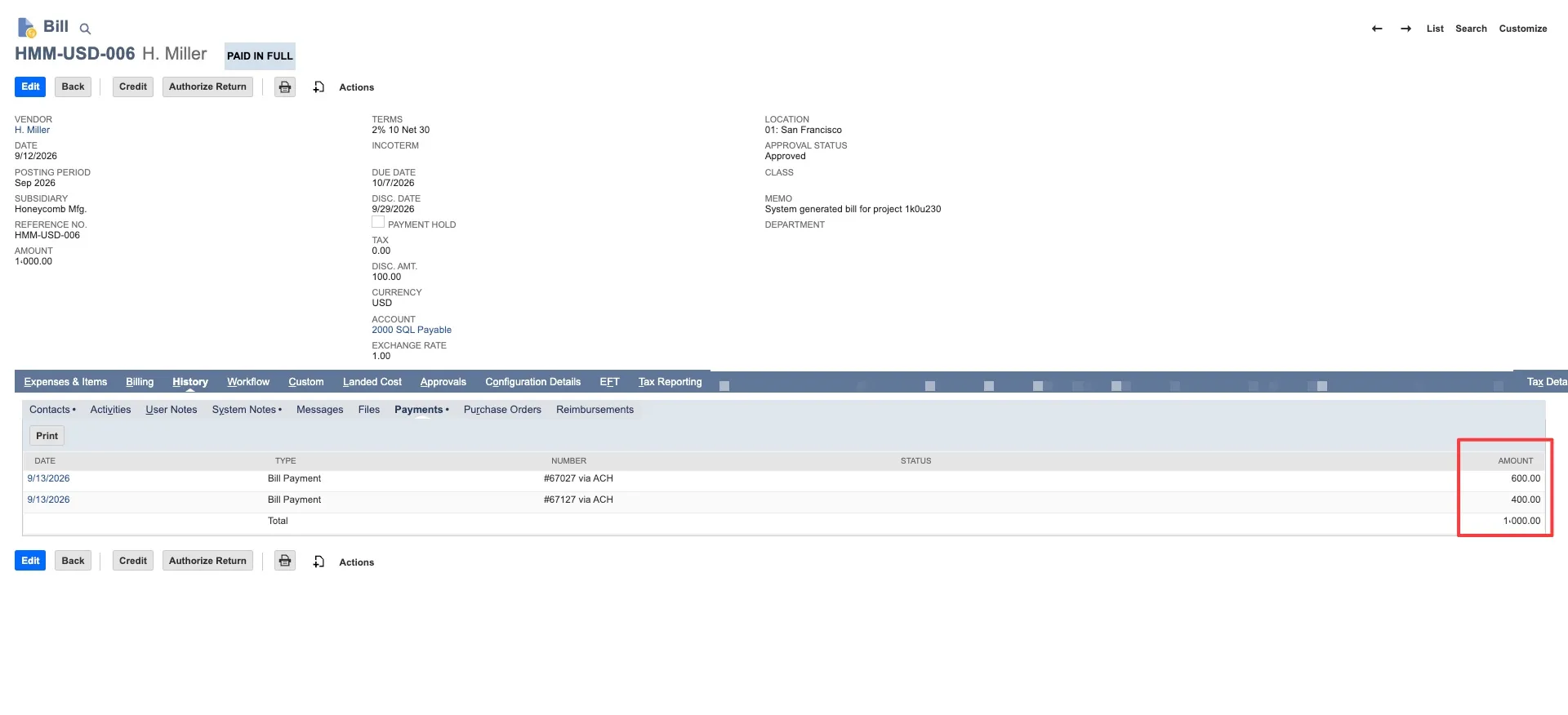
- Bill → History → Payments tab: Shows all payments applied to the bill in the native NetSuite bill record