Enable Combined Bills (NetSuite)
Simplify your payments by using the Combined Bills option for vendors/employees, which allows you to group multiple bills into a single payment.
Enable Combined Bills for Vendors/Employees
Follow these steps to learn how to enable Combined Bills for your vendors.
Navigate to Payment Methods
From anywhere in your ERP, navigate to the CNB Pay menu and select Payment Methods to open the page.
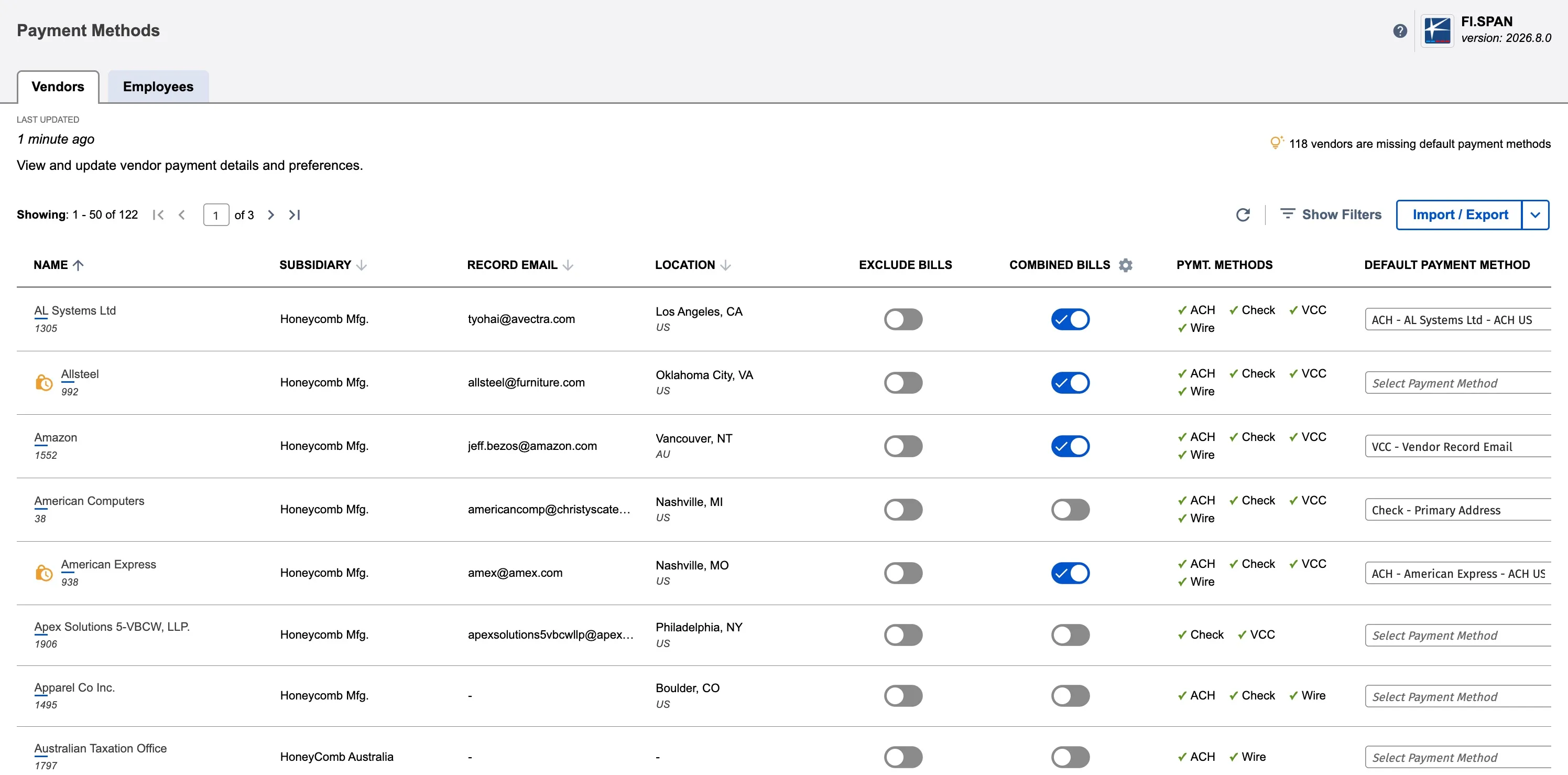
Enable Combine Bills
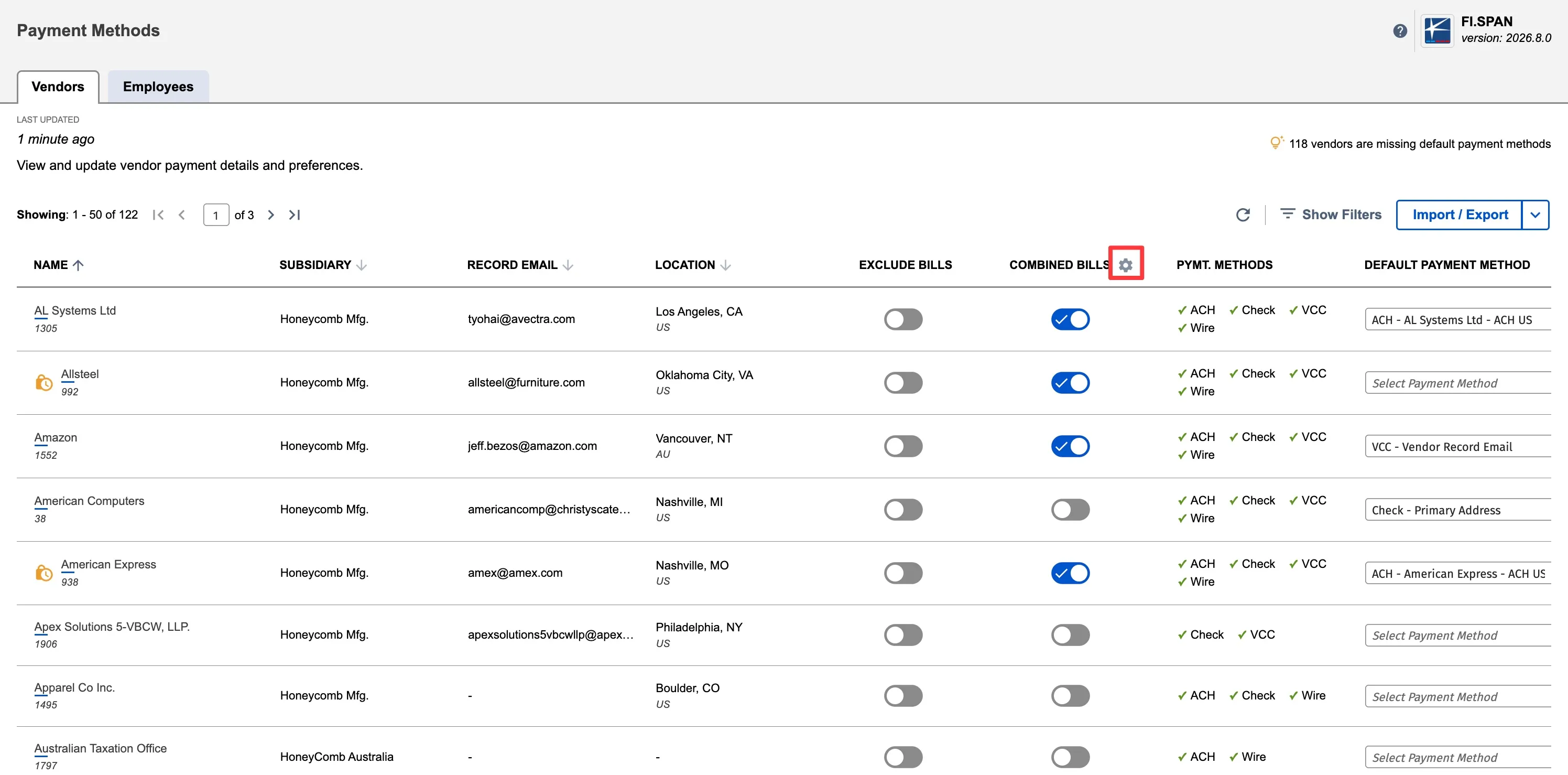
Once the Payment Methods page loads, click on the gear icon placed next to the Combined Bills.
You will now be prompted to select the option you prefer.
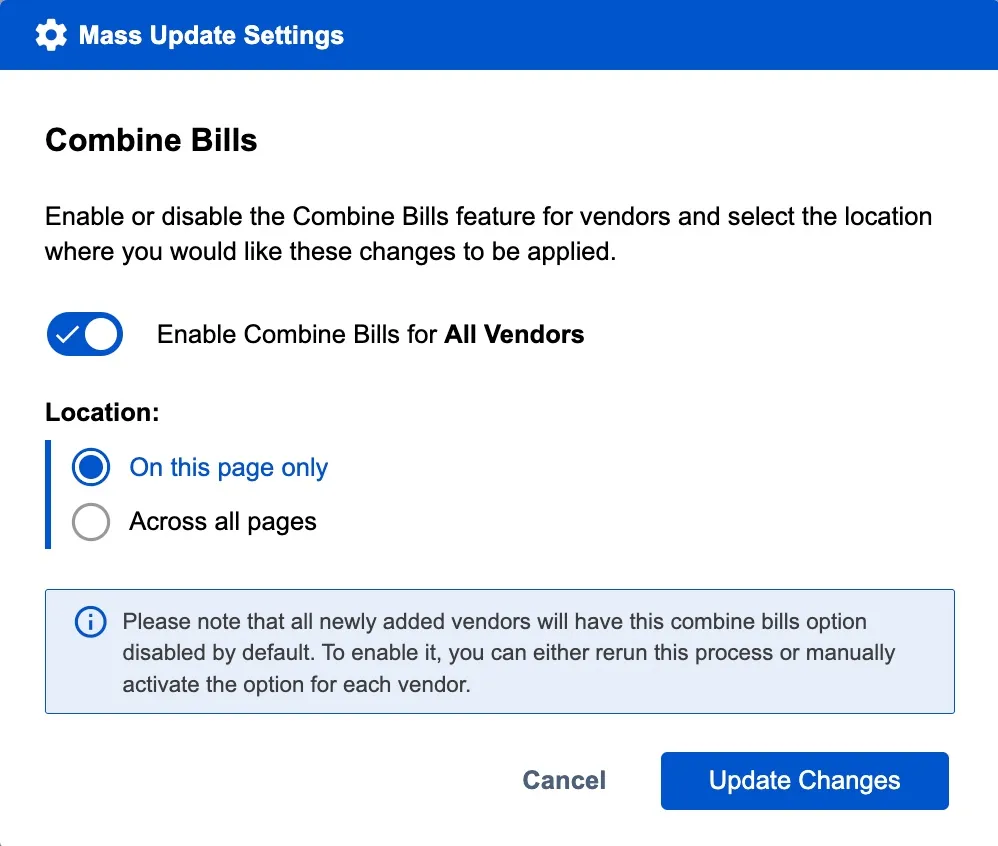
If you choose to enable this for all vendors, you will need to make updates for any new vendors that are created in the future.
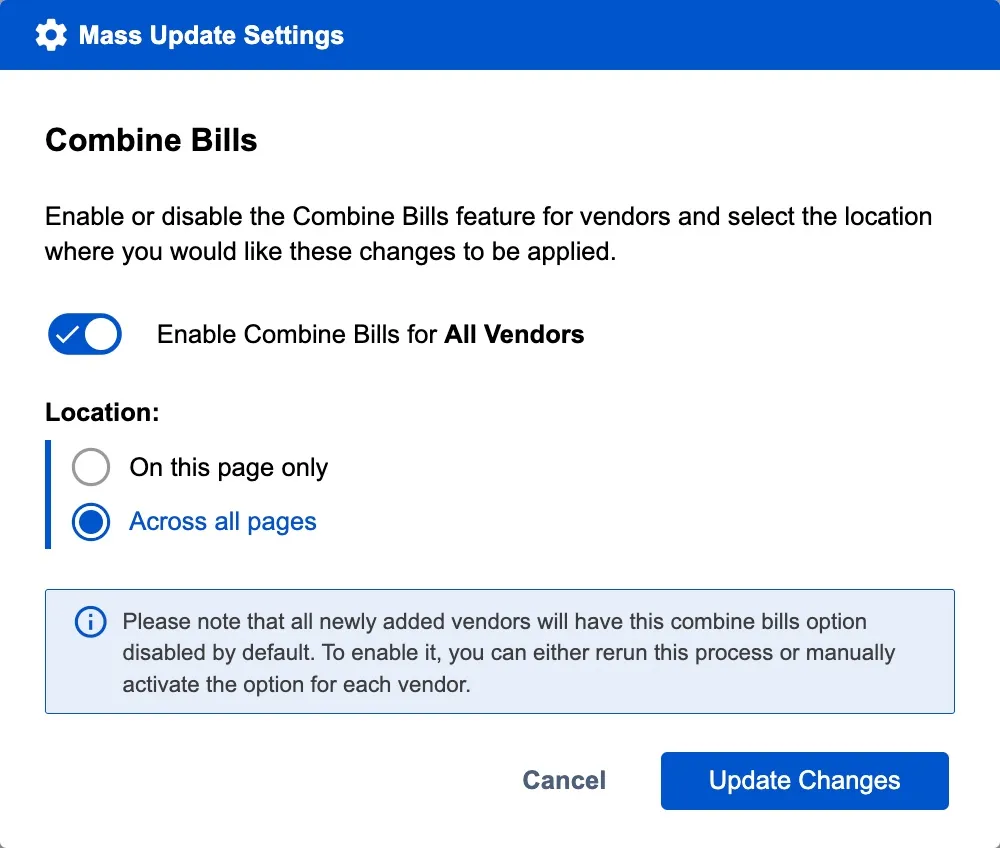
Once the option has been selected, click Update Changes.
Now all the bills for these vendors will be grouped into single payment.
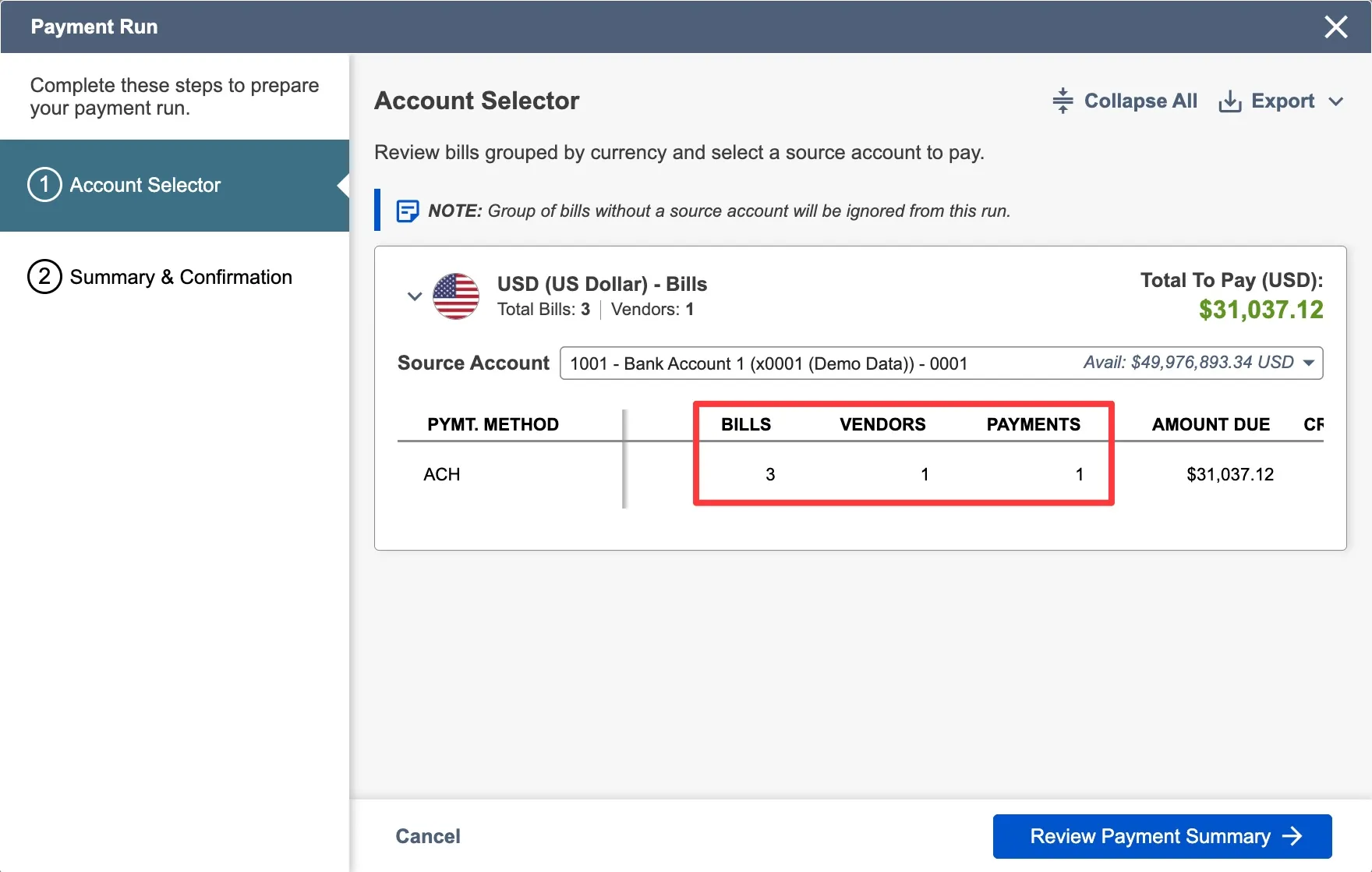
Disable Combine Bills
The page will refresh, and all the toggles will be updated to match the status you selected. From this page, you can disable a specific vendor or do a bulk edit using the above step.
Exclude Bills from Vendors/Employees
You can also exclude bills from certain vendors/employees from being displayed on the Payments page.
Navigate to Payment Methods
From anywhere in your ERP, navigate to the CNB Pay menu and select Payment Methods to open the page.
Exclude Bills/Invoices
On the Payment Methods page, simply enable the 'Exclude Bills' toggle to prevent a vendor's bills/invoices from appearing on the Payments page.
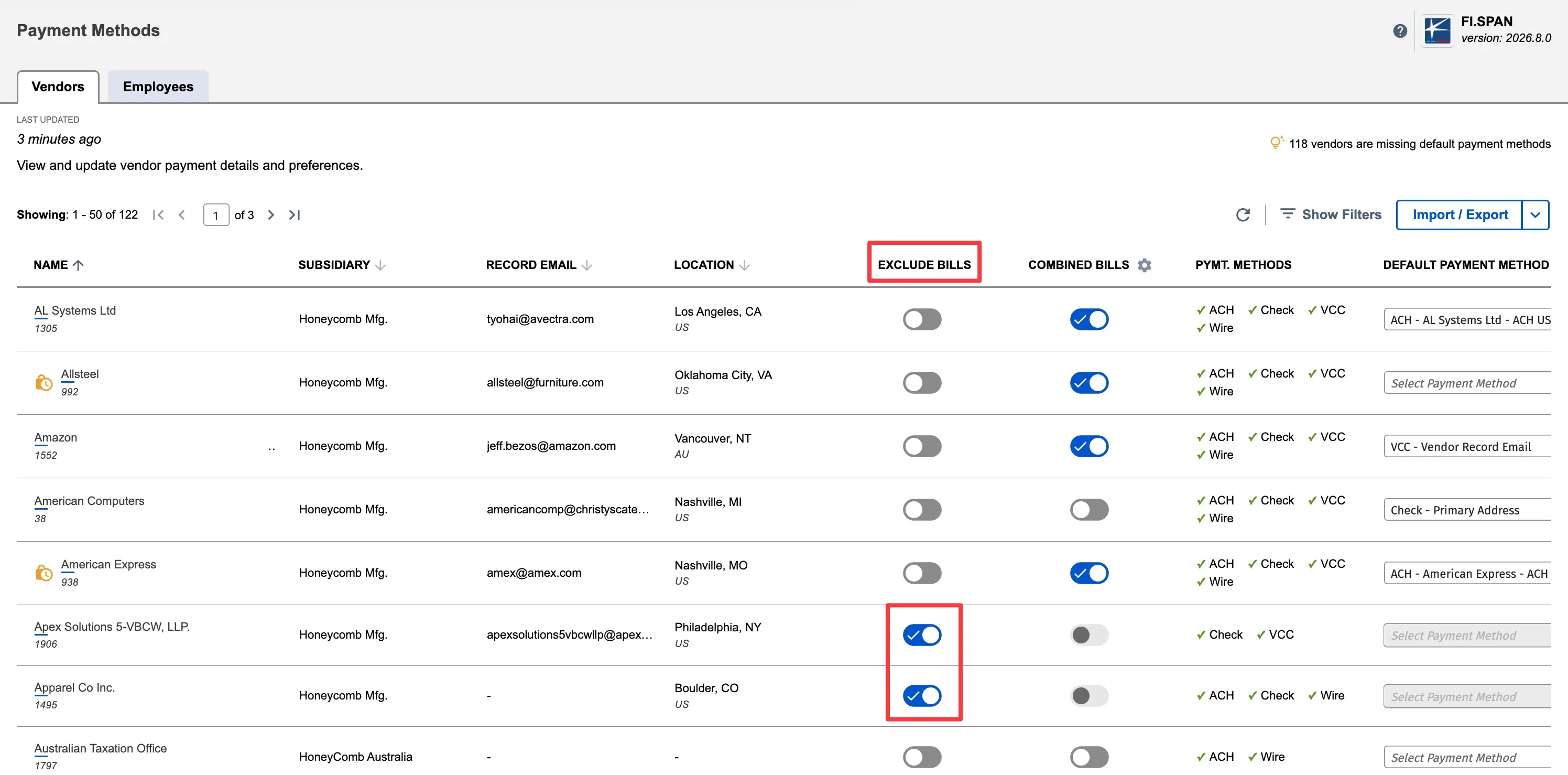
Once the toggle is enabled, the bills/invoices for that respective period will not appear on the Payments page anymore.