Creating a Reconciliation Rule (NetSuite)
The Accounts Receivable solution and Cash Application product are fully compatible with bank feeds.
To ensure credit transactions automatically reconcile with the customer payments generated by the Cash Application, you will need to create a reconciliation rule using this guide.
Create a Reconciliation Rule
Follow these steps in NetSuite to create a reconciliation rule.
Go to Reconciliation Rules
Navigate to Transactions -> Bank -> Reconciliation Rules
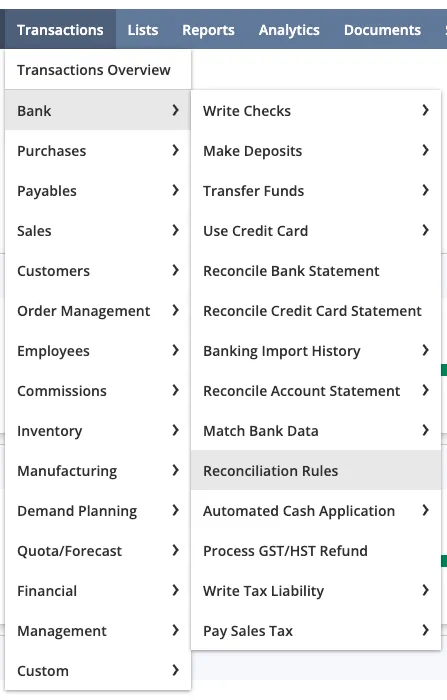
Transactions -> Bank -> Reconciliation Rules
Create a New Rule
Under User Rules, click New Rule.
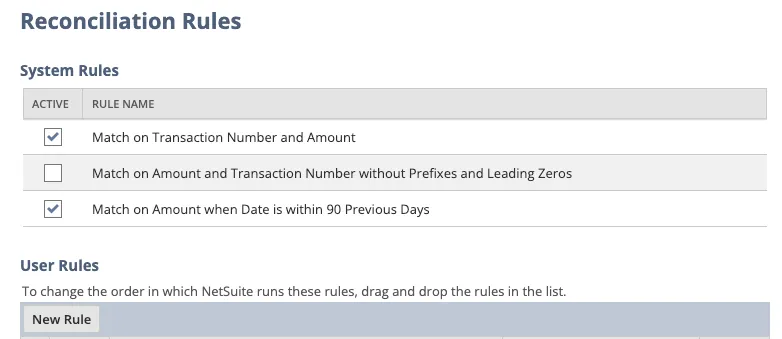
Reconciliation Rules
For Rule Name, enter “Match by Memo”.
Select Bank Account
Under the Accounts tab, select the specific bank accounts you wish to include for auto-reconciliation.
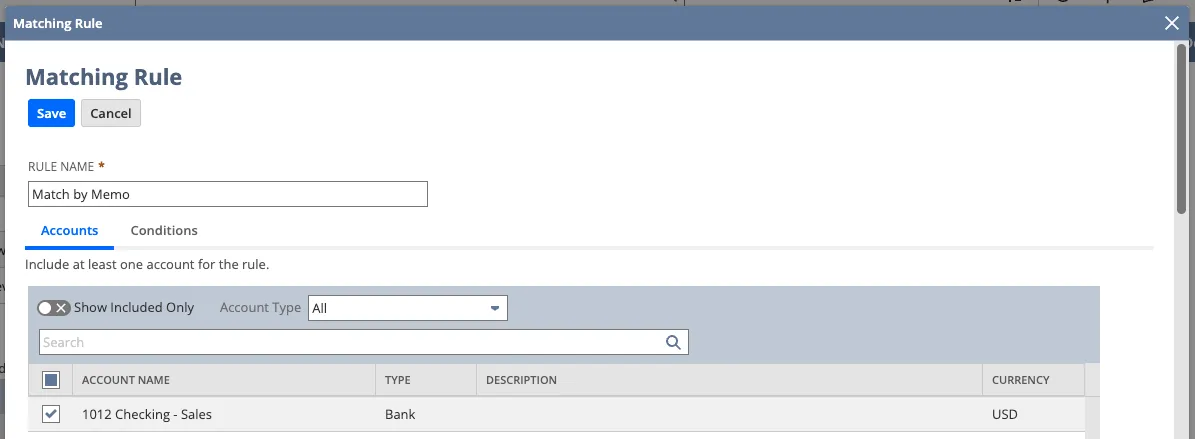
Matching Rule
Set Conditions
Go to the Conditions tab.
Select the following from the drop-downs:
- Transaction Type: All Imported
- Primary Field: Memo
- Operator: Equals
- Value: <leave blank>
- Transaction Type: All NetSuite
- Compare Field: Memo
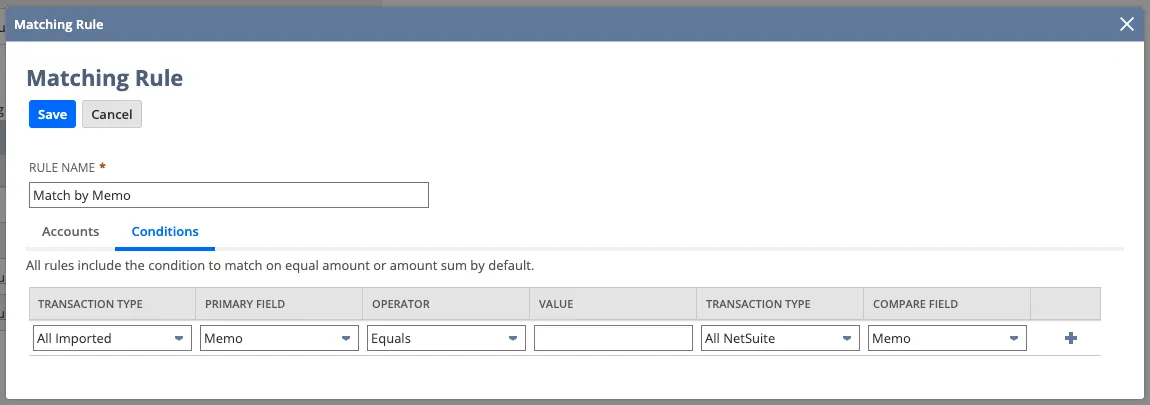
Conditions tab state after changes are applied
Click Save.