Viewing Bill History (NetSuite)
The Santander Fusion maintains a log of all successful and failed payments made since its installation. This page will guide you on how to view your Vendor Bill Payment History and explain the different payment statuses you may encounter during regular use.
Go to History
Navigate to Santander Fusion → Payments → History.
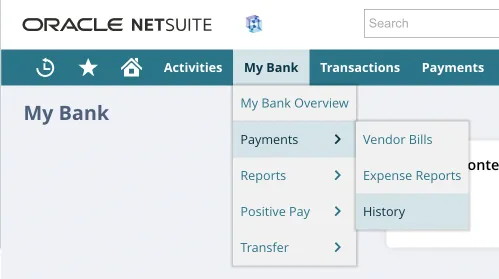
View Payments History
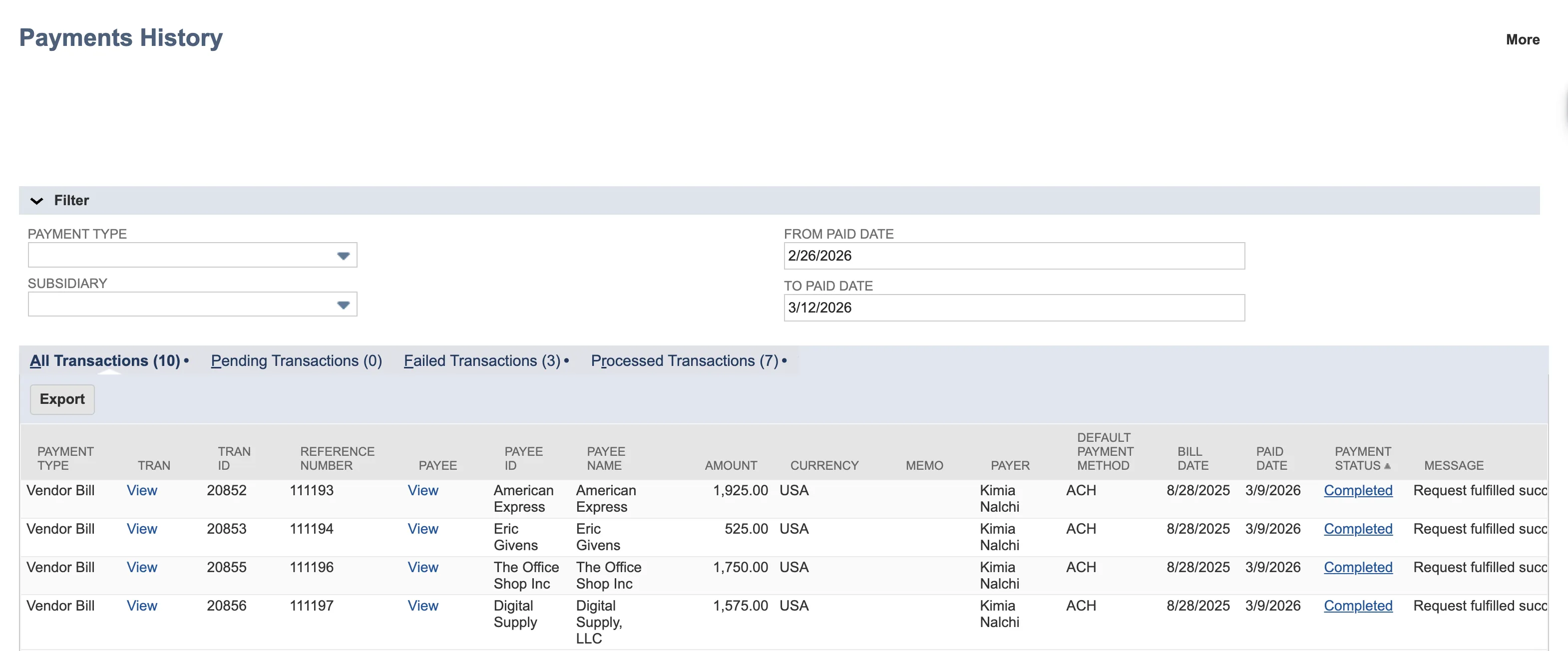
On the Payments -> History page, payments will be grouped into 4 different categories:
- All Transactions
- Pending Transactions
- Failed Transactions
- Processed Transactions
Use the filters for Payment Type, Subsidiary, and Dates to help narrow down the number of payments shown on screen.
View Payments History – Pending
Payments that are processed through the plugin will first appear under the Pending tab, and can remain here for up to 4 business days, depending on the payment method, before appearing under the Processed tab.
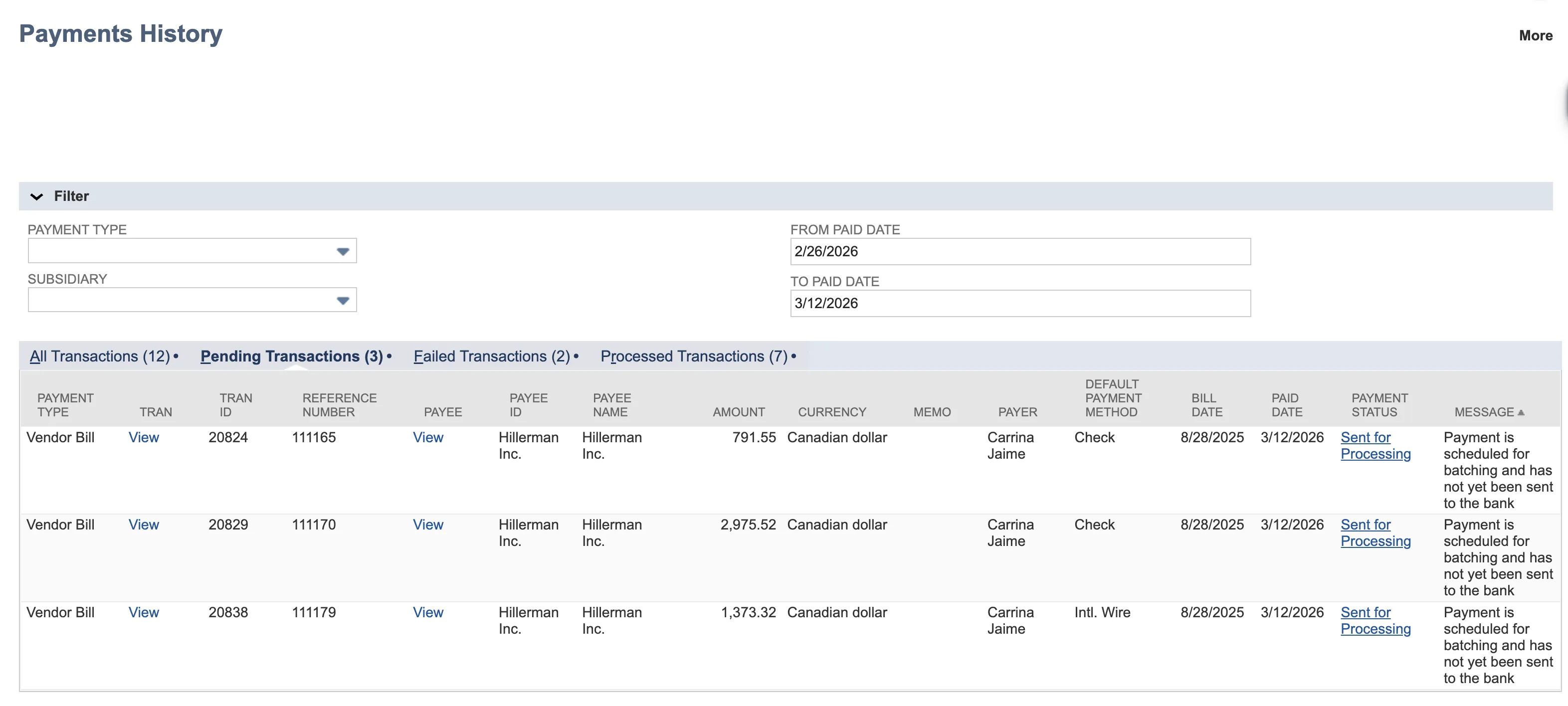
There are two Pending statuses:
- Sent for Processing: This status indicates that the payment has been processed through the bank plugin but has not yet reached your bank.
- Processing: This payment has reached your bank and is processing.
View Payments History – Completed
All successful payments made through the plugin will appear under the Processed tab after 4 business days. Some payments may make it here sooner, depending on the payment method selected at the time of payment.
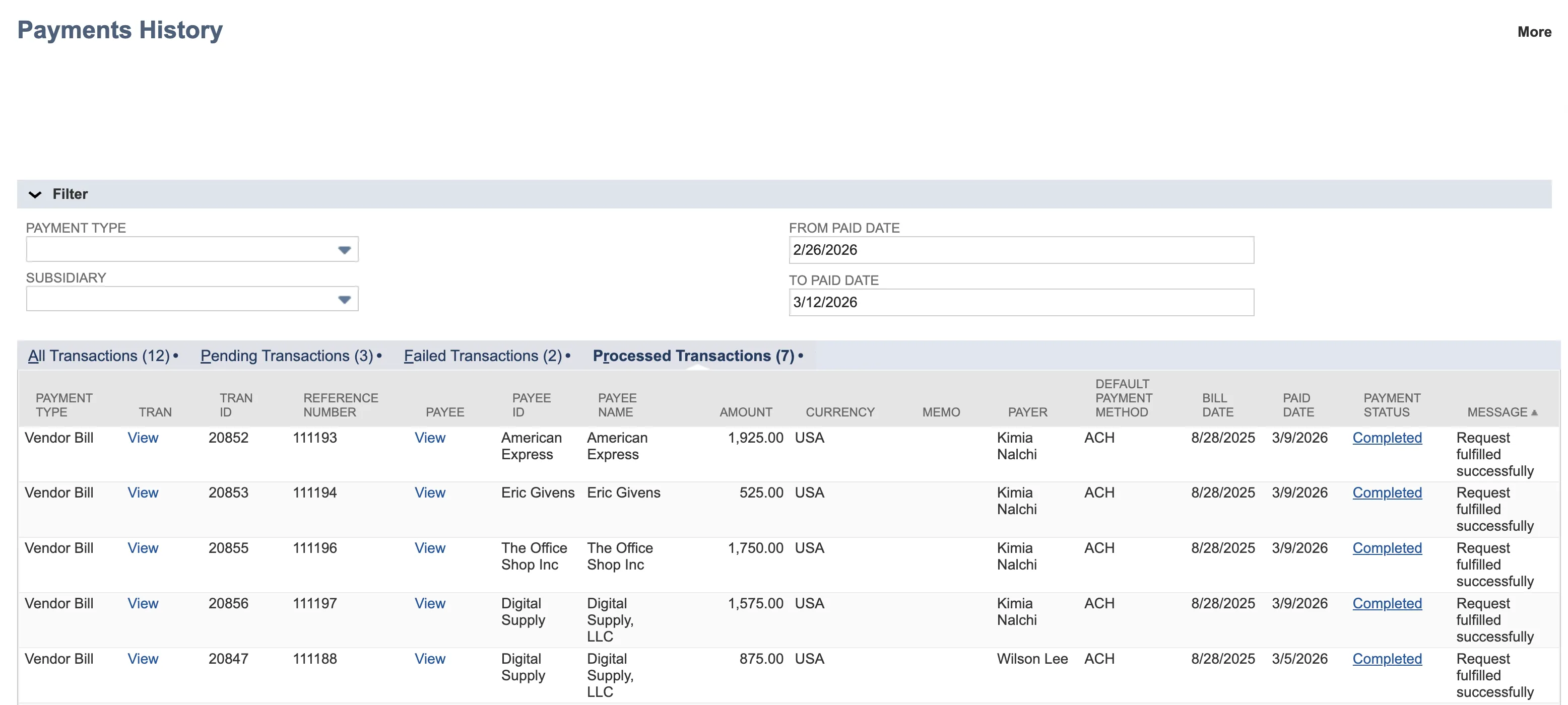
There is only one status for Completed payments:
- Completed: This payment has been successful and requires no further action. A payment's status may update to Completed within 4 business days after approval (if using payment approval workflows) or sooner, depending on the payment method.
View Payments History – Failed
A payment will appear under the Failed tab if it has failed to be processed. A payment will only remain under the Failed tab until it has been successfully paid.
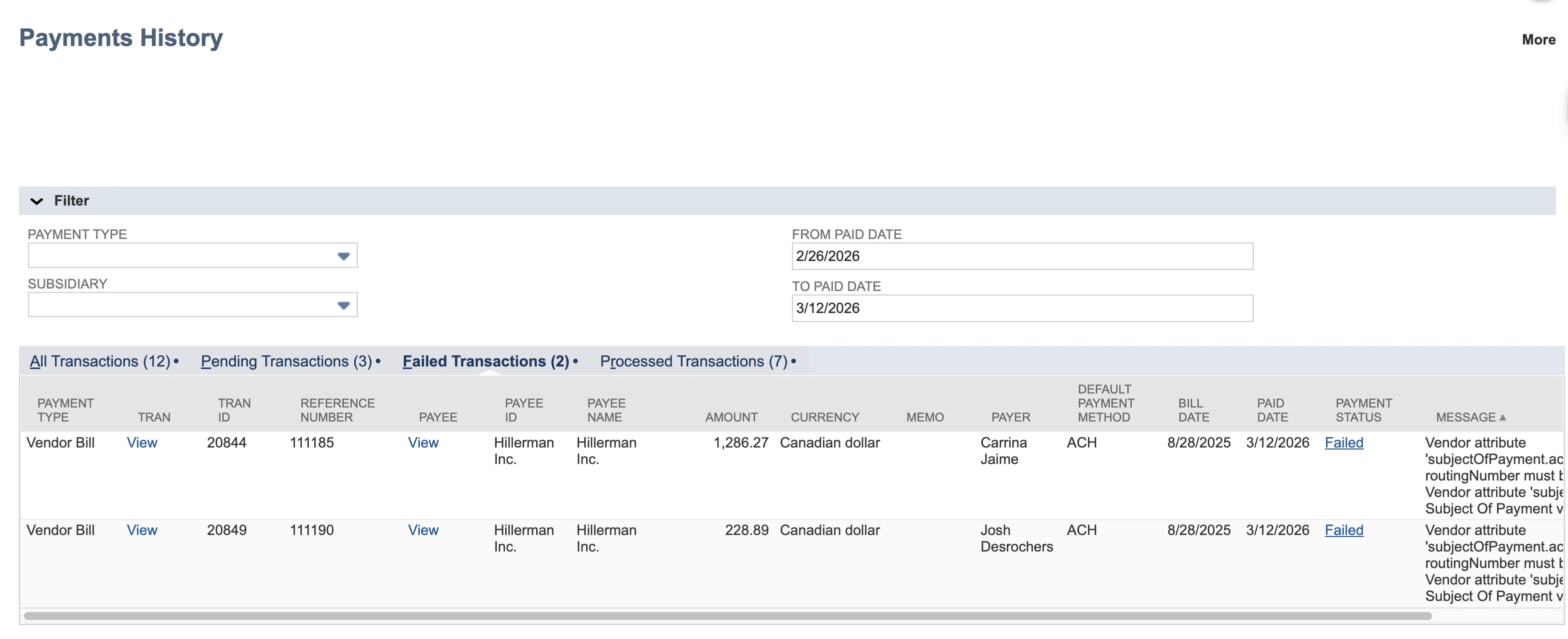
Failed payments have the following statuses:
- Validation Issue: This status describes payments that fail to be processed as a result of missing or invalid information required for a successful payment. Common examples include missing Country and/or State/Province on a Payee, missing Payee bank account information, or Invoice IDs/Reference Numbers exceeding the maximum of 35 characters.
- Cancelled: This status will indicate that the payment was cancelled in the plugin.
- Failed: This status indicates an error on the payment that has prevented it from leaving NetSuite. Common examples include subsidiary mismatches between the payee and source account.