Expense Reimbursements (NetSuite)
NOTE: To pay employee expense reimbursements, please ensure your bank plugin is updated to version 2024.10+
Payment Methods in Scope
The Employee Payment Information Management feature supports the following payment methods:
Details on what information is required to make payments using any of the supported payment methods can be found in the Payment Rails section of this website, or by clicking on the links above.
Pre-Requisites
Before using the Expense Reimbursement feature, please ensure the following prerequisites are met:
Installed Entity Bank Details Bundle
The Entity Bank Details bundle is required for expense reimbursement payments. The bundle must be version 2022.8 or later. Please refer to the Entity Bank Details Installation & Set-up page for instructions on how to install this bundle, and the Update Entity Bank Details Bundle page for instructions on how to update to the newest version.
Bundle Contains Employee Bank Details
Before making an expense reimbursement payment to an employee, the Expense Request Approver must have the employee's banking details stored in the Entity Bank Details bundle.
Instructions can be found in Entity Bank Details Installation & Setup (NetSuite)entit on how to manually add employee bank data to the Entity Bank Details bundle, or in Entity Bank Details Bundle Import/Exporthere on how to mass import data via CSV.
Access to Suitelet and Employee Records
Specific permissions are required before you can make a successful expense reimbursement payment. Please refer to the Permissions section of this page for specific instructions on the Suitelet scripts and employee records to which specific users or roles will need access.
Accounting Approved Expense Reports
For an Expense Report to appear on the Expense Reports page, the report must be approved by the Expense Request Approver. A checkbox on the Expense Report can be selected by Accounting to indicate approval.

Once the Accounting Approval checkbox has been selected and the record is saved, a blue APPROVED BY ACCOUNTING label will appear on the Expense Report. If the Expense Report has not been approved, a blue PENDING ACCOUNTING APPROVAL label will appear.
Any Expense Reports that are PENDING ACCOUNTING APPROVAL will not appear on the Expense Reports page.

Defined Employee Expense Currency and Address
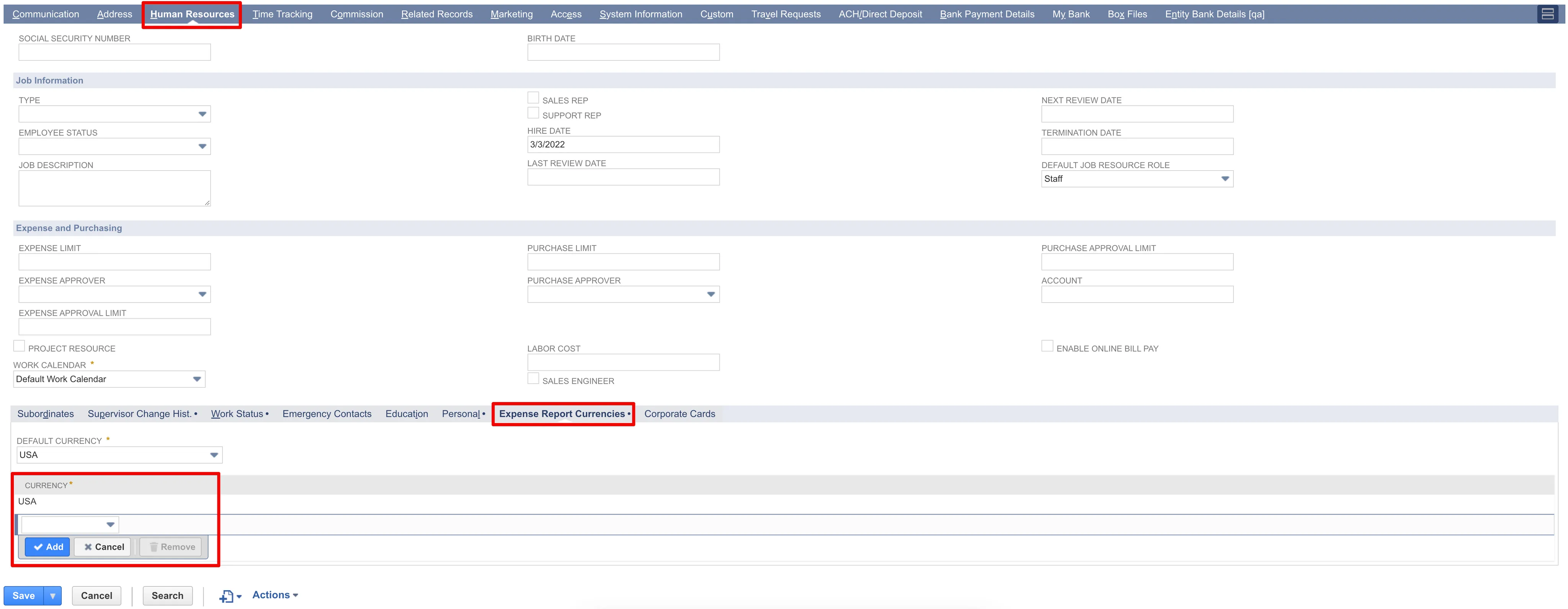
The Employee's currency reflects the entries for the Employee Expense Currency and Address fields from the Employee record. Both of these fields must be filled in accordingly for a successful expense reimbursement payment.
The Address can be edited by clicking the Address sub-tab on the Employee record, and then the Edit pencil icon below the Edit column.
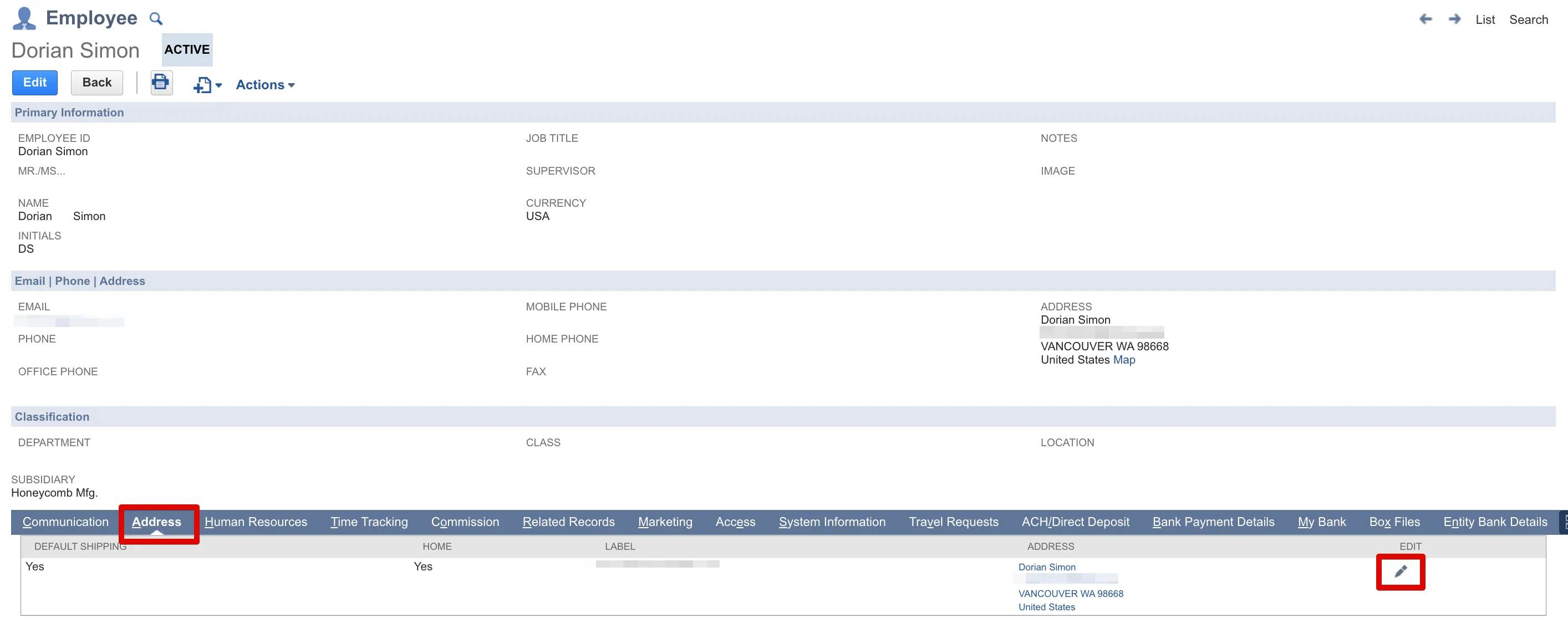
TIP: If the Expense Request Approver does not have the employee's actual address, the address of the subsidiary company of which the employee is a part can be used, as long as the country of the subsidiary company aligns with the country where the employee is based.
The Employee Expense Currency field can be found through the Human Resources → Expense Report Currencies sub-tabs on the Employee record.
NOTE: If using the Remittance Advice feature, remittance emails will be sent to the email address specified on the employee’s record.
Permissions
A user will need permission to both the PINACLE® | PNC Expense Reports Suitelet script and the Employee record.
The PINACLE® | PNC Expense Reports Suitelet script is required for users to access the Pay Expense Reports page. Without access to this, users will not be able to pay, see, or use this feature. Please follow instructions on the Step 13: Plugin Access Management page for steps on how to assign permissions to relevant employee(s), department(s), or role(s).
Access to the Employee record must be defined for the role(s) that will be making vendor bill or employee expense report payments. Without a minimum permission level of View, users in this role will not be able to see the Payment History page. Please follow the instructions on the Step 14: NetSuite Role Permission Setup page for steps on how to add this Permission to the relevant role(s).
Paying Expense Reports
Now that you've completed the prerequisites and set up permissions, you're ready to start using the Employee Expense Reports feature. Follow these steps to learn how to pay expense reports in NetSuite.
Go to Expense Reports
Go to Your Bank → Payments → Expense Reports.
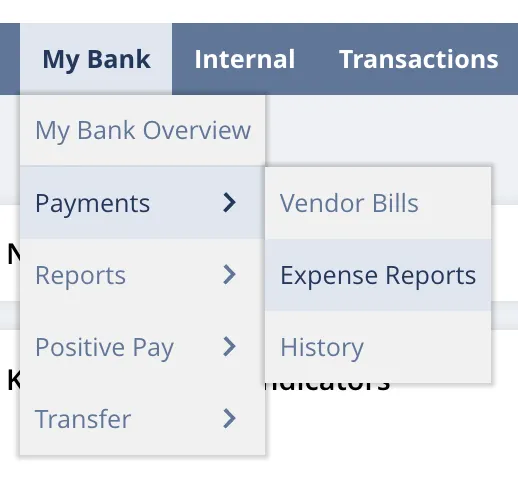
Select Expense Reports
Use the filters to find the expense reports you would like to pay.
If a Default Payment Method has not yet been set for the Employee, choose the desired Payment Method from the respective column. Then, select the payments using the boxes on the left and click Pay.
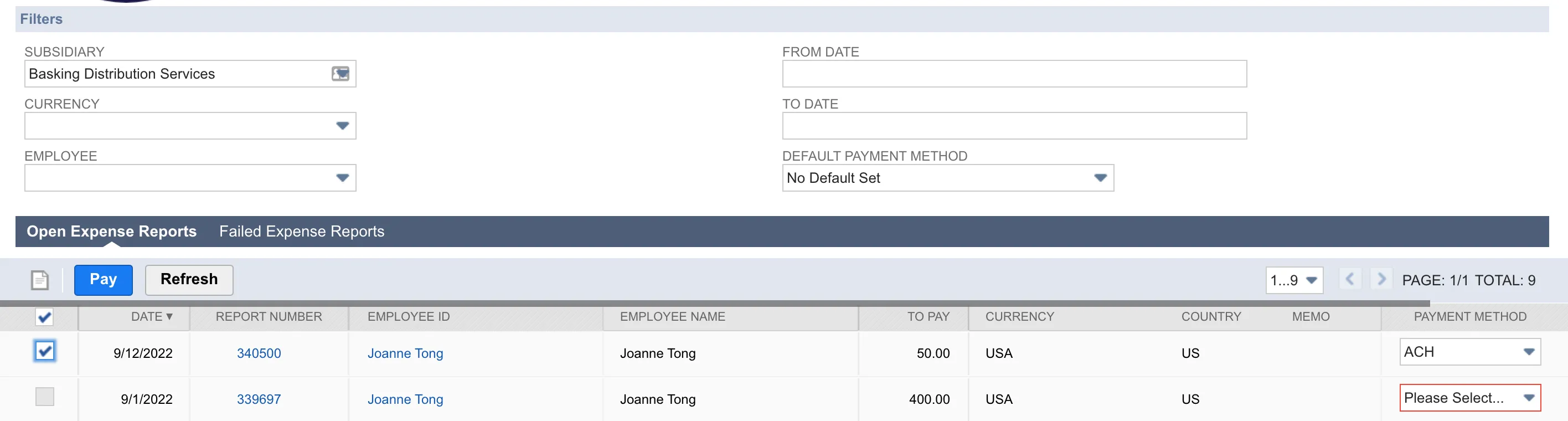
NOTE: To ensure your expense reports appear on this screen, the expense report must have Approved by Accounting enabled.
Confirm Payment
Select the account from the dropdown and confirm the number of expense reports, amount, and currency are correct.
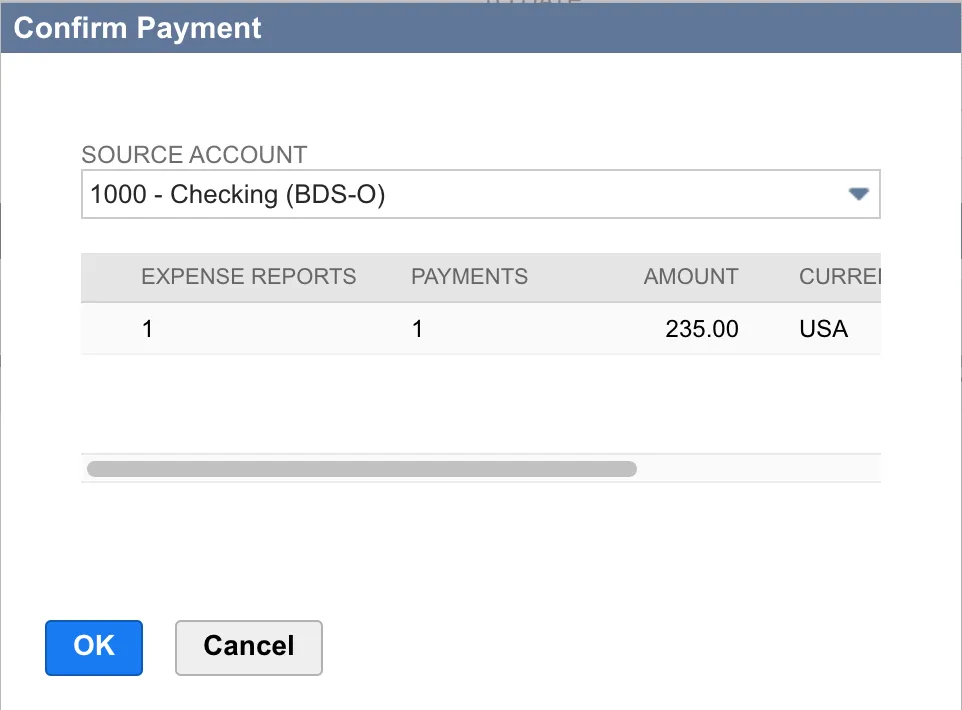
Then, click OK to initiate payment.
NOTE: Expense Reports are auto-grouped per payment rail at the employee level.
Monitor Bill Processing
After clicking OK, a blue payment status bar will appear at the top of the page to show the progress of your payment.
Once the payment request is successfully sent, the status bar will turn green.

Check Status of Payment
Go to Your Bank → Payments → Payments History.
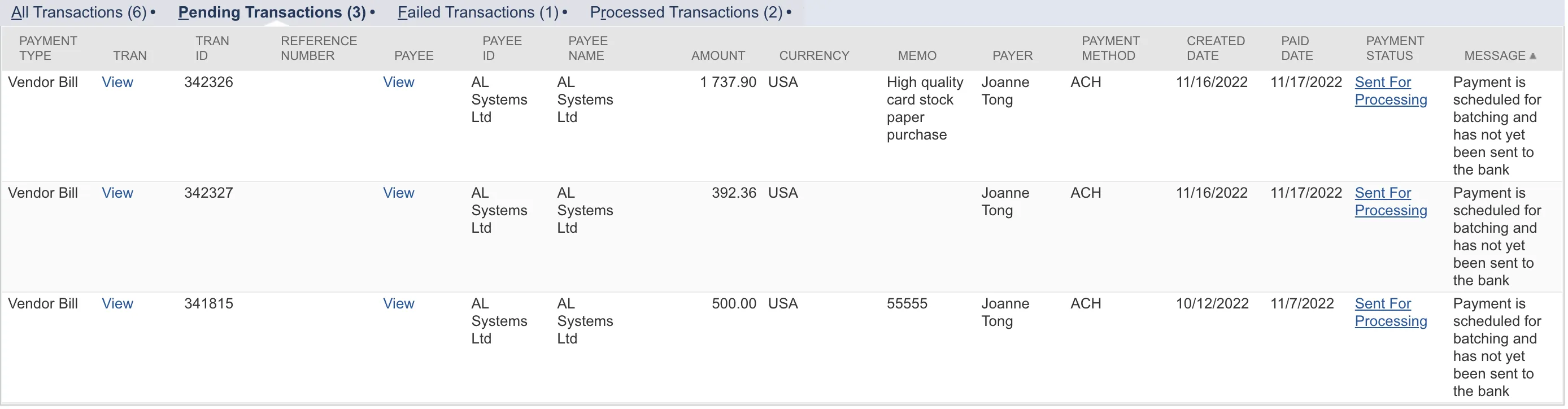
The status will appear as Processing until the payment has been cleared. Payments will change to Succeeded after being approved, which may take several days.