Supported Roles (Business Central)
Business Central uses Roles to customize the navigation menu options for users, highlighting different modules relevant to their job functions.
Currently, the plugin appears in the navigation bar for users assigned to the following built-in Roles:
- Accountant
- Accounting Manager
- AP Coordinator
- Bookkeeper
- Business Manager
- Team Manager
NOTE: The plugin does not currently support custom-created Roles.
To change your Role to one of the built-in roles, follow these steps.
Go to My Settings
Click on the Settings gear icon from anywhere in Business Central.
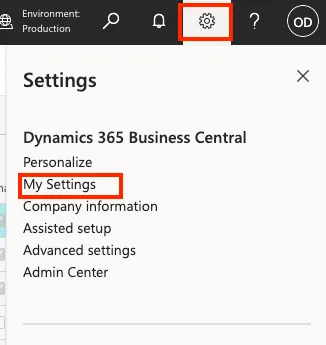
Next, click on My Settings.
Select a Role
Click on the three dots beside the Role field.
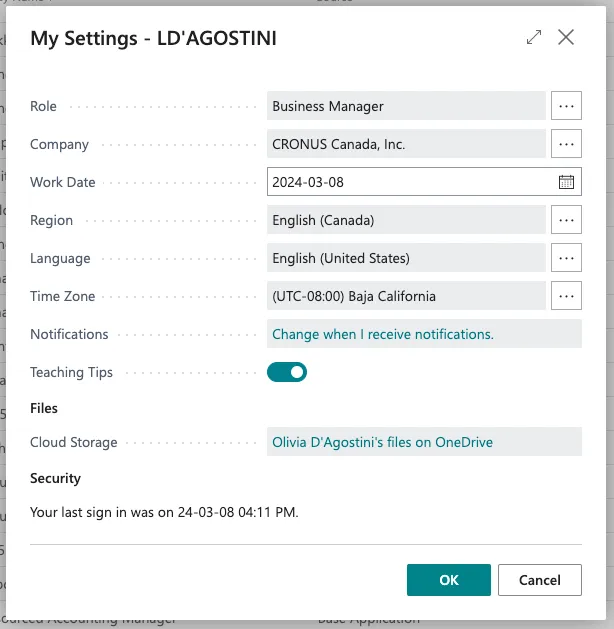
Select a Role from the list below. After you have selected, click OK.
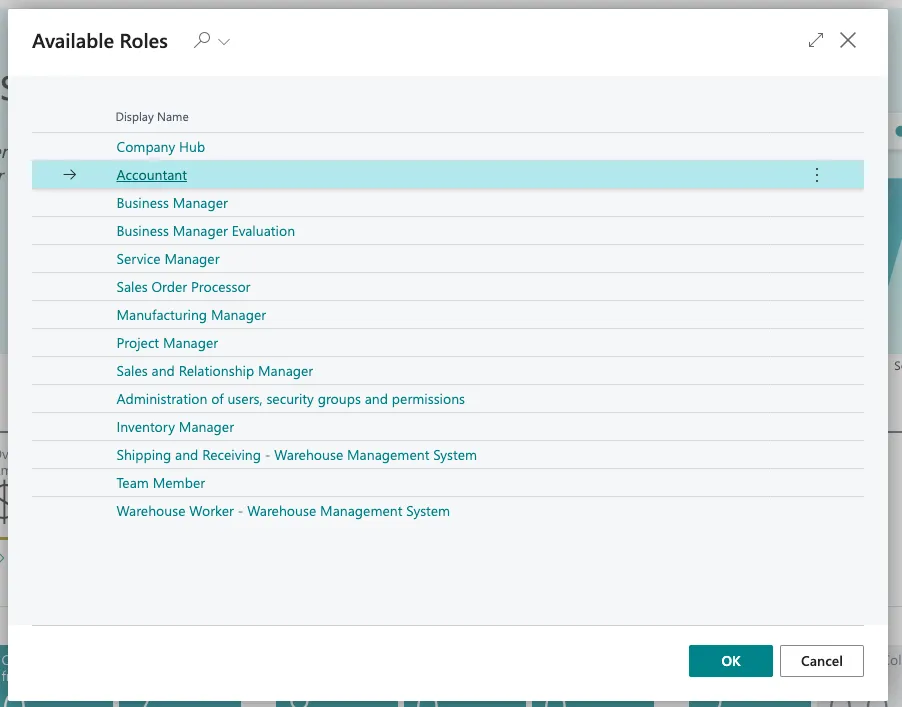
Click OK on the My Settings page.
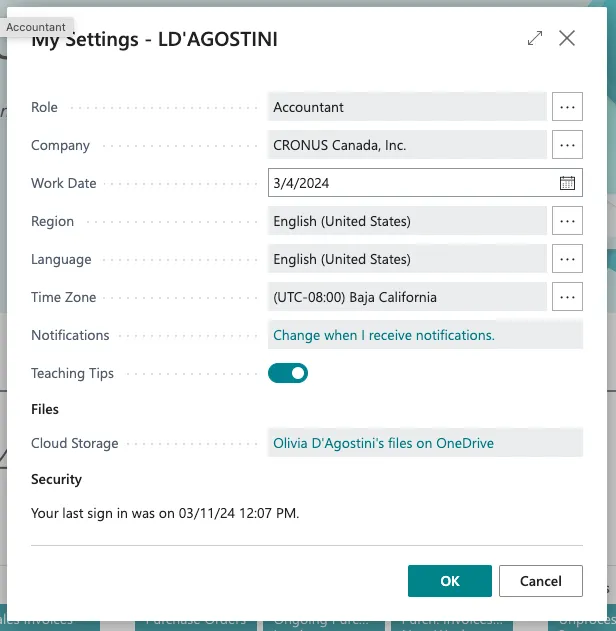
Confirm Role
Business Central will now refresh. The navigation bar will update to reflect your newly selected role, and you will see the plugin available for that role.
