Step 6: Register API Client
To establish a secure and functional connection between FISPAN Sync and Workday, you must register an API client within your Workday environment. This process generates unique and secure credentials (Client ID and Client Secret) that serve as the connection's identity, allowing it to access required Workday data safely and with the proper authorization.
Follow these steps to register an API client in Workday.
Open the Task
In Workday’s search bar, type Register API Client and select the corresponding task from the results.
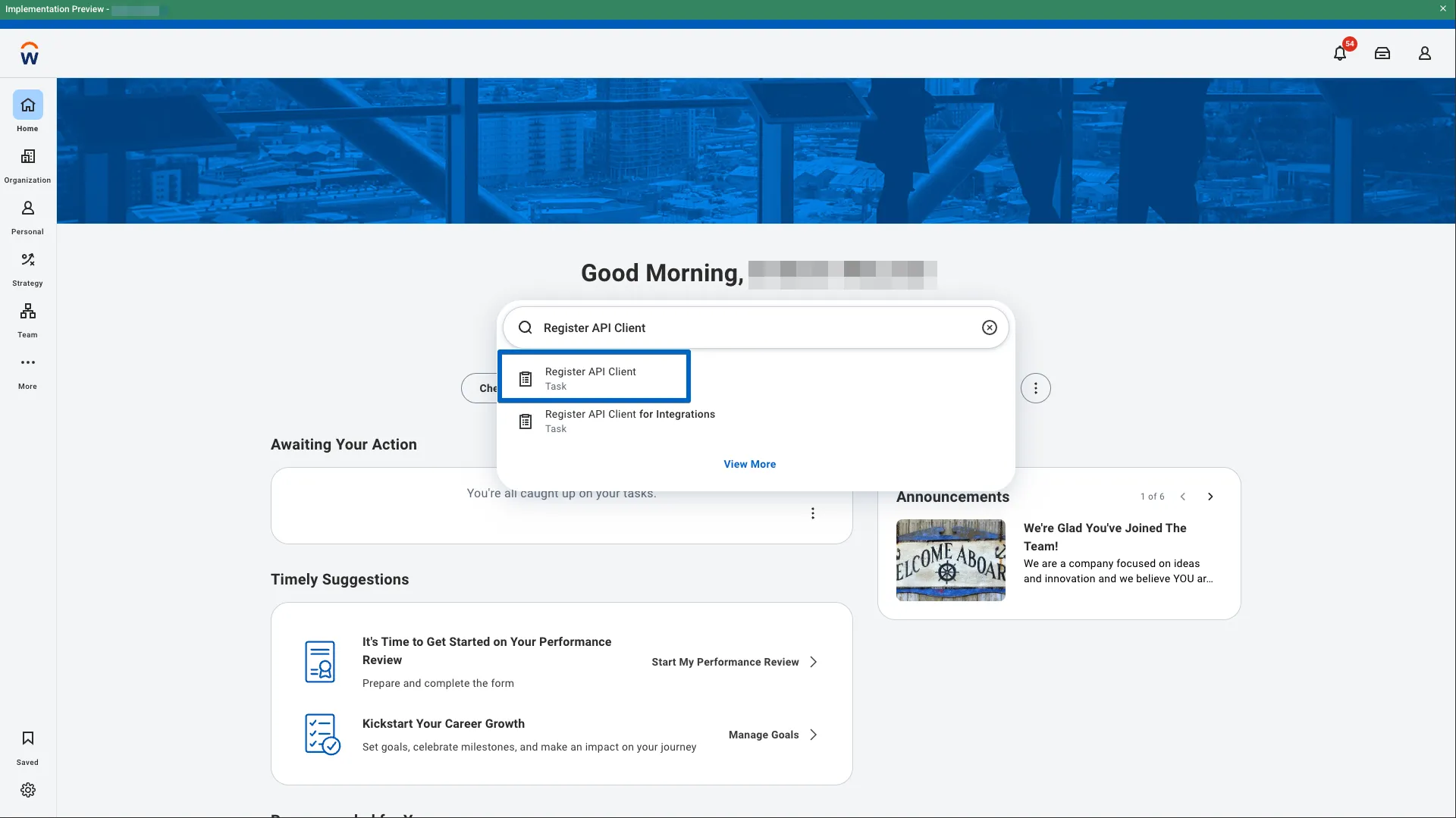
Register the API Client
Once the task opens, enter the following details:
- Client Name: Enter a descriptive name, such as FISPAN Integration.
- For Client Grant Type, select the Authorization Code Grant option.
- For Access Token Type, select the Bearer option.
- For Redirection URI, use the following, dependent on if you are setting up for Sandbox for Production:
For Sandbox, use the value https://sandbox.fispan.cloud/api/identity/callback
For Production, use the value https://sys.fispan.live/api/identity/callback
Not sure? Check the URL at the top of your browser from the Wizard and match the beginning accordingly.
- Refresh Token Timeout: Select the Non-Expiry Refresh Tokens option.
TIP: Selecting a non-expiry token simplifies maintenance by eliminating the need for manual re-authentication or reconfiguration upon token expiration. This ensures a continuous, uninterrupted integration.
- Scope (Functional Areas): Search for and select the following:
- Banking and Settlement
- Staffing
- Supplier Accounts
- Suppliers
- System
- Tenant Non-Configurable
The Workday "Scopes" search can be tricky! The best approach is to type in the text from each item above and hit enter, which will select this specific permission by name. Repeat for each item.
- Include Workday Owned Scope: Ensure this checkbox is selected.
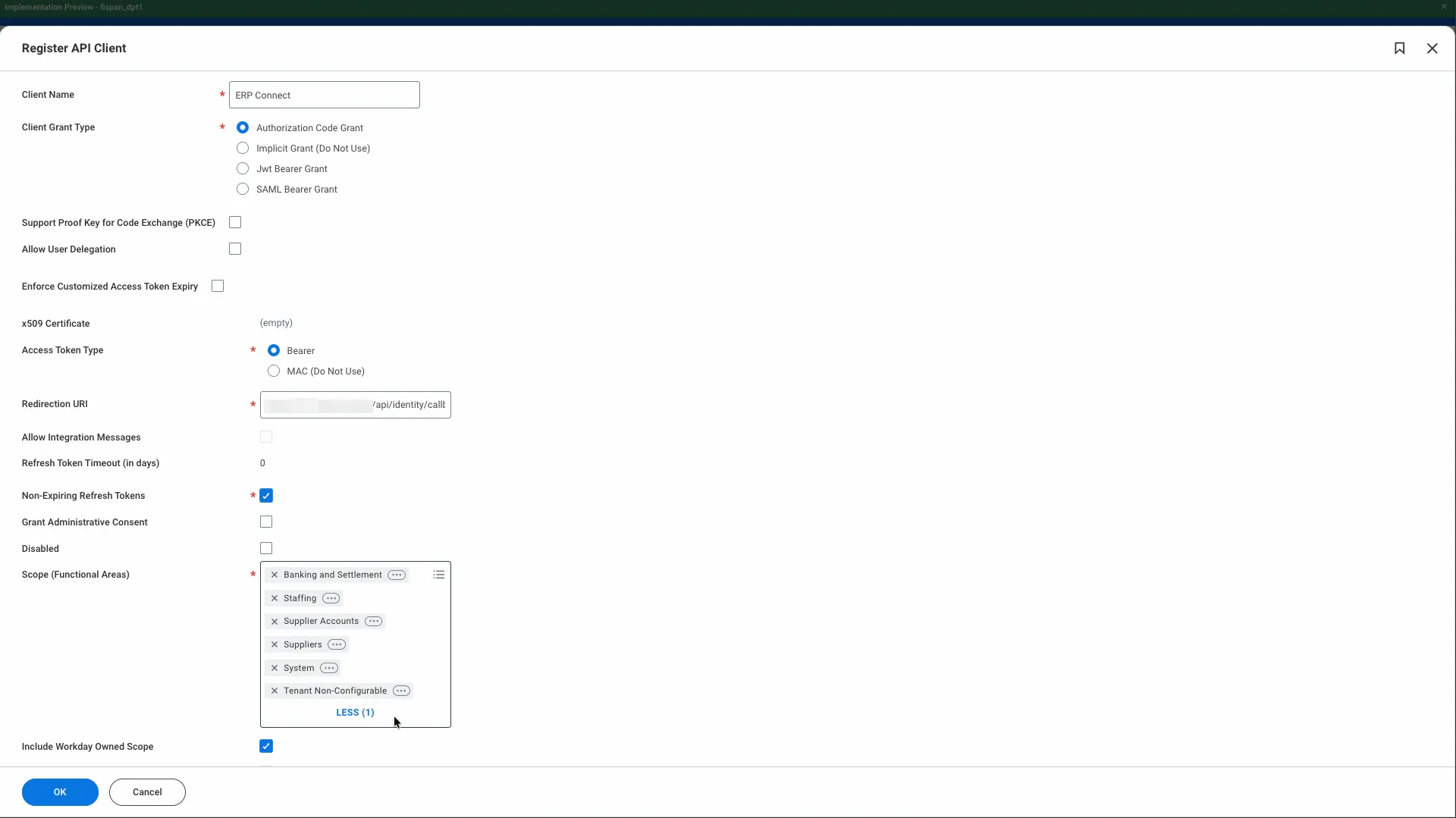
Click OK to generate your unique Client ID, Client Secret, WORKDAY REST API Endpoint, Authorization Endpoint, and Token Endpoint.
Secure API Client Credentials
Workday will generate and display a handful of values for you. It's important to note that the Client ID and Client Secret are sensitive values and should be treated carefully. The Client Secret is like a password. Once you leave this page, it will not be shown to you again, so carefully ensure not to leave this page until the wizard completes successfully, or you may be forced to start again.
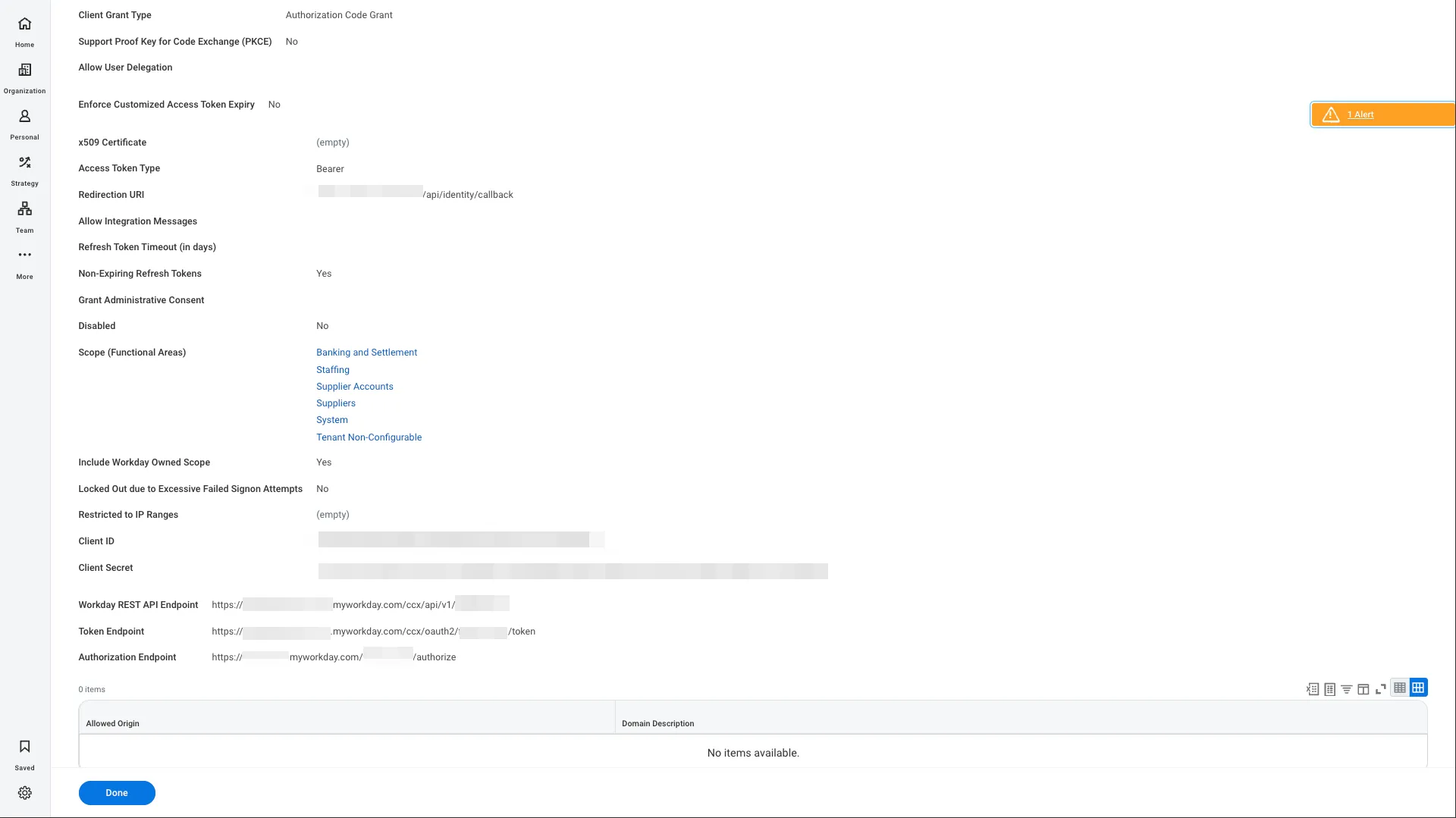
Next, paste values from this screen into the FISPAN Onboarding Wizard into the corresponding fields.
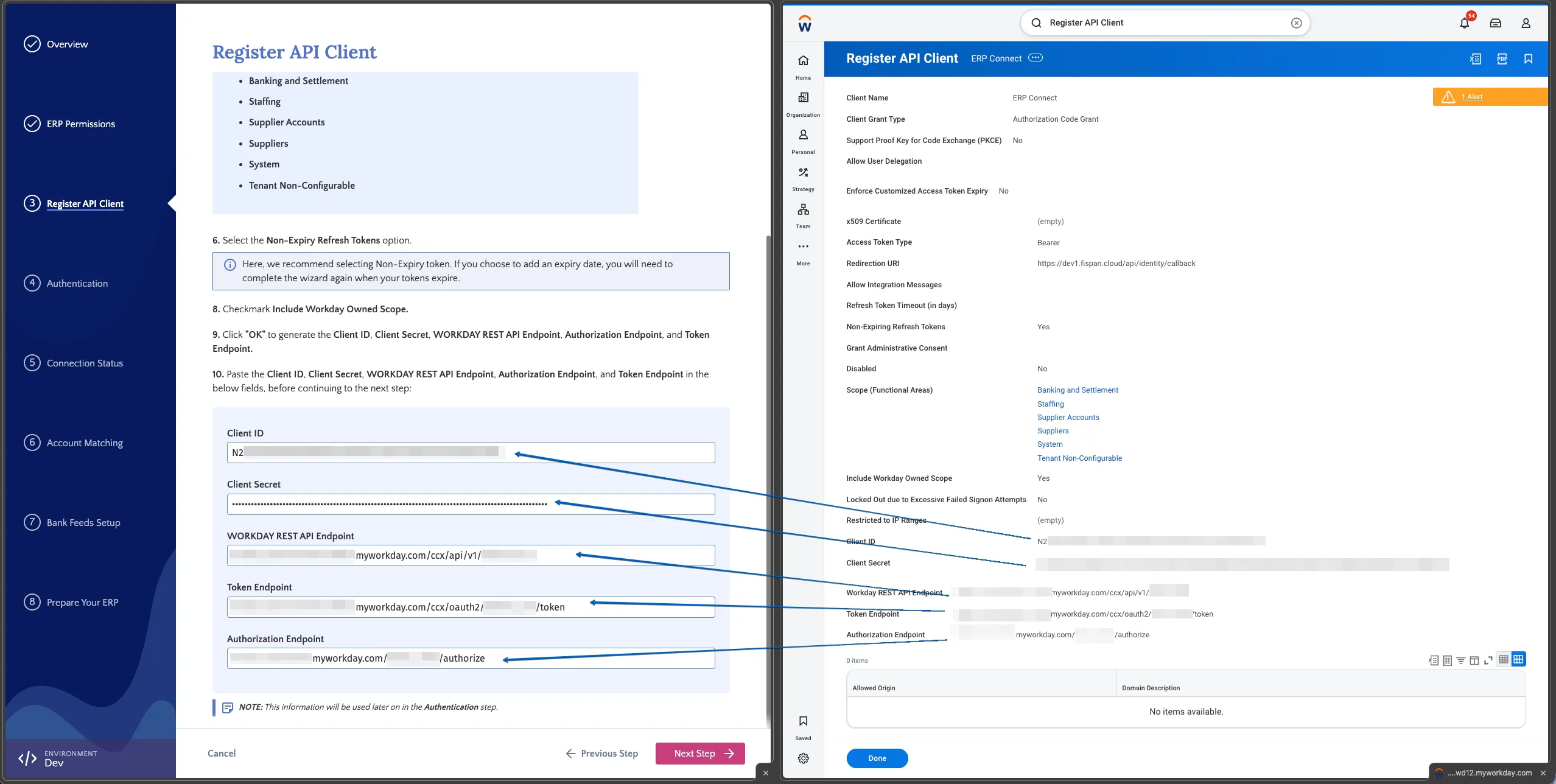
Press "Next Step" on the FISPAN Onboarding Wizard to save and proceed.