Step 6: Permissions
To establish a connection between your bank and Sage Intacct, you must agree and grant access by toggling the slider.
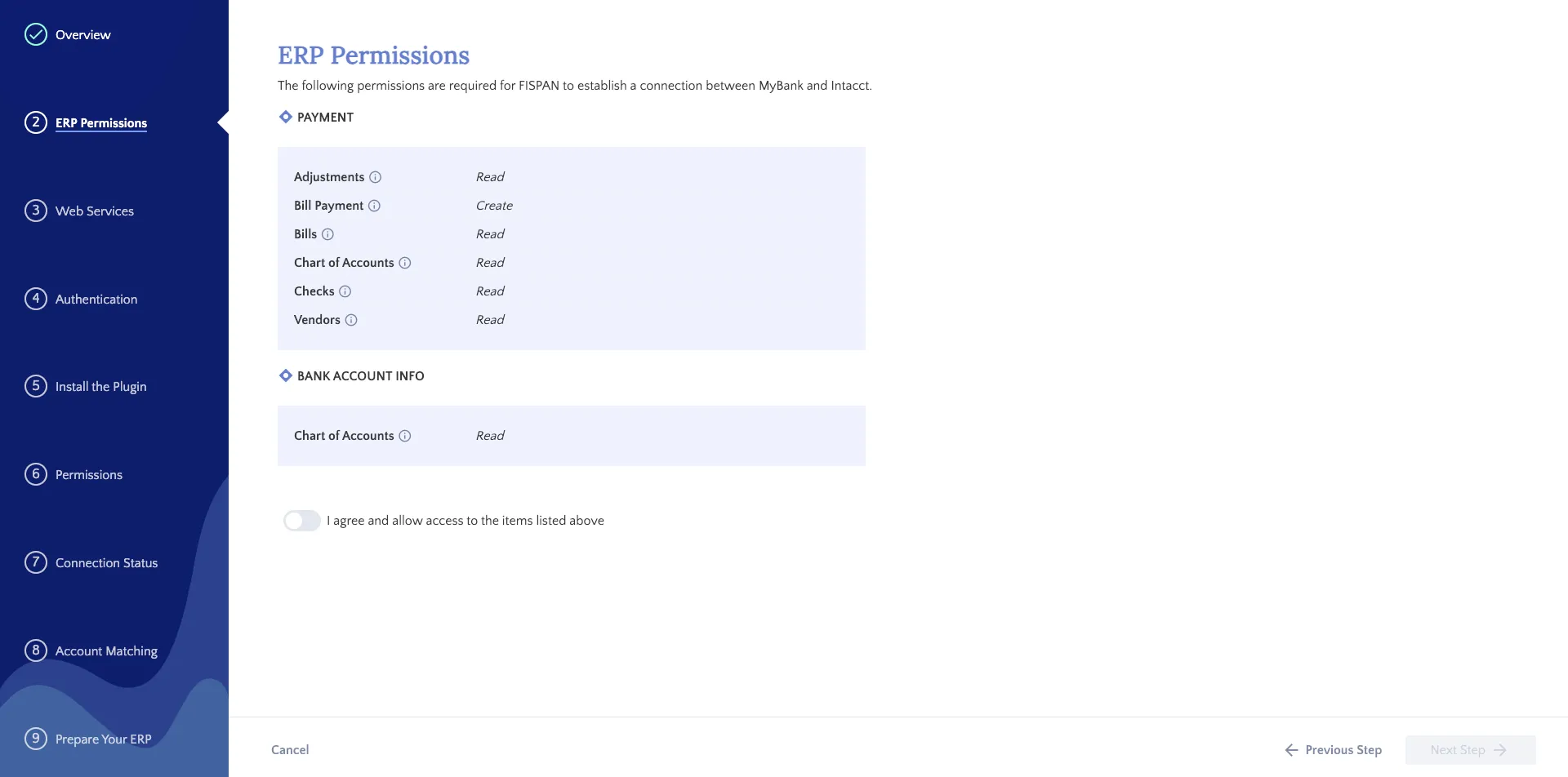
Review the Permissions and then click the "I agree" toggle
Once completed, click Next.
To display account balances and transaction information, the plugin requires read access to Intacct financial data but only modifies its own designated custom fields.
NOTE: Your permission list, found in your ERP, may contain more fields than the example shown.