Re-Authentication (QBO)
You may be required to re-authenticate your accounting software. There are a few reasons why this issue may occur:
- Your token expired and did not refresh
- Your authenticating user no longer works at your organization or their credentials were disabled
To re-authenticate, follow these steps.
Navigate to FISPAN Portal
Navigate to one the appropriate FISPAN Portal pages and log in.
- Production - sys.fispan.live
- Sandbox - sandbox.fispan.cloud
Reauthenticate
On this screen, under Connected Apps, click the three dots. Then select Reauthenticate.
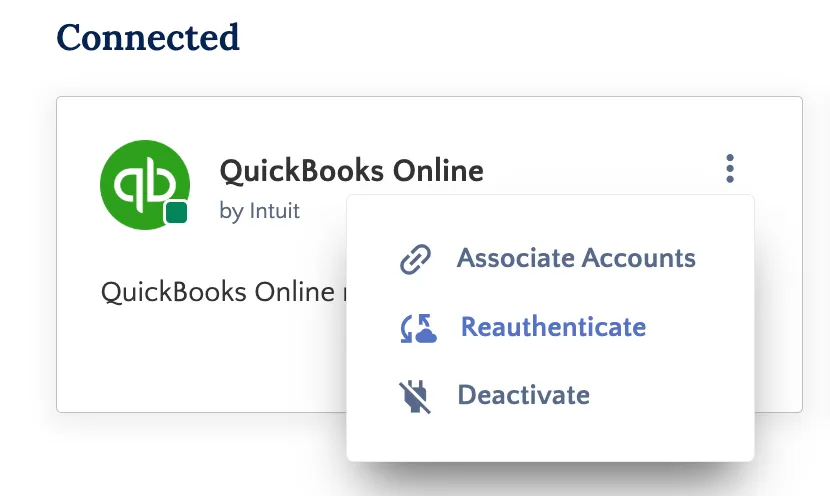
Select Reauthenticate
Re-Establish Connection
After clicking reauthenticate, you will be asked to log in to QuickBooks Online. This will re-establish the connection between your bank and accounting software so you can resume all activities.
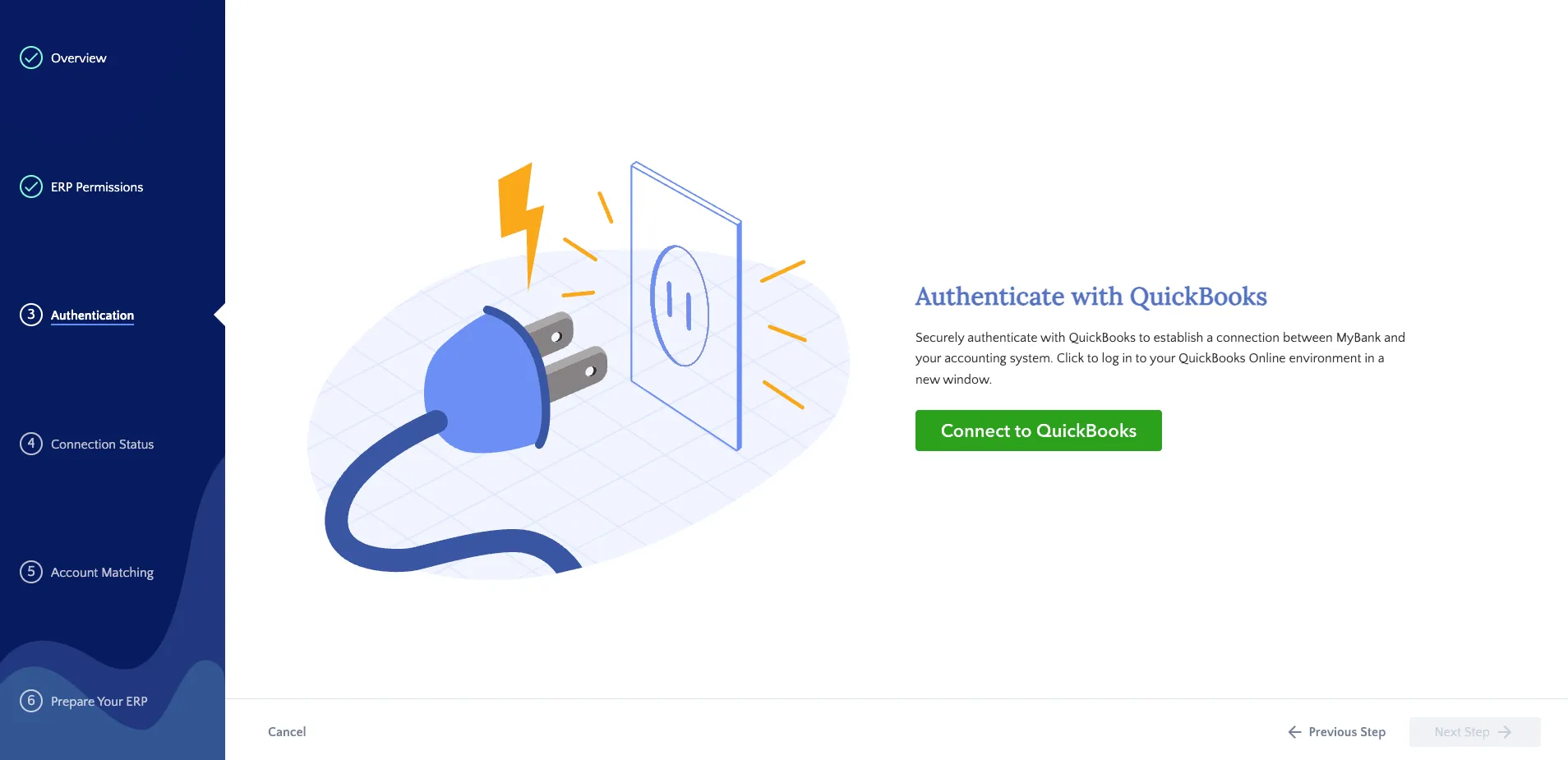
Select Connect to QuickBooks