Step 16: Configure SuiteApps Reports Balances
Navigate to the Homepage.
Select Personalize in top right → SuiteApps → J.P Morgan Reports Balance to view balances.
Non-admin roles need to be added to the J.P. Morgan Reports Balance Portlet. The Administrator has full access to view all plugin pages. In order to allow access to other users and departments, follow these steps:
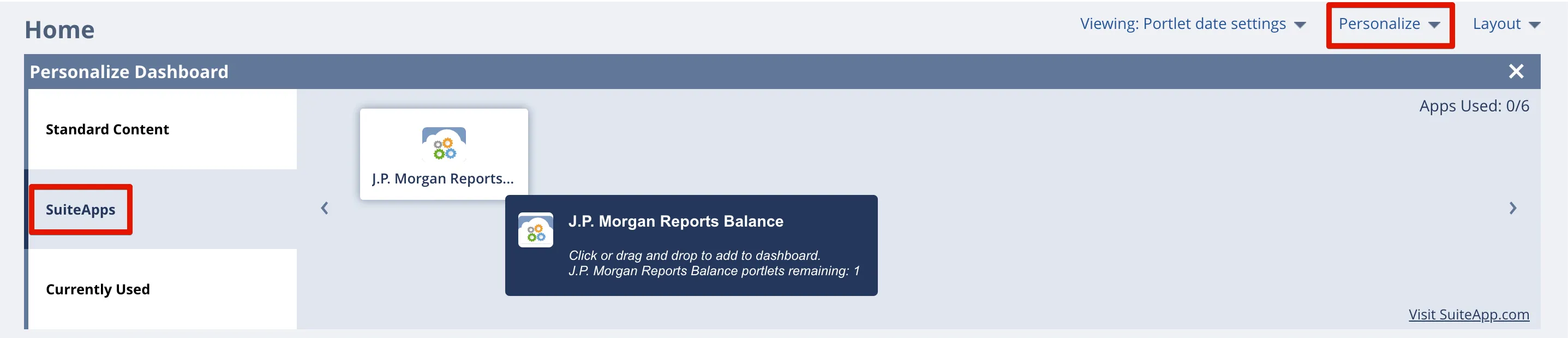
Select J.P. Morgan Reports Balance
Select Customization → Scripting → Script Deployment. Use the following filters:
- On the Type dropdown select Portlet
- On the API Version dropdown select 2.1.
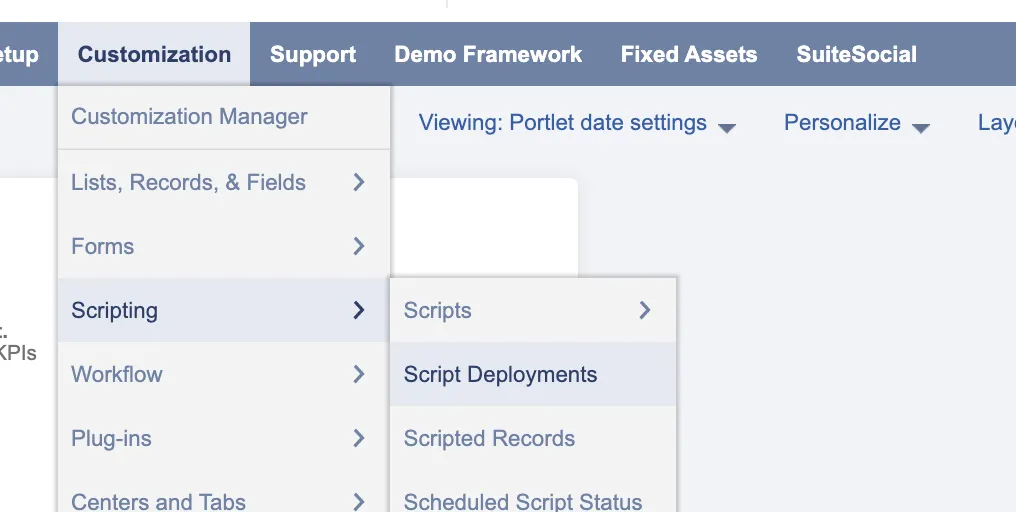
Go to Script Deployments
Select Edit on the Reports Balance Portlet. Add employee roles by selecting the appropriate, employee, department and role you would like to assign. Then, select Save.
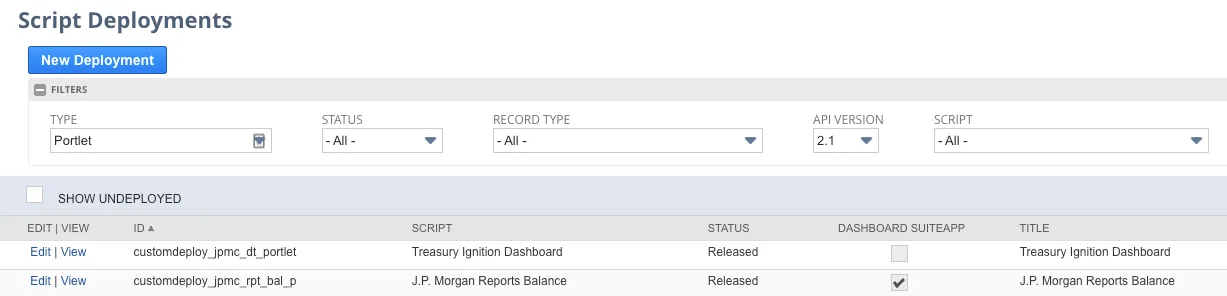
Edit Portlet