Updating the Bundle (NetSuite)
Keeping your NetSuite Bundle up to date with the latest version is crucial for ensuring you have access to all the newest features, important bug fixes, and updates. To update your bundle, please follow these steps.
Step 1: Locate Bundle
Go to Customization → SuiteBundler → Search & Install Bundles → List.
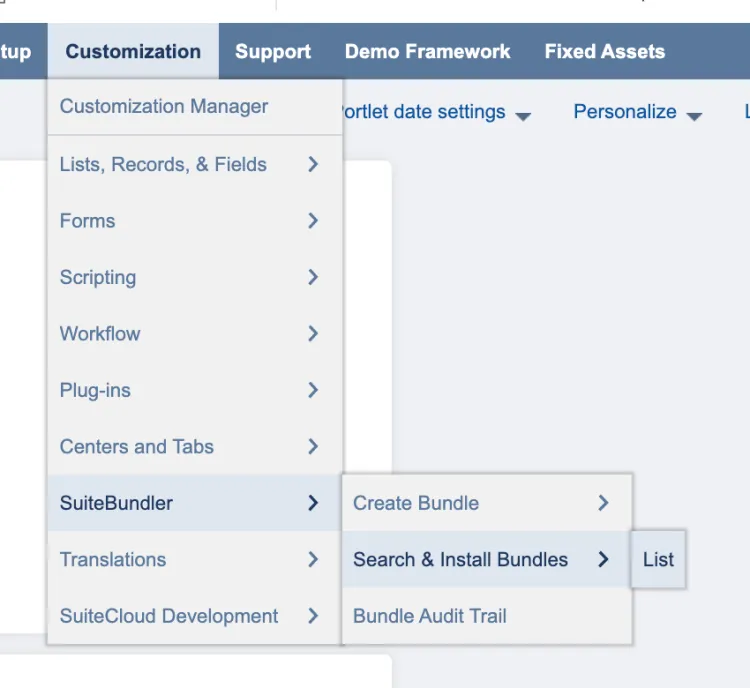
Go to Search & Install Bundles List
Step 2: Update Bundle
Find the CNB Pay bundle from the list. Then, hover over the green icon and select Update.
Select Update Bundle, and select OK on the confirmation pop-up.
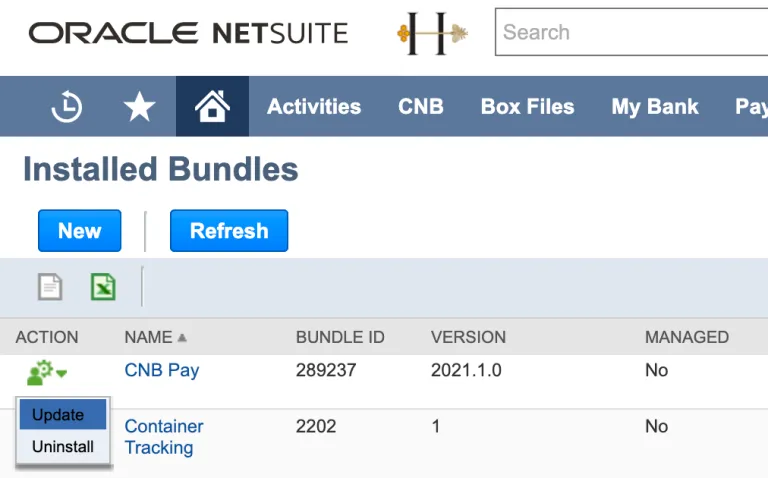
Find the CNB Pay Bundle
Keeping your NetSuite Bundle up to date with the latest version is crucial for ensuring you have access to all the newest features, important bug fixes, and updates. To update your bundle, please follow these steps.
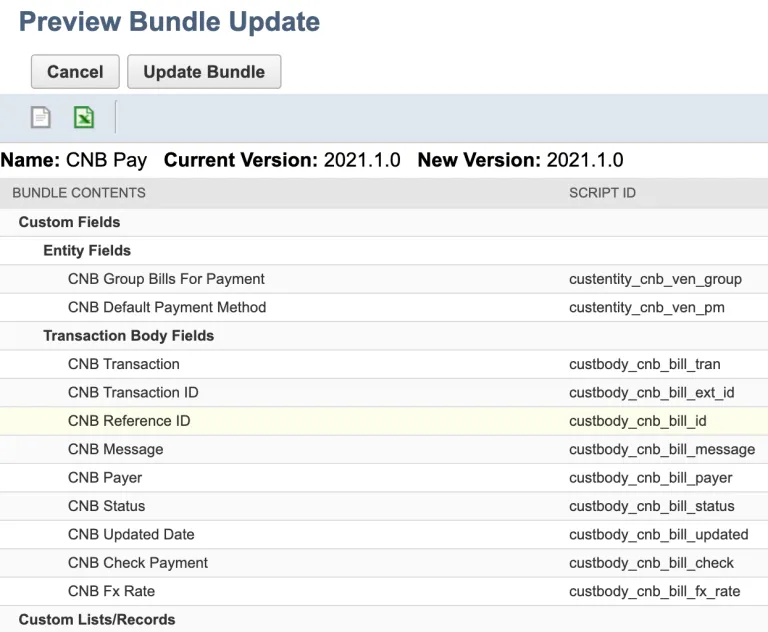
Update Bundle