Step 7: Web Services Authorization
Authorization to the Web Services feature should be done in Intacct using the following steps.
Go to Company
Company → Setup → Company.
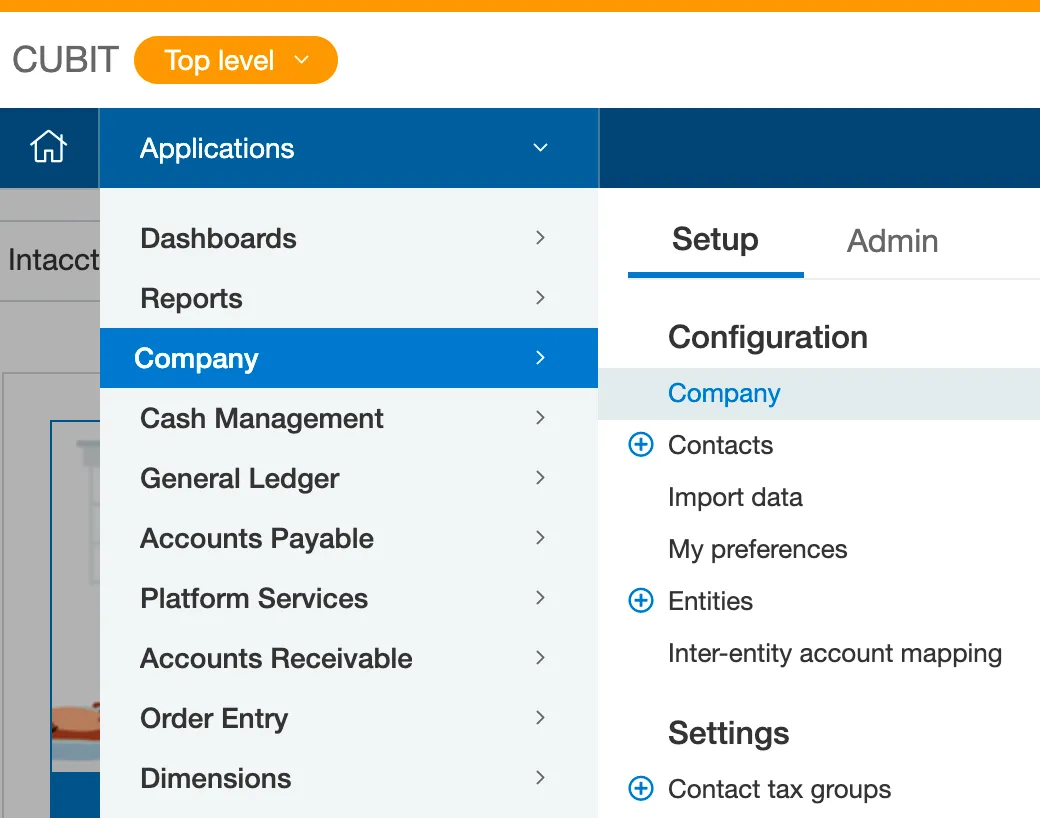
Go to Company tab
Authorize Web Services
Under the Security in the Web Services Authorizations section, click Edit at the top right and then click Add to add each of the following Sender IDs:
- ajax
- FI.SPAN MPP
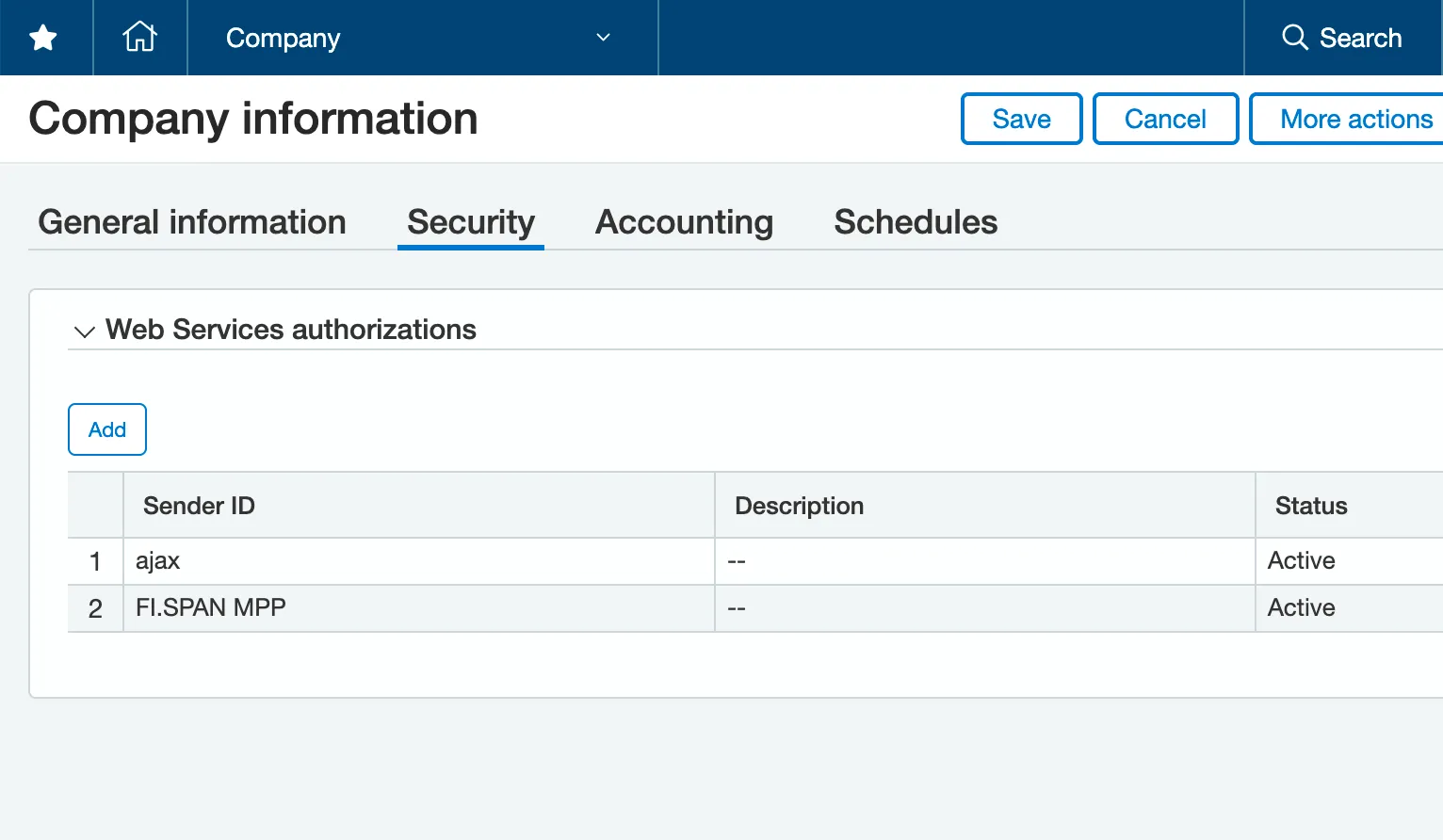
Add Sender IDs
Then, click Save.
NOTE: The Sender IDs are case-sensitive.