Setting Up Permissions
Confirm User(s) Permissions
Go to Setup → User/Roles → Manage Roles
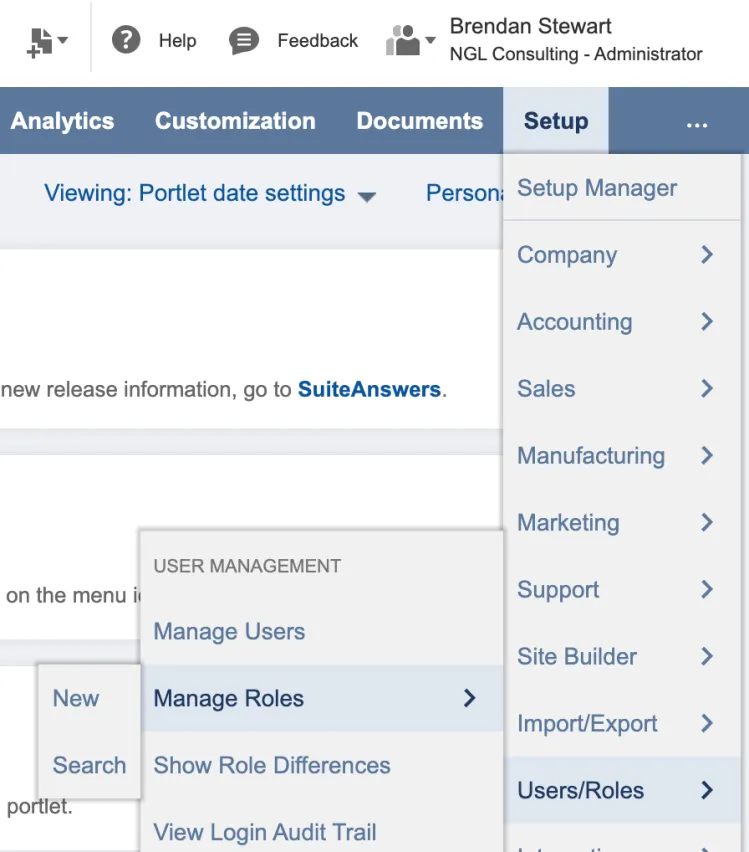
Go to Manage Roles
Under Manage Roles, select Edit on the role you would like to edit.
After selecting Edit, go to the Permissions tab → Setup tab.
Ensure the Permission, Financial Institution Records is defined at the level Full.
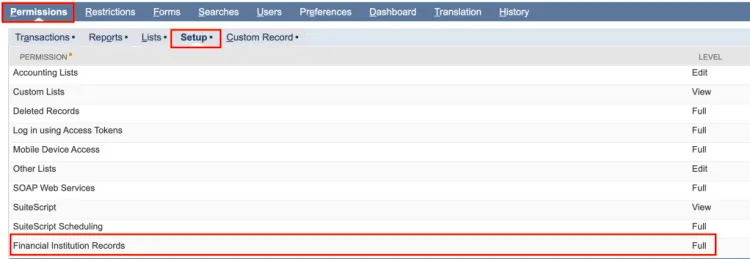
Financial Institution Records Check
Confirm User(s) Scripts
Navigate to Customization → Scripting → Script Deployment.
For more information on Scripts, navigate to the product guide page, NetSuite → Installation → Plugin Access Management
Use the following filters:
- On the Type dropdown, select Suitelet
- On the API Version dropdown, select 2.1.
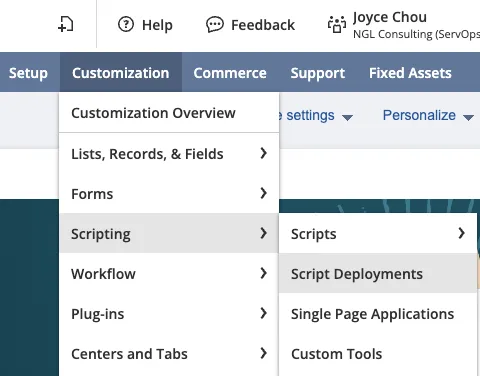
Script Deployment
Select Edit on customdeploy_citiz_rpt_feed_s, Citizens Transaction Feed Config
Add employee roles by selecting the appropriate employee, department or role you would like to assign. Then, select Save.
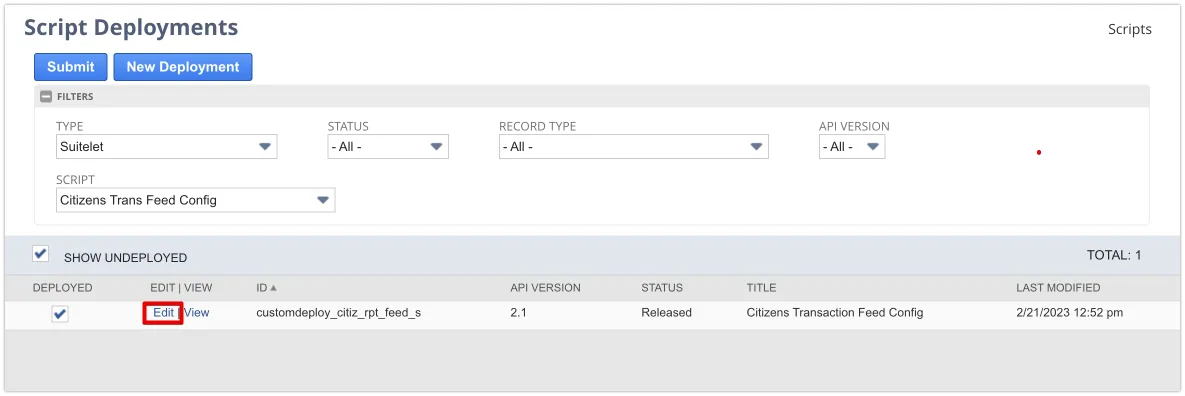
Select Edit to update permissions