Credit Memos Matching (NetSuite)
The Cash Application feature matches new deposits to open Invoice Due Amounts while considering open Credit Memos' available balances as part of the matching process. Matching of Credit Memos is supported both as part of logic-based matching and remittance-based matching.
Viewing Credit Memos and Discounts
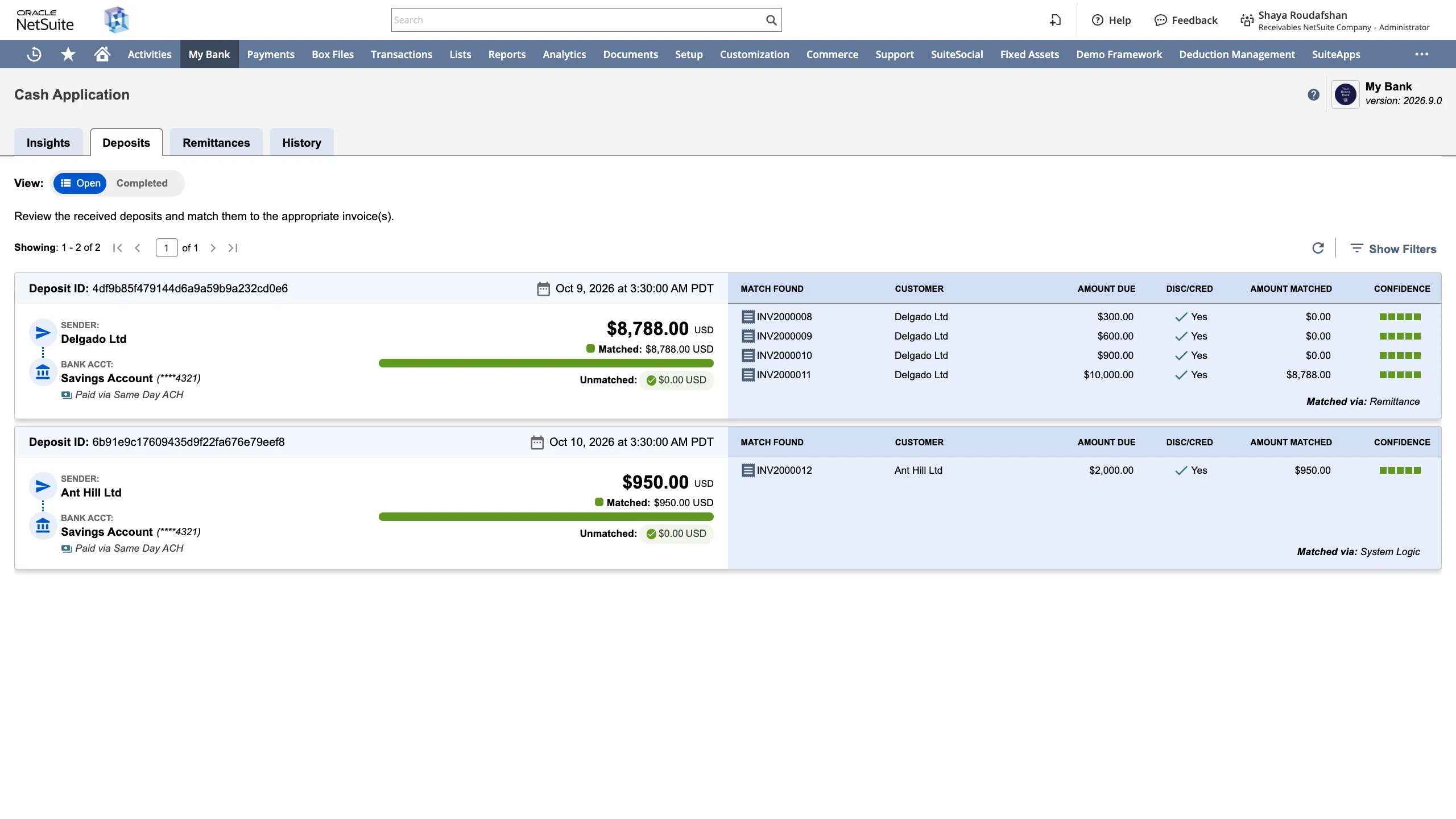
Within the deposits view, deposits where Credit Memos or discounts have been considered by the automated matching will have a Yes indicator under the DISC/CRED column.
Viewing Matched Credit Memos Details
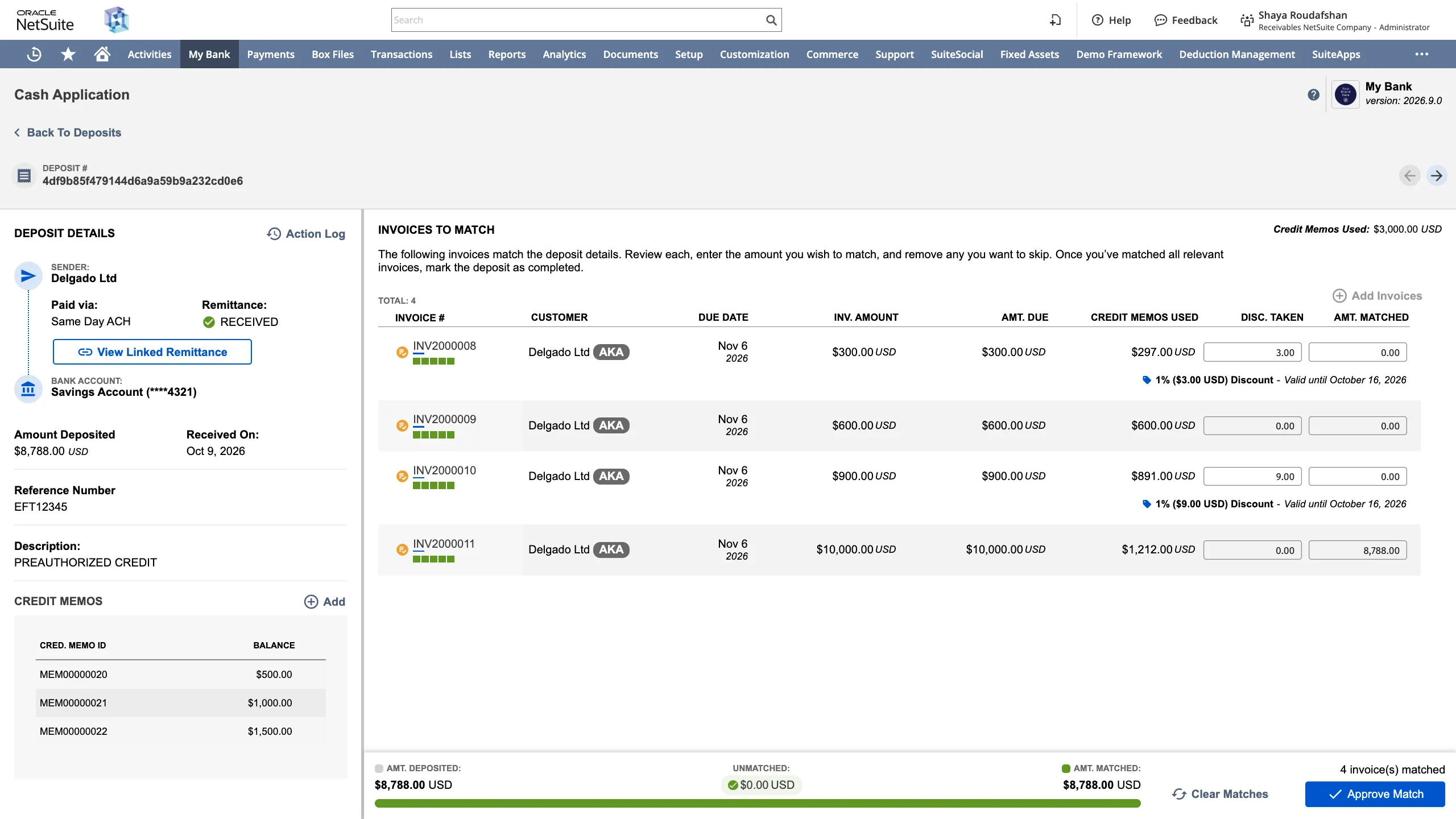
Clicking on any Deposit Card, opens the details view, where automatically matched Credit Memos and their available balances are displayed on the bottom-left. Amount from matched credit memos applied to matched invoices is displayed under the CRED. USED column per invoice.
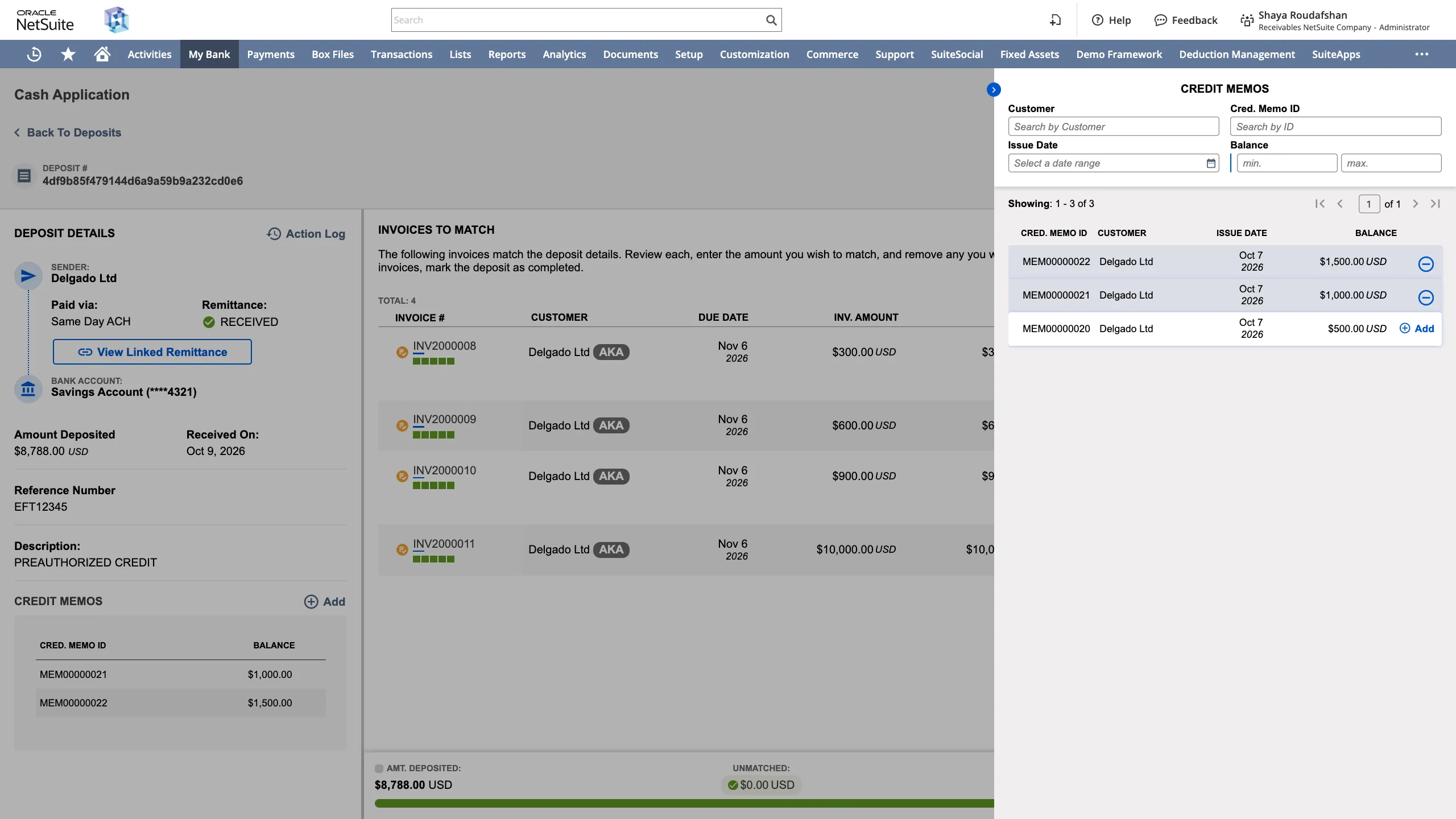
Additional Credit Memos associated to the matched invoices customer group can be added by clicking on the Add button in the Credit Memos section. Matched Credit Memos can be removed by hovering the mouse cursor over the Credit Memos and clicking on the minus sign.
Viewing Linked Remittance Details
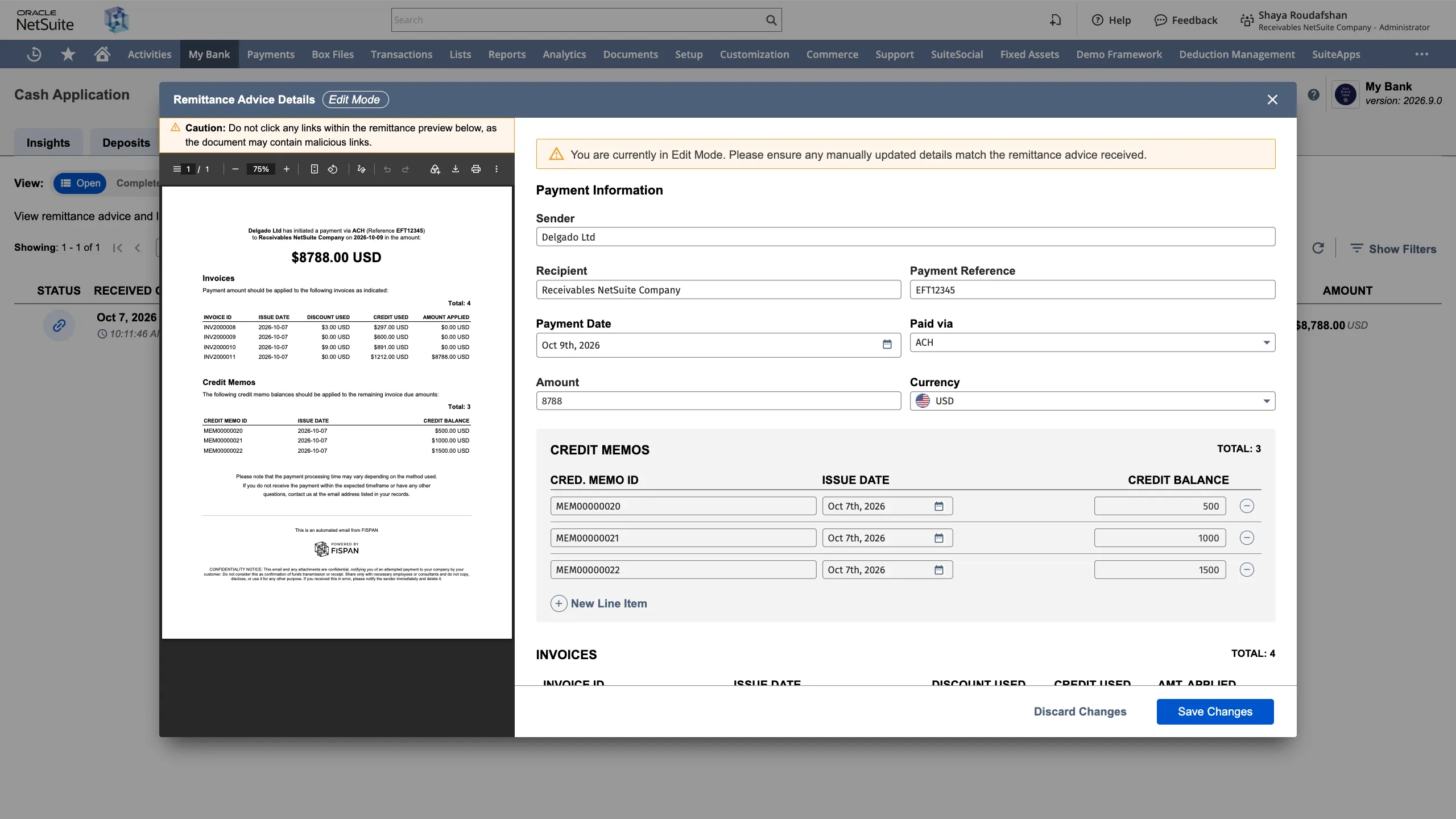
Clicking on View Linked Remittance reveals the details view of the Remittance used during the match. Remittances that include Credit Memo references will have the Credit Memos details extracted and displayed in the Remittance details view.
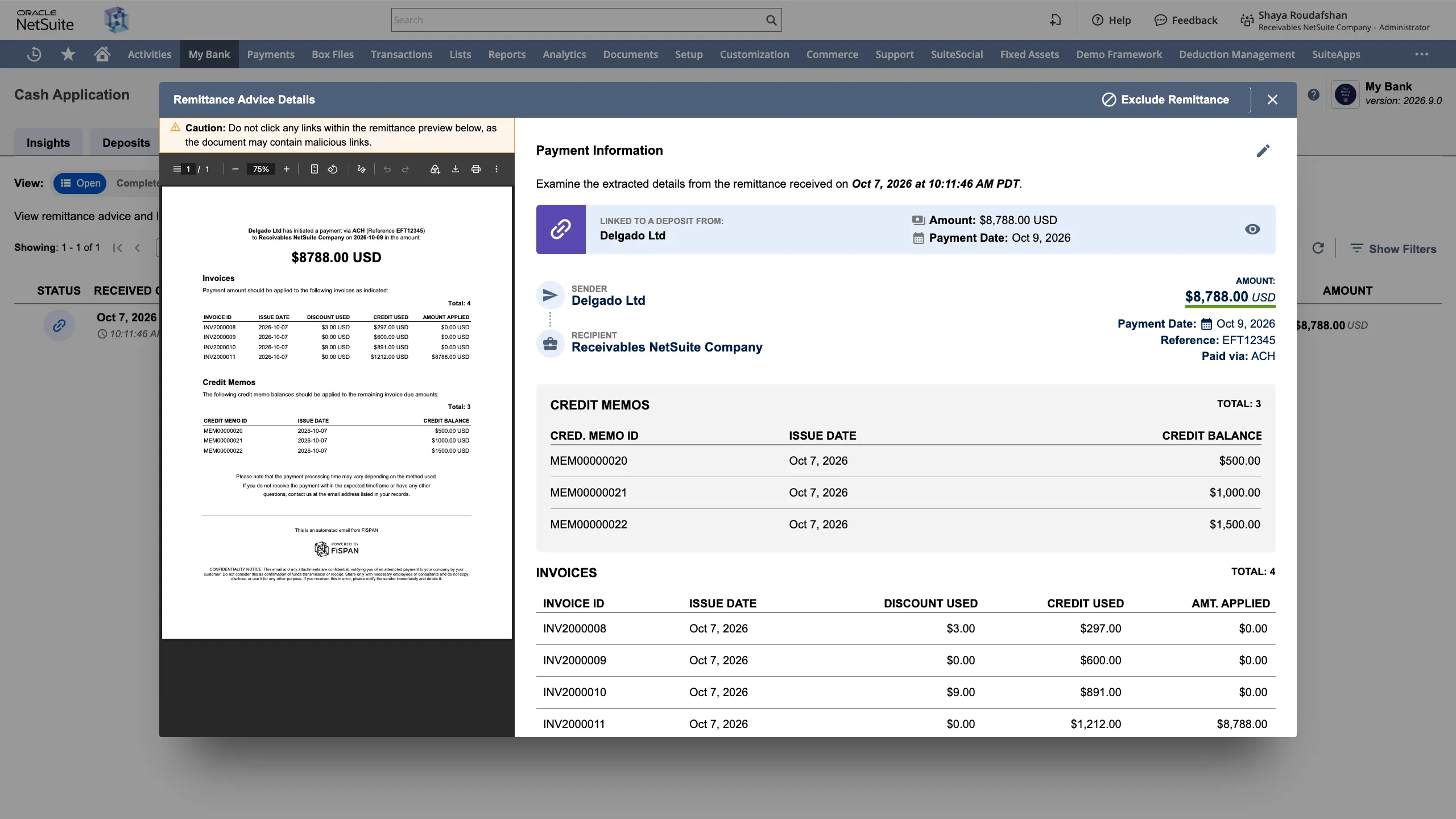
Credit Memos details extracted from a Remittance can be corrected by clicking on the pencil (edit) icon on the top-right.