Disconnect Bank Feeds (Sage 300)
If you need to stop transactions from feeding into Sage 300, follow these steps to disconnect a bank account.
Go to Bank Transactions
Log in to Sage 300.
Navigate to Common Services -> Bank Services -> Bank Transactions -> Reconcile E-Statements.
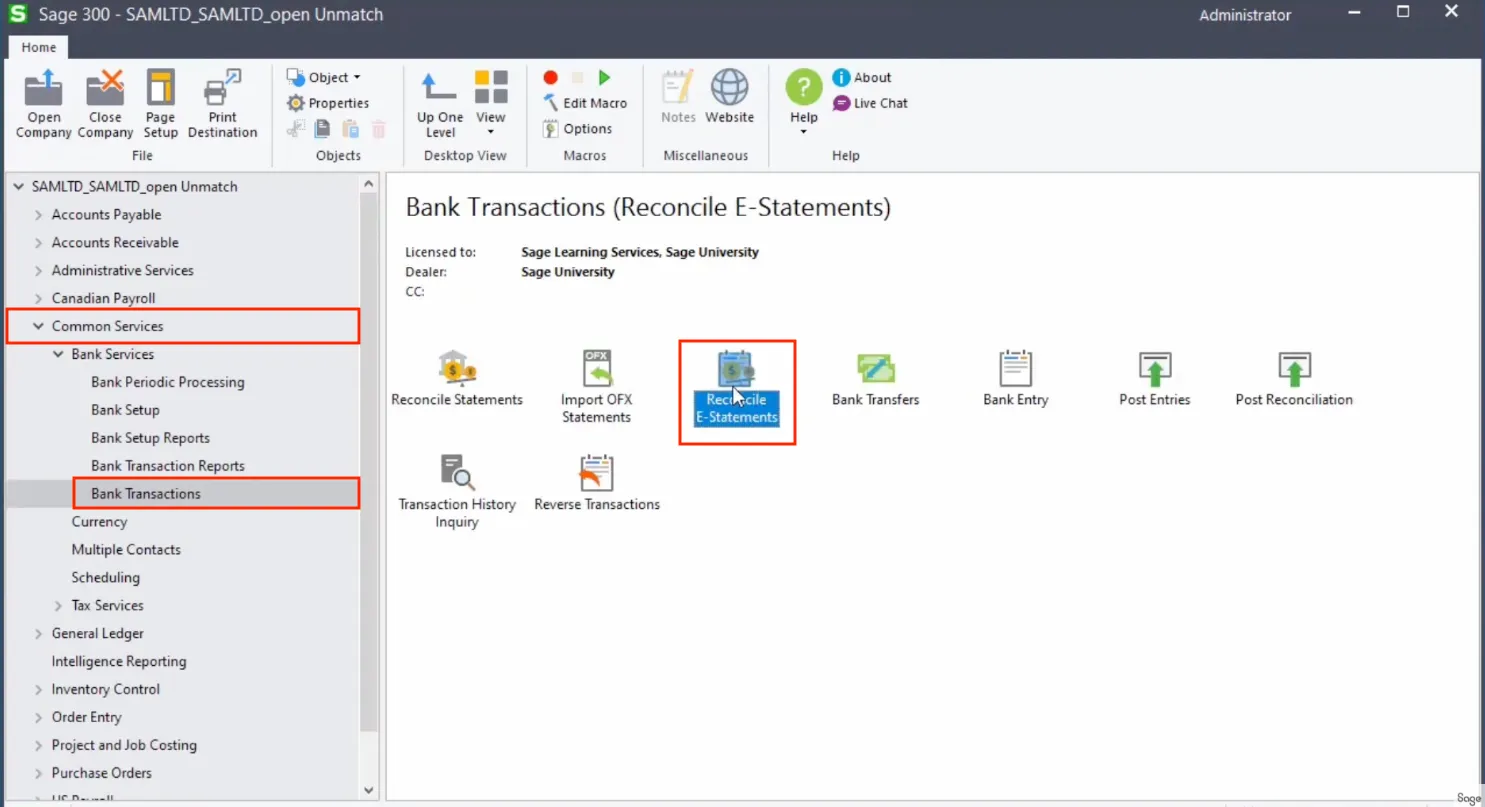
Open Reconcile E-Statements
Disconnect the Bank Code
On the Bank Code Maintenance page, enter the Bank Code you wish to disconnect.
Click Disconnect Bank Feed.
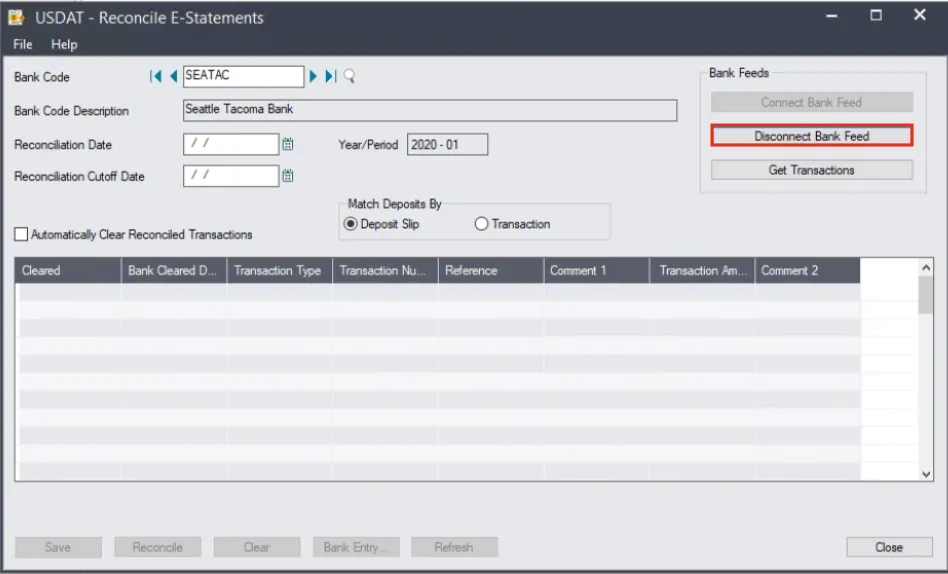
Click Disconnect Bank Feed