Uninstalling the Plugin
To uninstall the plugin from your NetSuite ERP, follow these steps.
Step 1: Deactivate the Plugin
Select the three dots and then select Deactivate to disconnect your plugin from NetSuite through the Portal.
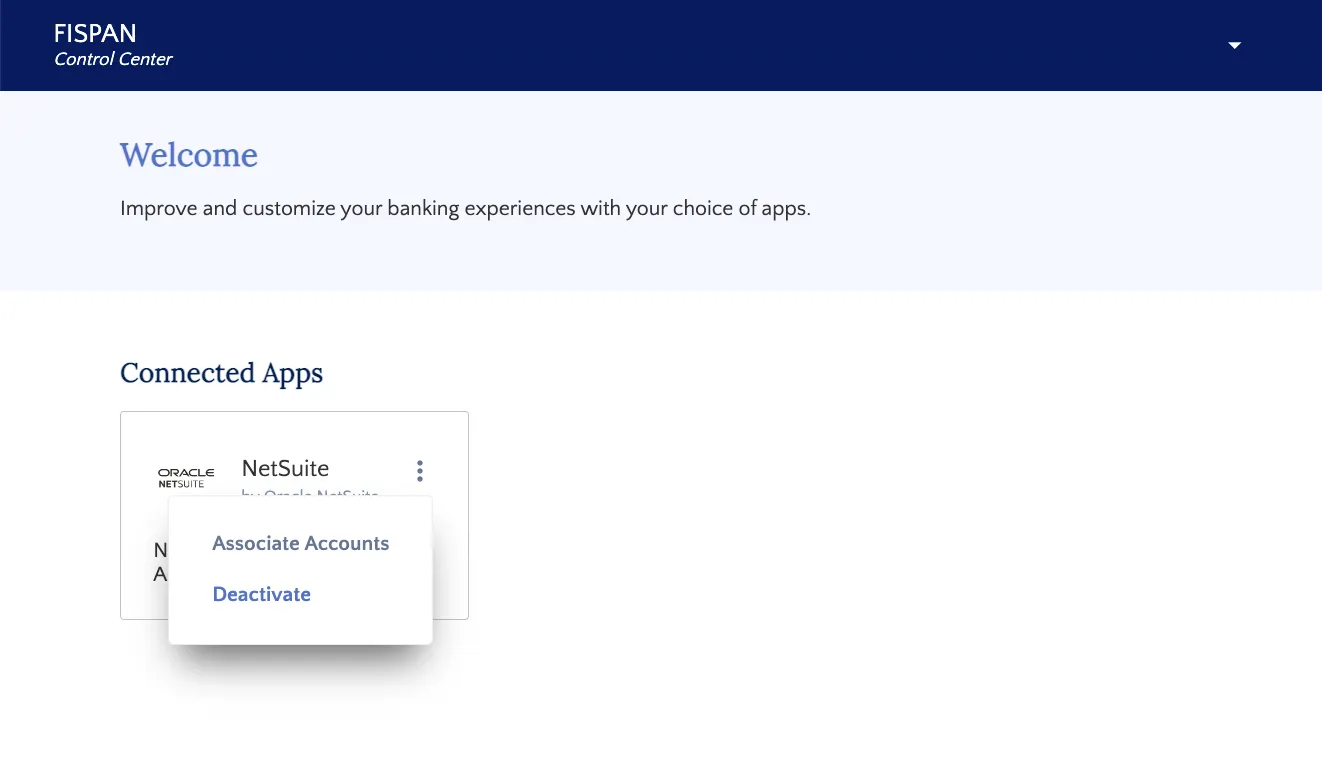
Select "Deactivate"
Step 2: Search Installed Bundles
In NetSuite, go to Customization → SuiteBundler → Search & Install Bundles → List
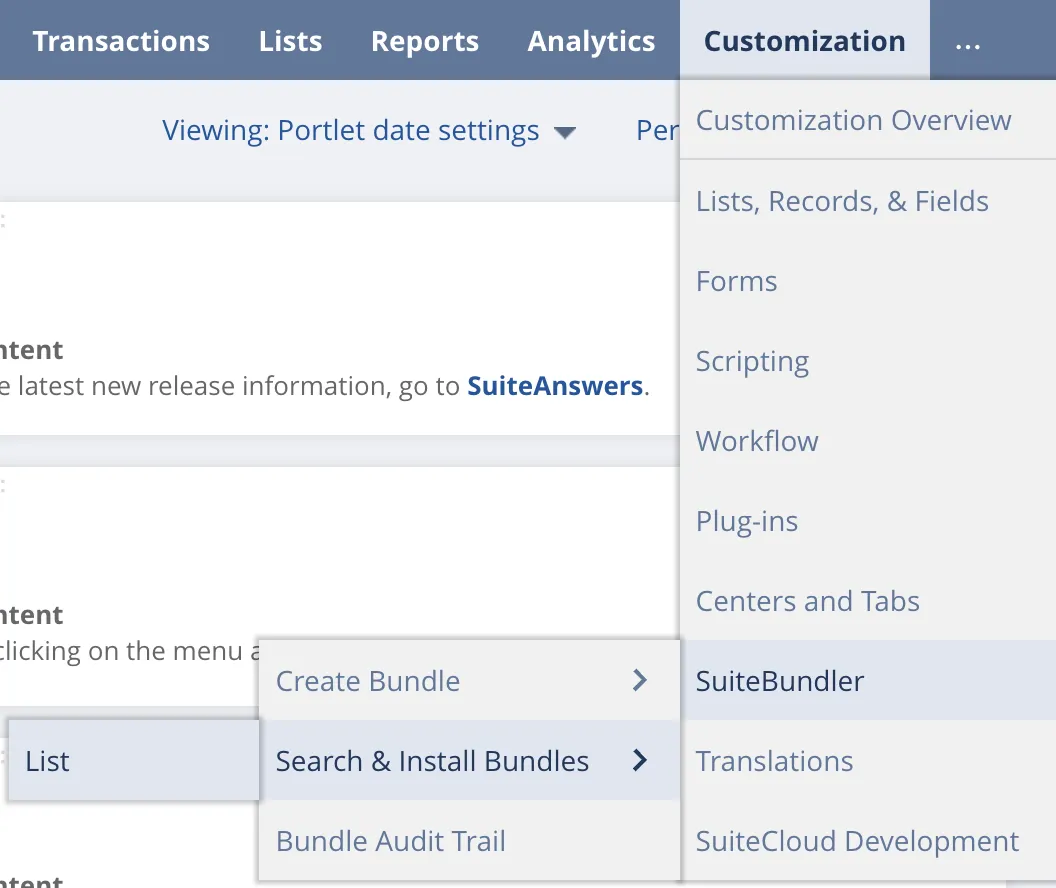
Go to Search & Install Bundles List