Disabling Bank Feeds
To disable Bank Feeds for your banking institution, please follow these steps:
Go to the Financial Institution
Go to Setup → Accounting → Financial Institution → List.
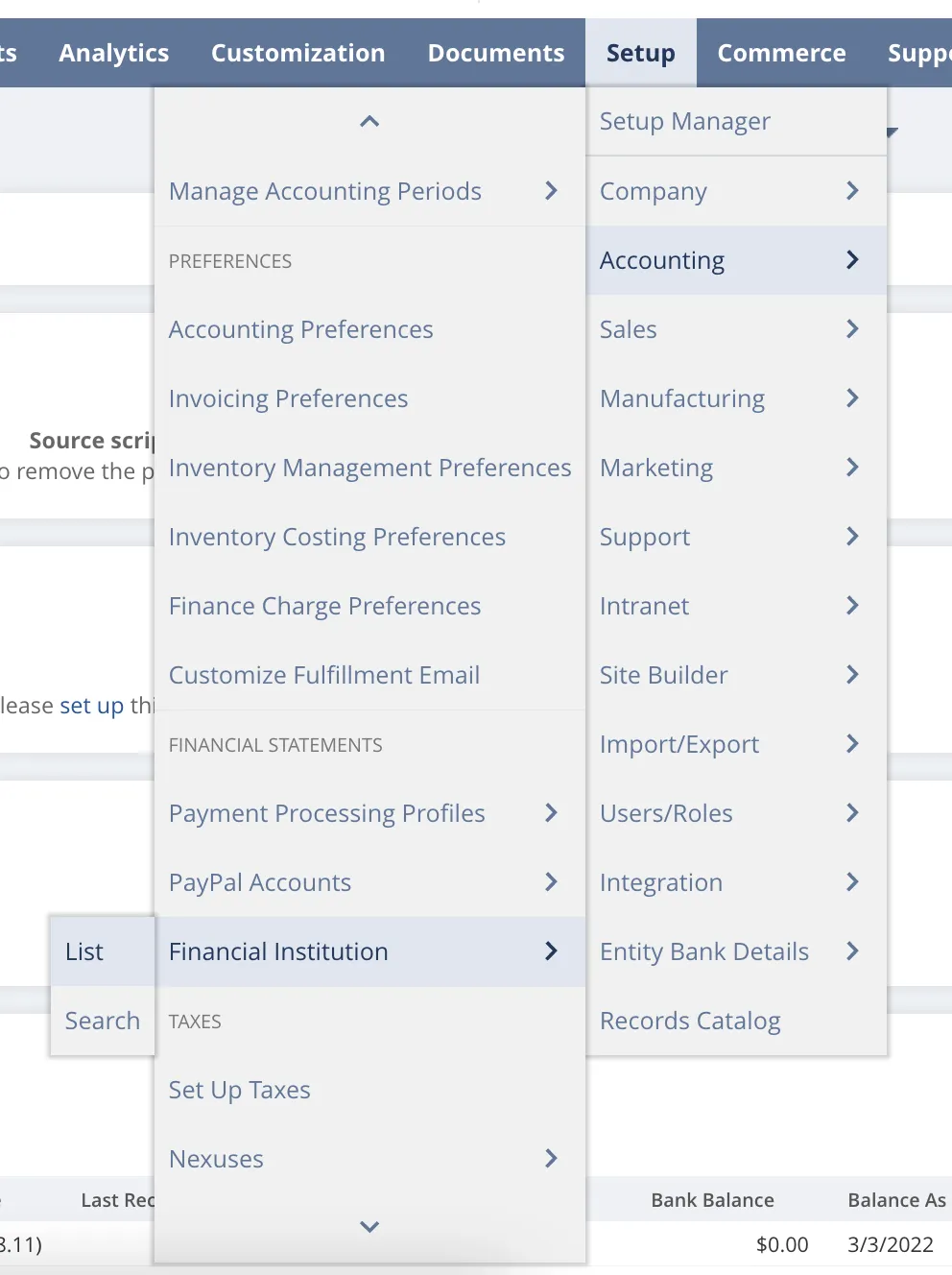
Go to Financial Institution
Select the Financial Institution
On the Financial Institution you would like to deactivate, select Edit.
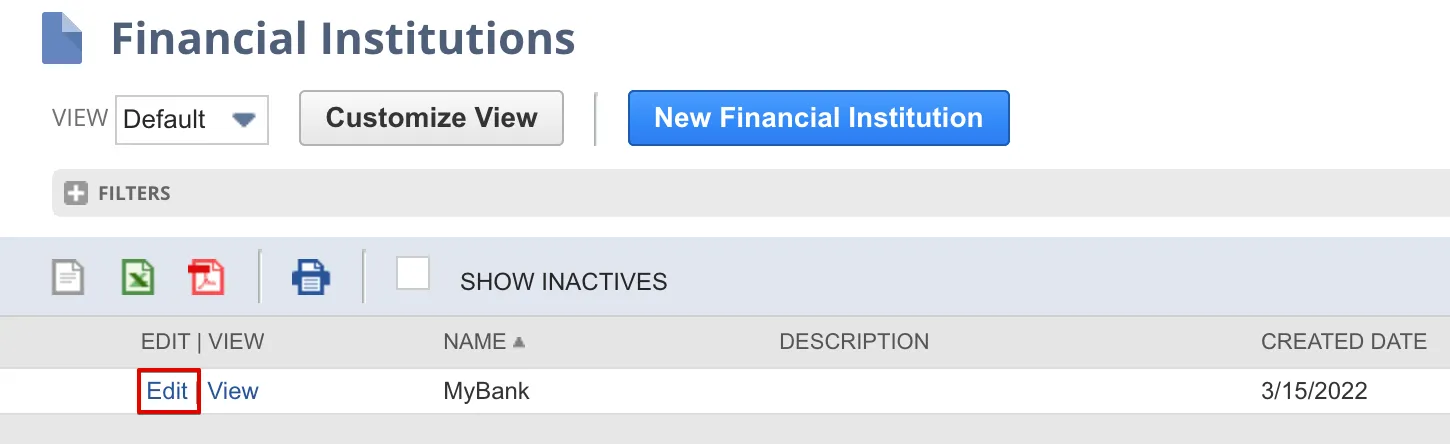
Select Edit on the Financial Institution
Deactivate the Financial Institution
Select the box next to Inactive and select Save.
Bank Feeds have now been disabled, and NetSuite will not automatically import transactions.
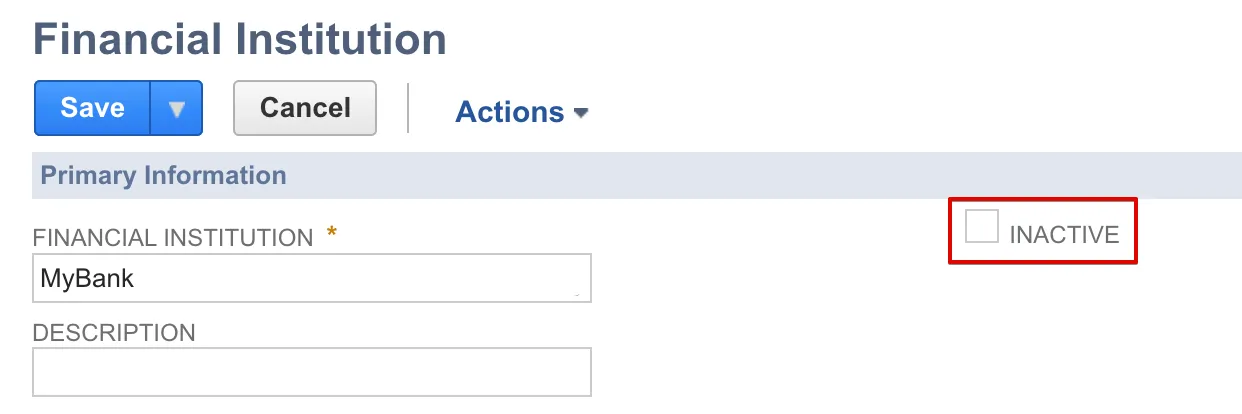
Select Inactive Checkbox