Update Entity Bank Details Bundle (NetSuite)
Learn how to enable, use, approve, and manage the history of the Entity Bank Details Approvals functionality.
Locate Bundle
Go to Customization → SuiteBundler → Search & Install Bundles → List.
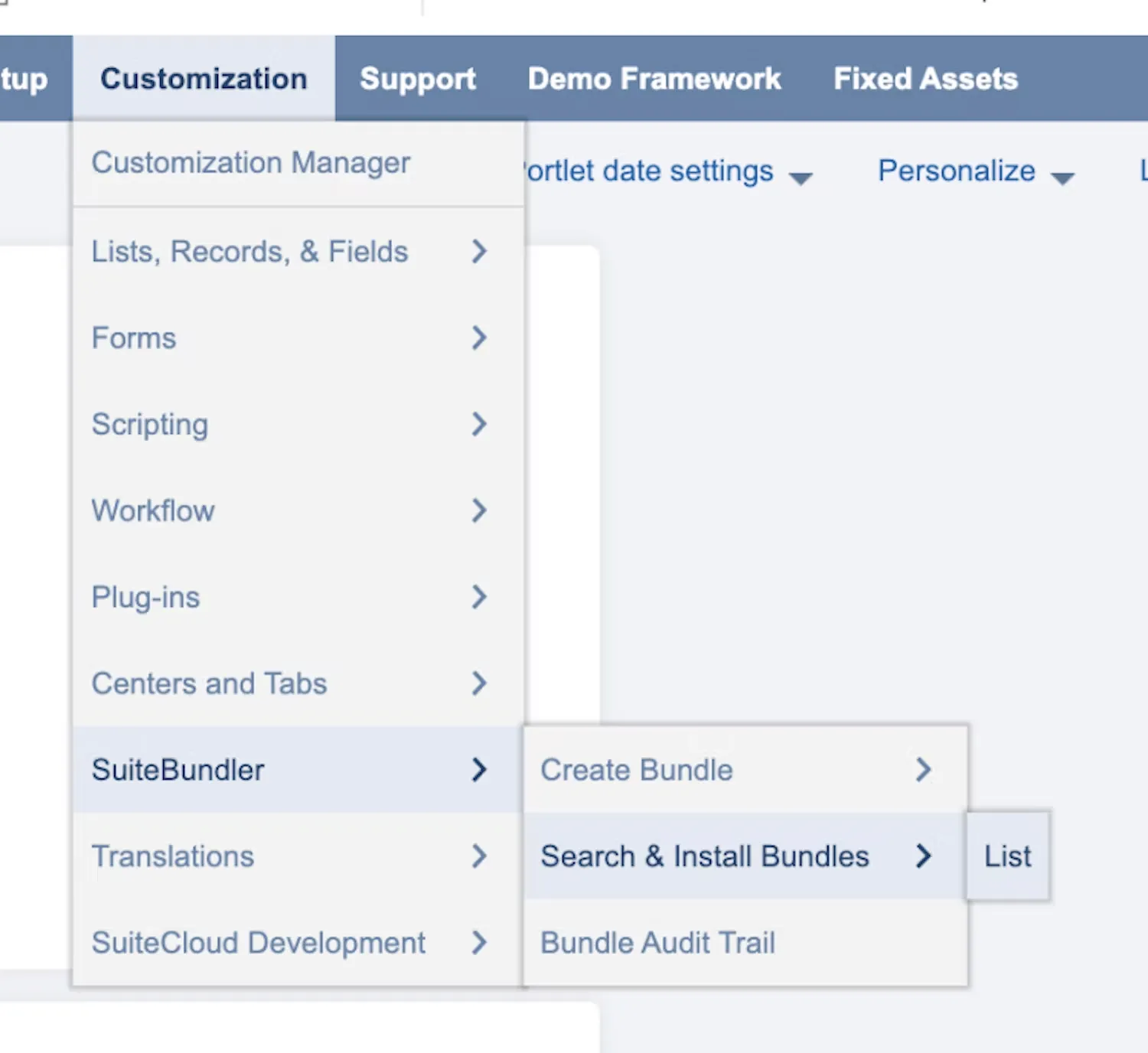
Go to Search & Install Bundles List
Update Bundle
Find the Entity Bank Details bundle from the list. Then, hover over the green icon and select Update.
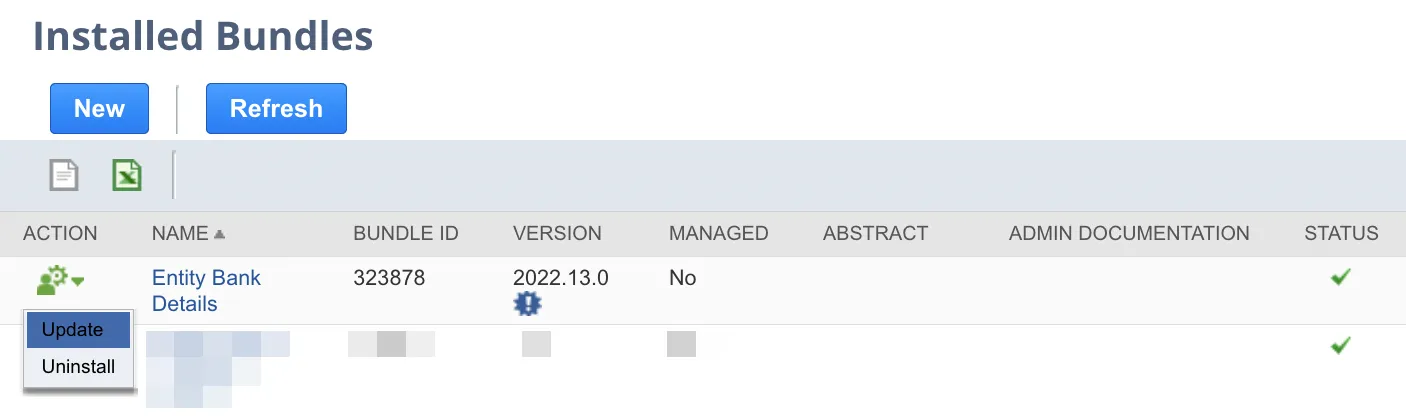
Select "Update"
Select Update Bundle, and select OK on the confirmation pop-up.
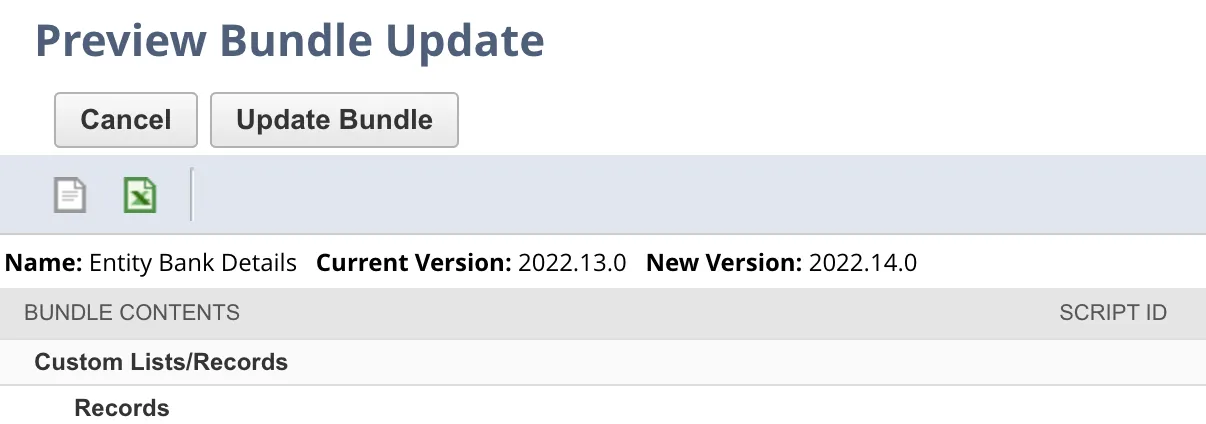
Click "Update Bundle"
The bundle will take a few moments to update. Its status will first show as Pending, then display the progress of the update. When the update is complete, a checkmark will appear in the Status column on the Installed Bundles page.