Step 9: Register API Client for Integrations
To establish a secure and functional connection between TD Bank and Workday, you must register an API client within your Workday environment. This process generates unique credentials (Client ID and Client Secret) that serve as the plugin's secure identity, allowing it to access required Workday data safely and with the proper authorization.
Follow these steps to register an API client in Workday.
Open the Task
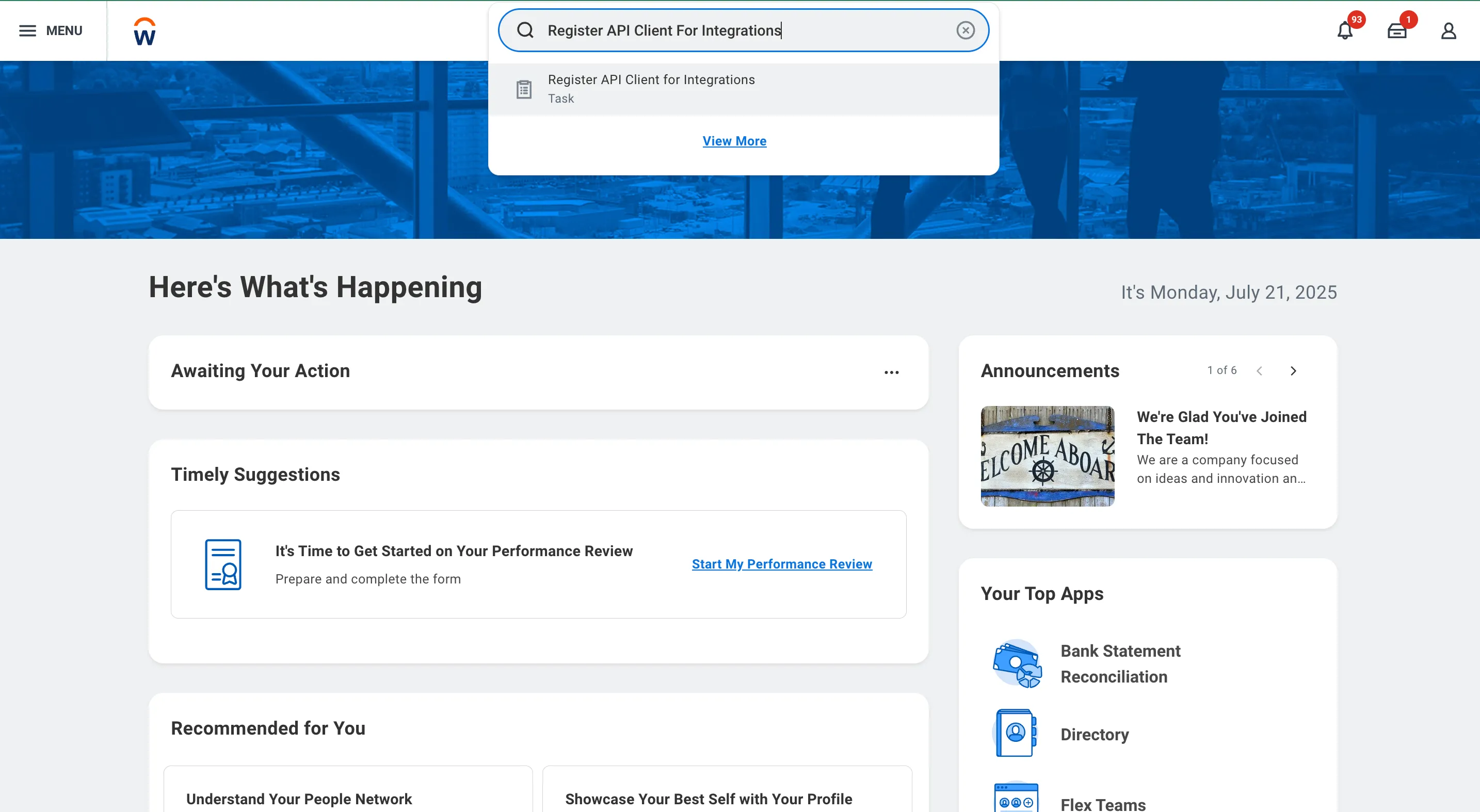
In Workday’s search bar, type Register API Client for Integrations and select the corresponding task from the results.
Register the API Client
Once the task opens, enter the following details:
- Client Name: Enter a descriptive name, such as FISPAN Integration.
- Refresh Token Timeout: Select the Non-Expiry Refresh Tokens option.
TIP: Selecting a non-expiry token simplifies maintenance by eliminating the need for manual re-authentication or reconfiguration upon token expiration. This ensures a continuous, uninterrupted integration.
- Scope (Functional Areas): Search for and select Banking and Settlement and Tenant Non-Configurable.
- Include Workday Owned Scope: Ensure this checkbox is selected.
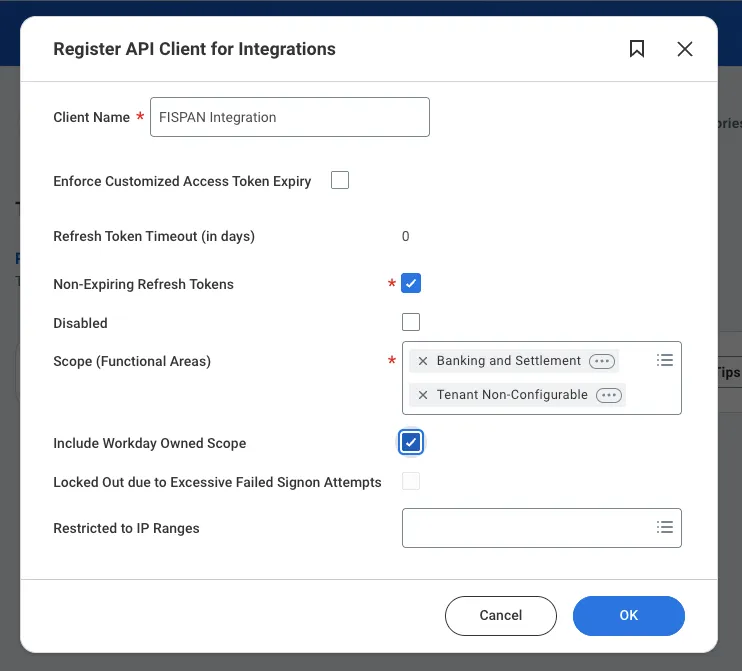
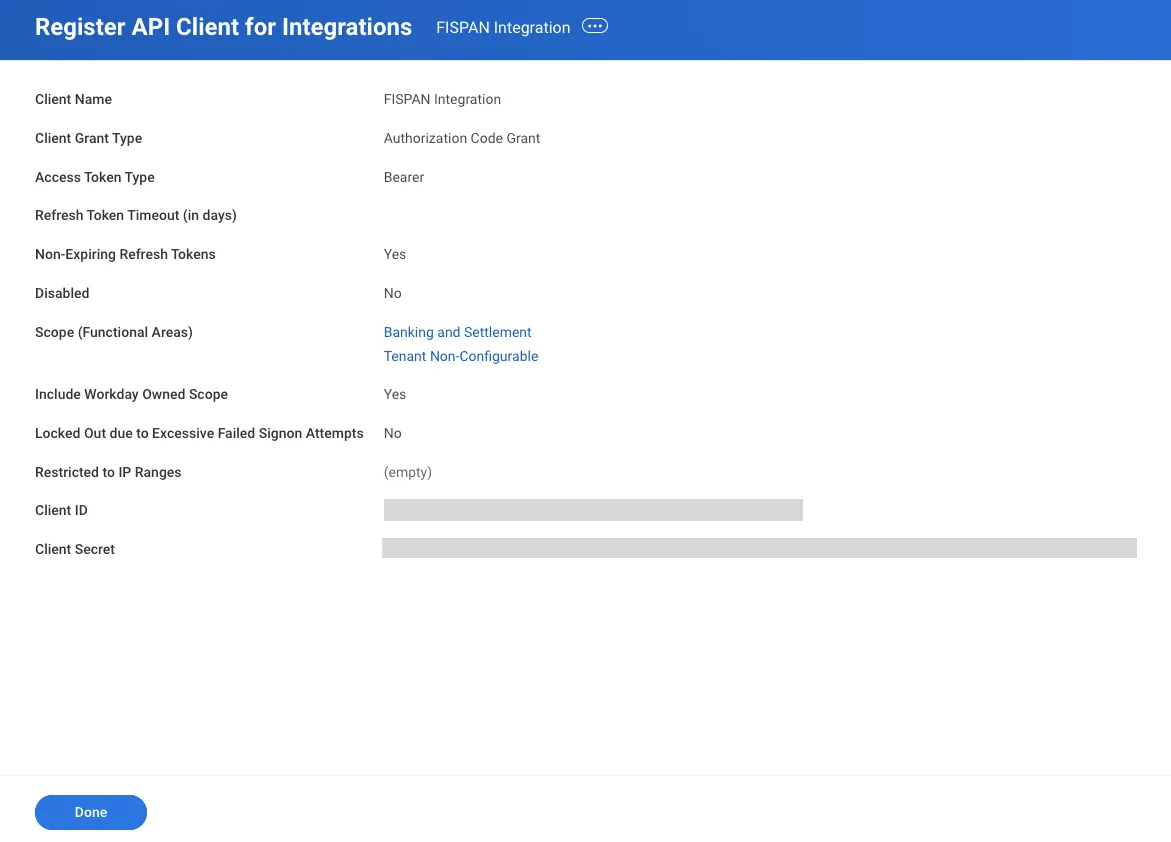
Click OK to generate your unique Client ID and Client Secret.
Secure API Client Credentials
Workday will generate and display your Client ID and Client Secret. Copy and paste these credentials into the designated fields in the installation wizard.
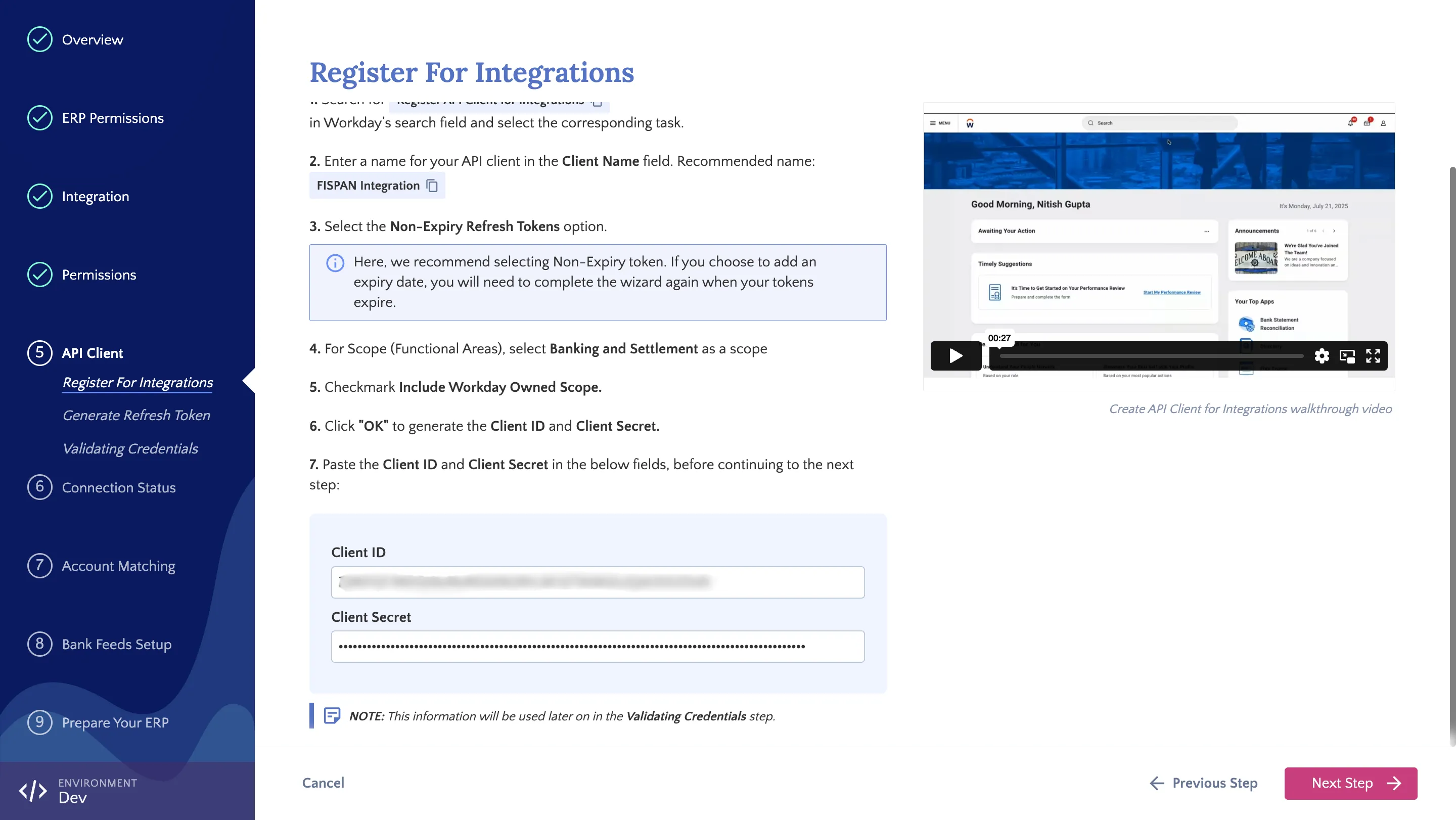
IMPORTANT: Client secrets are sensitive. They are only visible at the moment you register an API client or generate a new secret. To prevent loss of access, ensure you save your client secret in the installation wizard immediately.