Step 7: Create System Group
To maintain a secure environment, you will need to assign the Integration System User (ISU) to a dedicated Security Group. This ensures the integration follows the Principle of Least Privilege, granting only the specific permissions required for the integration.
Follow these steps to create a Security Group.
Open the Create Security Group Task
In the Workday search bar, type Create Security Group and select the corresponding task from the results
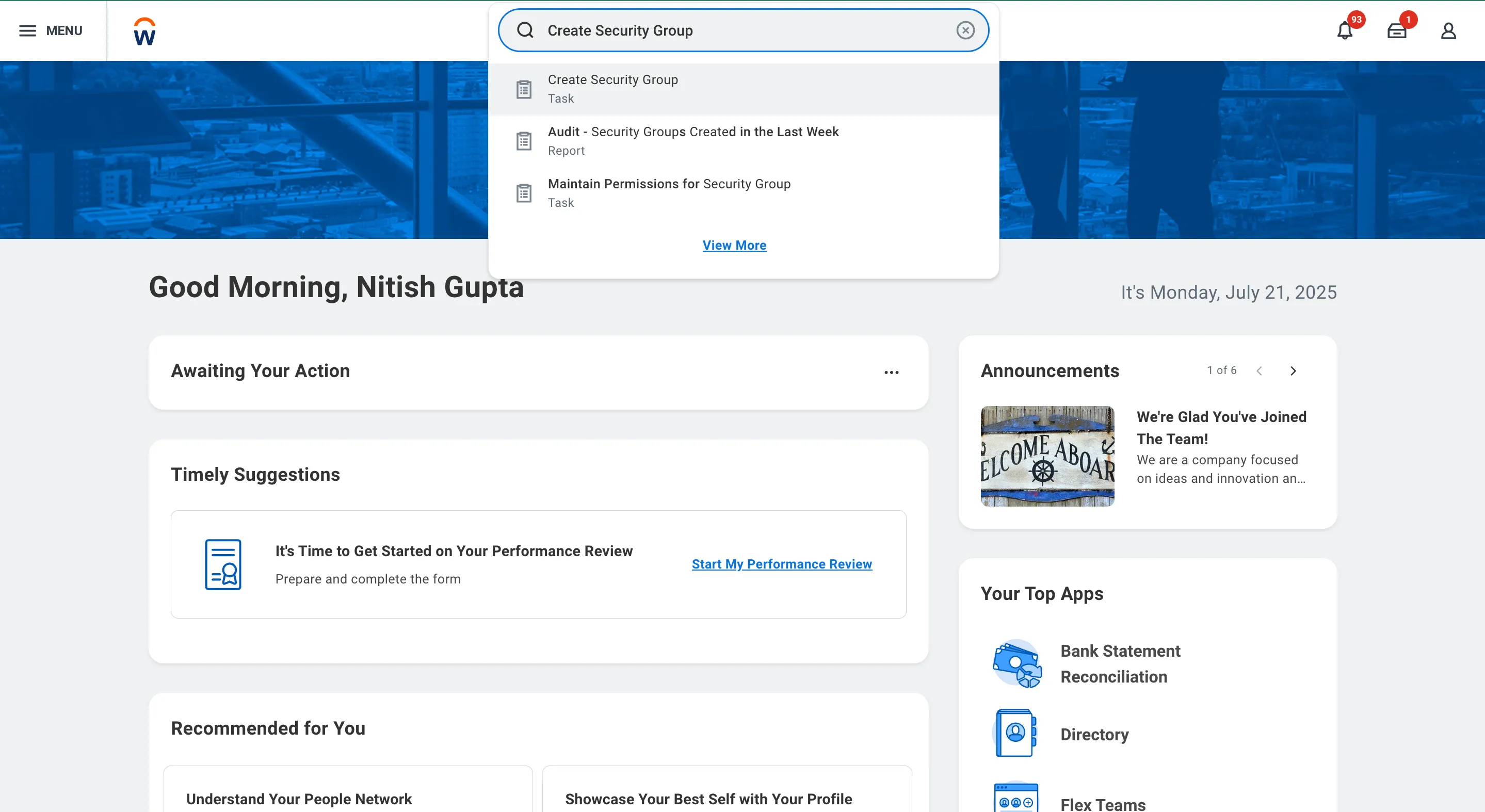
Search and Open Create Security Group Task
Configure the Security Group
Once the task opens, enter the following details:
- Type of Tenanted Security Group: Select Integration System Security Group (Unconstrained).
- Name: Enter a name for the group (recommended: FISPAN_ISSG).
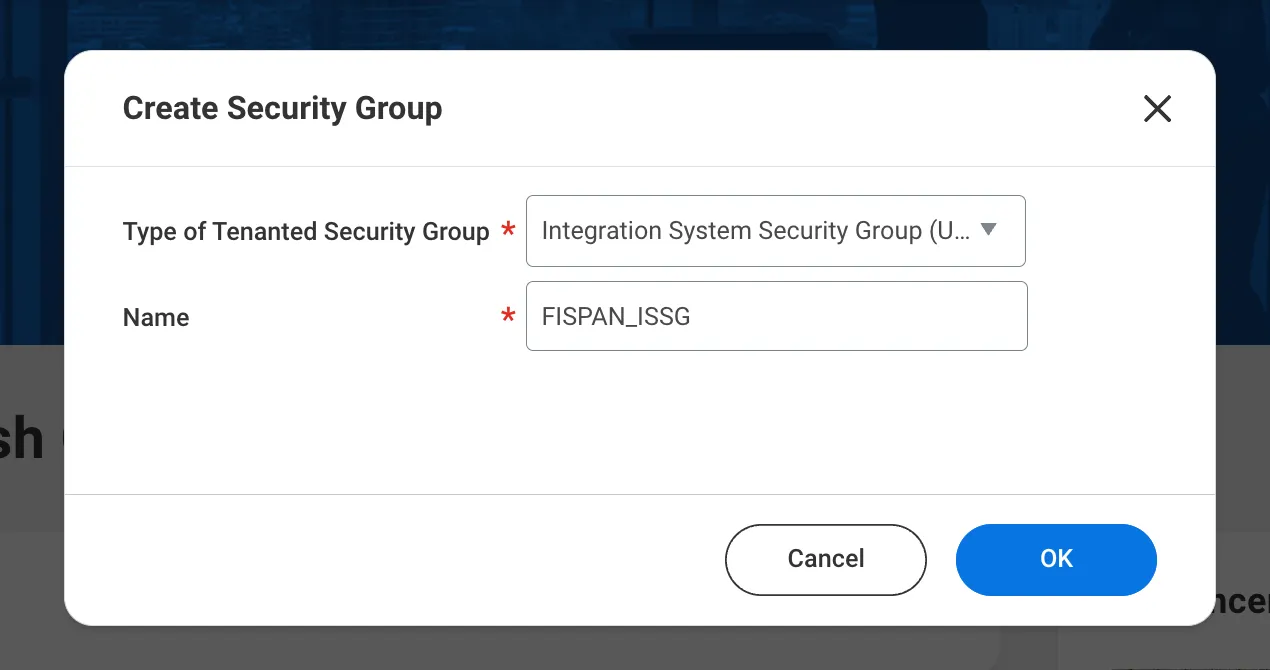
Create Integration Security Group
Click OK.
Assign the Integration System User
On the next page, add the Integration System User (ISU) created in the previous installation step to this security group in the Integration System Users field.
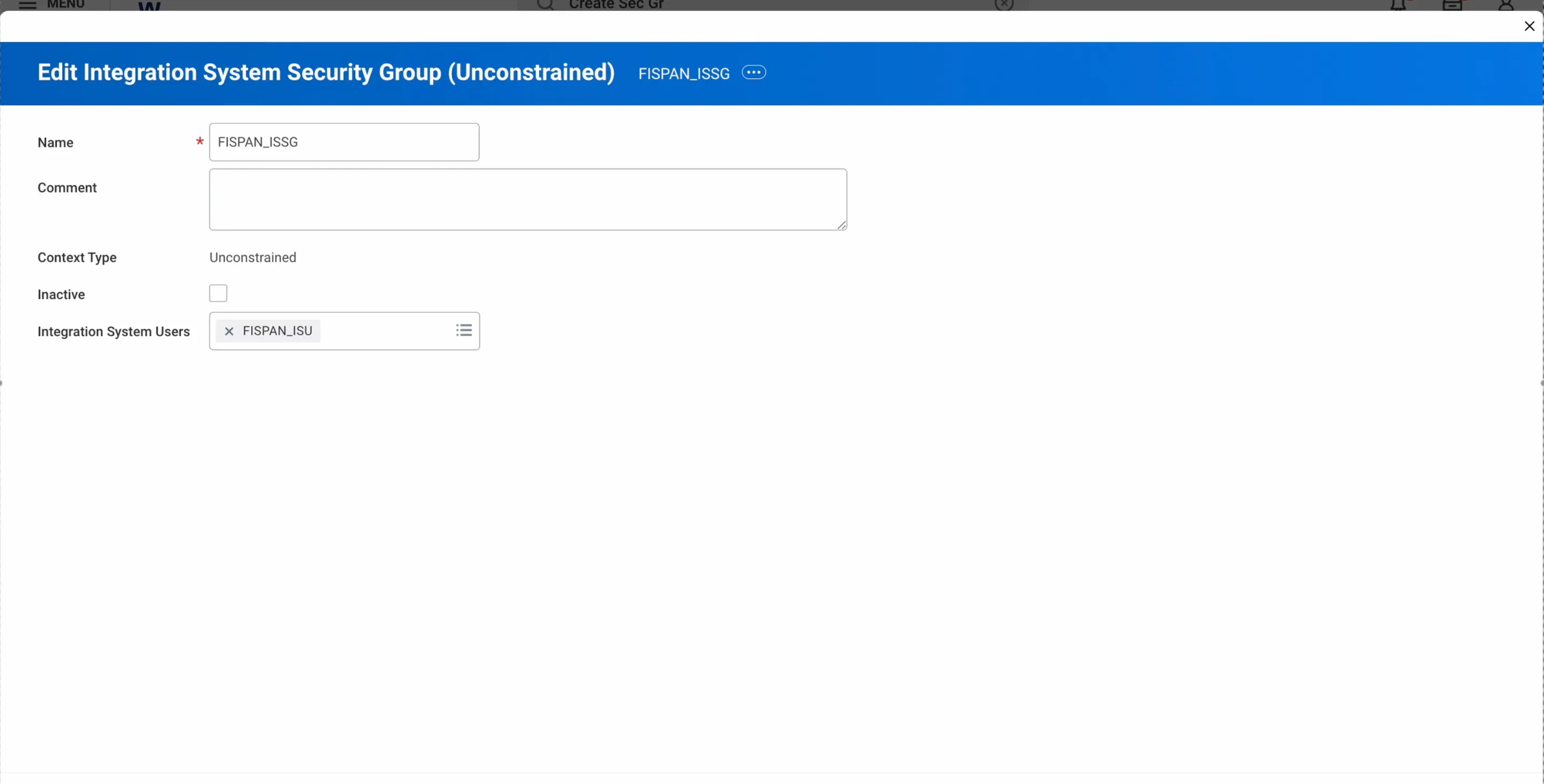
Add System User to Security Group
Click OK to complete.