Step 6: Install Bank Bundle
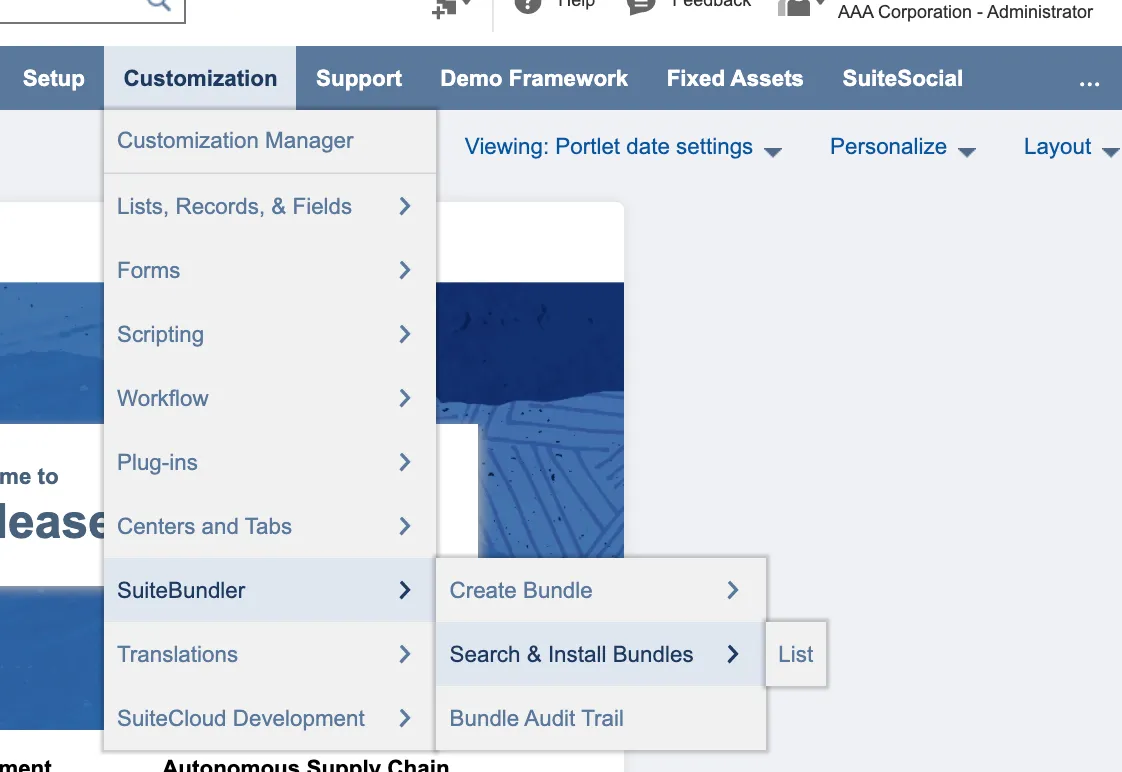
In NetSuite: Go to Customization → SuiteBundler → Search & Install Bundles
NOTE: If the Install button is not visible for the bundle, you may not have been granted access to the bundle. If this is the case, please contact Support.
Search for the Bundle
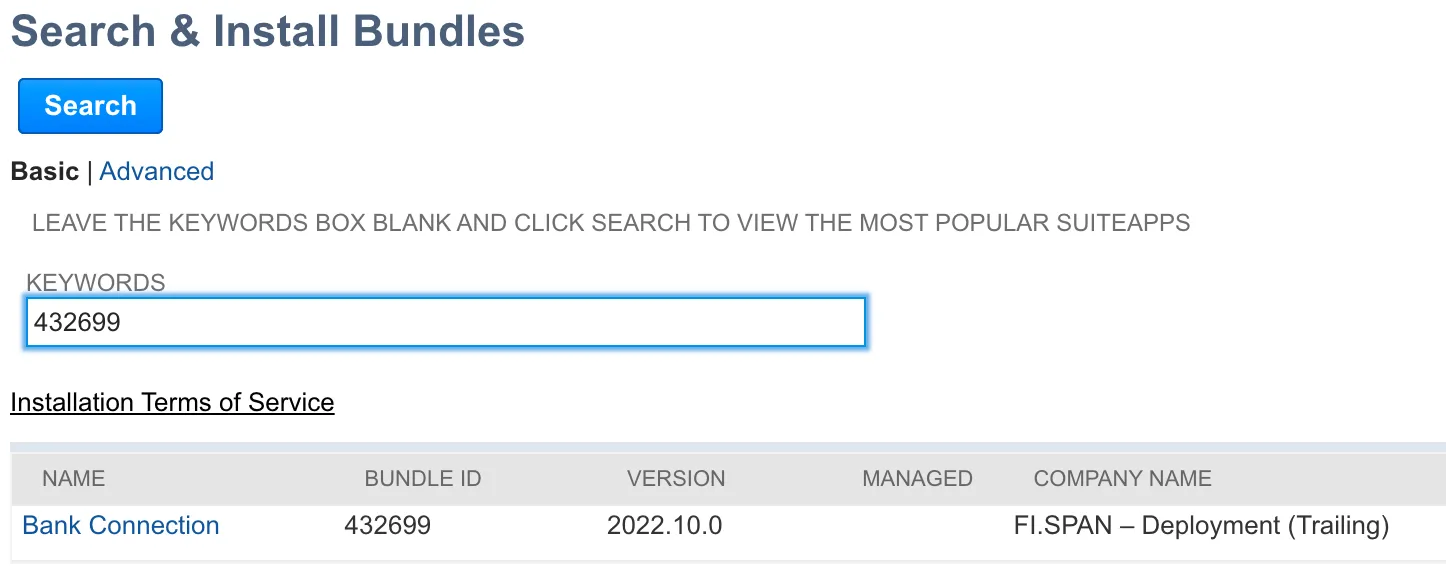
To search for the bundle, type “Bank Connection” or “432699” in the Keywords box and click Search.
Ensure the bundle ID is 432699 before selecting.
Install the Bundle
Select Install to review the bundle, then select Install again to confirm.
Select Ok when the pop-up box appears and wait for the bundle to install (this may take a few moments). Once the bundle has been installed, the TD Bank tab will appear on your NetSuite menu.
Then, head back to the installation wizard and select Next Step.
Then, head back to the wizard and click Next Step.