Step 14: Configure SuiteApps Reports Balances
Access Reports Balance Portlet
Navigate to the Homepage.
Select Personalize in the top right → SuiteApps → Bank Connection Reports Balance to view balances.
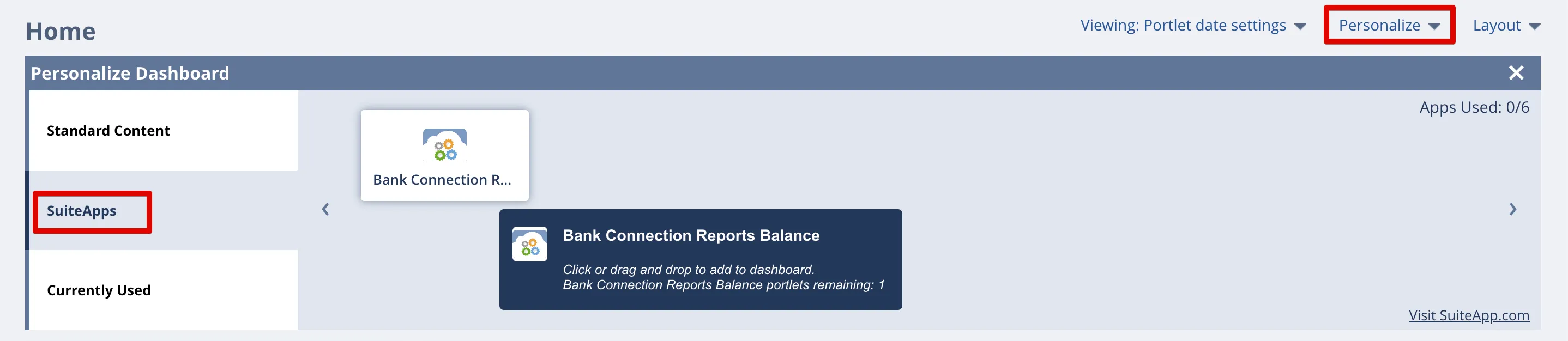
Select Bank Connection Reports Balance
Add User Roles to Portlet
Non-admin roles need to be added to the TD Bank Reports Balance Portlet. The administrator has full access to view all plugin pages.
To allow access to other users and departments, select Customization → Scripting → Script Deployment.
Use the following filters:
- In the Type dropdown, select Portlet
- In the API Version dropdown, select 2.1.
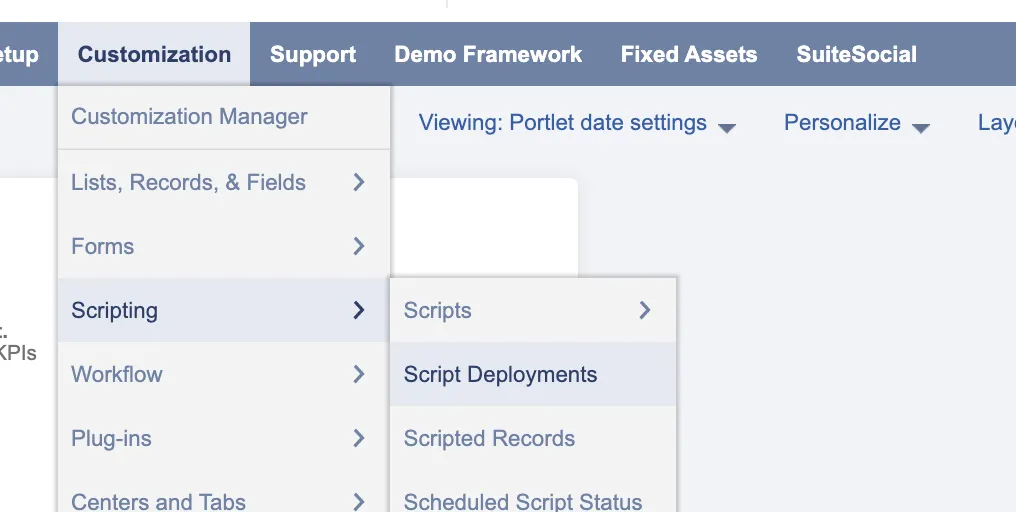
Go to Script Deployments
Search for and select Edit on the Reports Balance Portlet.
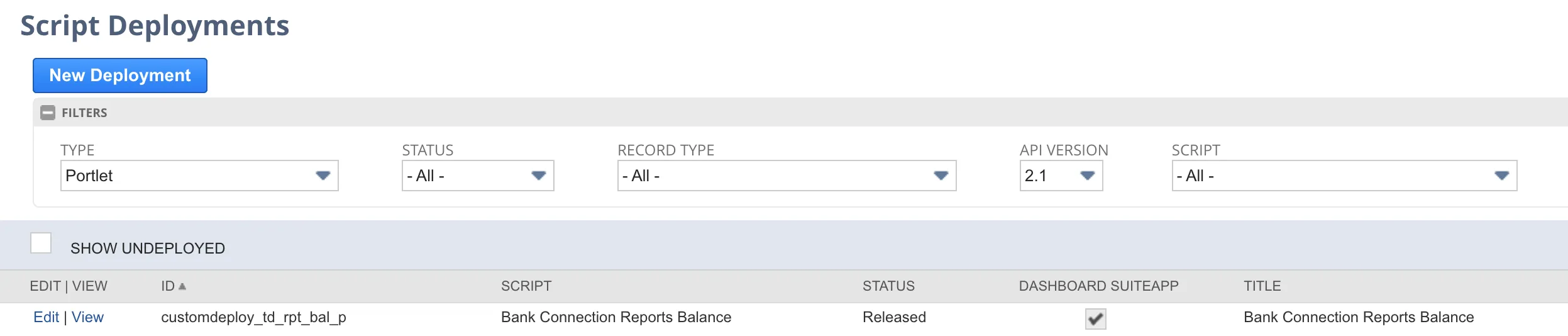
Edit Portlet
Add employee roles by selecting the appropriate employee, department, and role you would like to assign. Then, select Save.