Storing Vendor Payment Information (NetSuite)
Our bank plugin works best when paired with the Entity Bank Details (EBD). This allows you to securely store and manage vendor and employee banking information directly within NetSuite, supporting a wider range of complex payment types than the native system.
With this feature, you'll be able to:
- Store and manage vendor bank details for various payment methods.
- Import vendor bank details from a CSV file, making it easy to migrate your existing data.
- Export vendor bank details to a CSV, which is useful for backups or external use.
- Migrate any previously stored vendor bank details from NetSuite's Electronic Bank Payments bundle into the new system via CSV export.
Refer to the following pages for install, setup, and usage guides for the Entity Bank Details bundle:
Please only refer to the below instructions if using the Entity Bank Details bundle is not an option.
NetSuite’s Electronic Bank Payments bundle is used as a means to store vendor bank account information for customers who are enabled for ACH only. This bundle is considered a secondary option to the Entity Bank Details bundle, which allows users to initiate payments for all available payment types.
NOTE: The Electronic Bank Payments bundle is managed by NetSuite; FISPAN cannot guarantee support for this bundle in the future. Please consider adopting the Entity Bank Details bundle to store vendor payment information. Refer to the Entity Bank Details - Import/Export page of this support guide for more information on transferring banking information from the Electronic Bank Payments bundle to the Entity Bank Details bundle.
Storing Vendor ACH Payment Information
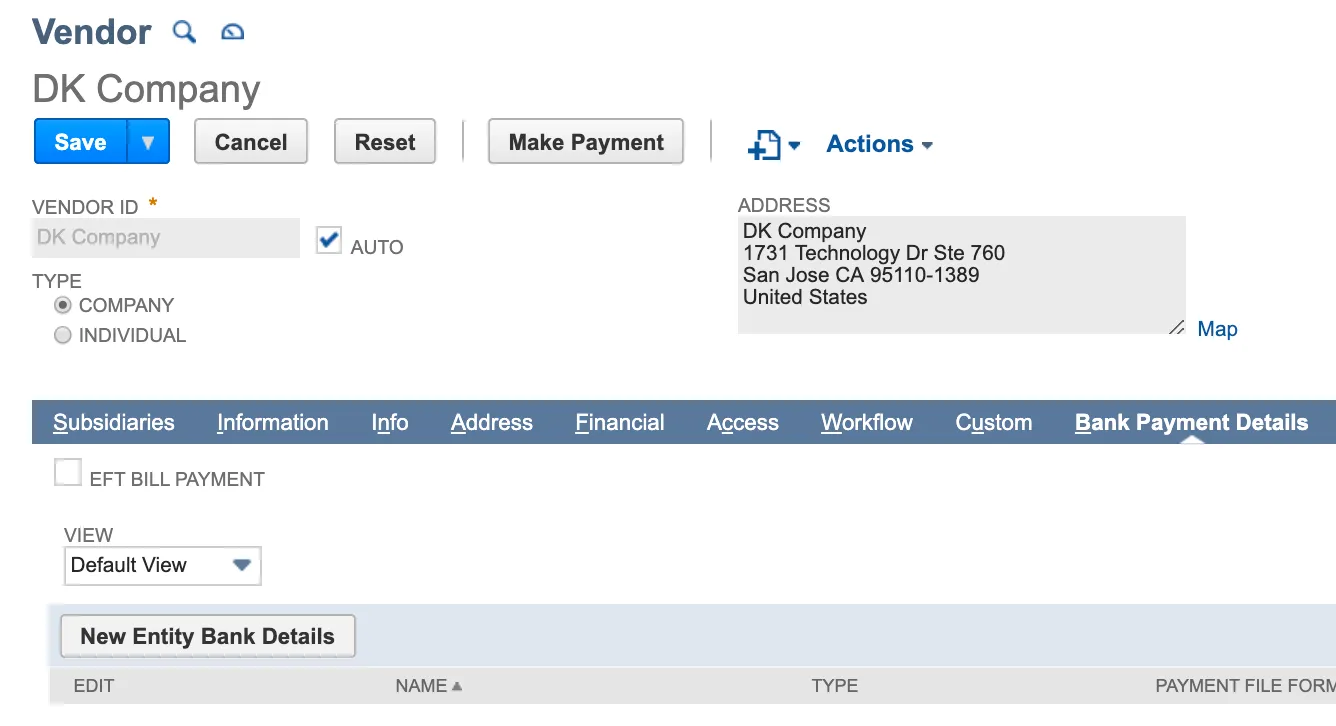
Select Lists → Relationships → Vendors and select View for the desired vendor.
Under the Bank Payment Details tab, select New Bank Details and enter the following details for each vendor:
- Payment File Format: ACH – CCD/PPD
- Account Type: Primary or Secondary
- Bank Account Number
- Bank Number (Routing Number)
Then, select Save.