Step 12: Account Matching
Match your ERP accounts with the corresponding bank accounts by dragging an ERP account from the left and dropping it onto the desired bank account. Once you've successfully matched your accounts, click Next Step.
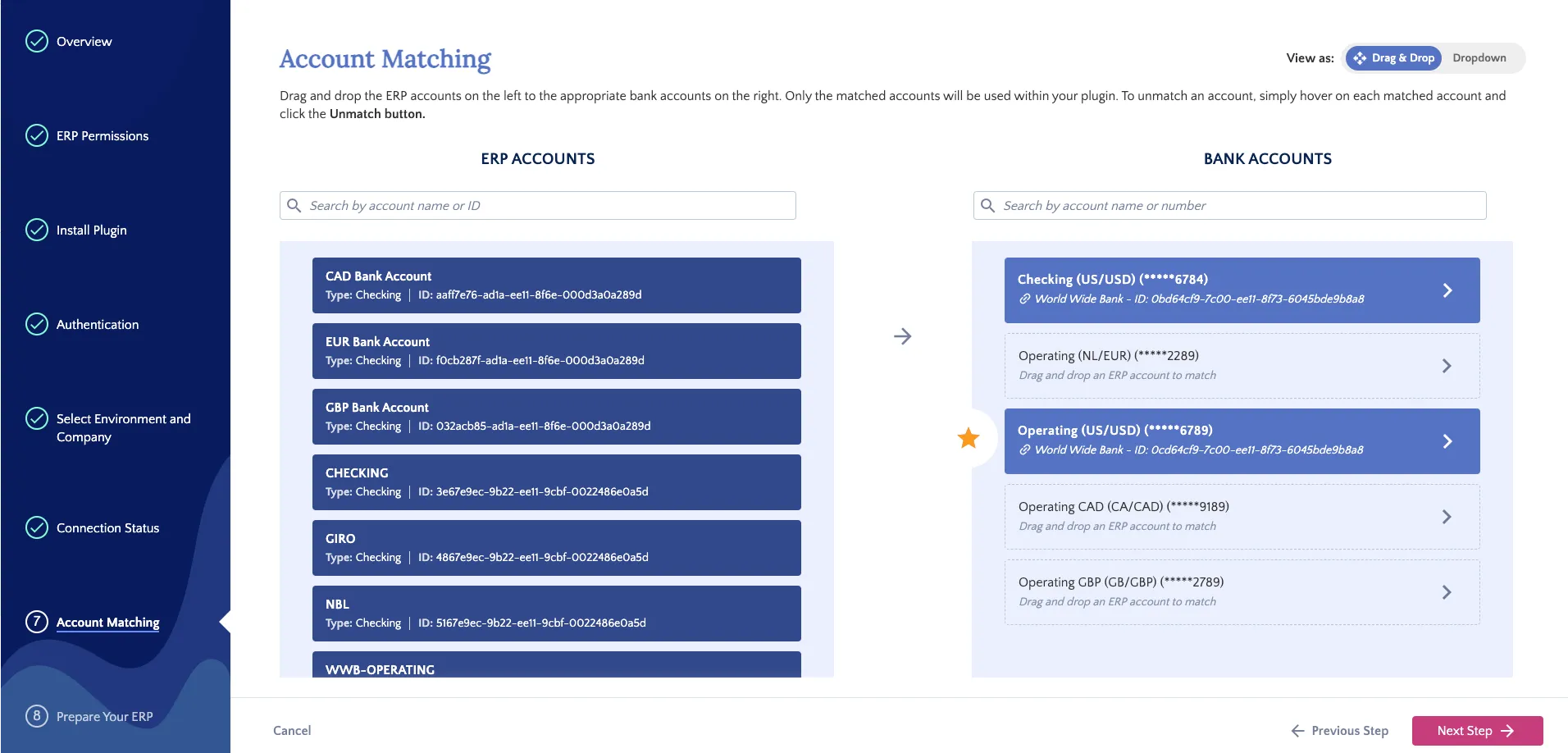
Match Accounts
NOTE: When installing the plugin in Sandbox, bank accounts are for testing only. They are not connected to your live bank accounts. When installing in Production, the listed bank accounts reflect your actual accounts.