Step 13: Assign Role to Web Service User
In Intacct:
Go to Company → Admin tab → Web Service Users. Then, select Edit on the Web Service User you would like to edit.
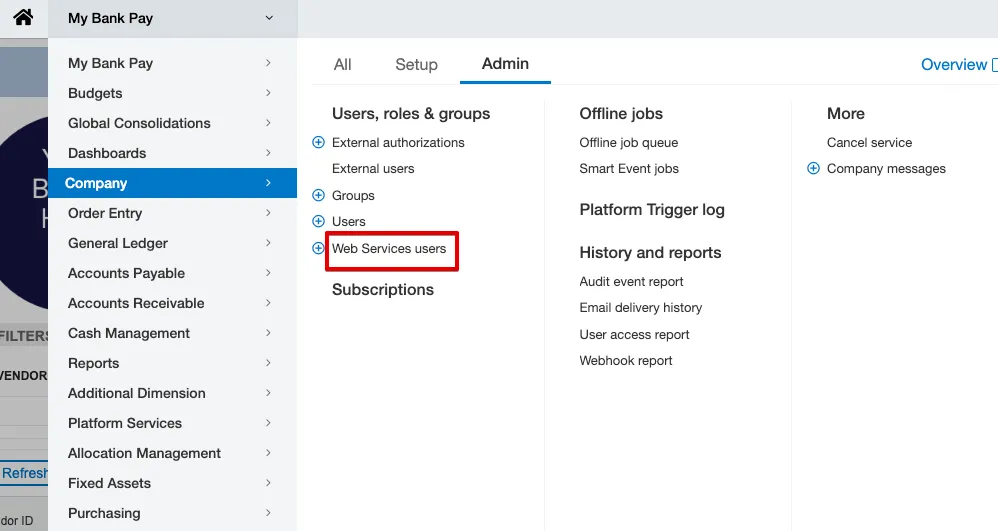
Go to Web Service Users
Under the Roles Information tab, add the following roles:
- ::SYS::Enterprise-ROLE-FOR – Module: BMO Sync
Then, select Save and enter your account password.
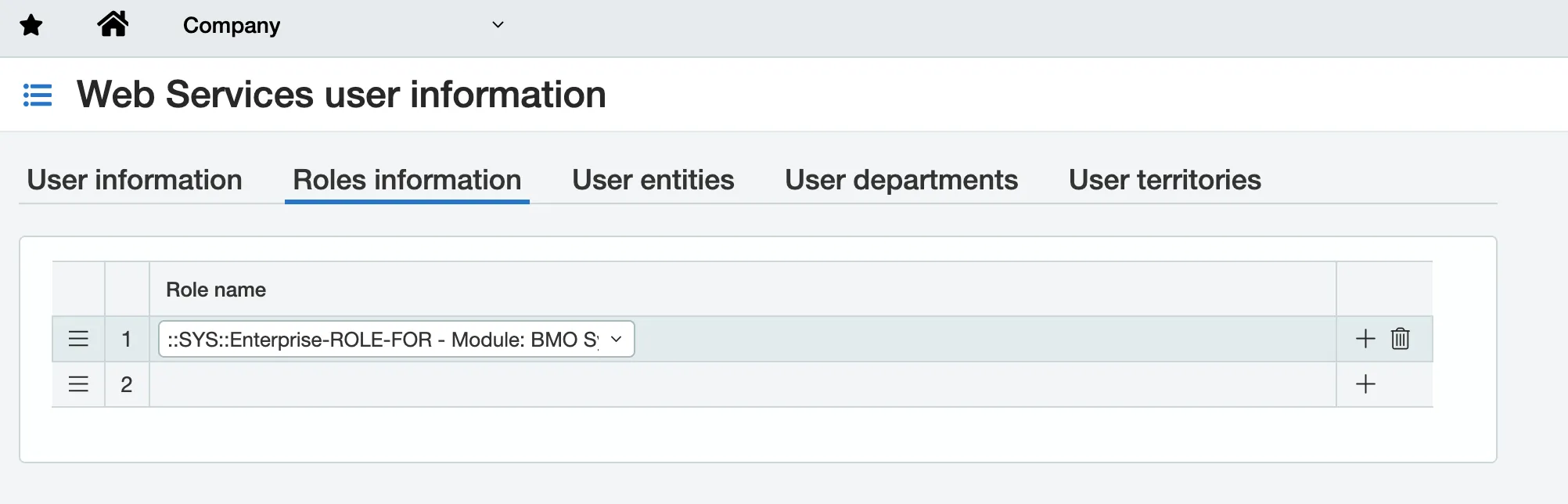
Add the BMO Sync Module