Step 1: Enable Web Services
To get started, please contact your Sage Intacct Account Manager to enable Platform Services on your account. Once you have done so, enable the Web Services feature on your Sage Intacct account. This is required by Intacct to install a third-party application.
Go to Company → Admin tab → Subscriptions.
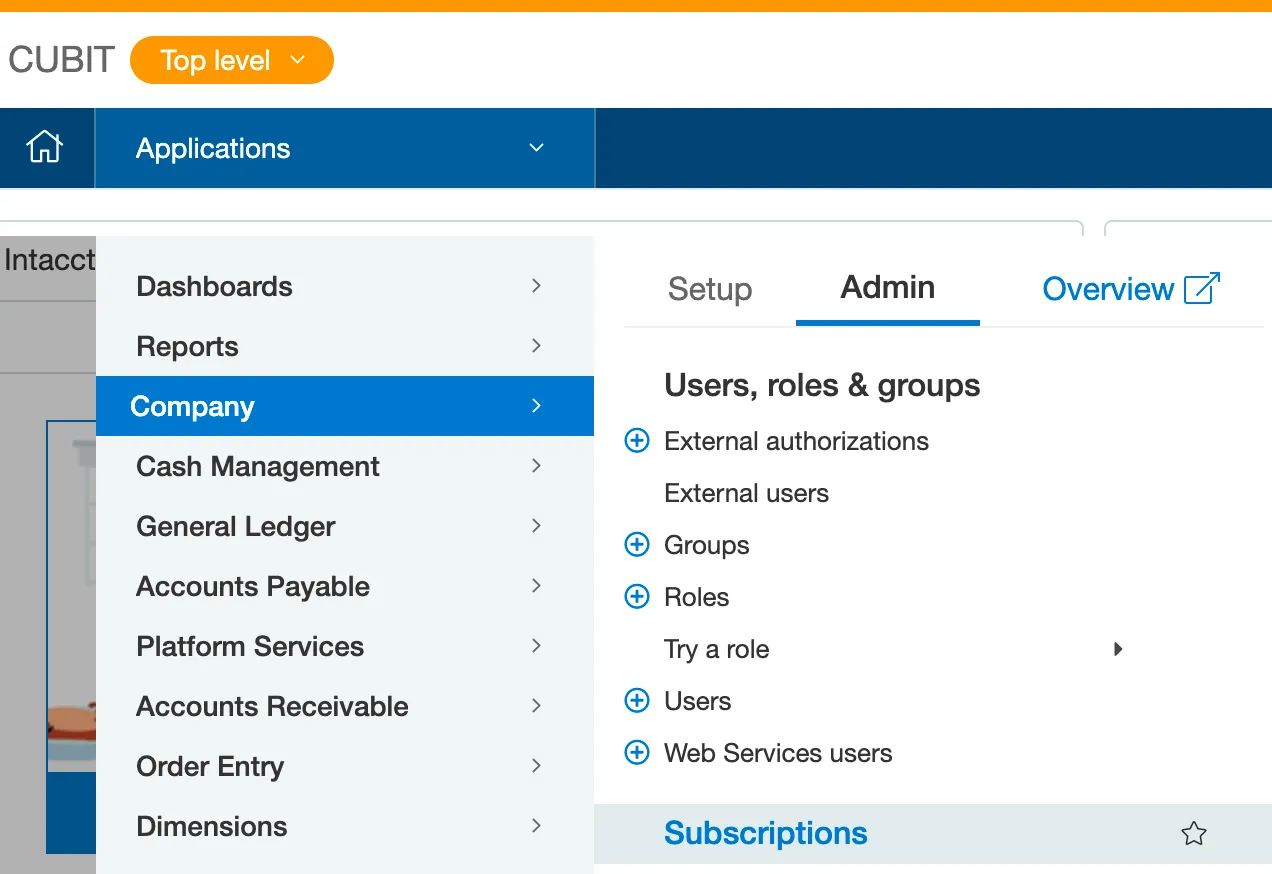
Go to Subscriptions
Confirm that Web Services is enabled, then select Done.
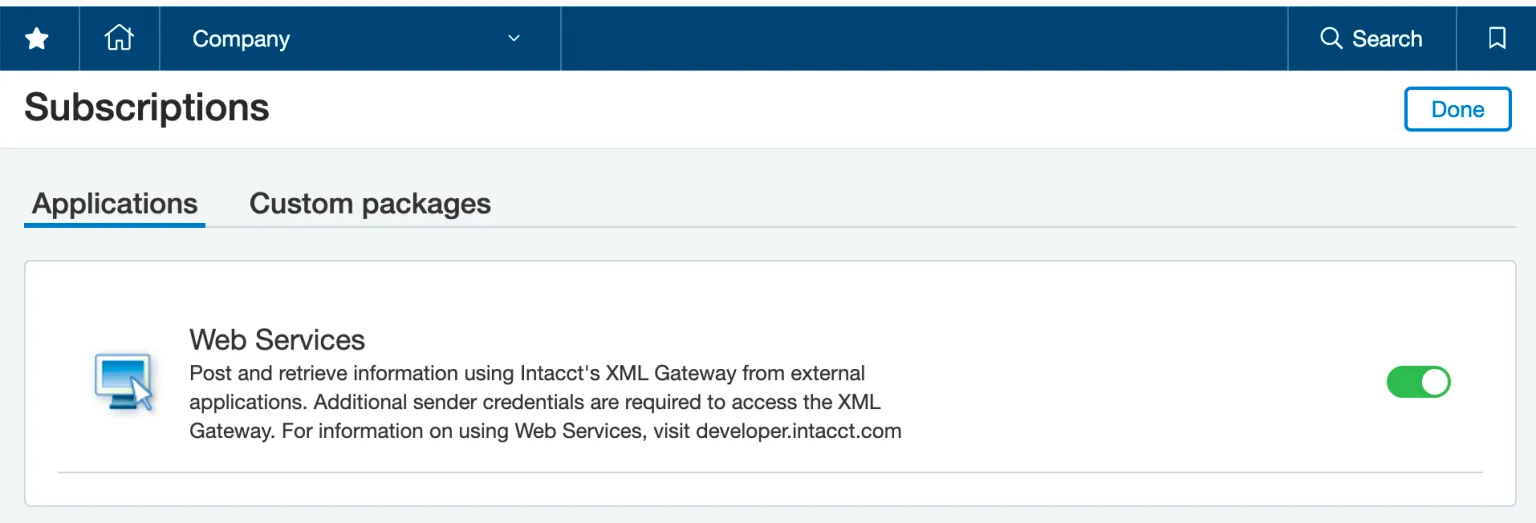
Select Web Services