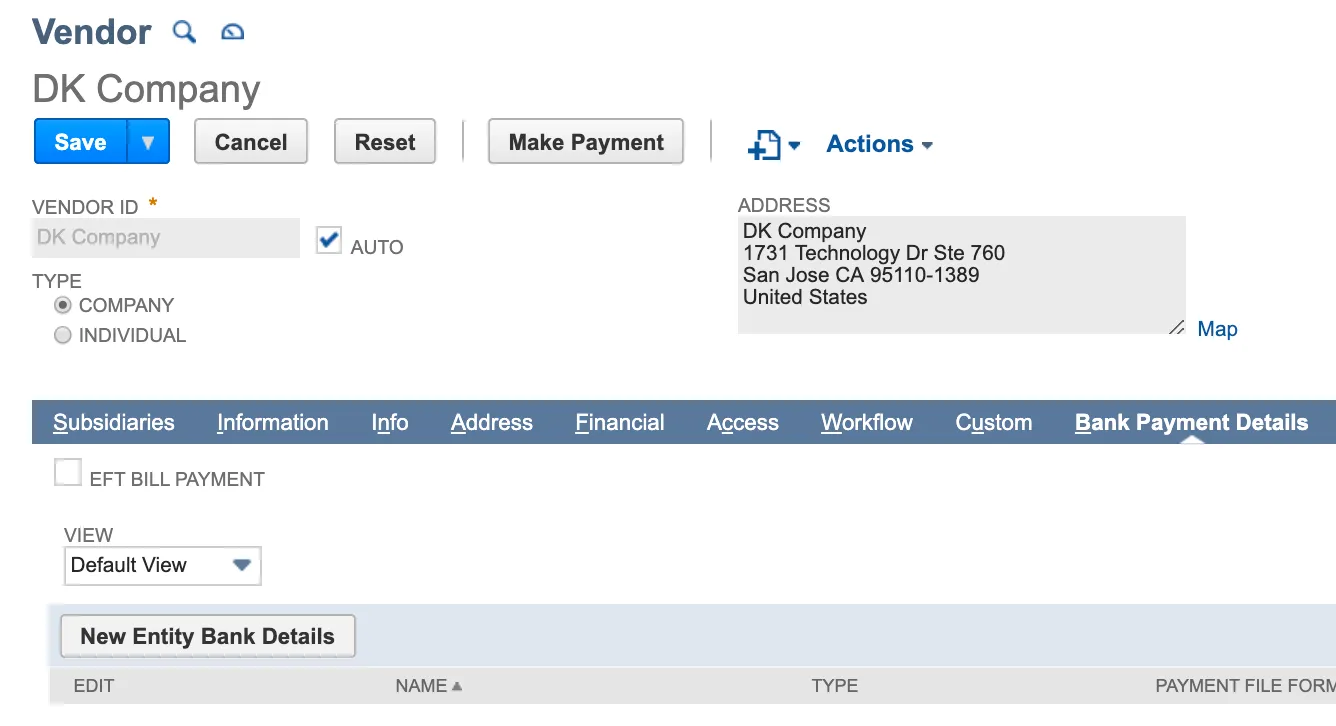
Storing Vendor Payment Information (NetSuite)
NOTE: We strongly recommend using the Entity Bank Details bundle for the best results. Refer to Entity Bank Details Installation & Setup (NetSuite) for instructions on how to install and enable this preferred bundle.
NetSuite’s Electronic Bank Payments bundle is used as a means to store vendor bank account information for customers who are enabled for ACH only. This bundle is considered a secondary option to the Entity Bank Details bundle, which allows users to initiate payments for all available payment types.
NOTE: The Electronic Bank Payments bundle is managed by NetSuite; FISPAN cannot guarantee support for this bundle in the future. Please consider adopting the Entity Bank Details bundle to store vendor payment information. Refer to the Entity Bank Details - Import/Export page of this support guide for more information on transferring banking information from the Electronic Bank Payments bundle to the Entity Bank Details bundle.
Storing Vendor ACH Payment Information
Select Lists → Relationships → Vendors and select View for the desired vendor.
Under the Bank Payment Details tab, select New Bank Details and enter the following details for each vendor:
- Payment File Format: ACH – CCD
- Account Type: Primary or Secondary
- Bank Account Number
- Bank Number (Routing Number)
Then, select Save.