Step 8: Install .app
Follow these steps in Business Central to install the PINACLE® | PNC .app.
Go to Extension Management
Search for Extension Management in the search field and select the relevant link.
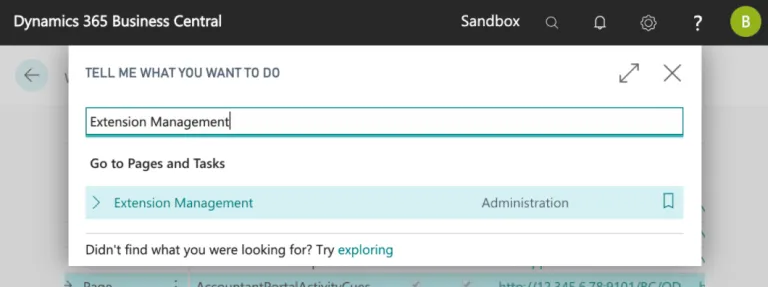
Search Extension Management
Upload and Deploy Extension
Select Manage and then Upload Extension.
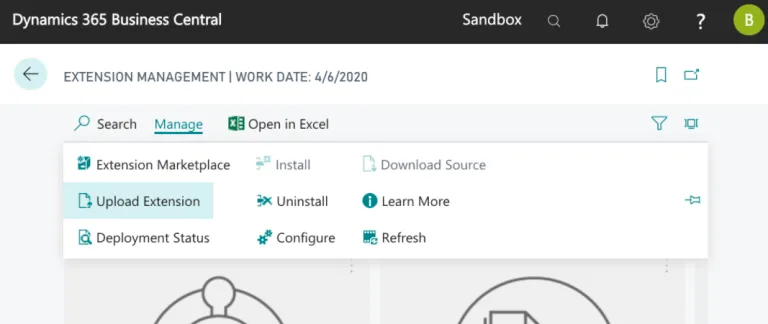
Select Upload Extension
Select the three dots on the Select .app file field and choose the .app file downloaded from the installation wizard.
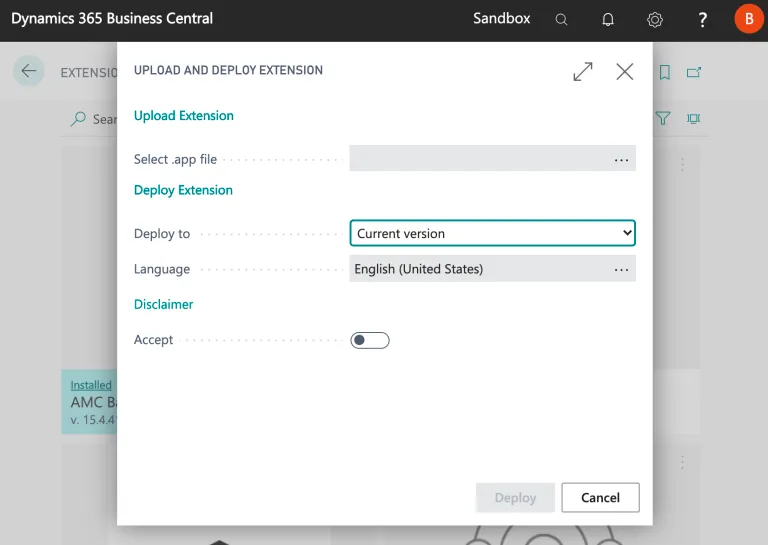
Add Your .app File
Then, toggle the Accept disclaimer and select Deploy.
Confirm Installation
Confirm the plugin has been installed properly by navigating to Manage and selecting Installation Status.

Ensure the Plugin is Installed
The status column will say Completed when it has been installed properly.