Step 5: Bank Authentication
Click on Connect to Bank, it will open a new window for you to log into PNC.
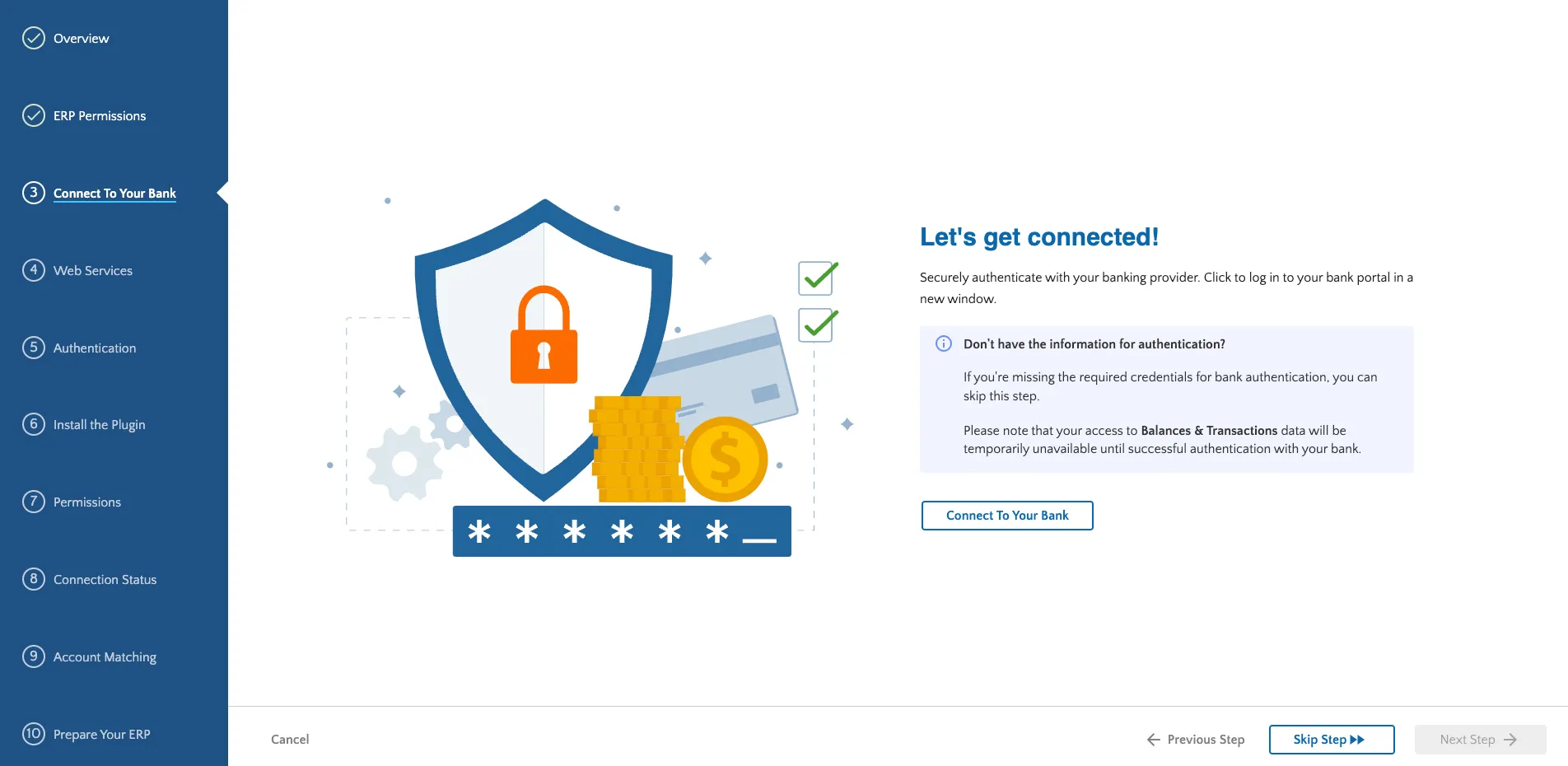
Click Connect To Your Bank
Log into the PNC Portal with the credentials supplied by PNC.
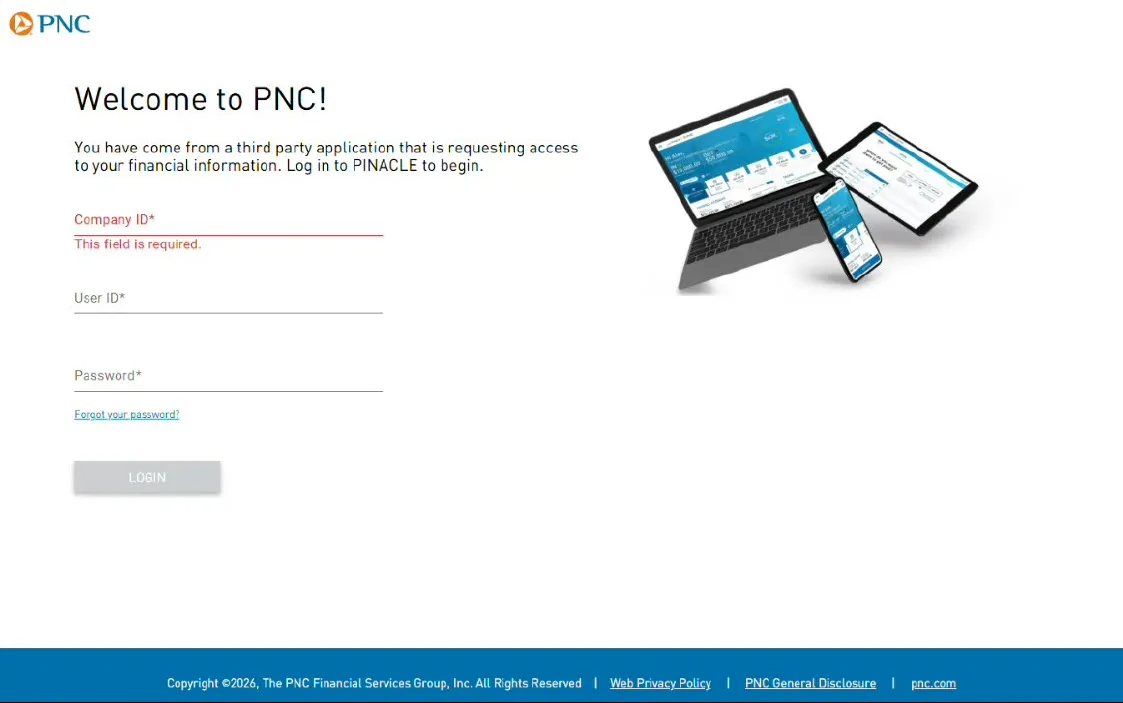
Log into PNC portal
Once logged in, you must verify your identity. This can be done through any of three different methods:
- Text
- Phone call
- Token
Select a method, and then click Next.
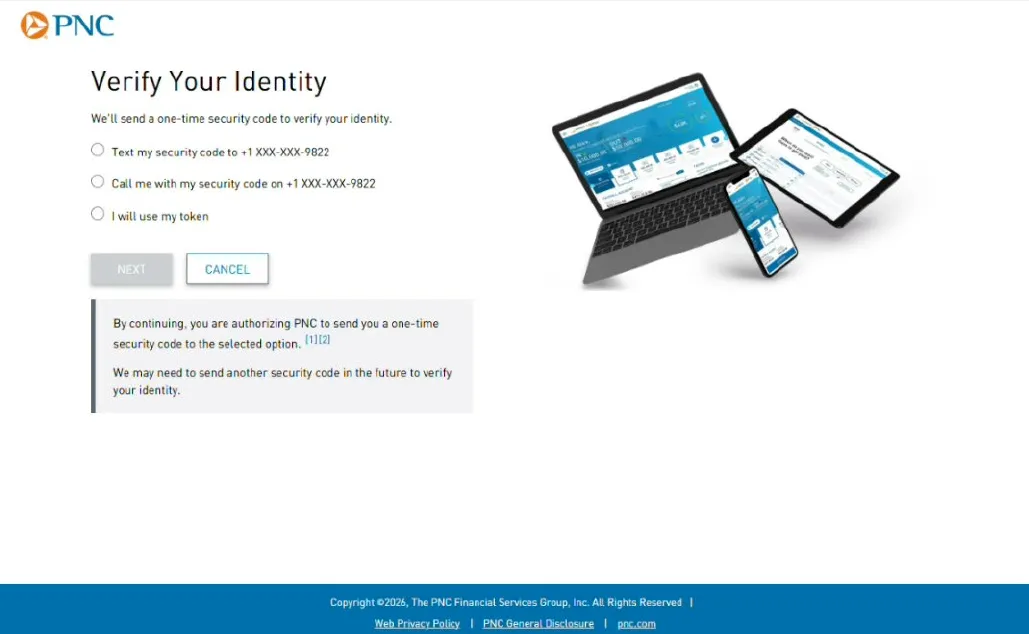
Verify your Identity
Once you are authenticated, a list of PNC accounts will appear. Check the box(es) next to the account numbers that were included on your enrollment form. You can also click the Select All checkbox to select all accounts available. Then click Authorize.
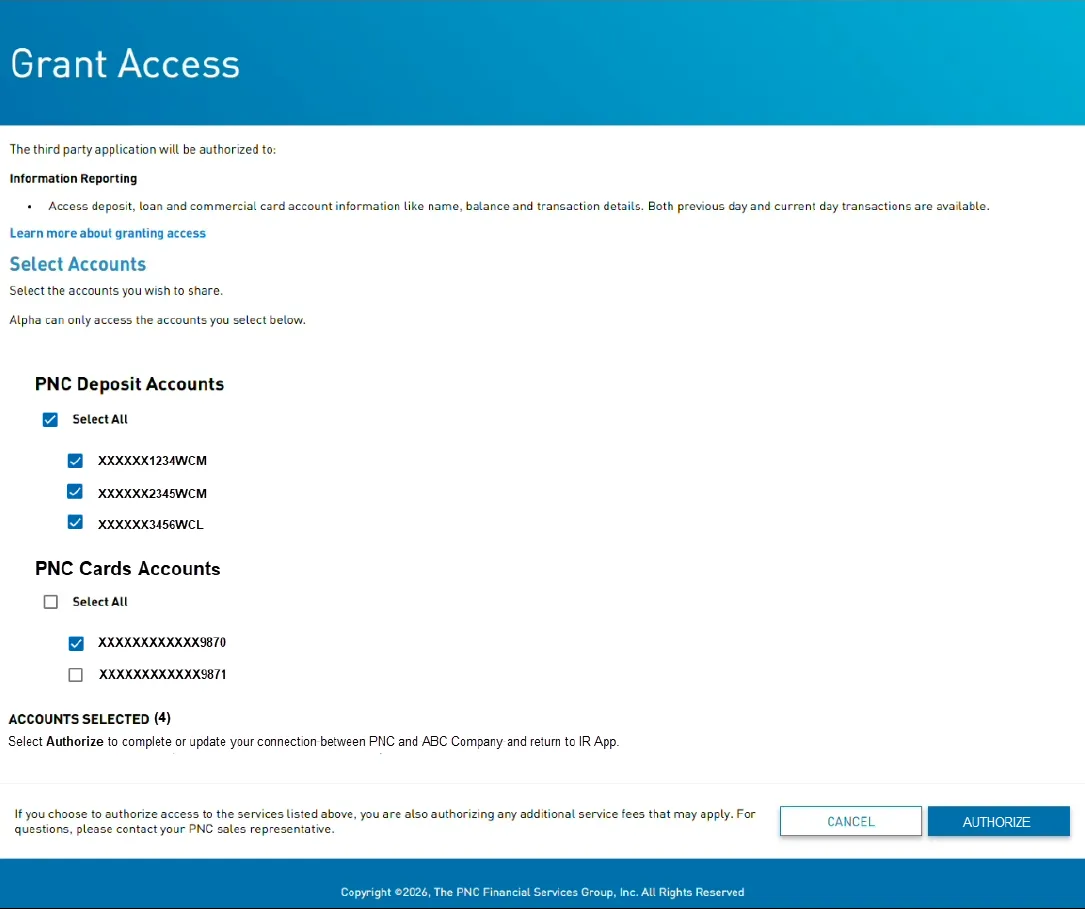
Authorize bank accounts
The window will close after a few moments, and you can then press the Next Step button in the installation wizard.