Check Delivery Methods (NetSuite)
To change the check delivery option for a vendor, follow these steps.
Go to Vendor
Navigate to the Vendor page. Click on Lists -> Relationships -> Vendors.
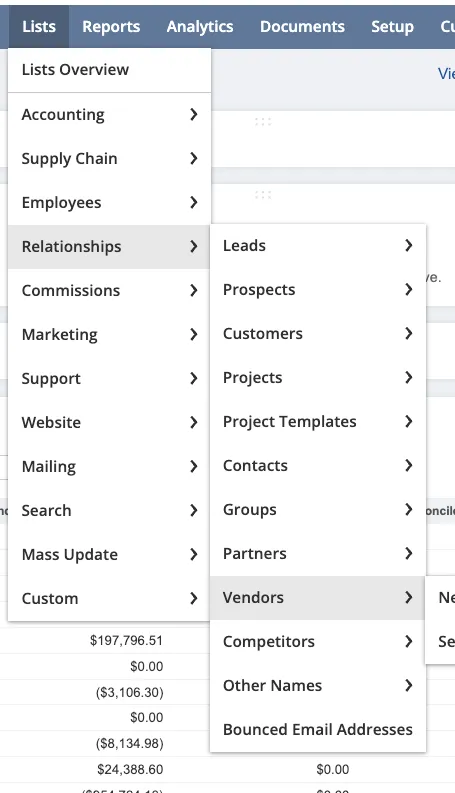
Navigate to the Vendors Page
Select the vendor you would like to modify.
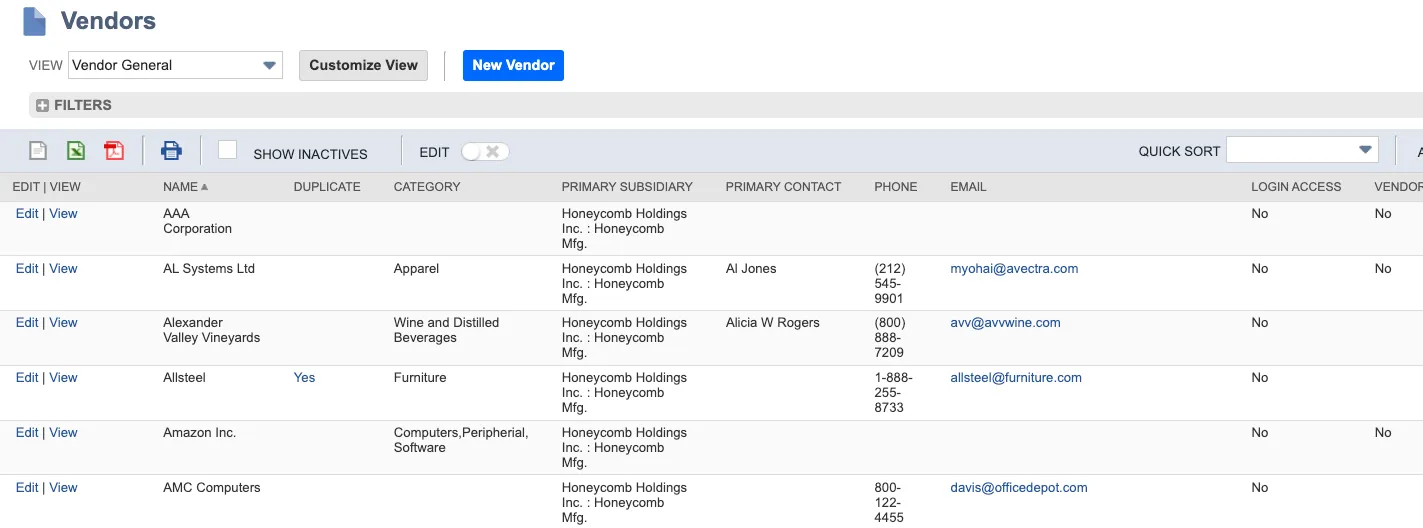
Select the Vendor
Edit Vendor
Select the PINACLE® | PNC tab. Click Edit.
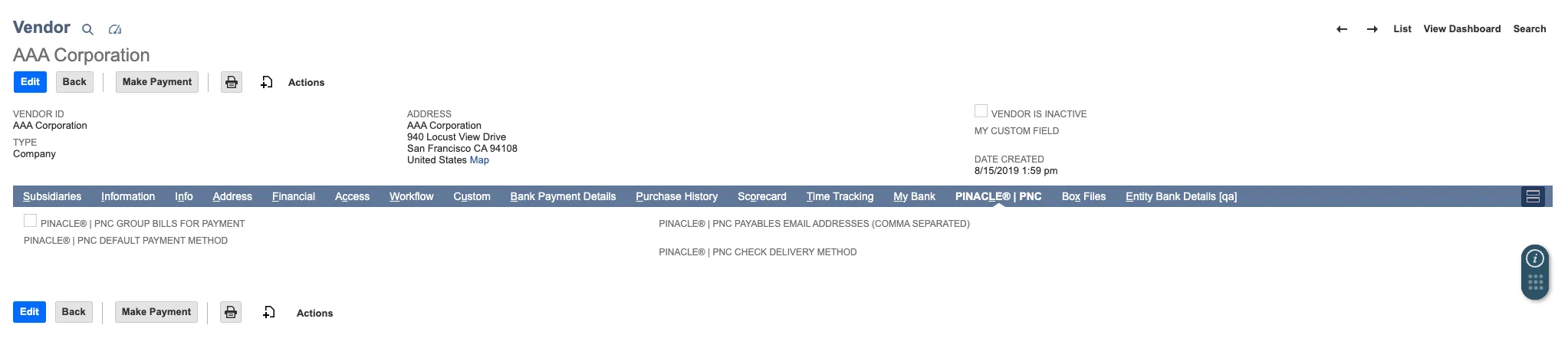
Select Edit
The following options are currently supported by the plugin.
- FedEx Next Day PM
- USPS First Class Mail
- FedEx Two Day
- USPS Priority Mail
- Bulk Mail
- Canadian Mail
Call PNC Payables Operations to manually set up tracking #s based off mail type; 877 824 5001, option 5 followed by option 2.
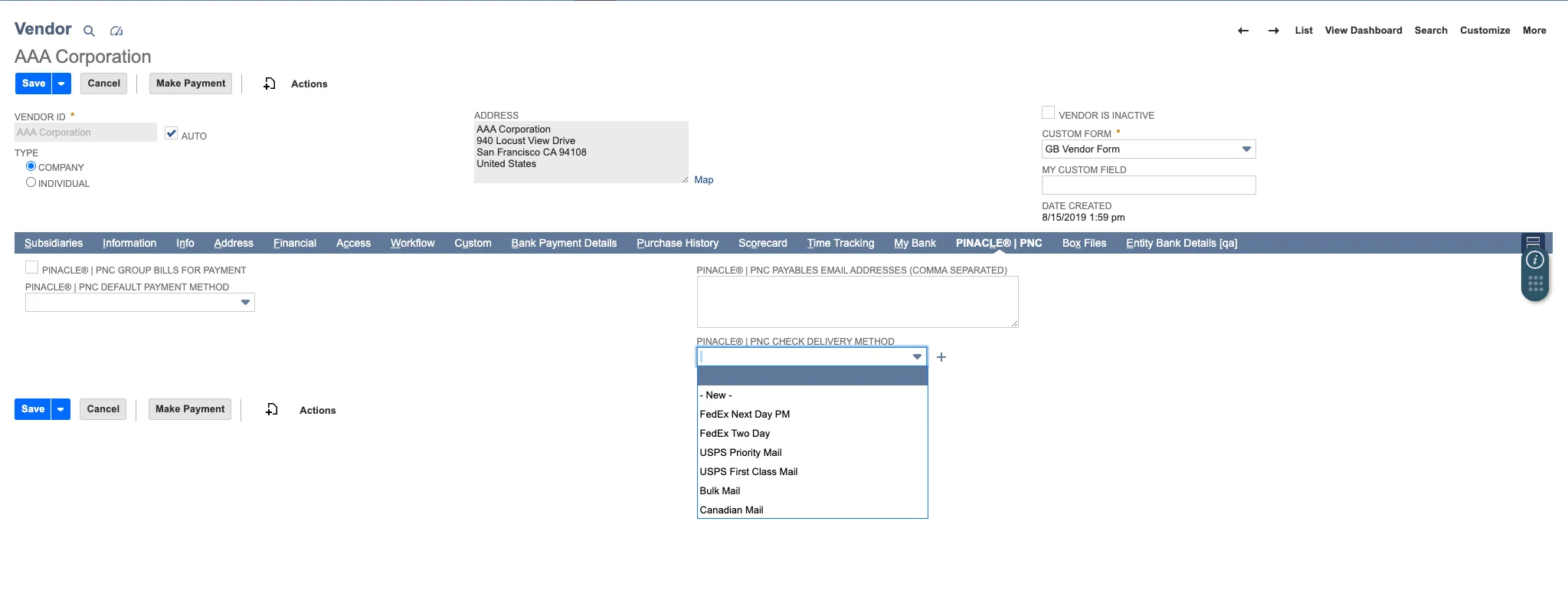
Select Delivery Method
Click Save.