Check Delivery Methods (Business Central)
To change the check delivery option for a vendor, navigate to the Payment Methods page.
Click on PINACLE® | PNC and then Payment Methods to load the page.

Select Payment Methods
On this page, you can manage payment information for each vendor.
Select the vendor you would like to manage by hovering over the vendor and selecting the eye icon.
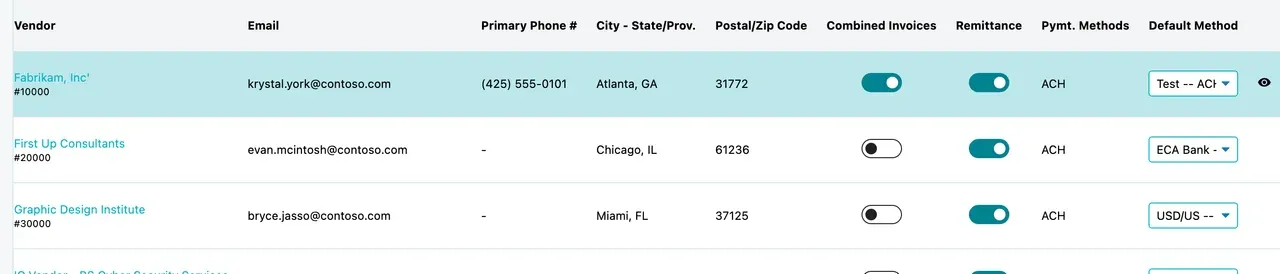
Click the Eye Icon
Modify the dropdown to select the delivery method you would like.
The following options are currently supported by the plugin.
- FedEx Next Day PM
- USPS First Class Mail
- FedEx Two Day
- USPS Priority Mail
- Bulk Mail
- Canadian Mail
Call PNC Payables Operations to manually set up tracking #s based off mail type; 877 824 5001, option 5 followed by option 2.
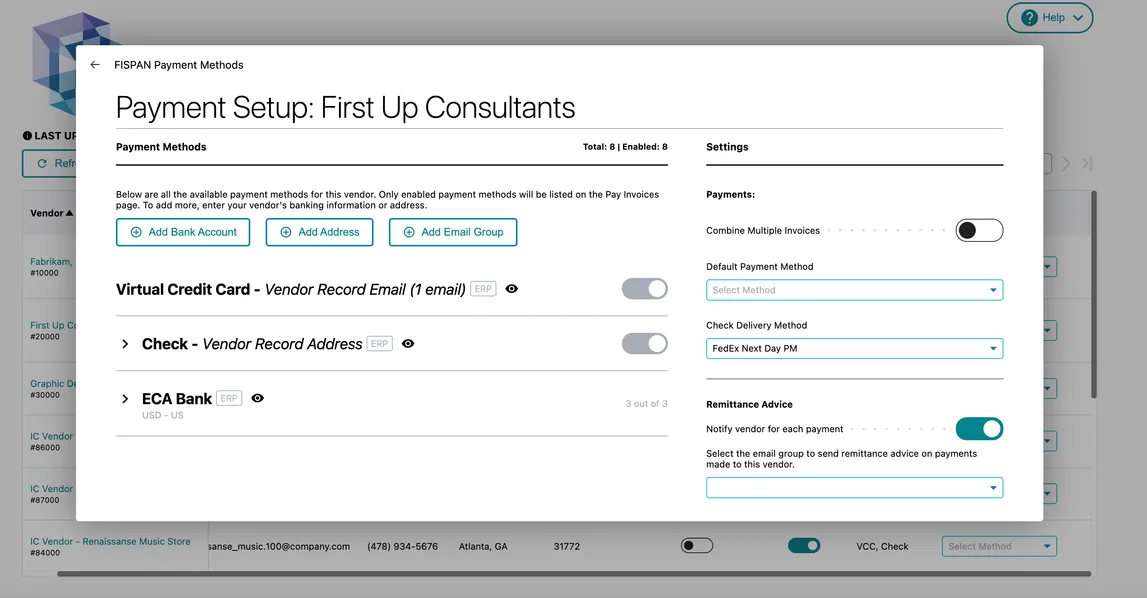
Modify the dropdown