Book Transfers (Intacct)
The Book (Funds) Transfers feature in your bank plugin will allow you to transfer funds between two accounts in the same entity.
Transactions appear instantly in the backend and ERP UI, while the PINACLE UI may take up to 15 minutes to reflect changes.
IMPORTANT: Intacct does not allow the transfer of funds between 2 accounts from 2 separate entities. The Bank Accounts have to be set up at the top level, with 2 different location IDs (or Fund IDs) or within the same entity (not at the top-level). This is an Intacct limitation.
Prerequisites
Please ensure the following prerequisites are met to make a successful funds transfer:
- Both accounts involved in the transfer are within the same entity.
- No required dimensions configured on GL accounts.
- CD or CDC Journals are enabled.
Initiate Book Transfer
When using Funds Transfers, ensure your Intacct Bank accounts are matched with the appropriate bank accounts.
To initiate transfers between bank accounts under the same subsidiary (Intracompany) or between bank accounts under different subsidiaries (Inter-company), follow these steps
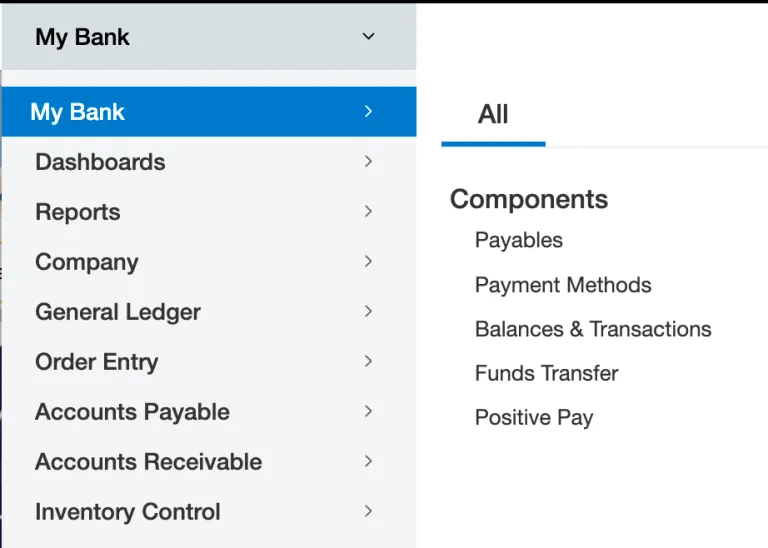
Go to the Funds Transfer Page
Go from Your Bank → Funds Transfer.
Initiate a Transfer
The overview page is composed of two sections: the ‘from’ and the ‘to’ accounts.
When selecting the source/destination accounts, users can view the book and bank balances for each bank account to help support decision-making.
Enter the following information:
- Under FROM ACCOUNT, select a Source Bank Account using the dropdown.
- Under TO ACCOUNT, select a Receiving Bank Account from the dropdown menu.
- Transfer Amount
- Memo (optional)
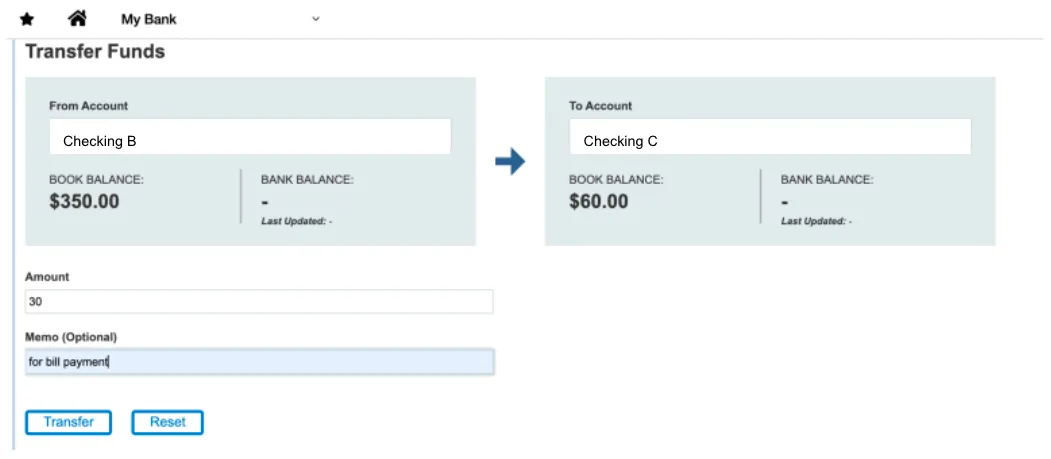
Select Transfer.
Confirm Transfer
A pop-up window will appear with transfer details.
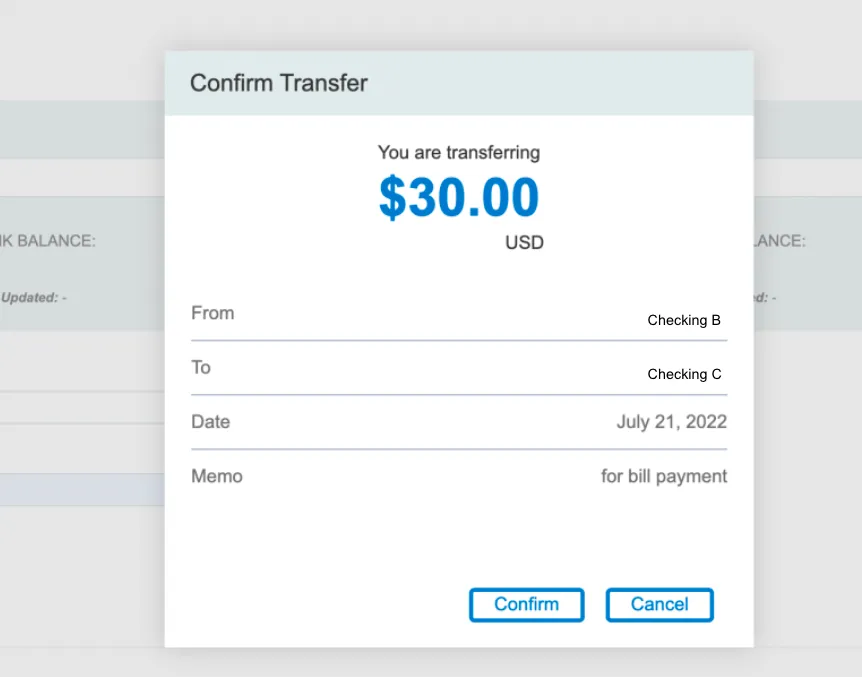
Select Confirm to initiate the transfer.
Transfer History
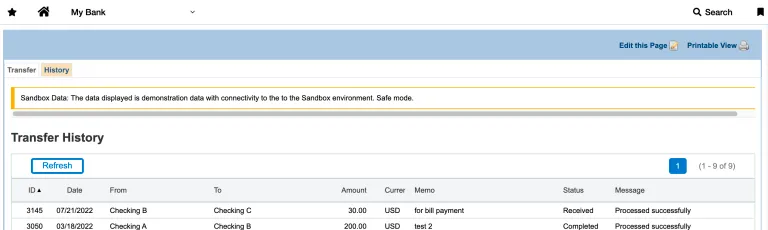
To view Transfer History, go to PINACLE® | PNC → Transfer Funds → History
This tab lists all previous book transfers with their statuses and allows sorting on all columns.