Enable Remittance Advise (NetSuite)
NOTE: Use the below section if you are initiating payments from the Accounts Payables (New) module.
Enable Remittance on Payment Methods Page
Email remittance advice allows you to automatically send detailed payment notifications to your vendors, improving communication and saving time.
Navigate to Payment Methods Page
Navigate to Accounts Payable (New) → Payment Methods
The Payment Methods page has two tabs:
- Vendors tab - Manage payment information for vendors (used when paying bills)
- Employees tab - Manage payment information for employees (used for expense reimbursements)
Select the tab for the type of payee you want to manage Remittance Advice. The workflow is the same for both vendors and employees.
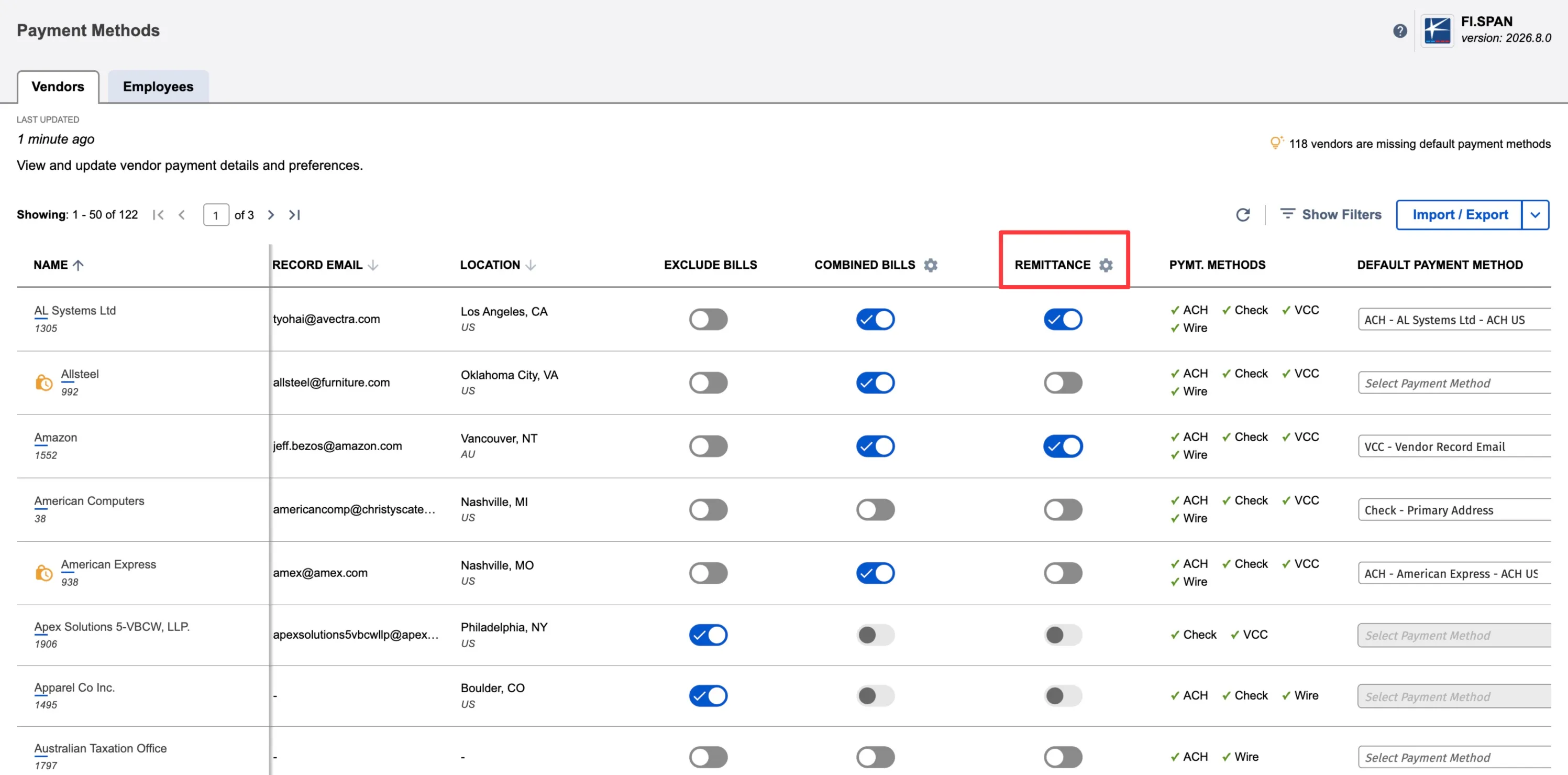
Enable Remittance (Bulk)
Once the page loads, click on the gear icon placed next to the Remittance column.
You will now be prompted to select the option you prefer.
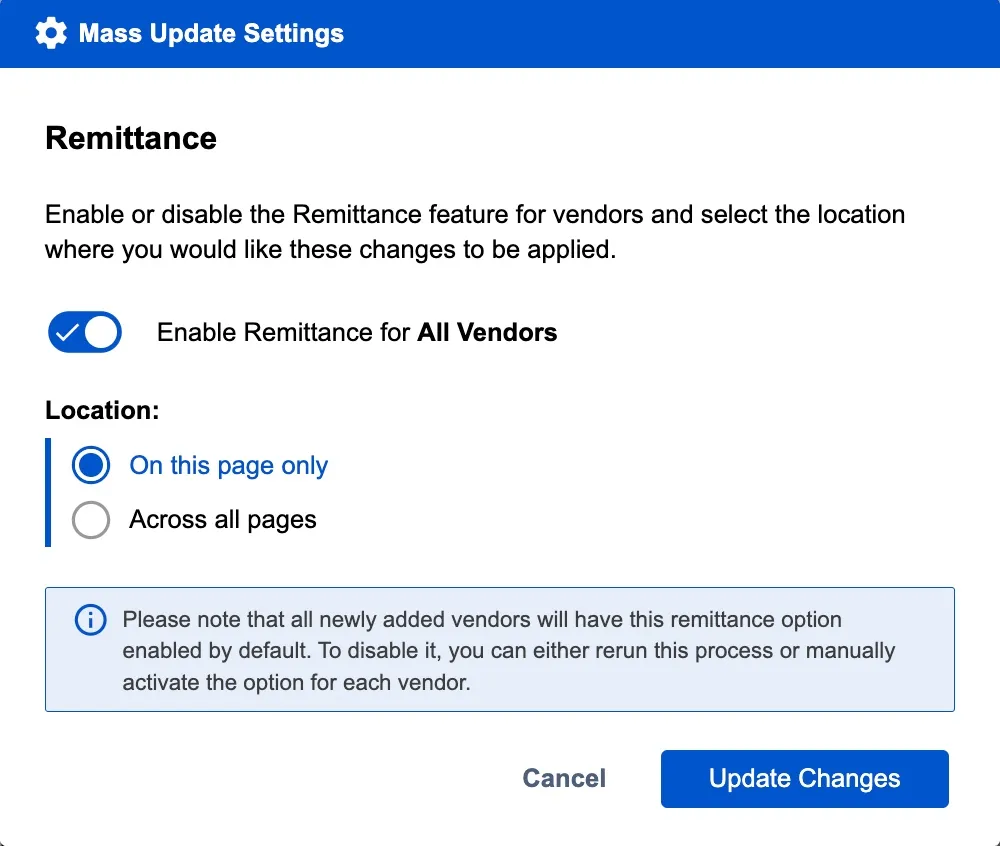
NOTE: If you choose to enable this for all vendors, you will need to make updates for any new vendors that are created in the future.
Once the option has been selected, click Update Changes.
The screen will reload, confirming the Remittance toggle is now on and displaying the settings you selected.
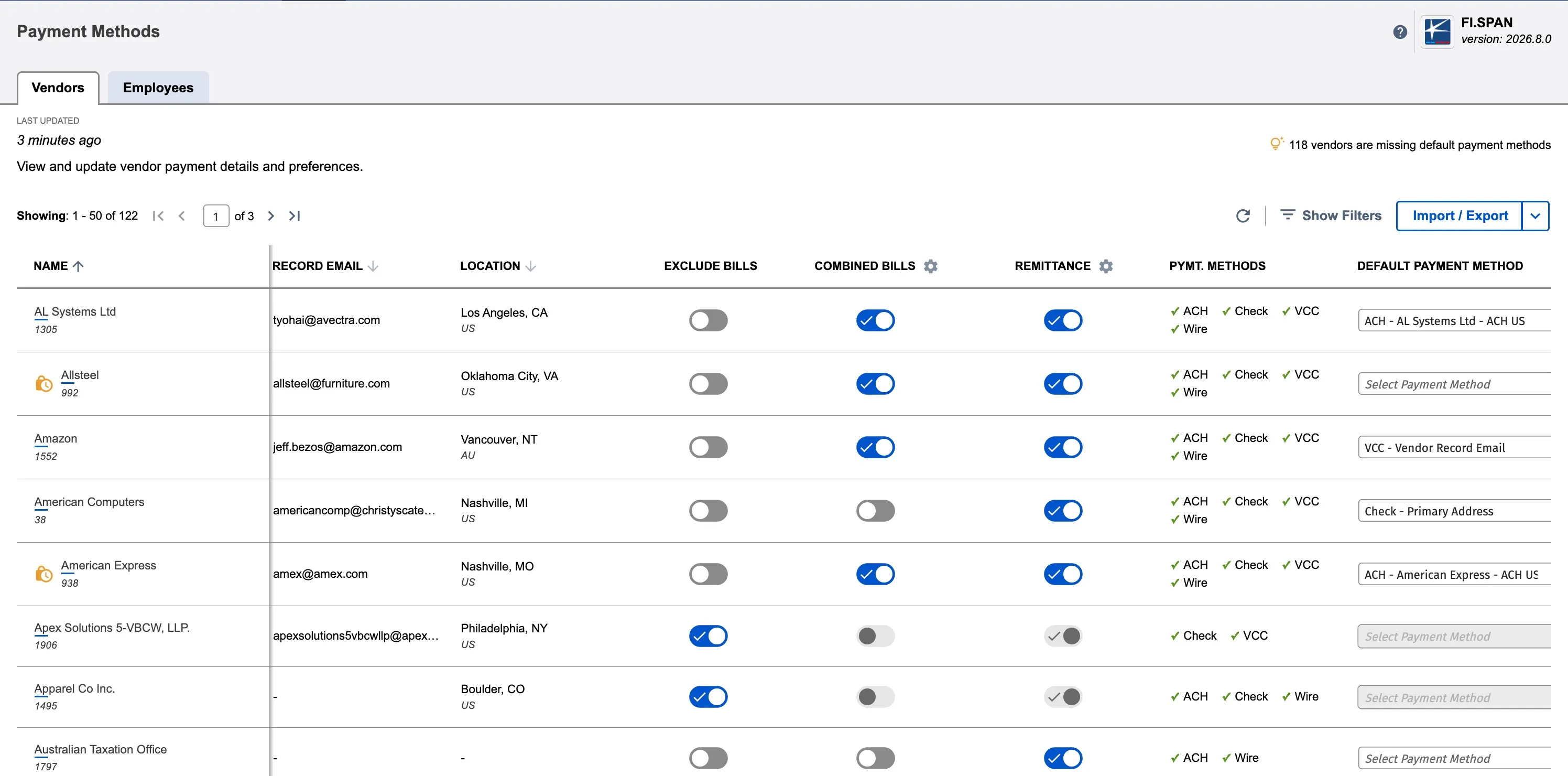
If you need to, you can disable the feature for specific vendors using the individual vendor toggles.
Configure Email Group (Per Vendor)
For each vendor where remittance is enabled:
- Click the vendor row to open the payment method dialop
- In the Settings pane (right side), find the Remittance section
- Click the dropdown under "Notify vendor for each payment"
- Select the email group to receive remittance notifications
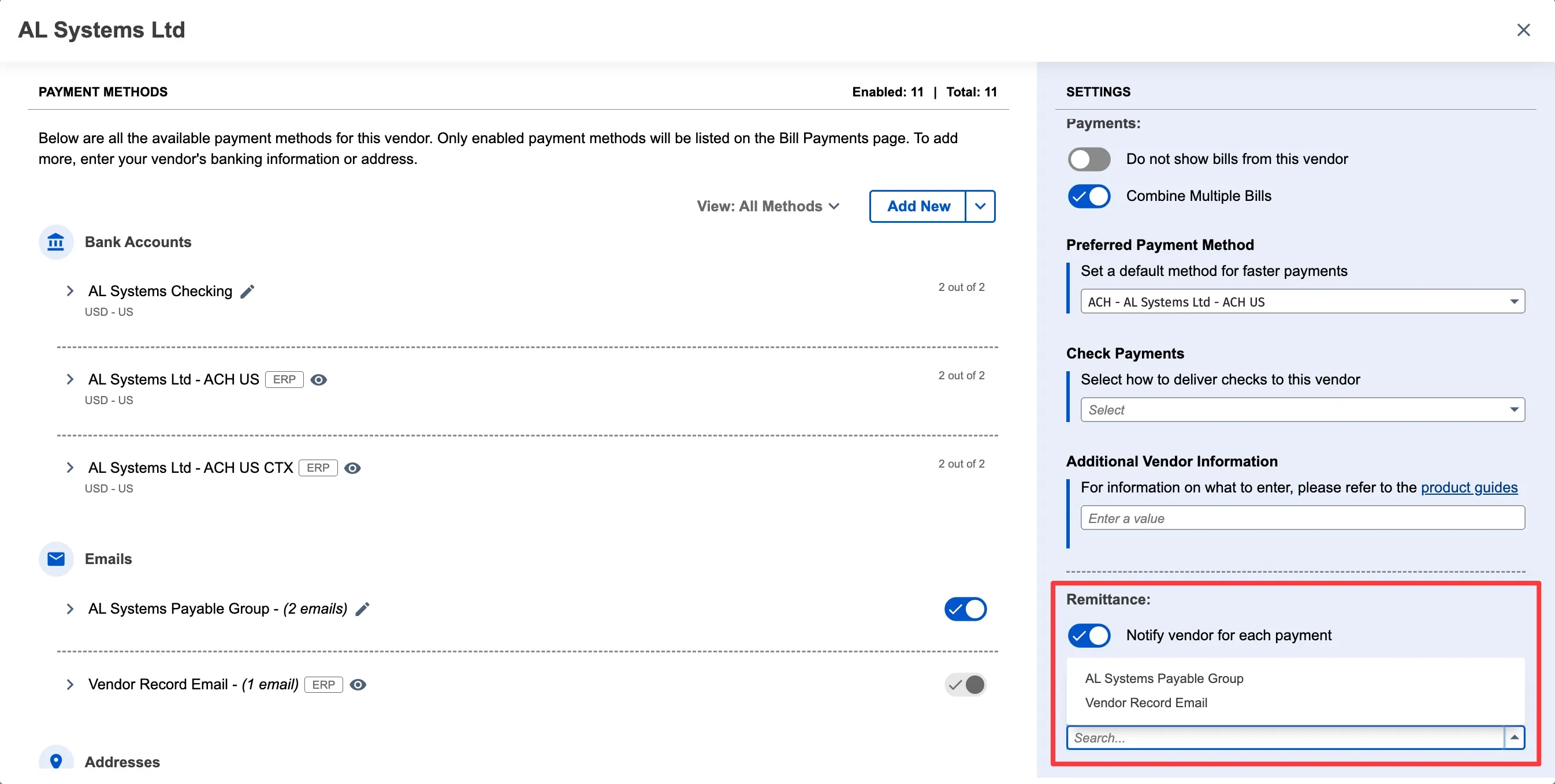
The selected email group will receive a remittance email every time you pay bills for this vendor.
Disable Remittance
The page will refresh, and all the toggles will be updated to match the status you selected. From this page, you can disable remittance for specific vendor or do in bulk using the above step.