Excluding Duplicate Transactions (NetSuite)
Keep your imported bank data clean and accurate by excluding duplicated or unwanted transactions directly within NetSuite's Match Bank Data page.
Go to the Match Bank Data
Go to Transactions → Bank → Match Bank Data.
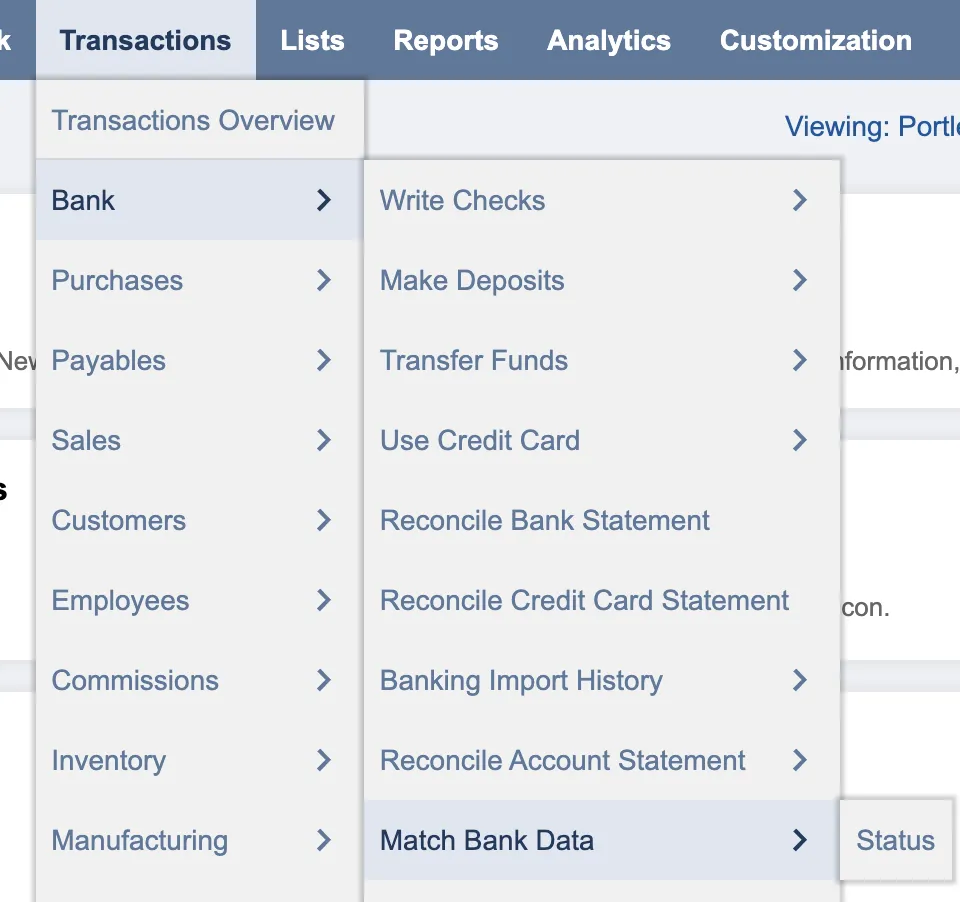
Go to Match Bank Data
Match the Bank Data
Select the appropriate account from the dropdown menu.
Review the transactions under Imported Bank Data for any duplicated transactions and use the checkmark to select the transaction.
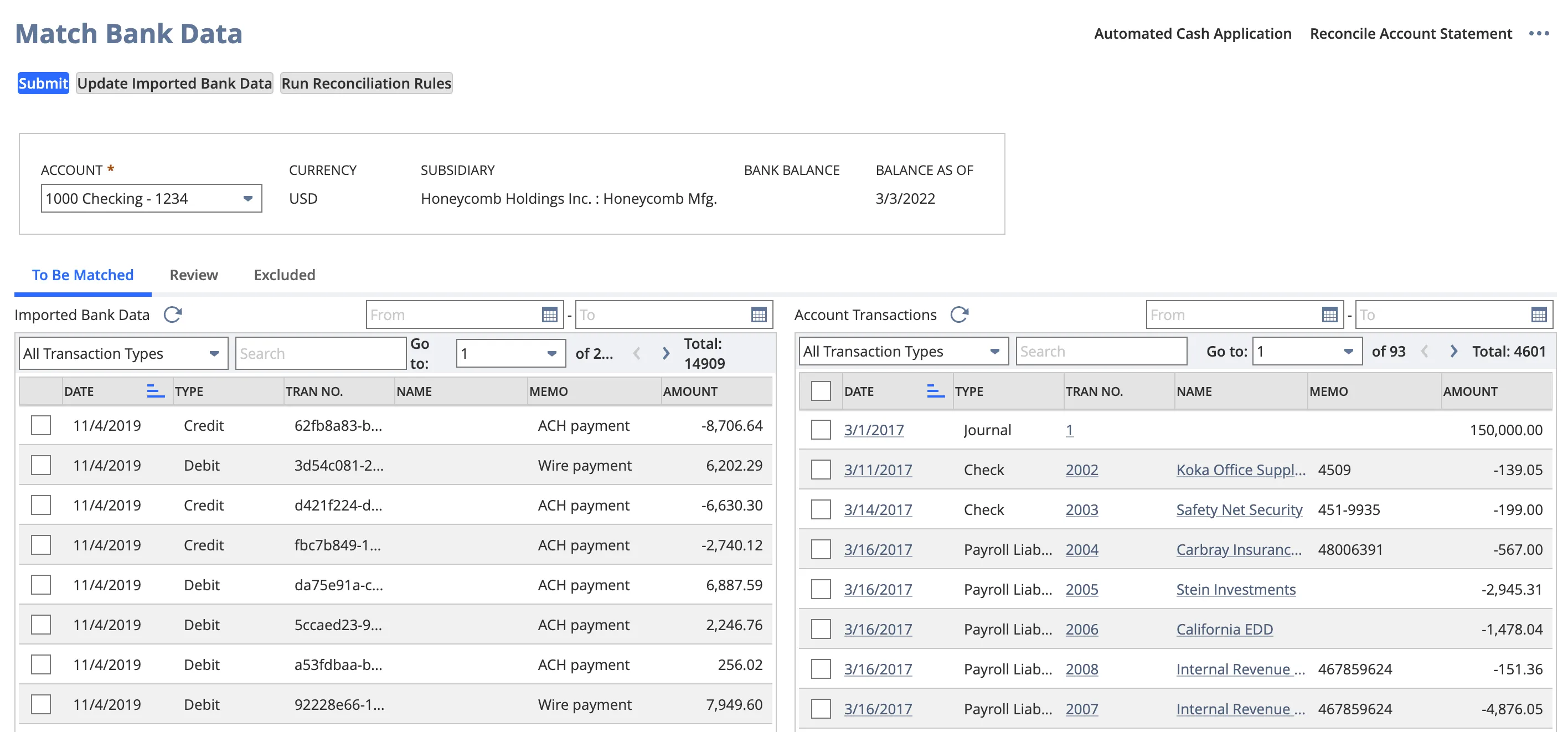
Match the Bank Data
Exclude Transactions
At the bottom of the Match Bank Data page, you can review all transactions you have selected. After reviewing the selected transactions, select Exclude.
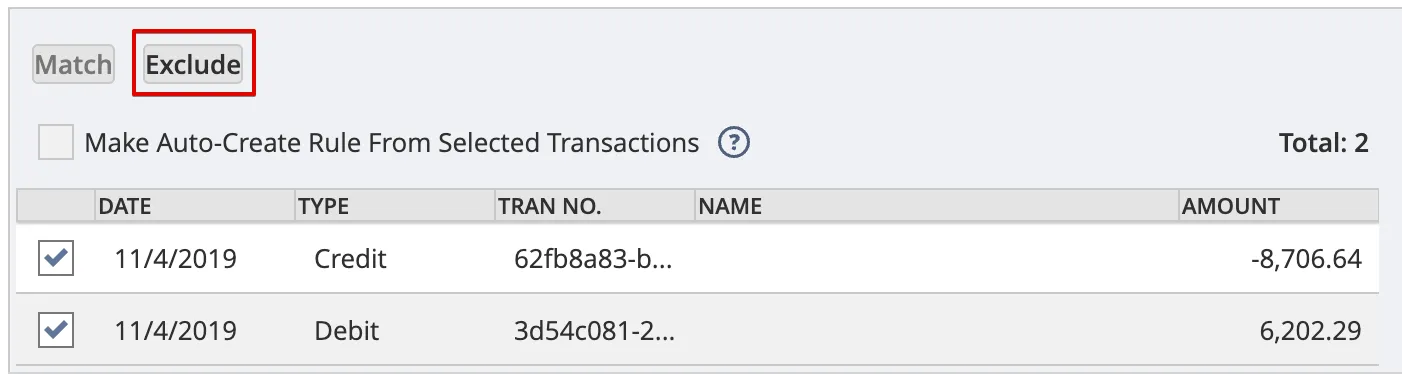
Exclude Duplicate Transaction
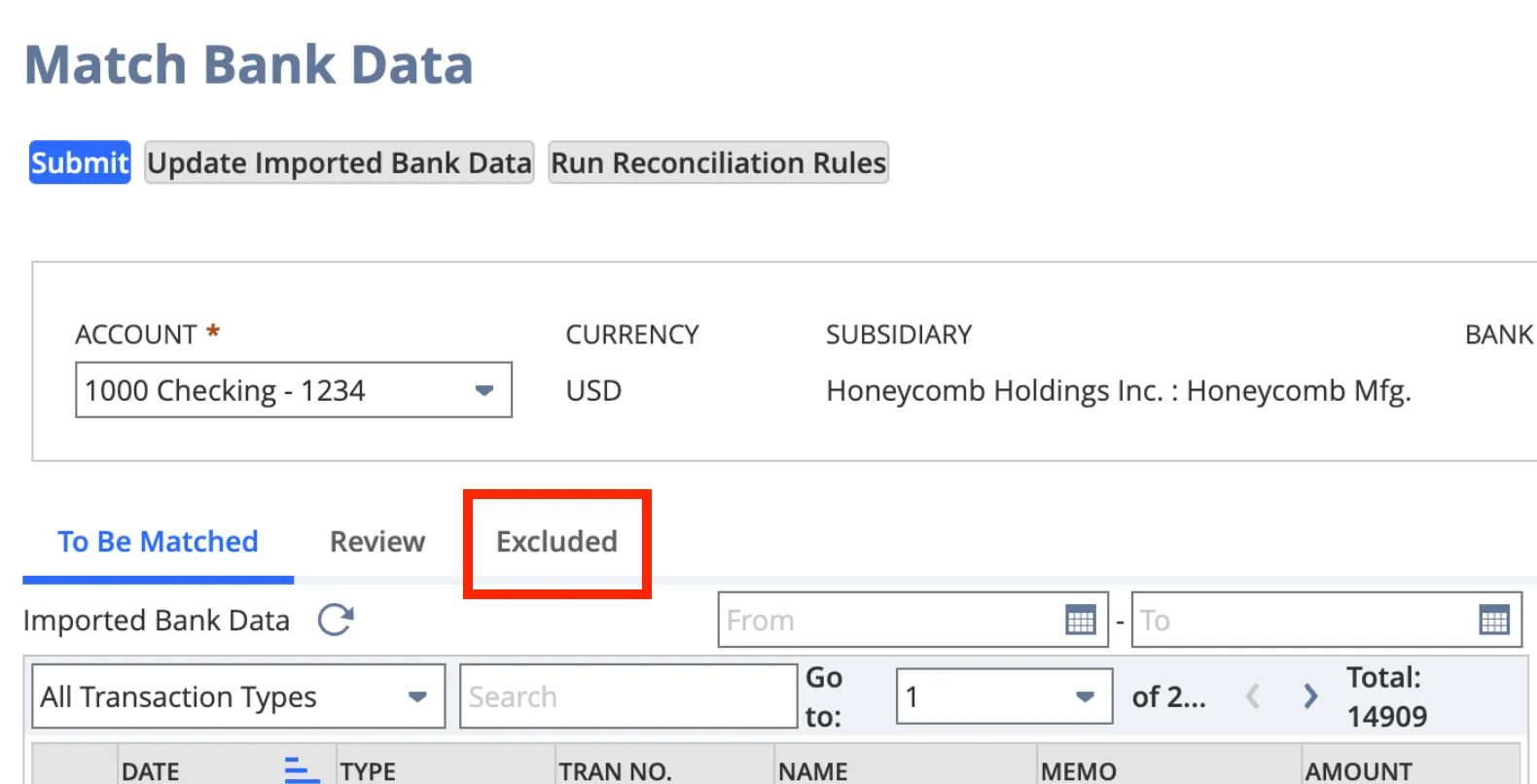
Once excluded, all excluded transactions can be found in the Excluded tab of the Match Bank Data page, if required.