Intacct Approval Process
Sage Intacct has two known base approval processes: Bill Approval and Payment Approval. It is crucial to understand how each interacts with the HSBC Integrator.
The plugin provides support for Sage Intacct native configurations regarding Bill Approvals; however, Sage Intacct's Payment Approvals are not supported, which may lead to unforeseen issues in payment processing. Other payment approvals processes may be available to you or the payment request is immediately sent to the bank for any applicable approvals in the bank's systems.
IMPORTANT: This page is for informational purposes only and should not be used as a guide to make changes to the configuration of your Sage Intacct environment. For support with your Sage Intacct native approval flows, please reach out to Sage or your Intacct implementation partner directly.
Viewing your Configuration
You must have sufficient permissions in Sage Intacct to view if you have approvals enabled.
To check your current settings:
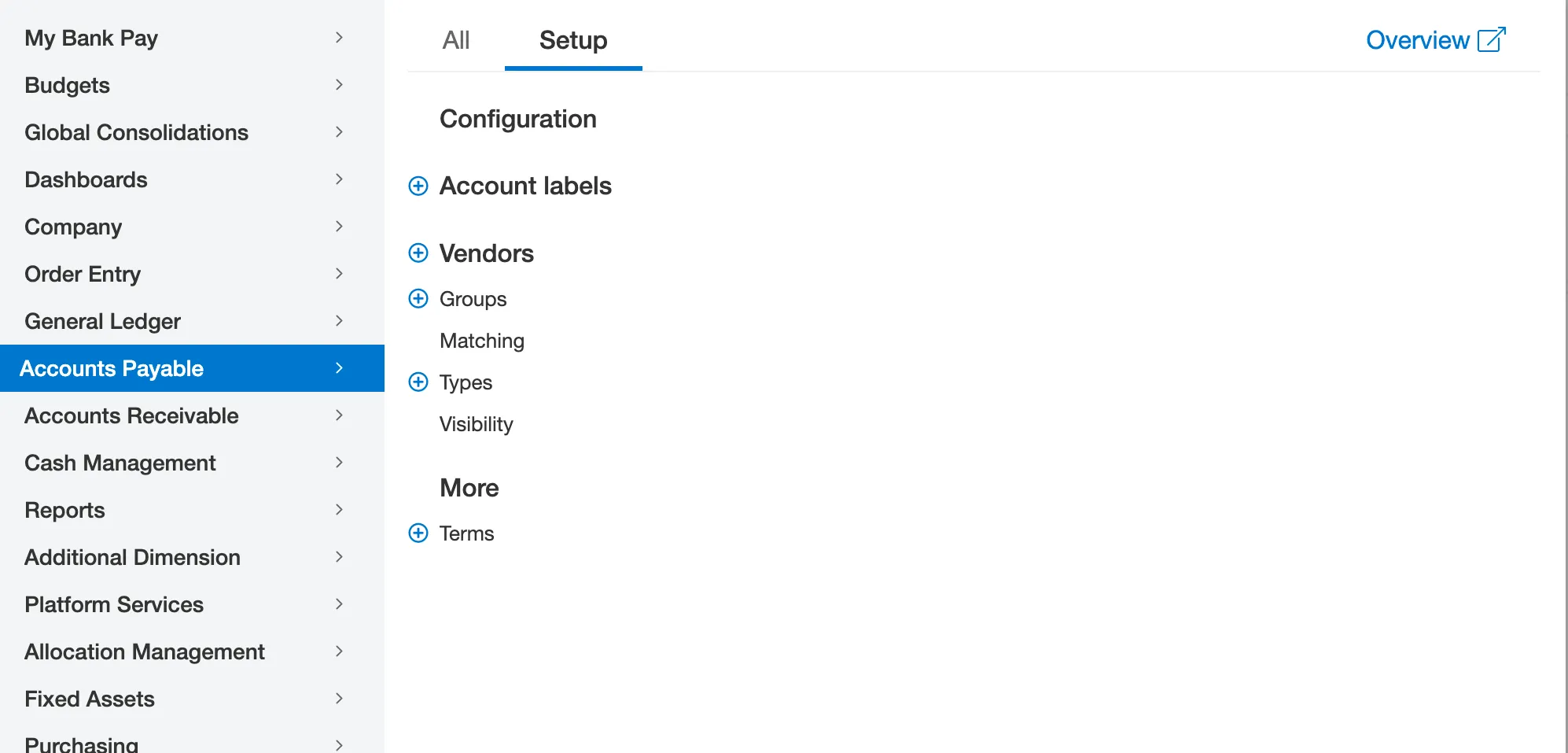
Go to Accounts Payable → Setup → Configuration.
Scroll down the page to find two sections: “Bill approval settings” and “Payment approval settings.”
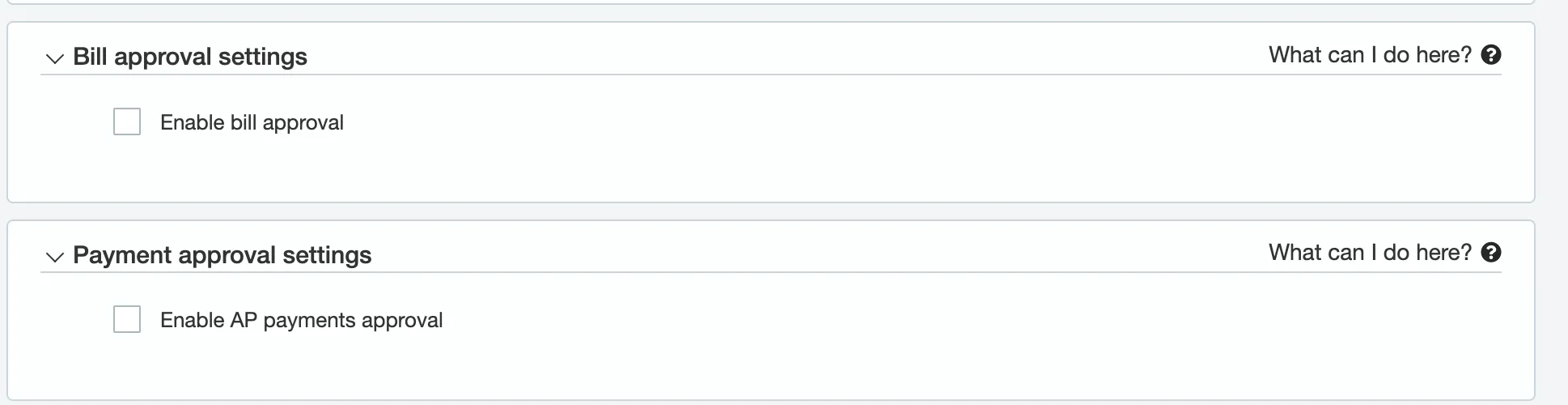
Bill Approval (Supported)
The Sage Intacct Bill Approval process is generally supported by your bank's Sage Intacct integration and does not interfere with the plugin payment flow.
How it Works
Bills that are created are required to be approved prior to being available for payment. In the plugin, bills that are created but not approved are not shown as available for payment.
Once a bill has been approved and is in the Posted status, it will be available for payment in the plugin.
Payment Approval (Not Supported)
Payment Approval is NOT supported.
The plugin requires users to disable the Sage Intacct Payment Approval flow before proceeding with Production payments. Failure to disable this process will impact any payments that are rejected within the native Intacct approval system.
IMPORTANT: The Intacct Payment Approval must be set to disabled for the below to take effect:
Payment Approval process in the plugin or the bank's systems: All payments initiated in the plugin are sent for any applicable approvals. The Bill Payment record is created in Sage Intacct, marking the original bill as closed and updating its status fields
IMPORTANT: If Intacct Payment Approval is set to enabled, the system cannot recall the payment if it has incidentally been transmitted to the bank. The bill is returned to the Posted status (unpaid/ready for payment), meaning Intacct shows an unpaid bill even though the bank has already processed the funds. This creates a considerable risk of duplicate payments.