Uninstalling the Plugin (NetSuite)
To uninstall the plugin from your NetSuite ERP, follow these steps.
Deactivate the Plugin
Select the three dots in the top right corner and then select Deactivate to disconnect your plugin from NetSuite through the Portal.
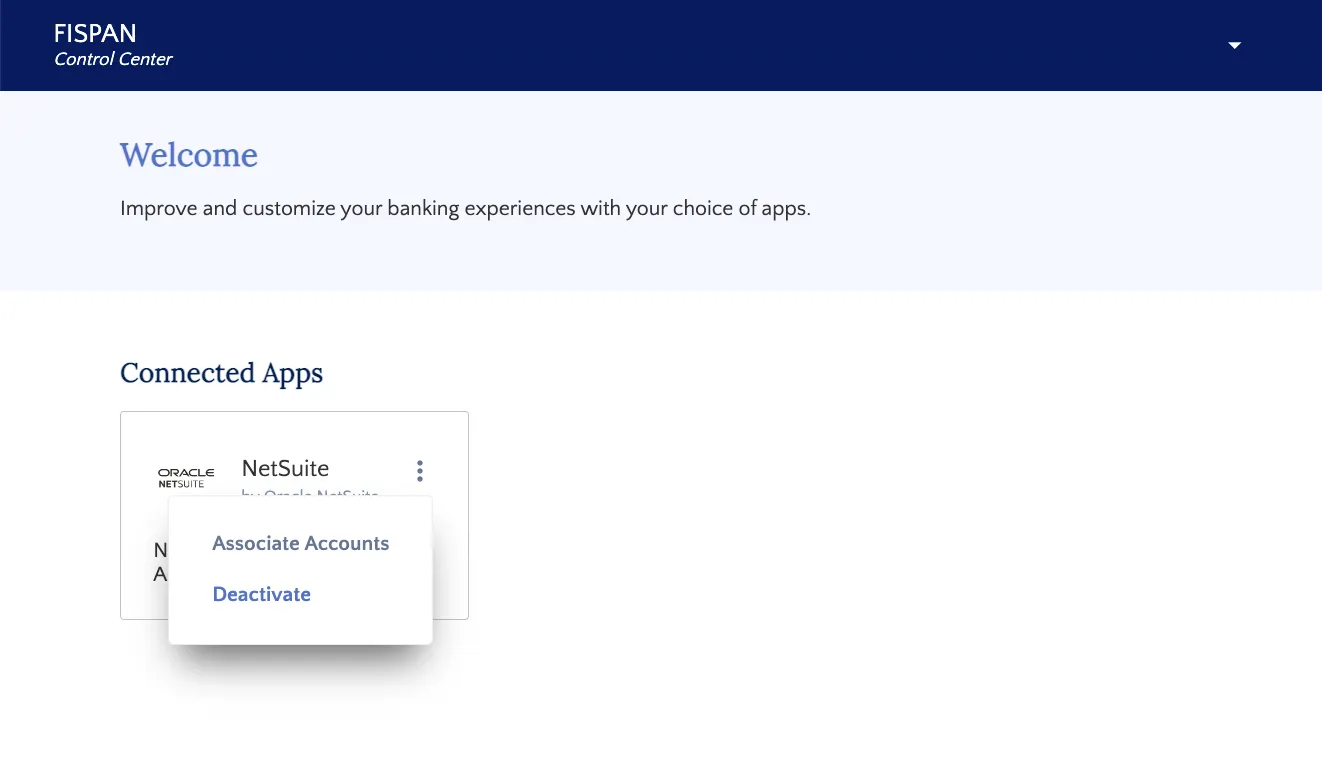
Select "Deactivate"
Search Installed SuiteApp
In NetSuite, go to Customization → SuiteCloud Development → Installed SuiteApp List
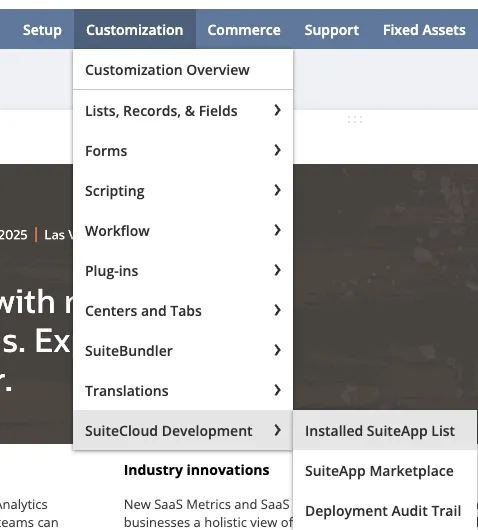
Installed SuiteApp List
Locate Installed SuiteApp
Select the green dropdown button and select Uninstall to uninstall the Customers Bank Connect | Powered by FISPAN SuiteApp. Then, select OK on the pop-up to confirm.
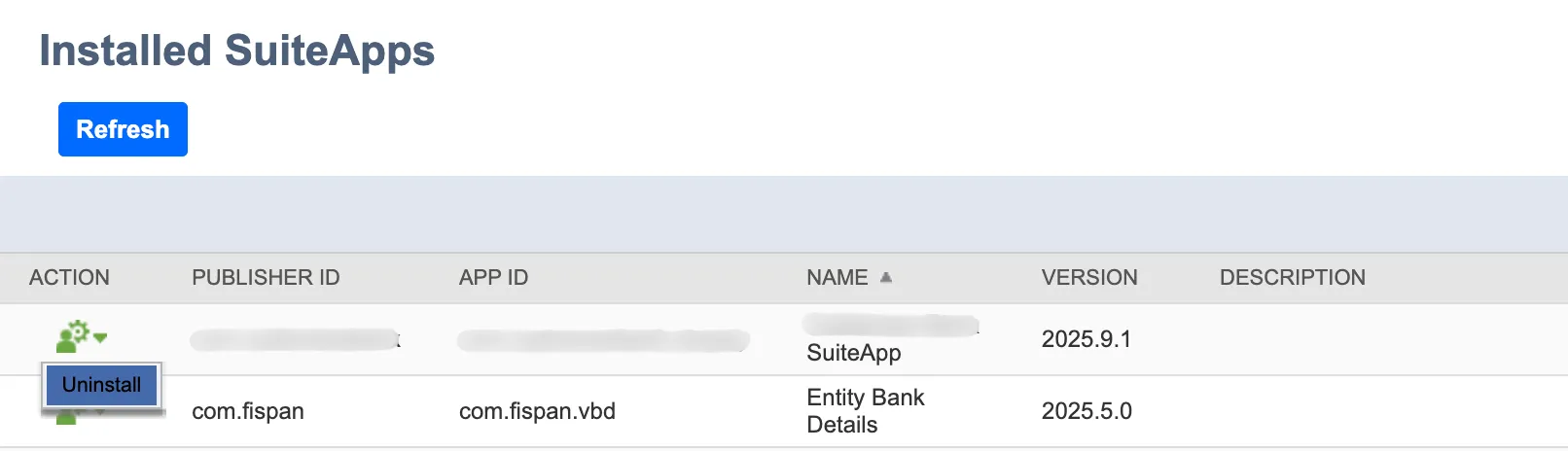
Click Uninstall
Finalize Uninstalling the SuiteApp
NetSuite will begin uninstalling the SuiteApp. Once uninstalled, it will no longer appear on the page and menu bar.
You've successfully disconnected your NetSuite environment and completely removed the plugin.