Release Notes (Business Central)
To learn how to update the bundle visit: Updating the Plugin (Business Central)
2026
NOTE: These updates are part of our October 2026 release. While you may see these features documented in our guides earlier, please note that all changes will officially go live on October 14, 2026.
October 2026
New Features Added
We're excited to introduce Payables 2.0 - Partial Payments (Business Central), a new capability for the plugin. This feature allows you to pay bills in multiple instalments directly within your ERP, without splitting bills into separate records or leaving the normal payment workflow, giving you greater cash-flow flexibility and control over your payables.
Improvements
Table headers now stay visible as you scroll: Table headers now remain fixed in view while scrolling through long lists on the Bank Accounts page, allowing you to reference column labels without returning to the top of the page.
Bug Fixes
We fixed an issue where exporting Payment Approvals or Payment Method Approvals history with a date range filter failed with an error. Filtered exports now generate files as expected.
September 2026
New Features Added
We're excited to bring you enhanced table customization and persistent filtering capabilities for your BMO Sync. You can now tailor your payables management workspace by personalizing visible data fields, reordering your table layout, and pinning your most-used filters, so your workspace works the way you do.
For more information, please refer to our Product Guide: Payables 2.0 - Customizable Columns and Filters (Business Central)
Improvements
We've made a series of enhancements across the plugin to improve usability and visual clarity:
- Refined payment Action Log layout: The Action Log timeline now displays with correct alignment, spacing, and styling, making it easier to track payment statuses at a glance.
- Table headers now stay visible as you scroll: Table headers now remain fixed in view while scrolling through long lists on the Payments, History, Schedule Payments, Positive Pay, and Payment Methods pages, allowing you to reference column labels without returning to the top of the page.
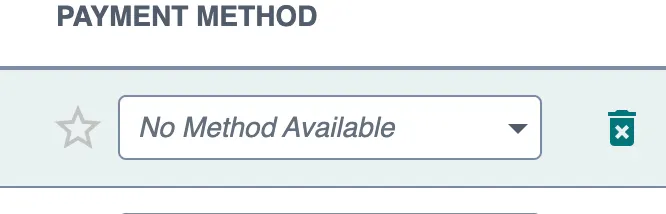
- Clearer labeling when no payment methods are available: Payment method fields now display "No Method Available" when a vendor or employee has no configured payment methods, clearly indicating that no selection can be made. This applies across all payment method fields and drop-downs.
- Improved guidance for setting up approval workflows: The BMO Sync plugin now offers clearer direction when approval rules have not yet been configured, distinguishing between rules that still need to be set up and an empty approval queue. When approval rules aren't yet in place in the FISPAN Portal, users see a helpful "Approval Rules Required" screen with direct links to the configuration area, guiding them to complete setup before processing payment or vendor approvals.
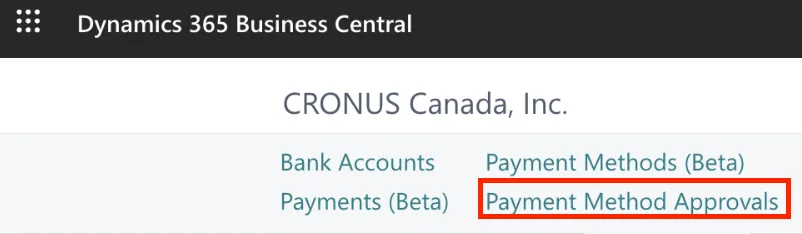
- Clearer labeling for vendor change reviews: The "Vendor Record Approvals" section under Approvals is now labeled "Payment Method Approvals" to clearly indicate that pending updates relate specifically to vendor payment methods and bank details. This is a naming change only and does not affect existing permissions or pending requests.
August 2026
New Features Added
We're excited to announce support for Payables 2.0 - Scheduled Payments (Business Central) within the Payables (Beta) Page. You can now select a future date for payments, giving you greater control and flexibility in managing your payment workflow.
Improvements
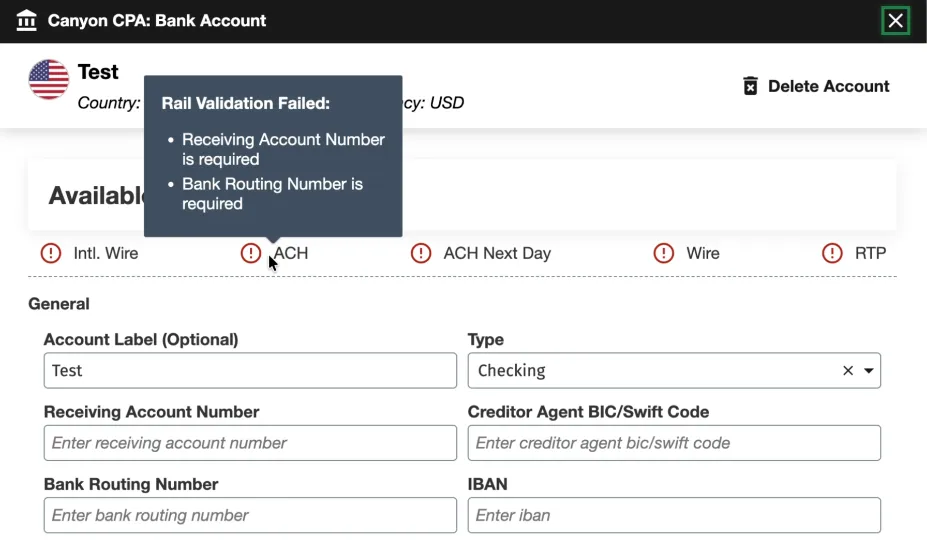
We updated the tooltips in the Bank Account configuration modal so all messages under Available Payment Methods are fully visible, clearly readable, and easy to act on regardless of your screen or modal size.
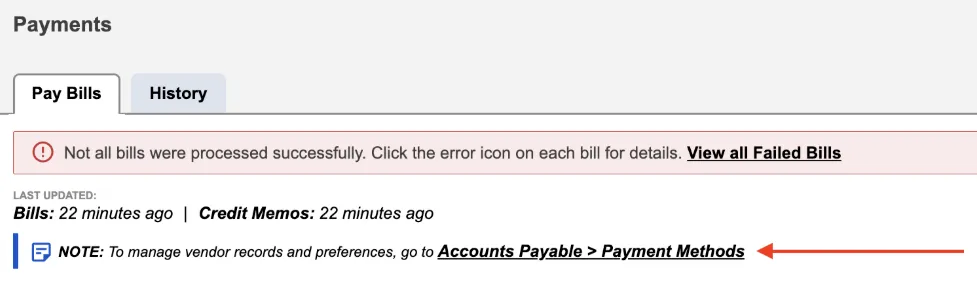
In addition, the note section on the Pay Bills page has been updated with cleaner, more direct messaging. You'll now see clear instructions directing you to the Payment Methods page whenever you need to adjust vendor records or preferences.
We’ve also updated the layout of the navigation bar to offer a more logical browsing experience. Menu items have been re-ordered to group related features and workflows together, making everyday navigation more intuitive and helping you find the pages you need faster.
July 2026
Improvements
We've updated our onboarding wizard with new setup steps for automated workflows and approvals.
New users will now see two additional steps during initial setup:
- Step 14: Set Up Approval Rules: Configure and customize your payment approval workflows during onboarding to ensure compliance and control from day one.
- Step 15: Enable Bank Feeds: Seamlessly connect your bank accounts during setup to automatically sync transactions directly into your ERP, eliminating manual data entry.
NOTE: These new steps apply exclusively to new users going through the onboarding process for the very first time.
June 2026
New Features Added
We're excited to introduce the Sandbox Checklist via the Portal, a guided, self-serve onboarding experience built directly in the FISPAN Portal to help clients get the most out of their Sandbox environment. The Sandbox Checklist is a structured list of post-onboarding sandbox checklist that guides clients through the plugin. This allows them to gain immediate clarity on the next steps once they are onboarding. It eliminates the guesswork by giving clients a clear, prioritized path through FISPAN's core capabilities, at their own pace.
Also, Product Assistant is now available on the Payables (Beta), Payment Methods (Beta), Payment Approvals, and Vendor Approvals pages. Product Assistant uses AI to instantly cross-reference your questions with our Product Guide, delivering real-time answers and direct links to the relevant documentation. It searches publicly available Product Guide content and provides trusted guidance, feature explanations, and links to source documentation directly in the experience. Product Assistant is a guidance tool only and does not make changes in the ERP or plugin.
In addition, we are excited to launch Payables Insights (Business Central), a centralized, real-time dashboard designed to give your finance team total visibility over your accounts payable, all in one place. The Payables Insights brings your most critical financial metrics into a single, actionable view.
Improvements
We are excited to announce a streamlined UI refresh and enhanced data visibility for our clients. This update focuses on better organization for diverse account types and improved transaction tracking.
The page you know as Balances and Transactions is evolving. We have rebranded this space to Bank Accounts. This new UI provides a cleaner foundation for managing multiple financial streams in one place.
For more information, please refer to our Product Guide: Viewing Bank Accounts (Business Central)
Also, we’ve enhanced the plugin experience with a refined user interface designed to create a more seamless and consistent experience across systems. Driven by customer feedback, these enhancements improve usability and navigation, seamlessly matching the native Business Central interface, while maintaining the workflows users know today. This release includes visual updates only; no functionality or processes have changed.
May 2026
Improvements
We’ve updated the Payment History page to ensure all transaction statuses are accurately represented. Records designated as "Completed with Change" now populate correctly within your history view. This update ensures the continued integrity of your payment data, providing a comprehensive and reliable audit trail for all finalized transactions.
April 2026
New Features Added
We're thrilled to announce the next generation of the Payables experience (Payables 2.0) with the introduction of two new modules: Payments (Beta) and Payment Methods (Beta). These new interfaces deliver powerful new capabilities to help you streamline payment runs and reduce errors.
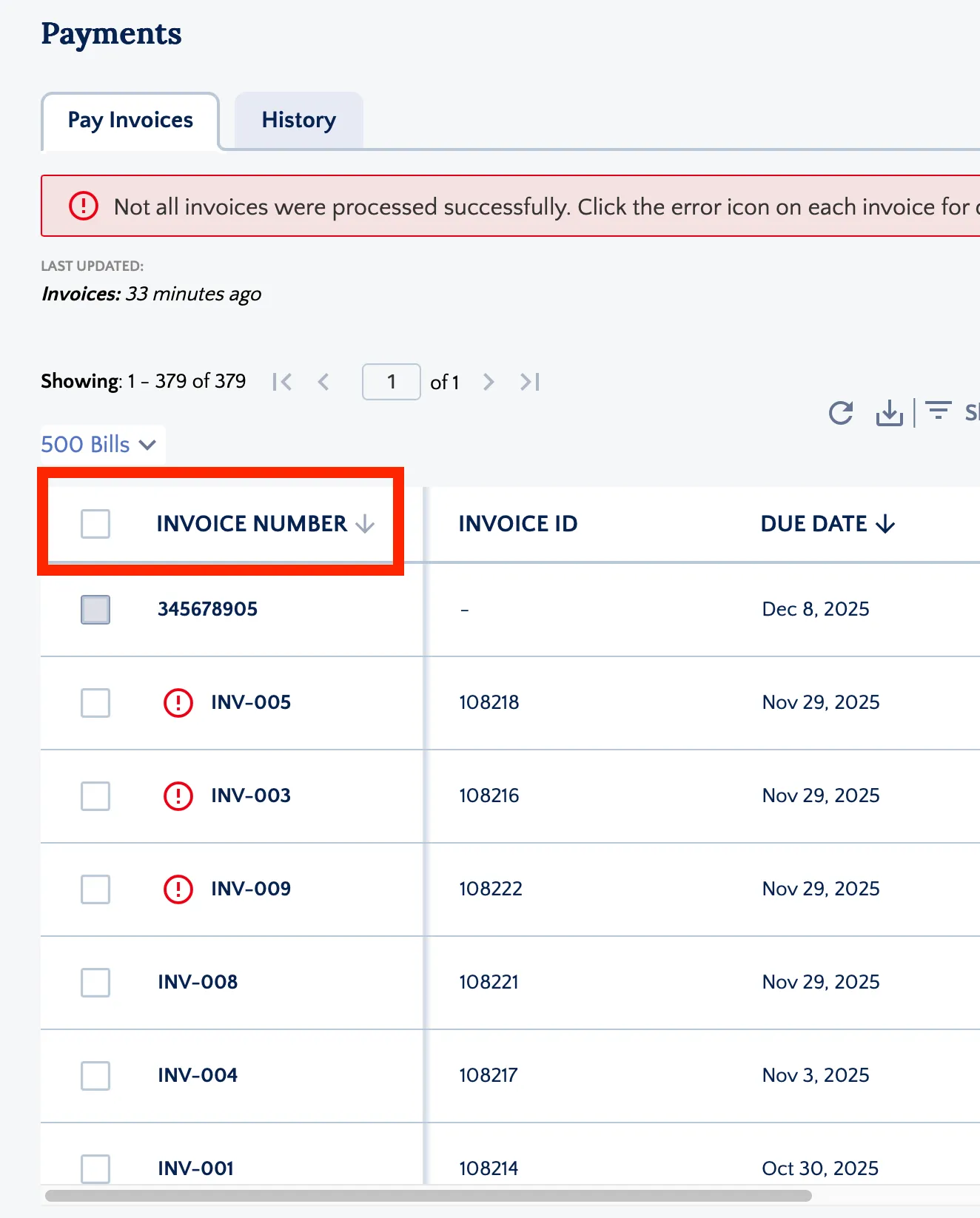
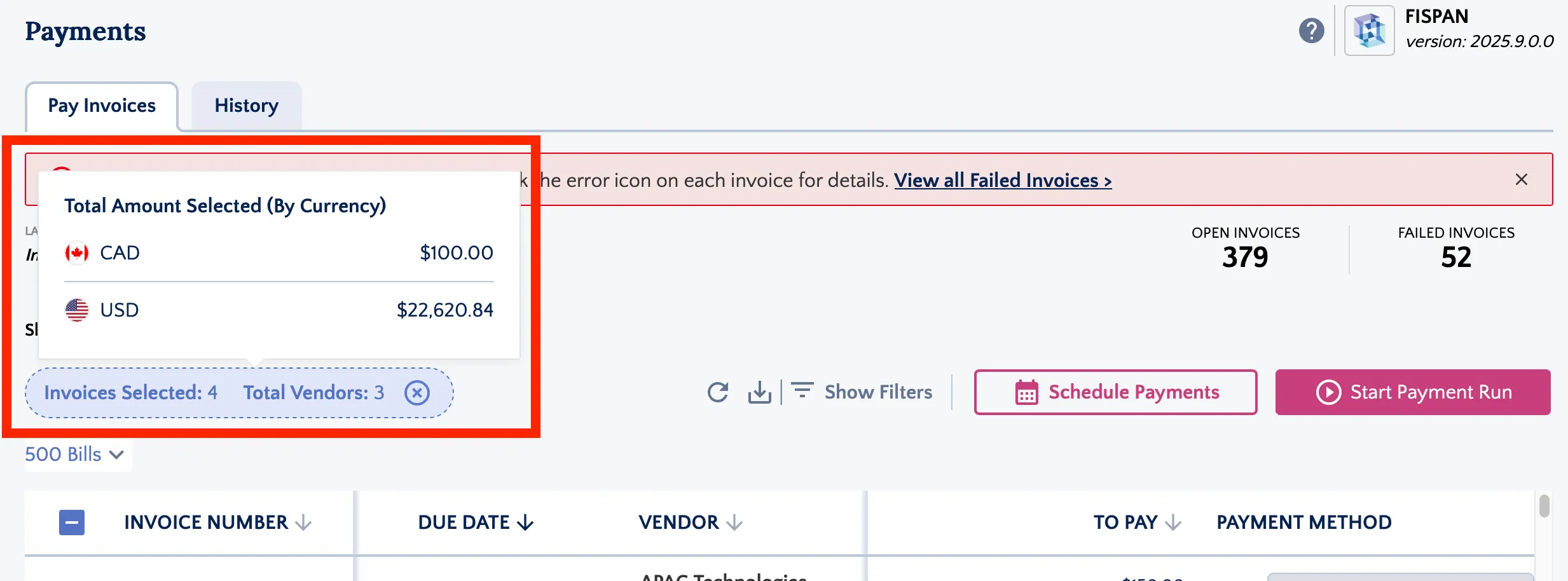
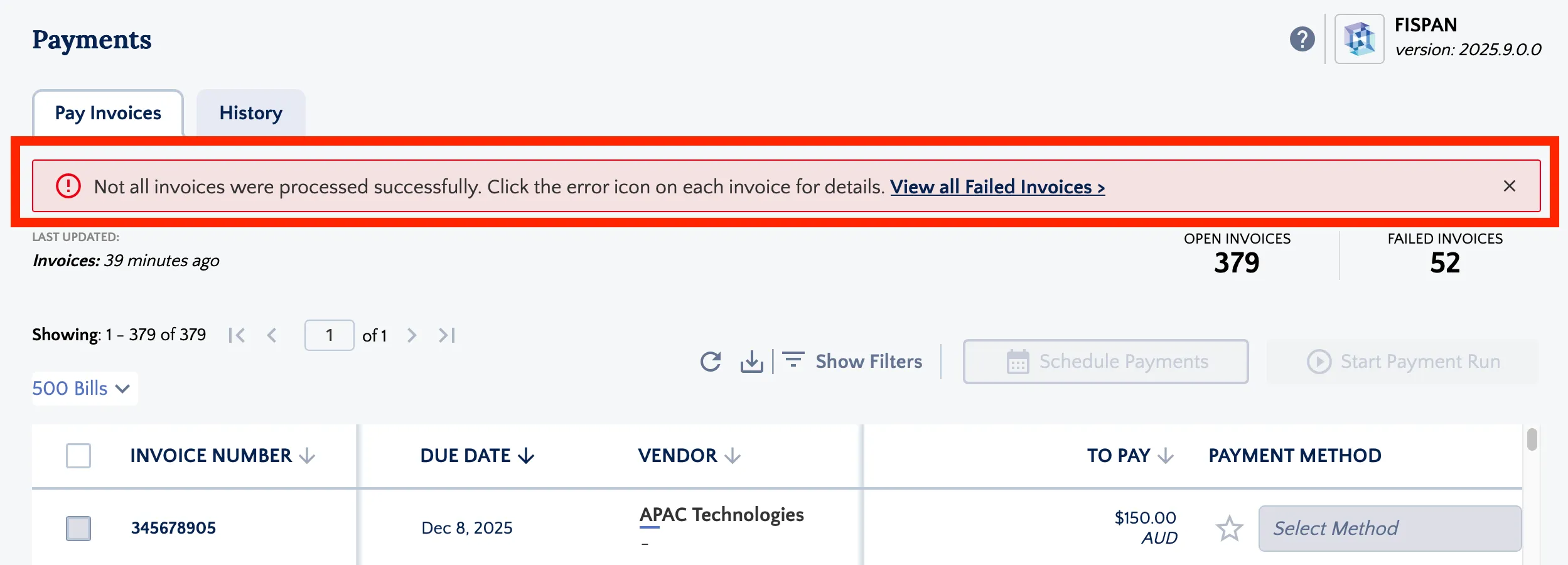
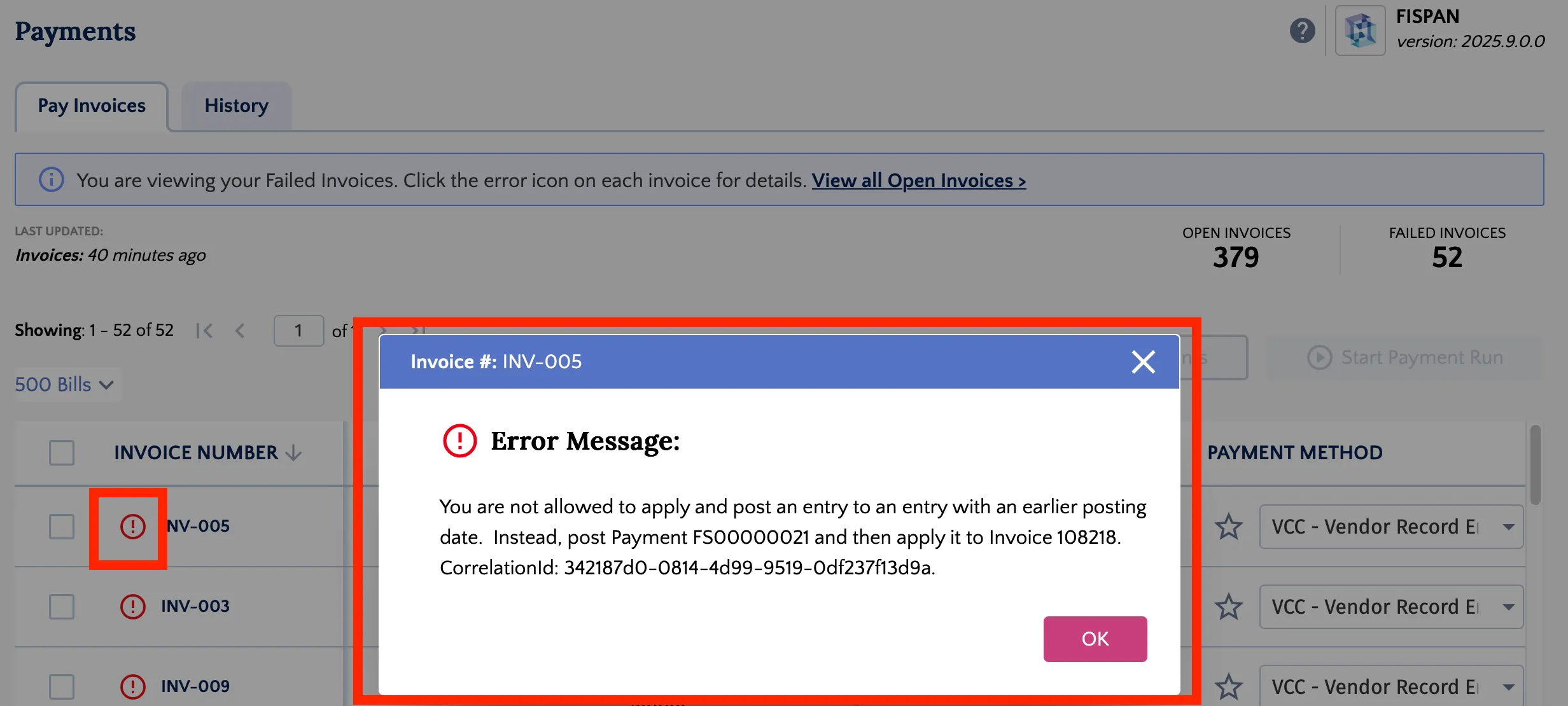
For more information on Accounts Payable 2.0 and Payment Methods (Beta), please refer to our Product Guides: Introducing Payables 2.0 (Business Central)introducing and Payables 2.0 - Payment Methods (Business Central)payment
Features Added For Testing
We’ve added additional check delivery codes on a per-vendor basis. Please note that this functionality is currently in the Testing Phase and is not yet available for general production use.
The following methods are currently available for testing within the plugin:
- Standard USPS / Canada Post
- Courier to Debtor Address
- Courier to Payee Address
- Courier to Special Handling Address
March 2026
February 2026
Features Added
You may now see the option to add Check as a payment method under the BMO Sync / Lien BMO sub-tab within the vendor profile. This functionality is currently available for testing purposes only and is not yet enabled for live use. The feature is expected to become available in the coming months to support domestic payment processing.